Caption and Case Info
Court name, case number, parties, and fiduciary title. Accurate caption ensures the clerk files and routes the petition correctly; mismatches can delay processing.
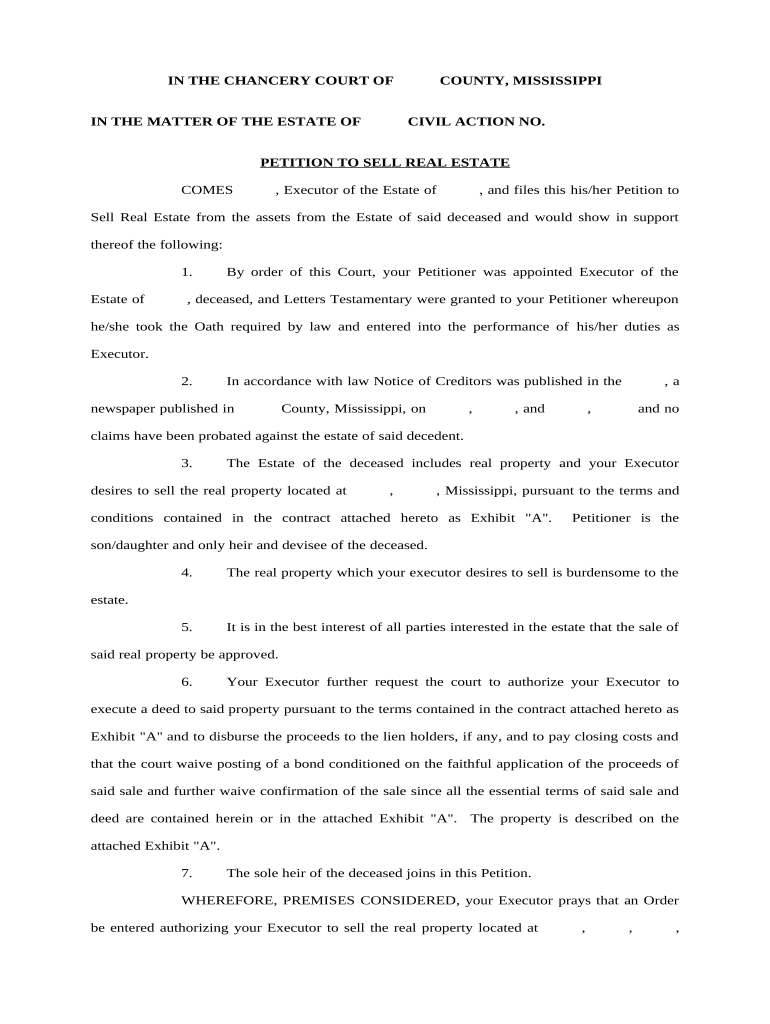
Court approval provides clear legal authority to transfer title or dispose of real property, reduces personal liability for fiduciaries, and creates a public record that helps prevent later challenges to the sale.

The petition is generally prepared by persons with legal authority in the matter; the following roles commonly handle or sign it.
Choosing the correct petitioner and signer avoids delays; the clerk or local court rules often require a verified petition and supporting proof of authority.
Court name, case number, parties, and fiduciary title. Accurate caption ensures the clerk files and routes the petition correctly; mismatches can delay processing.
Cite the statute, probate code section, or order granting authority to the petitioner. This grounds the request in law and guides the judge’s discretionary review.
Provide legal description, parcel ID, and street address. Use assessor records or deed language to avoid ambiguity that could invalidate the sale.
Include asking price, minimum acceptable price, broker commission, buyer identity (if negotiated), and any contingencies or proposed escrow arrangements.
Detail how interested parties will be notified (mailed notice, publication, service). Courts require proof of notice before approving sales in probate matters.
Attach will, letters testamentary, appraisal, listing agreement, and proposed purchase contract. Exhibits let the court evaluate fairness and necessity of the sale.
| Field | Configuration |
|---|---|
| eFiling Method | Court portal upload or clerk-accepted PDF eFiling |
| Signature Placement | Place signature and date fields where notarization will occur |
| Authentication | Use email + SMS code or stronger ID verification |
| Retention Settings | Enable tamper-evident storage and audit logs |
Verify file formats, signer authentication, and clerk or court portal acceptance before finalizing an electronic petition.
Confirm local court rules for eFiling and electronic signatures; not every court accepts all formats or remote notarization methods.
Often 4–8 weeks depending on court docket
Commonly 14–30 days to interested parties
If required, publication typically runs 3–4 weeks
Closing usually within 30–90 days after confirmation
Deed recorded based on county recorder timeline
Assemble authority, exhibits, and legal description.
Submit petition and pay filing fees to clerk.
Serve heirs, creditors, and publish if required.
Court signs order confirming sale and distribution.
Provide final petition in PDF/A and searchable PDF for court filing and archival purposes; include a standard Word DOCX copy for editing only.
Attach certified copies of death certificate, letters testamentary, appraisal, proposed purchase contract and title report to support the court’s review.
Signatures requiring acknowledgment must be executed in the notary’s presence or follow approved RON procedures where permitted by the state.
After confirmation, prepare deed and escrow documents for county recorder; confirm recording fees and indexing requirements.
| signNow | DocuSign | Adobe Sign | PandaDoc | HelloSign | |
|---|---|---|---|---|---|
| Starting Price | $8/user/mo | $15/user/mo | $14/user/mo | $19/user/mo | $15/user/mo |
| Free Trial | 7-day free trial | Varies by vendor | Varies by vendor | Varies by vendor | Varies by vendor |
| Bulk Send | Yes (Business Premium) | Varies by plan | Varies by plan | Yes | Varies by plan |
| Audit Trail | Yes | Yes | Yes | Yes | Yes |
| HIPAA Compliant | Yes | Varies by plan | Varies by plan | Varies by plan | Varies by plan |
| Envelope Cap | No envelope cap | 100 envelopes/user/year | Varies by plan | Varies by plan | Varies by plan |