Establishing secure connection… Loading editor… Preparing document…
Navigation

Fill and Sign the Postnuptial California Form
Fill and Sign the Postnuptial California Form

How it works

Open the document and fill out all its fields.
Apply your legally-binding eSignature.
Save and invite other recipients to sign it.

Rate template

4.4
43 votes
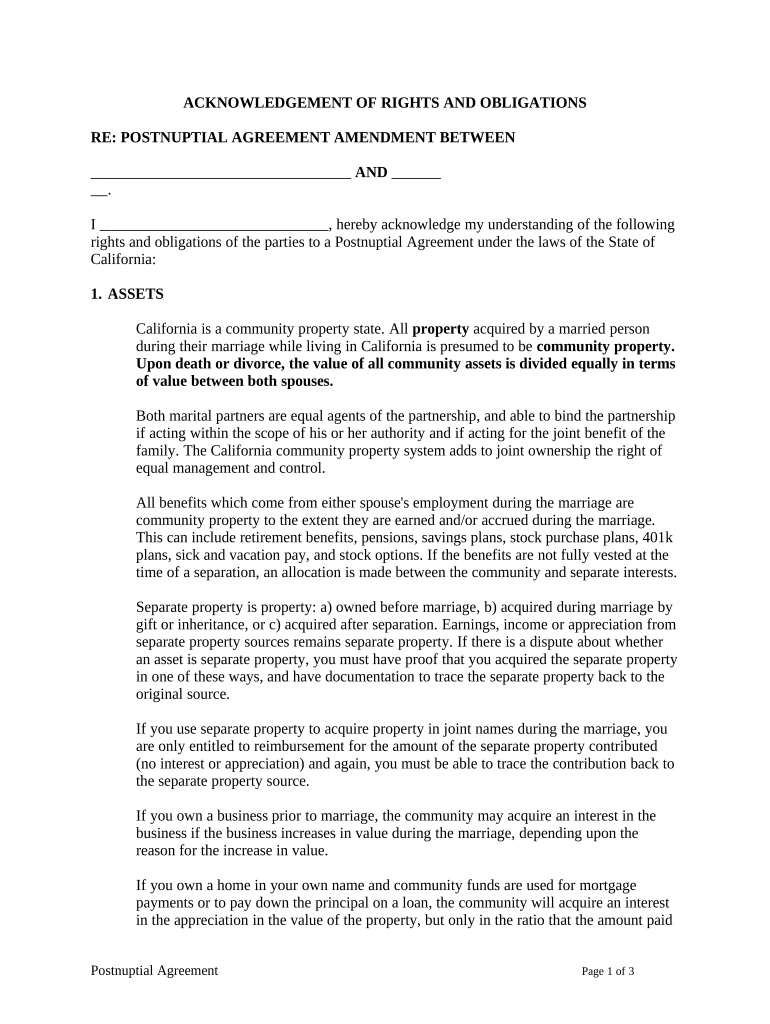
ACKNOWLEDGEMENT OF RIGHTS AND OBLIGATIONS RE: POSTNUPTIAL AGREEMENT AMENDMENT BETWEEN       AND       . I       , hereby acknowledge my understanding of the following rights and obligations of the parties to a Postnuptial Agreement under the laws of the State of California: 1. ASSETS California is a community property state. All property acquired by a married person during their marriage while living in California is presumed to be community property. Upon death or divorce, the value of all community assets is divided equally in terms of value between both spouses. Both marital partners are equal agents of the partnership, and able to bind the partnership if acting within the scope of his or her authority and if acting for the joint benefit of the family. The California community property system adds to joint ownership the right of equal management and control. All benefits which come from either spouse's employment during the marriage are community property to the extent they are earned and/or accrued during the marriage. This can include retirement benefits, pensions, savings plans, stock purchase plans, 401k plans, sick and vacation pay, and stock options. If the benefits are not fully vested at the time of a separation, an allocation is made between the community and separate interests. Separate property is property: a) owned before marriage, b) acquired during marriage by gift or inheritance, or c) acquired after separation. Earnings, income or appreciation from separate property sources remains separate property. If there is a dispute about whether an asset is separate property, you must have proof that you acquired the separate property in one of these ways, and have documentation to trace the separate property back to the original source. If you use separate property to acquire property in joint names during the marriage, you are only entitled to reimbursement for the amount of the separate property contributed (no interest or appreciation) and again, you must be able to trace the contribution back to the separate property source. If you own a business prior to marriage, the community may acquire an interest in the business if the business increases in value during the marriage, depending upon the reason for the increase in value. If you own a home in your own name and community funds are used for mortgage payments or to pay down the principal on a loan, the community will acquire an interest in the appreciation in the value of the property, but only in the ratio that the amount paid Postnuptial Agreement Page 1 of 3 on principal bears to the total purchase price. The community will also be reimbursed for the amount paid down on principal. The way you hold title to real property will affect disposition of property upon death of a spouse. For example, property held as joint tenants will automatically become the property of the surviving spouse. Property held as community property or tenants in common will be distributed according to the will or trust of the spouse, or according to the laws governing intestate succession in the absence of a will or a trust. 2. DEBTS Debts incurred during the marriage are presumed to be community property. The only debts which would normally not be community property are debts which are completely unrelated to the community (such as debts related to one person's separate property, support obligations, gifts or expenses related to a romantic relationship other than the marriage, or criminal acts which did not have a financial benefit to the community). This means that a spouse could incur a debt for a purpose the other spouse does not approve and it would still be a community debt. Debts incurred before marriage remain the responsibility of the person who originally incurred them. If community funds are used to pay these debts, sometimes there is a right of reimbursement for the community and sometimes not (special rules apply depending upon the type of debt and other assets/income which was available to pay it.) 3. DIVISION OF ASSETS AND DEBTS UPON DIVORCE In dissolution of a marriage, the court is empowered to allocate assets of comparable value to the former husband and wife to make the overall division of the gross marital estate substantially equal. It need not divide each asset. For example, when dividing a business might impair its value, the court will generally preserve the ongoing business interests if the court can still make an overall equal division of the marital estate. If you own a home together and one spouse continues to reside in the home after separation, that spouse could owe "rent" to the community, subject to an offset for payment of the costs of the home. If one spouse pays on community debts after separation, he or she will generally be reimbursed for those payments (the biggest exception would be if the debt payments are in lieu of support.). 4. SUPPORT Each spouse owes a duty of support to the other. Support can be ordered after separation. The amount and duration of support is set by the court and can depend on many factors. 5. CHILDREN Postnuptial Agreement Page 2 of 3 Each parent is entitled to custody of the children. Upon a separation, the court determines custody according to the best interest of the child. Child support is payable according to a standardized formula. 6. POSTNUPTIAL AGREEMENTS Under California law, the property rights of husband and wife prescribed by statute may be altered by a postnuptial agreement. A postnuptial agreement may be recorded in the office of the recorder of each county in which real property affected by the agreement is situated if the postnuptial agreement is executed and acknowledged or proved in the manner that a grant of real property is required to be executed and acknowledged or proved. Recording or nonrecording of a postnuptial agreement or other marital property agreement has the same effect as recording or nonrecording of a grant of real property. Information on the enforceability of postnuptial agreements is contained in the “Postnuptial Agreement Disclosure” that was received and signed concurrently with this “Acknowledgement of Rights and Obligations.” 7. BY EXECUTING THE POSTNUPTIAL AGREEMENT AMENDMENT YOU WILL BE WAIVING ALL OF THE FOLLOWING RIGHTS: (a) Division of community and quasi-community property; and (b) The award of marital assets by the court on such conditions as it feels proper to provide for a substantially equal distribution of property. This statement of Rights and Obligations has been provided by       . I,       , hereby acknowledge receipt of this Declaration of Rights and Obligations on this the       day of       , 2       Signature       Type or Print Name Postnuptial Agreement Page 3 of 3 ADVISEMENT AND WAIVER OF RIGHT TO INDEPENDENT COUNSEL RE: POSTNUPTIAL AGREEMENT AMENDMENT BETWEEN       AND       . NAME OF DECLARANT:       . RIGHT TO BE REPRESENTED BY AN ATTORNEY. I have been advised to seek independent counsel regarding a proposed postnuptial agreement amendment between myself and       . I am either currently in a position to afford independent counsel of my own choice or, if I can not afford independent legal counsel, I understand that       has agreed to compensate me for the cost of independent counsel to act solely under my direction and control. WAIVER. I understand that I am giving up the rights stated above and hereby waive the right to independent counsel. Signature of Declarant       Type or Print Name State of California County of       On       , 20       before me,       (here insert name and title of the officer), personally appeared             , who proved to me on the basis of satisfactory evidence to be the person whose name is subscribed to the within instrument and acknowledged to me that he executed the same in his authorized capacity , and that by his signature on the instrument the person , or the entity upon behalf of which the person acted, executed the instrument. I certify under PENALTY OF PERJURY under the laws of the State of California that the foregoing paragraph is true and correct. WITNESS my hand and official seal. Advisement and Waiver of Right to Independent Counsel Page 1 of 1 Signature (Seal) Advisement and Waiver of Right to Independent Counsel Page 2 of 1 POSTNUPTIAL AGREEMENT AMENDMENT DISCLOSURE AS STATED BELOW, IT IS VERY IMPORTANT THAT YOU BE REPRESENTED BY INDEPENDENT COUNSEL, OR WAIVE SUCH RIGHT. SEVEN (7) DAYS MUST PASS BEFORE EXECUTION OF THE AMENDMENT AS PROVIDED BELOW. NOTICE: The parties understand fully the laws of California dealing with the validity of postnuptial agreements, including, but not limited to the following: (a) A postnuptial agreement is not enforceable if the party against whom enforcement is sought proves either of the following: (1) That party did not execute the agreement voluntarily. (2) The agreement was unconscionable when it was executed and, before execution of the agreement, all of the following applied to that party: (A) That party was not provided a fair, reasonable, and full disclosure of the property or financial obligations of the other party. (B) That party did not voluntarily and expressly waive, in writing, any right to disclosure of the property or financial obligations of the other party beyond the disclosure provided. (C) That party did not have, or reasonably could not have had, an adequate knowledge of the property or financial obligations of the other party. (b) An issue of unconscionability of a postnuptial agreement shall be decided by the court as a matter of law. (c) For the purposes of subdivision (a), it shall be deemed that a postnuptial agreement was not executed voluntarily unless the court finds in writing or on the record all of the following: (1) The party against whom enforcement is sought was represented by independent legal counsel at the time of signing the agreement or, after being advised to seek independent legal counsel, expressly waived, in a separate writing, representation by independent legal counsel. (2) The party against whom enforcement is sought had not less than seven Postnuptial Agreement Amendment Disclosure Page 1 of 2 calendar days between the time that party was first presented with the agreement and advised to seek independent legal counsel and the time the agreement was signed. (3) The party against whom enforcement is sought, if unrepresented by legal counsel, was fully informed of the terms and basic effect of the agreement as well as the rights and obligations he or she was giving up by signing the agreement, and was proficient in the language in which the explanation of the party's rights was conducted and in which the agreement was written. The explanation of the rights and obligations relinquished shall be memorialized in writing and delivered to the party prior to signing the agreement. The unrepresented party shall, on or before the signing of the postnuptial agreement, execute a document declaring that he or she received the information required by this paragraph and indicating who provided that information. (4) The agreement and the writings executed pursuant to paragraphs (1) and (3) were not executed under duress, fraud, or undue influence, and the parties did not lack capacity to enter into the agreement. (5) Any other factors the court deems relevant. WE HAVE FULLY READ AND UNDERSTAND THE ABOVE LAWS AND WERE PROVIDED THIS DISCLOSURE, A COPY OF THE PROPOSED POSTNUPTIAL AGREEMENT AMENDMENT AND WERE ADVISED TO SEEK INDEPENDENT COUNSEL AT LEAST SEVEN (7) DAYS BEFORE EXECUTION OF THE ACTUAL AMENDMENT. Date:       Signature Husband       Print or Type Name Date:       Signature of Wife       Print or Type Name DATE SIGNED MUST BE AT LEAST SEVEN DAYS BEFORE SIGNING THE AMENDMENT. Postnuptial Agreement Amendment Disclosure Page 2 of 2 AMENDMENT TO POSTNUPTIAL AGREEMENT THIS AGREEMENT, made this       day of       , 2       , between       of       (Name) (Street Address)       ("first party or Wife"), and       , (City, State and Zip Code) (Name) of       ,       , (Street Address) (City, State and Zip Code) ("second party or Husband"), both herein referred to as "Parties". W I T N E S S E T H WHEREAS, Wife and Husband are now married, having been married on the       day of       , 2       , in       County,       ; and WHEREAS, the Parties entered into a postnuptial agreement on the       day of       , 2       ; and WHEREAS, the Parties desire to amend portions of the postnuptial agreement for the best interest of all involved; and WHEREAS, the parties agree that this agreement is to be effective upon execution in accordance with the applicable laws of the State of California; and WHERAS, except as otherwise provided in this agreement, the postnuptial agreement and all provisions contained therein, shall remain in full force and effect. NOW, THEREFORE, in consideration of the mutual promises, covenants, warranties and other benefits and advantages accruing to each party, the parties agree as set forth above and below as follows: SECTION 1 AMENDMENTS The Parties hereby amend the postnuptial agreement, or add supplementary provisions to the agreement as follows (attach additional sheets if necessary): (a) [insert desired amendment or addition]       Amendment to Postnuptial Agreement Page 1 of 4 (b) [insert desired amendment or addition]       (c) [insert desired amendment or addition]       SECTION 2 ADDITIONAL OR FURTHER DOCUMENTS; COOPERATION Each party agrees that he or she will sign and execute any further or additional documents as may be necessary to put into effect the intended purposes of this agreement, such as any deeds, bills of sale, assignments, affidavits, tax forms or other instruments of transfer and title that are required in order to establish the parties’ respective rights in their separate and joint property. The designation of property as separate or joint, however, shall not be affected by a party’s failure to execute a necessary document, but the terms of this agreement shall control such designation. SECTION 3 AMENDMENT OR REVOCATION The parties agree to reserve the right to amend or revoke this agreement during the joint lives of the parties and the parties’ marriage by a written amendment or revocation signed by both parties. SECTION 4 ABSENCE OF DURESS OR UNDUE INFLUENCE The parties agree and state that each has freely and voluntarily entered into this agreement. This agreement was executed free of any duress, coercion, collusion, or undue Amendment to Postnuptial Agreement Page 2 of 4 influence, and the terms of this agreement are not unconscionable, but are fair, just, and equitable. Both parties were provided prior to execution of this agreement a fair and reasonable disclosure of the property and financial obligations of the other party and each party had, or reasonably could have had, an adequate knowledge of the property and financial obligations of the other party. SECTION 5 SEVERABILITY If any portion of this agreement shall be held to be invalid or unenforceable for any reason, then all the remaining parts or portions shall be construed, implemented and administered in full force and effect as if such invalid or unenforceable portion did not appear herein. SECTION 6 CONTROLLING LAW This agreement shall be controlled, construed and given effect by and under the laws of the State of California. It is the intent of the parties that the agreement be enforced to the fullest extent permissible under applicable laws and public policies. SECTION 7 SUCCESSORS AND ASSIGNS This agreement shall be binding upon and inure to the benefit of the parties hereto and their respective successors, assigns, executors, administrators, and legal representatives. IN WITNESS WHEREOF, the parties have executed this agreement on the day and year first above written. HUSBAND (as used in this Agreement) Signature of Husband       Print or Type Name WIFE (as used in this Agreement) Signature of Wife       Print or Type Name Note: This Agreement must be executed by the Parties before a notary public. State of California, County of       On       , 20       before me,       (here insert name and title of the officer), personally appeared             Amendment to Postnuptial Agreement Page 3 of 4 , who proved to me on the basis of satisfactory evidence to be the person whose name is subscribed to the within instrument and acknowledged to me that he executed the same in his authorized capacity , and that by his signature on the instrument the person , or the entity upon behalf of which the person acted, executed the instrument. I certify under PENALTY OF PERJURY under the laws of the State of California that the foregoing paragraph is true and correct. WITNESS my hand and official seal. Signature (Seal) State of California, County of       On       , 20       before me,       (here insert name and title of the officer), personally appeared             , who proved to me on the basis of satisfactory evidence to be the person whose name is subscribed to the within instrument and acknowledged to me that he executed the same in his authorized capacity , and that by his signature on the instrument the person , or the entity upon behalf of which the person acted, executed the instrument. I certify under PENALTY OF PERJURY under the laws of the State of California that the foregoing paragraph is true and correct. WITNESS my hand and official seal. Signature (Seal) APPROVED (optional) Attorney for Husband       Print or Type Name APPROVED (optional) Attorney for Wife       Print or Type Name Amendment to Postnuptial Agreement Page 4 of 4 Amendment to Postnuptial Agreement Page 5 of 4

Practical advice on setting up your ‘Postnuptial California’ online

Are you fed up with the trouble of handling paperwork? Look no further than airSlate SignNow, the ultimate eSignature solution for individuals and organizations. Bid farewell to the tedious process of printing and scanning documents. With airSlate SignNow, you can seamlessly finalize and sign documents online. Take advantage of the powerful features built into this user-friendly and affordable platform and transform your document management approach. Whether you need to approve documents or gather electronic signatures, airSlate SignNow simplifies it all with just a few clicks.

Follow this detailed guide:

  1. Sign in to your account or initiate a free trial with our service.
  2. Click +Create to upload a file from your device, cloud storage, or our template repository.
  3. Open your ‘Postnuptial California’ in the editor.
  4. Click Me (Fill Out Now) to complete the document on your end.
  5. Add and assign fillable fields for other participants (if needed).
  6. Proceed with the Send Invite settings to solicit eSignatures from others.
  7. Download, print your copy, or transform it into a reusable template.

Don’t stress if you need to collaborate with others on your Postnuptial California or send it for notarization—our solution provides everything you require to accomplish these tasks. Create an account with airSlate SignNow today and take your document management to the next level!

Here is a list of the most common customer questions. If you can’t find an answer to your question, please don’t hesitate to reach out to us.

Need help? Contact Support

The best way to complete and sign your postnuptial california form
Save time on document management with airSlate SignNow and get your postnuptial california form eSigned quickly from anywhere with our fully compliant eSignature tool.

How to Sign a PDF Online How to Sign a PDF Online

How to fill out and sign documents online

In the past, dealing with paperwork required pretty much time and effort. But with airSlate SignNow, document management is quick and easy. Our robust and user-friendly eSignature solution lets you easily fill out and electronically sign your postnuptial california form online from any internet-connected device.
Follow the step-by-step guide to eSign your postnuptial california form template online:

  • 1.Register for a free trial with airSlate SignNow or log in to your account with password credentials or SSO authentication.
  • 2.Click Upload or Create and add a file for eSigning from your device, the cloud, or our form catalogue.
  • 3.Click on the file name to open it in the editor and use the left-side toolbar to complete all the empty fields properly.
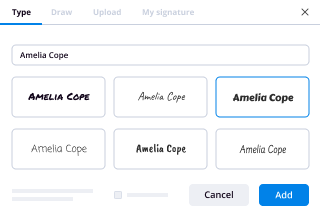
  • 4.Put the My Signature field where you need to eSign your form. Provide your name, draw, or upload a picture of your handwritten signature.
  • 5.Click Save and Close to finish editing your completed form.

Once your postnuptial california form template is ready, download it to your device, save it to the cloud, or invite other parties to eSign it. With airSlate SignNow, the eSigning process only takes a couple of clicks. Use our robust eSignature tool wherever you are to handle your paperwork efficiently!
How to Sign a PDF Using Google Chrome How to Sign a PDF Using Google Chrome

How to complete and sign forms in Google Chrome

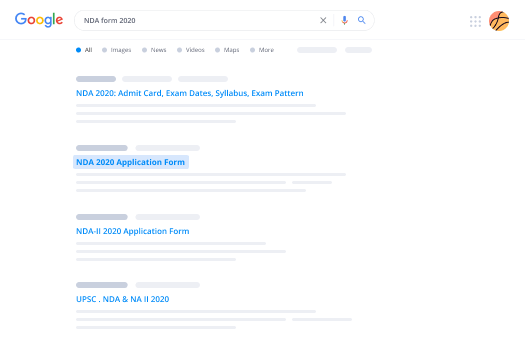
Completing and signing paperwork is simple with the airSlate SignNow extension for Google Chrome. Adding it to your browser is a quick and efficient way to manage your forms online. Sign your postnuptial california form template with a legally-binding electronic signature in just a few clicks without switching between tools and tabs.

Follow the step-by-step guidelines to eSign your postnuptial california form in Google Chrome:

  • 1.Go to the Chrome Web Store, search for the airSlate SignNow extension for Chrome, and add it to your browser.
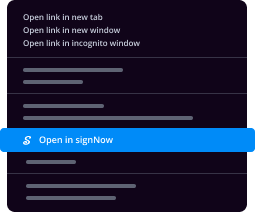
  • 2.Right-click on the link to a form you need to eSign and choose Open in airSlate SignNow.
  • 3.Log in to your account using your password or Google/Facebook sign-in buttons. If you don’t have one, sign up for a free trial.
  • 4.Utilize the Edit & Sign toolbar on the left to fill out your sample, then drag and drop the My Signature option.
  • 5.Insert a picture of your handwritten signature, draw it, or simply enter your full name to eSign.
  • 6.Make sure all data is correct and click Save and Close to finish editing your form.

Now, you can save your postnuptial california form sample to your device or cloud storage, send the copy to other people, or invite them to eSign your form via an email request or a protected Signing Link. The airSlate SignNow extension for Google Chrome improves your document processes with minimum effort and time. Start using airSlate SignNow today!
How to Sign a PDF in Gmail How to Sign a PDF in Gmail How to Sign a PDF in Gmail

How to fill out and sign forms in Gmail

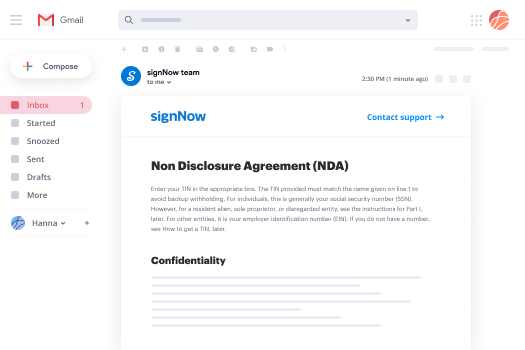
When you receive an email with the postnuptial california form for signing, there’s no need to print and scan a file or save and re-upload it to a different program. There’s a much better solution if you use Gmail. Try the airSlate SignNow add-on to rapidly eSign any documents right from your inbox.

Follow the step-by-step guide to eSign your postnuptial california form in Gmail:

  • 1.Go to the Google Workplace Marketplace and look for a airSlate SignNow add-on for Gmail.
  • 2.Install the tool with a corresponding button and grant the tool access to your Google account.
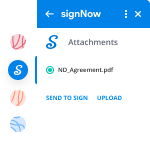
  • 3.Open an email containing an attachment that needs approval and use the S sign on the right sidebar to launch the add-on.
  • 4.Log in to your airSlate SignNow account. Select Send to Sign to forward the file to other parties for approval or click Upload to open it in the editor.
  • 5.Put the My Signature option where you need to eSign: type, draw, or import your signature.

This eSigning process saves time and only takes a couple of clicks. Use the airSlate SignNow add-on for Gmail to adjust your postnuptial california form with fillable fields, sign forms legally, and invite other people to eSign them al without leaving your mailbox. Boost your signature workflows now!
How to Sign a PDF on a Mobile Device How to Sign a PDF on a Mobile Device How to Sign a PDF on a Mobile Device

How to complete and sign paperwork in a mobile browser

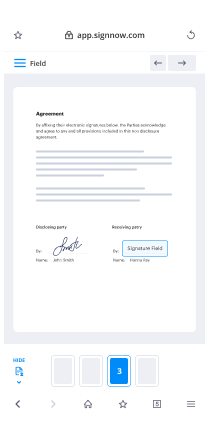
Need to quickly submit and sign your postnuptial california form on a mobile phone while working on the go? airSlate SignNow can help without needing to set up additional software programs. Open our airSlate SignNow solution from any browser on your mobile device and add legally-binding eSignatures on the go, 24/7.

Follow the step-by-step guidelines to eSign your postnuptial california form in a browser:

  • 1.Open any browser on your device and go to the www.signnow.com
  • 2.Sign up for an account with a free trial or log in with your password credentials or SSO option.
  • 3.Click Upload or Create and add a file that needs to be completed from a cloud, your device, or our form library with ready-to go templates.
  • 4.Open the form and complete the blank fields with tools from Edit & Sign menu on the left.
  • 5.Place the My Signature field to the sample, then type in your name, draw, or add your signature.

In a few easy clicks, your postnuptial california form is completed from wherever you are. As soon as you're finished editing, you can save the document on your device, create a reusable template for it, email it to other people, or invite them electronically sign it. Make your paperwork on the go fast and effective with airSlate SignNow!
How to Sign a PDF on iPhone How to Sign a PDF on iPhone

How to fill out and sign documents on iOS

In today’s corporate environment, tasks must be completed quickly even when you’re away from your computer. Using the airSlate SignNow app, you can organize your paperwork and approve your postnuptial california form with a legally-binding eSignature right on your iPhone or iPad. Install it on your device to close deals and manage documents from anywhere 24/7.

Follow the step-by-step guide to eSign your postnuptial california form on iOS devices:

  • 1.Open the App Store, search for the airSlate SignNow app by airSlate, and install it on your device.
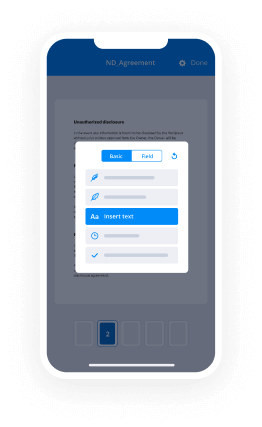
  • 2.Launch the application, tap Create to import a template, and select Myself.
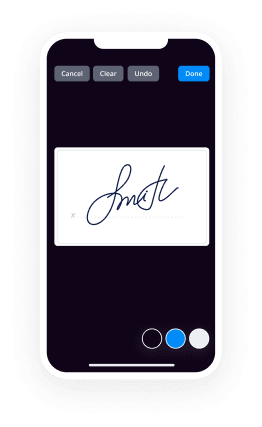
  • 3.Select Signature at the bottom toolbar and simply draw your signature with a finger or stylus to eSign the sample.
  • 4.Tap Done -> Save after signing the sample.
  • 5.Tap Save or take advantage of the Make Template option to re-use this document later on.

This process is so easy your postnuptial california form is completed and signed within a few taps. The airSlate SignNow app works in the cloud so all the forms on your mobile device remain in your account and are available any time you need them. Use airSlate SignNow for iOS to enhance your document management and eSignature workflows!
How to Sign a PDF on Android How to Sign a PDF on Android

How to complete and sign documents on Android

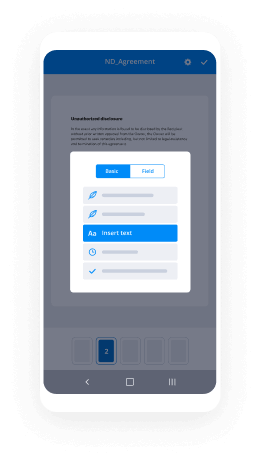
With airSlate SignNow, it’s simple to sign your postnuptial california form on the go. Set up its mobile app for Android OS on your device and start enhancing eSignature workflows right on your smartphone or tablet.

Follow the step-by-step guide to eSign your postnuptial california form on Android:

  • 1.Navigate to Google Play, search for the airSlate SignNow app from airSlate, and install it on your device.
  • 2.Sign in to your account or create it with a free trial, then upload a file with a ➕ option on the bottom of you screen.
  • 3.Tap on the uploaded file and select Open in Editor from the dropdown menu.
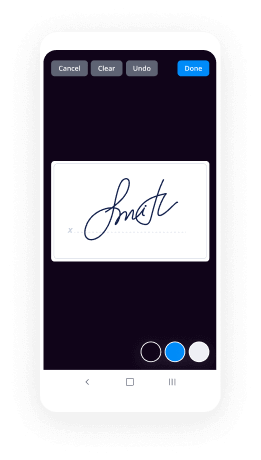
  • 4.Tap on Tools tab -> Signature, then draw or type your name to eSign the sample. Fill out blank fields with other tools on the bottom if required.
  • 5.Utilize the ✔ button, then tap on the Save option to finish editing.

With an easy-to-use interface and full compliance with primary eSignature requirements, the airSlate SignNow application is the perfect tool for signing your postnuptial california form. It even works offline and updates all record changes once your internet connection is restored and the tool is synced. Complete and eSign documents, send them for eSigning, and create multi-usable templates whenever you need and from anywhere with airSlate SignNow.

Sign up and try Postnuptial california form
  • Close deals faster
  • Improve productivity
  • Delight customers
  • Increase revenue
  • Save time & money
  • Reduce payment cycles