Establishing secure connection…Loading editor…Preparing document…

Psychic Services Contract

This template is fully customizable. Edit the text, fill out the fields, and send it for signature. Give it a try!
Psychic Services Contract

What a Psychic Services Contract Is and When It Applies

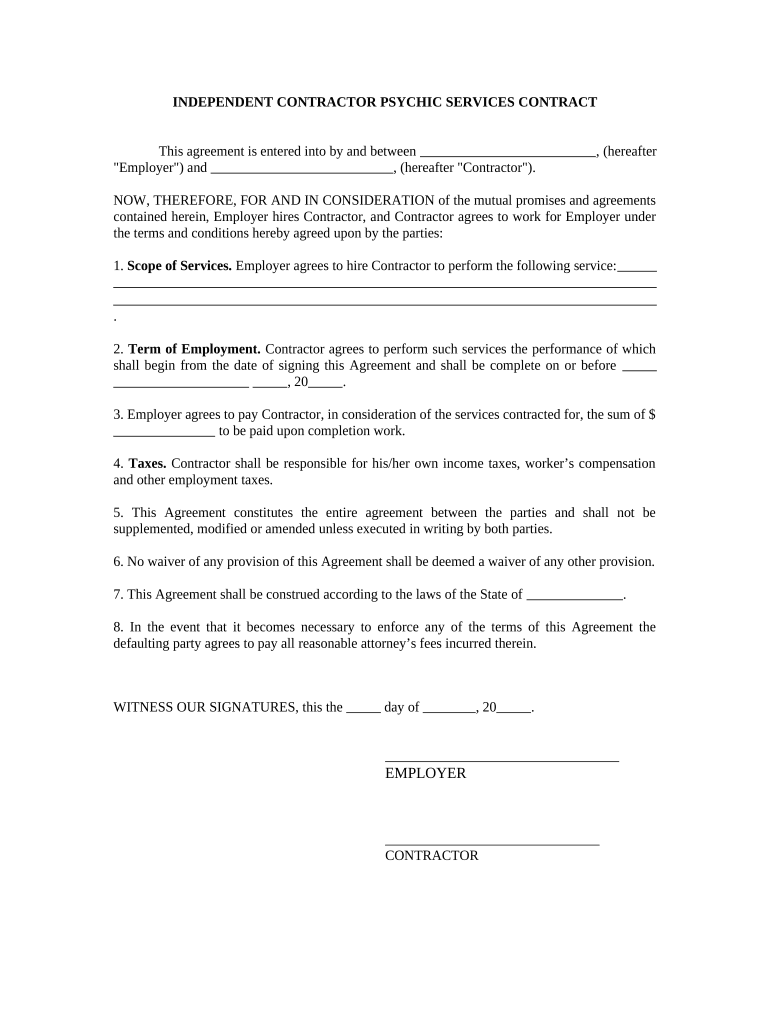
A Psychic Services Contract is a written agreement between a practitioner and a client that sets out the scope, fees, scheduling, confidentiality, and limits of clairvoyant, tarot, mediumship, or other intuitive services. It records mutual expectations—services provided, payment terms, session length, cancellation policy, and dispute resolution—so both parties understand responsibilities. For U.S. transactions, an electronic version executed under ESIGN or an applicable state UETA statute is generally enforceable when it meets legal requirements for intent, consent, attribution, and retention. The contract also clarifies refunds, health and legal disclaimers, and data handling for sensitive client information.

Why a Written Agreement Matters for Practitioners and Clients

A clear Psychic Services Contract reduces misunderstandings, documents agreed services and fees, and provides legal clarity for cancellations, refunds, and confidentiality. It supports enforceability under ESIGN/UETA and helps manage client expectations and risk.

Why a Written Agreement Matters for Practitioners and Clients

Who Typically Uses a Psychic Services Contract

Independent psychics, spiritual counselors, and small metaphysical businesses use this contract to formalize services, fees, and client protections.

  • Solo practitioners who offer private readings and want written fee and cancellation terms.
  • Metaphysical shops scheduling hourly sessions and group events requiring liability and refund policies.
  • Online platforms hosting remote readings that need eSignature-friendly language and data-handling clauses.

Typical Parties to the Agreement

Psychic Practitioner

Typically an individual or sole proprietor who provides readings, sets fees, and is contractually responsible for delivering services. May require clauses on confidentiality, disclaimers, refund policy, and permitted use of recordings; should confirm governing state law and identity verification requirements.

Client/Recipient

A private individual or event organizer who requests services, pays fees, and consents to the stated terms. Should provide accurate identification, disclose relevant health or legal limitations, and review cancellation, refund, and data-access provisions before signing.

Essential Information to Capture on the Form

Full Legal Name: Practitioner and client legal names
Contact Information: Street address, email, phone number
Service Description: Type, duration, and location of session
Payment Terms: Fees, due date, refund conditions
Effective Date: MM/DD/YYYY start date of agreement
Confidentiality: Scope and limits of privacy protections

Common Risks and Consequences of Contract Errors

Breach Dispute: Civil damages, restitution
Refund Disputes: Chargeback or litigation risk
Incorrect Fees: Client claims, penalties
HIPAA Exposure: Civil penalties if PHI mishandled
State Consumer Law: Attorney fees, statutory remedies
Notarization Errors: Invalid notarization may void clauses

Frequent Preparation Mistakes to Avoid

  • Vague service descriptions that fail to define session length, methods used, or deliverables create disputes over promised outcomes.
  • Omitting payment and cancellation terms leads to confusion on refunds, missed appointments, and chargebacks; state consumer rules may favor clients.
  • Neglecting data handling procedures for recordings or notes can trigger privacy complaints or regulatory scrutiny when health details are disclosed.
  • Applying a one-size legal template without checking state laws or industry-specific requirements risks unenforceable provisions and unexpected liabilities.

Step-by-Step: Completing the Psychic Services Contract

Follow these steps to complete and sign a Psychic Services Contract accurately for in-person or remote sessions.

  • 01
    Gather Details: Collect names, dates, services, and fees
  • 02
    Draft Terms: Specify scope, cancellations, and refunds
  • 03
    Review Legal: Check governing law, disclaimers, and notices
  • 04
    Sign & Store: Obtain signatures, notarize if required, retain copies

Key Contract Elements Every Agreement Should Include

Essential contract elements protect both practitioner and client, clarifying obligations, limits, and remedies to reduce disputes and support enforceability in online and in-person settings.

Scope of Services

Describe exactly which methods (tarot, astrology, mediumship), session length, deliverables, and whether recordings or written summaries are provided. Avoid vague promises about outcomes or guarantees of accuracy.
Fees & Payment

List all fees, accepted payment methods, due dates, late fees, and whether deposits are refundable. Specify currency and any taxes or platform processing charges to avoid later disputes.

Cancellation & Refunds

Define notice periods, refund eligibility, rescheduling policy, and fees for late cancellations or no-shows. Include how refunds are processed and timeframes for issuing returns to clients.

Confidentiality & Recordings

State whether sessions are confidential, permitted exceptions (harm disclosure), and whether audio/video recordings are made, stored, or shared. Include data handling, retention, and deletion practices complying with privacy laws.

Disclaimers & Limitations

Include clear disclaimers that readings are for entertainment or guidance, not professional medical, legal, or financial advice. Limit liability and state that results are subjective and not guaranteed.

Governing Law

Identify governing state law, venue for disputes, and preferred dispute resolution (mediation/arbitration). Note that ESIGN or UETA may govern electronic execution and admissibility.

Setting Up an Online Signing Workflow

Set up an online workflow to collect eSignatures, payments, and conditional client disclosures securely and in compliance with legal requirements.

Field Configuration
Signature Field Require signer name, date; optional signer authentication SMS.
Payment Field Collect deposits or full payments via integrated processor.
Conditional Field Show refunds clause only if paid deposit equals or exceeds threshold.
Attachment Field Allow client uploads for reference documents or ID proof.

How Electronic Execution Typically Flows

Standard routing for delivering, authenticating, and executing a Psychic Services Contract using electronic signatures across remote and in-person workflows.

  • Upload: Sender uploads the contract PDF or DOCX
  • Place Fields: Add signature, date, and initial fields
  • Send: Send by email link or secure portal
  • Complete: Signer authenticates, signs, and receives copy

Platform Features to Consider for eSigning

Use a platform that supports ESIGN, audit trails, secure storage, and optional HIPAA BAA when handling protected health information.

  • Integrations: Google Drive, Microsoft 365, Salesforce supported
  • File Formats: PDF, DOCX, and HTML accepted
  • Security: AES-256 at rest; TLS 1.2/1.3

Key Deadlines and Timing Considerations

Key timing considerations for execution, refunds, and recordkeeping related to the Psychic Services Contract and compliance obligations.

Effective Date:

Date contract becomes binding; use MM/DD/YYYY format

Payment Due Date:

When fees or deposits must be received

Cancellation Notice:

Timeframe required for client cancellations to receive refunds

Record Retention:

Retain signed copy per retention policy and law

Notary Window:

Time limit for notarization if required by state

eSignature Vendor Pricing and Feature Snapshot

Comparison of common pricing and feature points for eSignature vendors relevant to executing Psychic Services Contracts, including HIPAA and bulk-send considerations.

signNow DocuSign Adobe Sign PandaDoc HelloSign
Starting Price $8/user/mo $15/user/mo $14/user/mo $19/user/mo $15/user/mo
Free Trial 7-day free trial Varies by plan Varies by plan Varies by plan Varies by plan
Bulk Send Yes Yes Yes Yes No
Audit Trail Yes Yes Yes Yes Yes
HIPAA Compliant Yes Yes Yes No No

Practical Examples of Using an Electronic Contract

Real-world examples show how electronic contracts streamline signings and recordkeeping across different service models.

Optica Ventures

Optica Ventures adopted electronic contracts to speed client signings, reduce administrative steps, and support remote engagements.

  • Reduced signature turnaround from days to hours.
  • "The interface is simple and easy-to-use for our team; more importantly, it is just as easy for our customers." This ease supports consistent contract completion for scheduled services and events.

Martin Properties

A mobile or event-based service provider can execute service agreements remotely to avoid in-person paperwork and to confirm booking details at the point of contact.

  • Complete contracts during client visits or offsite events.
  • "I can process and execute all of these documents online with 100% compliance and built-in security. Whether on mobile or working offline, I can get forms back to their necessary parties efficiently."

Best Practices to Reduce Disputes and Improve Compliance

Adopt these practical measures to keep contracts clear, enforceable, and aligned with legal requirements.

Be explicit about service scope and outcomes
Describe exactly what is being provided, clarify that readings are for guidance or entertainment only, and avoid medical or legal promises. Clear expectations reduce misunderstandings and strengthen contract enforceability under ESIGN/UETA principles.
Use clear payment and refund mechanics
Specify amounts, due dates, accepted methods, late fees, deposit rules, precise refund conditions, and timeframes for processing returns to limit liability and reconcile disputes efficiently.
Tailor privacy and recording clauses
If sessions are recorded or sensitive information is collected, state retention periods, access rights, deletion procedures, and whether a HIPAA BAA is required when PHI is involved.
Keep signatures and records secure
Use an eSignature solution that provides tamper-evident PDFs, audit trails, secure storage, and clear access controls. Retain signed copies per retention rules and export formats for long-term archiving.

Key Milestones: From Draft to Archived Record

Typical milestone sequence for a Psychic Services Contract, showing who acts at each stage and the expected outcome at completion.

01

Drafting

Create terms, fees, and disclosures; assign reviewer.

02

Client Review

Send to client for review and questions.

03

Execution

Client signs electronically; notarize if required.

04

Archival

Store signed copy and maintain retention log.

Frequently Asked Questions About Psychic Services Contracts

Answers to common questions about validity, signatures, notarization, revisions, and privacy concerns for Psychic Services Contracts, focused on U.S. legal and practical considerations.


Need help? Contact support

be ready to get more
Join over 28 million airSlate SignNow users