Establishing secure connection…Loading editor…Preparing document…

Retainer Agreement

This template is fully customizable. Edit the text, fill out the fields, and send it for signature. Give it a try!
Retainer Agreement

What a Retainer Agreement Is and When It Applies

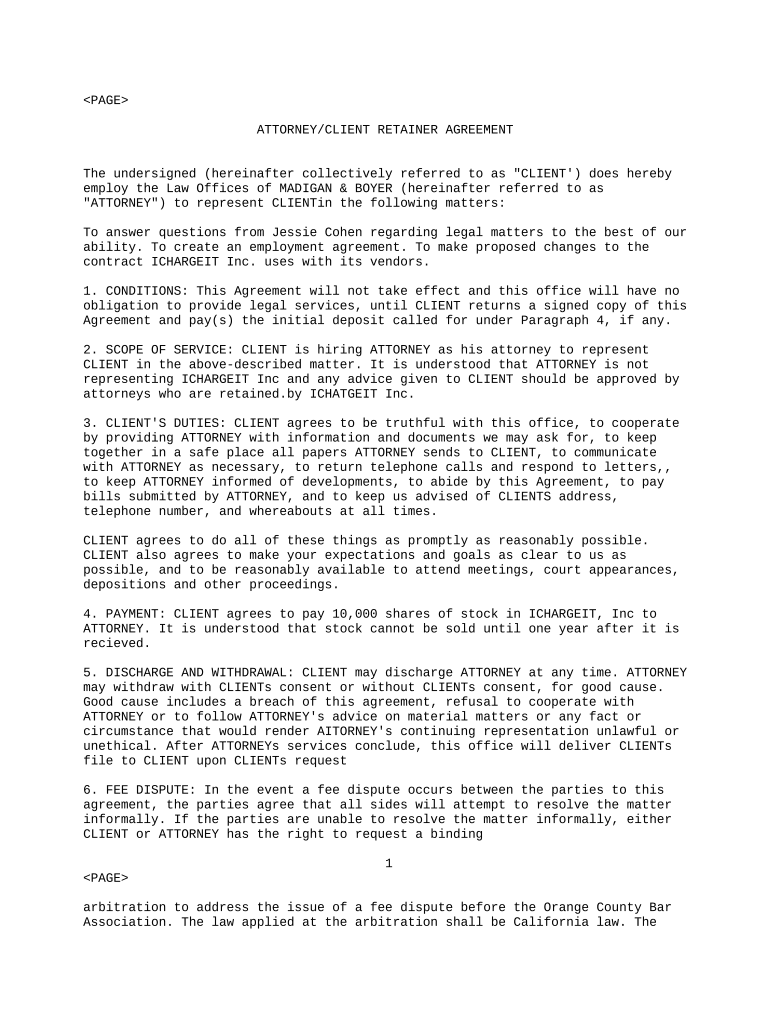
Retainer Agreement is a written contract used by a service provider and a client to define ongoing professional services, payment terms, and the working relationship. It typically specifies the scope of services, retainer fee or deposit, billing rates, invoicing cadence, responsibilities of each party, confidentiality terms, intellectual property treatment, dispute resolution, and termination rights. The agreement identifies the effective date, parties' legal names, and signatures, and may attach exhibits such as client lists or statements of work. Clear retainer terms reduce billing disputes and set expectations for deliverables, response times, and scope changes.

Why Using a Retainer Agreement Helps Both Parties

Retainer Agreements establish predictable cash flow, a prioritized service relationship, and clear billing rules. They reduce misunderstandings about scope and payment, guide resource allocation, and provide a contractual basis for dispute resolution and termination. Well-drafted retainers protect both client and provider interests.

Why Using a Retainer Agreement Helps Both Parties

Who Commonly Uses Retainer Agreements

Professionals and organizations that engage ongoing services commonly use Retainer Agreements to set expectations, billing, and priorities before work begins.

  • Law firms and attorneys managing ongoing client matters and monthly advisory retainers.
  • Marketing and creative agencies securing monthly hours and scope to prioritize client work.
  • Consultants, accountants, and IT providers who bill by retainer or prepaid hours.

Representative Signers and Their Needs

Agency Owner

As an agency owner you use a Retainer Agreement to reserve capacity, define deliverables, and set monthly fees. The retainer clarifies billing increments, approval processes, and scope-change fees, reducing disputes and allowing predictable revenue for staffing and project planning.

General Counsel

In-house counsel and small law firms draft retainers to define fee structures, conflict checks, and confidentiality. The agreement outlines engagement limits, termination rights, and billing procedures to manage client expectations and minimize malpractice exposure.

Essential Fields to Include in the Agreement

Client Legal Name: Full legal name on government ID
Service Provider Name: Legal entity name and DBA if any
Effective Date: MM/DD/YYYY format
Scope of Services: Concise deliverables and exclusions
Retainer Amount: Dollar amount or fee structure
Payment Terms: Due dates, invoicing, late fees

Step-by-Step: Preparing and Executing a Retainer

Follow the steps below to prepare, review, and execute a Retainer Agreement that accurately reflects scope and payment terms.

  • 01
    Draft: Complete scope, fees, and payment terms.
  • 02
    Review: Verify names, dates, and legal entities.
  • 03
    Negotiate: Agree on deliverables, notice, and termination.
  • 04
    Sign: Obtain signatures and dates from authorized parties.

Configuring an Electronic Signing Workflow

Set up an electronic workflow to route the Retainer Agreement, authenticate signers, collect signatures, and store executed copies securely.

Field Configuration
Signer Authentication Email with optional SMS code
Document Template Use a retained template with exhibits
Routing Order Set signer sequence or parallel flow
Storage Location Encrypted cloud folder with access controls

Platform Capabilities to Look For

Select a platform that supports secure authentication, detailed audit trails, and encrypted storage for executed Retainer Agreements.

  • Authentication: Email, SMS, or KBA
  • Audit Trail: IP, timestamp, and actions
  • Storage: AES-256 encryption at rest

Where to Send and Store the Executed Agreement

Typical routing: provider drafts, client reviews, signs electronically, and parties receive executed copies for records and accounting.

  • Draft: Provider prepares and uploads the template.
  • Send: Secure email or platform link delivers document.
  • Sign: Signer reviews and e-signs with audit trail.
  • Store: Executed copy saved to encrypted client folder.

Core Clauses Every Retainer Agreement Should Have

Include these core clauses to make a Retainer Agreement enforceable, manage expectations, and define payment, termination mechanics, and confidentiality obligations.

Parties

Identify full legal names and mailing addresses for client and provider, and specify whether the provider is an individual, partnership, or corporate entity to avoid ambiguity in enforcement and payment processing.
Scope

State specific services, deliverables, milestones, and any excluded tasks. Use exhibits or SOW attachments for complex projects to limit disputes about what is included versus additional billable work.

Fees

Detail retainer amount, hourly rates, fixed fees, expense reimbursement, payment schedule, accepted payment methods, and whether the retainer is refundable or credited against future invoices.

Termination

Include termination for convenience and for cause clauses, notice timing, obligations on termination, payment of outstanding invoices, and treatment of unused retainer funds.

Confidentiality

Define confidential information, permitted disclosures, duration of confidentiality obligations, return or destruction of materials, and carve-outs required by law or professional duties.

Dispute Resolution

Specify governing law, venue, and whether arbitration or mediation applies. State injunctive relief availability and allocation of attorneys' fees for prevailing party if applicable.

Real-world Examples of Retainer Use

Real-world examples show how retainers streamline recurring work, speed execution, and support compliance across industries.

Optica Ventures

Optica Ventures used a Retainer Agreement to manage recurring advisory work and speed client approvals across projects.

  • Retainer simplified signature and delivery for clients.
  • Their team emphasized a simple, easy-to-use signing interface that reduced friction for both staff and customers, allowing faster execution of recurring engagements while maintaining accurate records for billing and compliance.

Martin Properties

Martin Properties moved leases and client service agreements to retainers to process and execute documents entirely online.

  • Enabled mobile and offline signing.
  • The firm reported consistent compliance, fast turnaround, and the ability to manage documents on mobile or offline modes, which reduced in-person requirements and improved client response times for recurring transactions.

Key Dates and Deadlines to Include

Typical deadlines in a Retainer Agreement govern start date, payment due dates, renewal notices, and termination notice periods.

Effective Date:

Agreement starts on MM/DD/YYYY as listed in Effective Date field.

Initial Payment Due:

Due upon signing unless alternate schedule stated in Fees section.

Billing Cycle:

Monthly, quarterly, or per-project cycles specified in Billing and Invoicing.

Renewal Notice:

Provide notice window for automatic renewals or termination prior to renewal.

Termination Notice:

Standard notice periods range 30 to 90 days unless otherwise agreed.

Milestones from Proposal to Ongoing Review

Milestones from negotiation to ongoing review help track deliverables and billing under a retainer agreement.

01

Proposal & Draft

Agree scope, fees, and initial retainer amount.

02

Execution

Signatures obtained and effective date recorded.

03

Billing Start

Apply retainer to invoices; issue monthly statements.

04

Periodic Review

Quarterly or annual review of scope and fees.

Common Mistakes to Avoid

  • Vague scope language leaving deliverables undefined, which leads to disputes over billable work and unexpected client requests.
  • Failure to state whether the retainer is refundable or how unused funds will be handled after termination.
  • Not specifying authorization for additional work or change orders leads to unpaid work and billing disagreements.
  • Using ambiguous payment terms without late fee provisions can delay collection and complicate dispute resolution.

Short-Form Risks and Potential Consequences

Unenforceable Terms: Void or rescission risk
Fee Disputes: Delayed payments and litigation risk
Regulatory Violations: HIPAA or tax noncompliance penalties
I-9 Issues: Employment verification penalties
Reputational Harm: Client dissatisfaction and churn
Attorney Fees: Costly defense and recovery actions

How a Retainer Agreement Compares to an Engagement Letter

Compare a Retainer Agreement to an Engagement Letter to clarify scope, duration, and billing distinctions.

Criteria Retainer Agreement Engagement Letter
Scope ongoing services specific project deliverables
Duration open or fixed term project-based end date
Payment recurring retainer fee one-time or milestone payments
Termination notice-based termination completion-based termination clauses

eSignature Vendor Pricing and Core Feature Comparison

Pricing and core feature differences for common eSignature providers relevant to executing and managing Retainer Agreements are shown below.

signNow DocuSign Adobe Sign PandaDoc HelloSign
Starting Price $8/user/mo $15/user/mo $14/user/mo $19/user/mo $15/user/mo
Free Trial 7-day trial No No No No
Bulk Send Yes Yes Yes Yes No
Audit Trail Yes Yes Yes Yes Yes
HIPAA Compliant Yes Yes Yes No No

Frequently Asked Questions About Retainer Agreements

Answers to common questions about completing, signing, and enforcing Retainer Agreements including e-signature legality and practical execution tips.


Need help? Contact support

be ready to get more
Join over 28 million airSlate SignNow users