Establishing secure connection…Loading editor…Preparing document…

Sample Employment Agreement

This template is fully customizable. Edit the text, fill out the fields, and send it for signature. Give it a try!
Sample Employment Agreement

What the Sample Employment Agreement Is

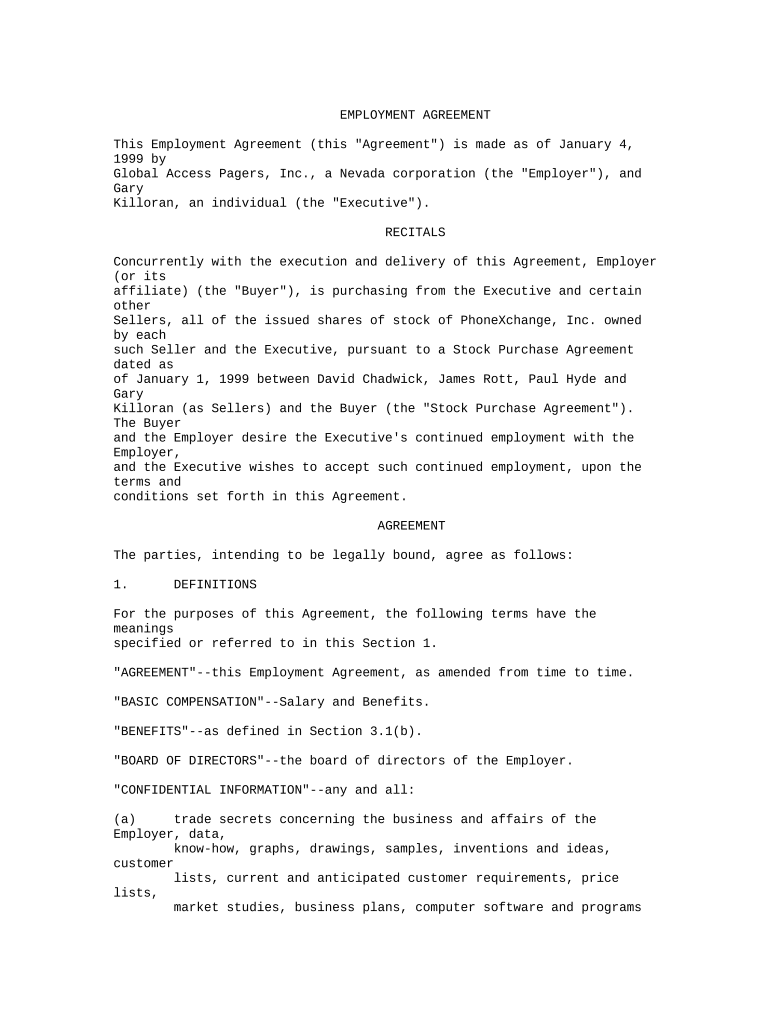
A Sample Employment Agreement is a written contract that sets out the terms and conditions between an employer and an employee. It typically identifies the parties, position, duties, compensation, benefits, start date, confidentiality and termination provisions, and any restrictive covenants. The template provides a baseline that employers can adapt to job level, state law, and industry needs. When executed properly by all parties, it creates enforceable rights and obligations and can be retained electronically under U.S. e-signature law for most employment arrangements.

Why a Clear Employment Agreement Matters

A well-drafted Sample Employment Agreement reduces miscommunication, documents core expectations, and helps manage legal and payroll risks. It clarifies compensation, job duties, dispute resolution, and notice requirements, which supports consistent HR practices and defensible decisions in audits or litigation.

Why a Clear Employment Agreement Matters

Who typically completes and uses this agreement

Employers, HR teams, hiring managers, and outside counsel commonly prepare or review employment agreements before hire.

  • Small business HR managers who need a repeatable, compliant offer template for salaried and hourly roles.
  • In-house counsel and outside employment attorneys who adapt clauses for state law and role-specific risks.
  • Recruiters and hiring managers who coordinate signature routing and onboarding documentation with payroll.

Employees receive, review, and sign the agreement; copies should be retained by HR and added to personnel records.

Core sections to include in a professional agreement

Include standard clauses that define the employment relationship, protect confidential information, and set out remedies and notice periods.

Parties

Identify employer legal entity and the employee by full legal name, including any DBA or subsidiary when applicable.
Duties

Describe core responsibilities, reporting relationships, and any measurable performance expectations or deliverables required by the role.

Compensation

Specify salary or hourly rate, pay frequency, bonus structure, equity grants, and payroll deductions to avoid ambiguity.

Benefits

Summarize health insurance eligibility, retirement plans, paid time off, and any role-specific allowances or reimbursements.

Confidentiality

Include nondisclosure language protecting trade secrets and customer information, and define the duration and scope of obligations.

Termination

Explain at-will status or fixed term, notice periods, severance (if any), and post-termination obligations including return of property.

Required identity and employment data fields

Employee Name: Full legal name
Employer Entity: Legal business name
Start Date: MM/DD/YYYY
Position Title: Role and department
Compensation: Salary or hourly rate
Work Location: City, state, and remote status

Step-by-step: complete and execute the agreement

Follow these sequential steps to populate, review, and finalize a Sample Employment Agreement for a new hire.

  • 01
    Prepare: Populate party names, role, and compensation.
  • 02
    Review: Legal or HR reviews terms and compliance items.
  • 03
    Sign: Obtain signatures from employee and authorized employer rep.
  • 04
    Retain: Store executed copy in personnel file and payroll system.

How to set up an online signing workflow

Configure a simple digital workflow so the agreement moves automatically between reviewers and signers.

Field Configuration
Signer Order Employee first, then employer representative
Authentication Email link or SMS code for signer verification
Reminders Automated reminders at set intervals
Storage Save PDF copy to HR file and cloud storage

Where to send the completed agreement

After signatures, route copies to stakeholders and systems for compliance and payroll.

  • Employee: Deliver executed copy for personal records.
  • HR File: Store signed document in the personnel folder.
  • Payroll: Provide compensation details to payroll or finance.
  • Legal: Retain a copy for contract and dispute records.

Technical considerations for digital completion

Choose a platform that supports secure e-signatures, audit trails, and your required integrations.

  • Integrations: Salesforce, NetSuite, Google Workspace compatibility
  • File formats: PDF, DOCX accepted
  • Security: TLS in transit, AES-256 at rest

Verify the platform can enforce signer authentication, retain an audit trail, and export signed PDFs for HR and legal retention.

Timelines and typical deadlines to note

Use these common timeframes to coordinate offer acceptance, onboarding tasks, and statutory recordkeeping.

Offer Expiration:

Set a clear acceptance deadline, commonly 7–14 days

Start Date:

Confirm the agreed MM/DD/YYYY start date

Probationary Period:

Commonly 30–90 days for initial performance evaluation

Notice Period:

Specify the notice required by either party to end employment

I-9 Form:

Complete and retain I-9 per federal requirements after hire

Common preparation mistakes to avoid

  • Leaving compensation vague or stating 'market rate' without specifics creates payroll and tax disputes.
  • Failing to identify the legal employer entity can invalidate enforcement or create collection issues.
  • Using one-size-fits-all restrictive covenants without state tailoring risks unenforceability in some jurisdictions.
  • Omitting signature dates or using inconsistent names between signature block and identity documents delays verification.

Key risks and potential consequences

Unenforceable Clause: State law may void overly broad restrictions
Tax Misreporting: Incorrect classification leads to tax penalties
I-9 Noncompliance: Subject to fines and enforcement
Privacy Breach: Potential HIPAA or state privacy violations
Document Loss: Recordkeeping gaps hinder audits
Signature Defects: Missing consent or attribution compromises validity

Vendor pricing and feature snapshot for e-signing agreements

Compare base pricing and core feature availability for common e-signature vendors; signNow is listed first per vendor ordering conventions.

signNow DocuSign Adobe Sign PandaDoc HelloSign
Starting Price $8/user/mo $15/user/mo $14/user/mo $19/user/mo $15/user/mo
Free Trial 7-day free trial Varies by vendor Varies by vendor Varies by vendor Varies by vendor
Bulk Send Yes Yes Yes Yes No
Audit Trail Yes Yes Yes Yes Yes
HIPAA Compliant Yes Yes Yes No No
Envelope Cap No cap 100 envelopes/user/year Depends on plan Depends on plan Depends on plan

Frequently asked questions about execution and validity

Answers to common questions about e-signing, enforcement, amendments, and recordkeeping for employment agreements.


Need help? Contact support

be ready to get more
Join over 28 million airSlate SignNow users