Establishing secure connection…Loading editor…Preparing document…

Letter Regarding Tooth Extraction Procedures

This template is fully customizable. Edit the text, fill out the fields, and send it for signature. Give it a try!
Letter Regarding Tooth Extraction Procedures

What the Letter Regarding Tooth Extraction Procedures Is

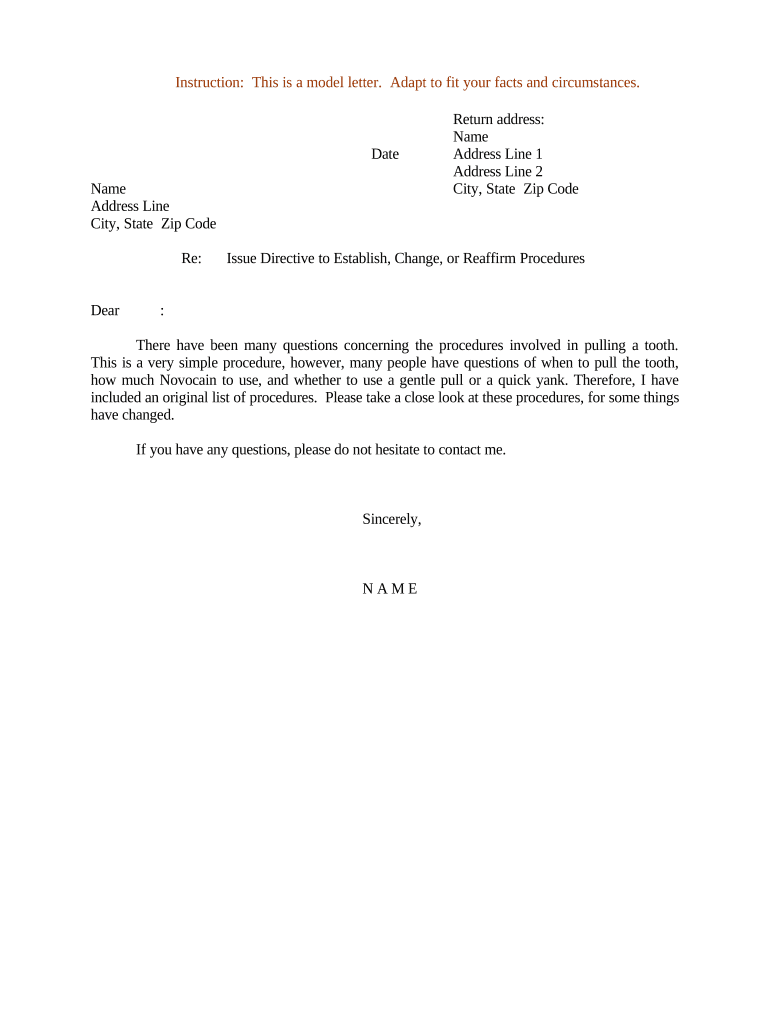
A Letter Regarding Tooth Extraction Procedures documents the planned extraction, the clinical reasons, expected risks and alternatives, and the patient's informed consent. It is typically issued by a dental provider to the patient (or patient guardian) and may be shared with insurers, referring clinicians, or school/employer health offices. The letter clarifies the tooth or teeth involved, procedural steps, anesthesia plan, post-operative instructions, contact information for complications, and signature blocks to confirm understanding and consent in writing.

Why this Letter Matters for Patient Care and Records

The letter creates a clear record of clinical intent, informed consent, and post-operative instructions that protects patient safety and supports billing, insurance claims, and continuity of care. It reduces misunderstandings and documents that the patient received risk disclosures and aftercare guidance.

Why this Letter Matters for Patient Care and Records

Who Typically Prepares and Receives This Letter

Common recipients and preparers include dental surgeons, general dentists, patient guardians, insurers, and referring clinicians.

  • Dental offices and oral surgeons that perform extractions and obtain written consent prior to procedures
  • Parents or legal guardians when extracting teeth from minors or incapacitated adults
  • School or employer health offices that require medical documentation for leave or accommodations

Step-by-Step: Completing the Letter Before Extraction

Follow these steps in order to produce a complete, usable letter for clinical and administrative purposes.

  • 01
    Gather patient details: Confirm name, DOB, and contact information.
  • 02
    Document clinical reasons: State diagnosis and why extraction is recommended.
  • 03
    Explain risks and alternatives: List common risks and reasonable alternatives offered.
  • 04
    Obtain signatures: Patient or guardian signs and dates the letter.

How the Letter Is Routed and Tracked

This workflow describes typical electronic handling from draft to archived record.

  • Create letter: Provider drafts letter and attaches supporting notes.
  • Add patient signature field: Place signature, date, and initials fields in the document.
  • Send for signature: Deliver via secure eSignature platform or print for in-office signing.
  • Archive record: Store the executed letter in the patient record and retain per retention rules.

Configuring an Online Template for This Letter

Use these settings when building a reusable template to reduce errors and streamline signing.

Field Configuration
Template name Letter Regarding Tooth Extraction Procedures
Signer authentication Email plus SMS code for patient identity validation
Conditional fields Show guardian signature if patient is minor
Reminder schedule Automated reminders at 48 and 24 hours before appointment

Technical Considerations for eSubmission and Signature

Ensure the platform supports secure e-signing, audit trails, and appropriate authentication for medical consent forms.

  • Integrations: EMR, practice management, and cloud storage support
  • File formats: PDF or DOCX input and signed PDF output
  • Authentication: Email, SMS code, or stronger multi-factor options

Essential Sections to Include in the Letter

A complete letter contains specific sections that document clinical facts, informed consent, and practical aftercare information for patients and third parties.

Patient identification

Full legal name, DOB, contact, and medical record number to ensure correct patient matching across systems and insurers.
Clinical indication

Clear reason for extraction, diagnosis, and any imaging or prior treatments that support the clinical decision.

Procedure details

Type of extraction, anticipated anesthesia, estimated duration, and whether adjacent structures may be affected.

Risks and alternatives

Common and material risks plus reasonable alternatives presented to the patient and whether the patient accepted or declined them.

Post-operative care

Specific aftercare instructions, emergency contact information, pain management plan, and follow-up appointment timing.

Signatures and dates

Signature blocks for patient/guardian and provider, printed names, license number, and signature dates to document consent.

Common Preparation and Documentation Mistakes to Avoid

  • Omitting precise tooth identifiers leading to confusion or wrong-site procedures during surgery.
  • Failing to record that alternatives and material risks were discussed and whether they were accepted or declined.
  • Using ambiguous language about anesthesia or post-operative restrictions that insurance or legal reviewers may contest.
  • Not obtaining a guardian signature or proper authority for minors or incapacitated adults before proceeding.

Risks and Legal Consequences of Incomplete or Incorrect Letters

Informed consent missing: Legal liability
Wrong-site extraction: Clinical negligence
Insurance denial: Claim rejection
Regulatory exposure: Compliance audits
Privacy breach: HIPAA penalties
Documentation gaps: Malpractice risk

Timing Considerations and Typical Deadlines

Certain timing expectations improve patient safety and administrative acceptance; follow internal policies and payer rules for precise deadlines.

Pre-procedure notice:

Provide the letter at least 24–48 hours before elective extraction when feasible

Insurance submission:

Submit supporting documentation within insurer timeframes, often 30–90 days after procedure

Medical record entry:

Document procedure and signed consent in the chart the same day as the extraction

Supply prescriptions:

Provide any necessary prescriptions at or before discharge from the procedure visit

Follow-up scheduling:

Arrange post-op visit within recommended timeframe, commonly 7–14 days

Key Processing Stages for the Letter

These sequential milestones show typical stages from request to archived record for administrative tracking.

01

Request documented

Provider drafts letter based on clinical evaluation and schedules procedure.

02

Consent obtained

Patient or guardian reviews, initials required sections, and signs.

03

Procedure completed

Extraction performed and immediate outcomes documented in the chart.

04

Record archived

Executed letter scanned or stored electronically with audit trail preserved.

Who Is Authorized to Sign and Approve the Letter

Licensed Dentist

A licensed dentist or oral surgeon performing the extraction should sign to confirm the clinical recommendation and procedure details; include license number and clinic contact information for verification and follow-up.

Patient or Guardian

The patient or an authorized guardian must sign to provide informed consent; for minors or incapacitated adults, documentation of legal guardianship or power of attorney should accompany the signature.

Practical Examples of How the Letter Is Used

Real-world scenarios show how the letter supports clinical, administrative, and payer requirements.

Community Dental Clinic

A clinic documents extraction of an impacted molar for an adult patient and obtains e-signature for consent

  • The clinic attaches imaging and a short anesthesia plan
  • The executed letter is stored in the record and provided to the patient and insurer to support coverage and follow-up care.

School Health Office

A parent signs a consent letter for extraction required before sports participation

  • The letter lists post-op restrictions and emergency contacts
  • The school nurse files the letter in the student's health record and notifies coaches about activity limitations.

eSignature Pricing and Feature Comparison for Medical Consent Letters

Compare basic pricing and common feature criteria for eSignature vendors; signNow appears first per vendor ordering rules and competitive data.

signNow DocuSign Adobe Sign PandaDoc HelloSign
Starting Price $8/user/mo $15/user/mo $14/user/mo $19/user/mo $15/user/mo
Free Trial 7-day free trial Varies by vendor Varies by vendor Varies by vendor Varies by vendor
Bulk Send Yes Yes Yes Yes No
Audit Trail Yes Yes Yes Yes Yes
HIPAA Compliant Yes Yes Yes No No

Frequently Asked Questions About the Letter

Answers to common questions about validity, signatures, storage, and electronic handling of the letter.


Need help? Contact support

be ready to get more
Join over 28 million airSlate SignNow users