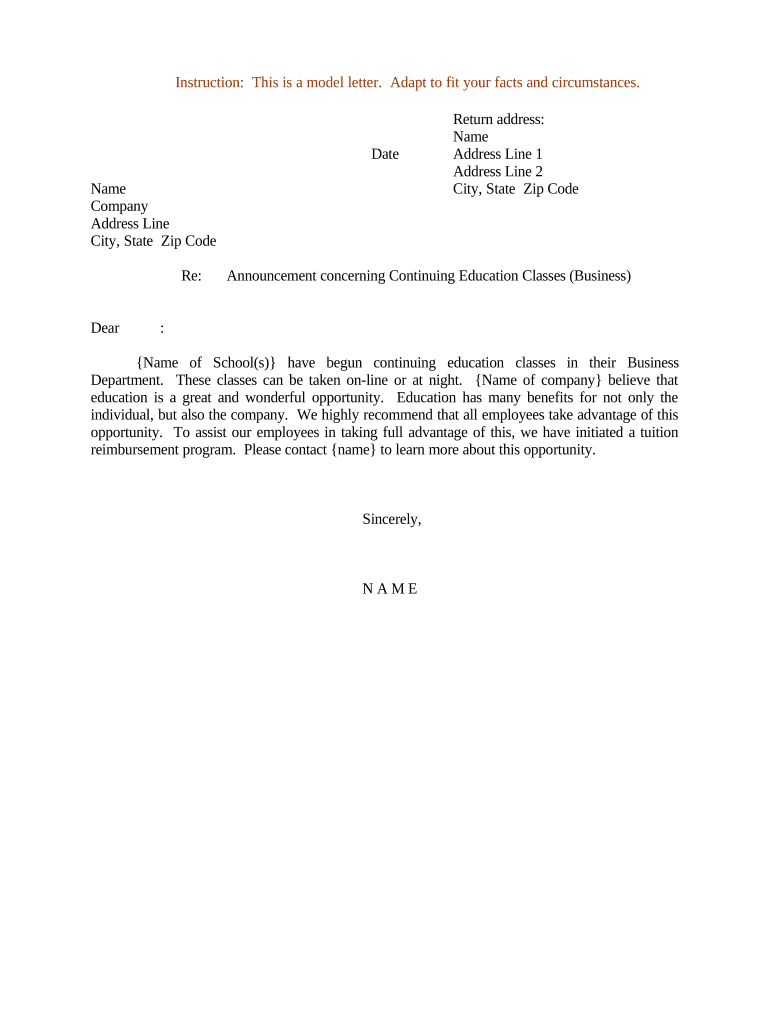
Letter Announcing Continuing Education Classes
What the Letter Announcing Continuing Education Classes Is and when to use it
Why issuing a clear announcement letter matters
A precise announcement letter reduces attendee confusion, documents the offer of continuing education credit, supports regulatory reporting, and creates an auditable record for accreditation bodies and employers.
Typical senders and recipients of these announcement letters
The letter is used by organizations who deliver or manage continuing education and the people who enroll or track credits.
- Training providers and course coordinators responsible for scheduling and crediting participants.
- Human resources and professional development teams enrolling employees in required courses.
- Licensing boards, certification administrators, and individual professionals tracking CE credits.
Tailor the letter tone and technical detail to the recipient group—professionals versus internal staff.
Step-by-step: drafting and issuing the announcement letter
-
01Draft: Populate course details, eligibility, credits, deadlines, and cancellation policy.
-
02Review: Have accreditation or legal reviewer confirm credit wording and compliance.
-
03Authorize: Obtain required signatures or approvals from program administrators.
-
04Distribute: Send via chosen channels and archive a signed copy for records.
How to set up an online announcement and signing workflow
| Field | Configuration |
|---|---|
| Authentication | Email link by default; add SMS OTP for stronger verification |
| Template Fields | Include signature, printed name, date, and initials where required |
| Reminders | Schedule automatic reminder emails and follow-up frequency |
| Attachments | Attach syllabus, accreditation statement, and refund policy |
Practical routing: where the letter goes after you prepare it
-
Prepare Letter: Finalize text, attach supporting documents, and embed required fields.
-
Add Recipients: List attendees, approvers, and accreditation contacts with preferred delivery methods.
-
Collect Signatures: Use an eSignature workflow or printed signatures as your organization requires.
-
Archive & Report: Store signed copies and report credits to licensing bodies as needed.
Distribution channels and technical file requirements
Choose delivery channels that match recipient access and authentication needs.
- Integrations: CRM or LMS integration simplifies enrollment tracking.
- File formats: Use PDF or DOCX for printed and digital compatibility.
- Authentication: Email link, SMS OTP, or stronger KBA where required
Confirm recipients can open attachments and that your archival system stores signed PDFs with audit trails.
Common scheduling deadlines to include in the announcement
Registration Deadline:
Set a date at least 7–14 days before the course start.
Payment Deadline:
Require payment by the registration deadline to secure enrollment.
Cancellation Window:
State last day to cancel for full or partial refund.
Credit Reporting:
Indicate when credits will be reported to boards or registries.
Certificate Issuance:
State typical time frame for issuing completion certificates.
Key milestones from planning to post-course reporting
Program Planning
Define learning objectives, credit amounts, and instructor assignments.
Announcement Release
Publish the letter and open registration to the target audience.
Course Delivery
Conduct the course and verify attendance or participation.
Post-Course Reporting
Issue certificates and submit credit reports to relevant authorities.
Common mistakes to avoid when preparing the announcement
- Omitting time zone information for remote participants leads to missed sessions and refunds.
- Using informal course names causes mismatch with accreditation records and reporting errors.
- Failing to state credit type or amount prevents registrants from claiming professional credits.
- Not archiving a signed copy removes the primary evidence needed for audits or disputes.
Potential consequences of incorrect or incomplete announcement letters
eSignature cost and capability comparison for distributing announcement letters
| signNow | DocuSign | Adobe Sign | PandaDoc | HelloSign | |
|---|---|---|---|---|---|
| Starting Price | $8/user/mo | $15/user/mo | $14/user/mo | $19/user/mo | $15/user/mo |
| Free Trial | 7-day free trial | Varies by plan | Varies by plan | Varies by plan | Varies by plan |
| Bulk Send | Yes | Yes | Yes | Yes | No |
| Audit Trail | Yes | Yes | Yes | Yes | Yes |
| HIPAA Compliant | Yes | Yes | Yes | No | No |
Frequently asked questions and troubleshooting tips
-
Can I use an electronic signature on the announcement?
Yes. Electronic signatures are legally enforceable under the federal ESIGN Act (15 U.S.C. ch. 96) and state UETA rules where adopted. Ensure intent, consent, signer attribution, and durable record retention to meet the legal validity test.
-
Do I need to notarize or witness the letter?
Most announcement letters do not require notarization. However, if a recipient’s credit claim needs a notarized affidavit or state rules require witness acknowledgements, follow the applicable state notary or witness requirements.
-
How should I correct an error after distribution?
Issue an amended announcement with corrected details and retain both versions. Note the reason for the change and the date; maintain signed copies for audit purposes.
-
What evidence proves attendance for credit?
Maintain attendance logs, signed completion certificates, and any quiz results or participation records as evidence for accreditor verification.
-
How long must I keep copies of the announcement?
Retain records according to applicable standards: at least 3 years for general financial records (IRC §6501(a)) and 6 years for HIPAA-regulated records (45 CFR §164.530(j)), with state-specific variations.
-
Who should sign the announcement letter?
An authorized representative of the provider—such as the program director or registrar—should sign. Identify the signer role plainly to avoid disputes about authority.