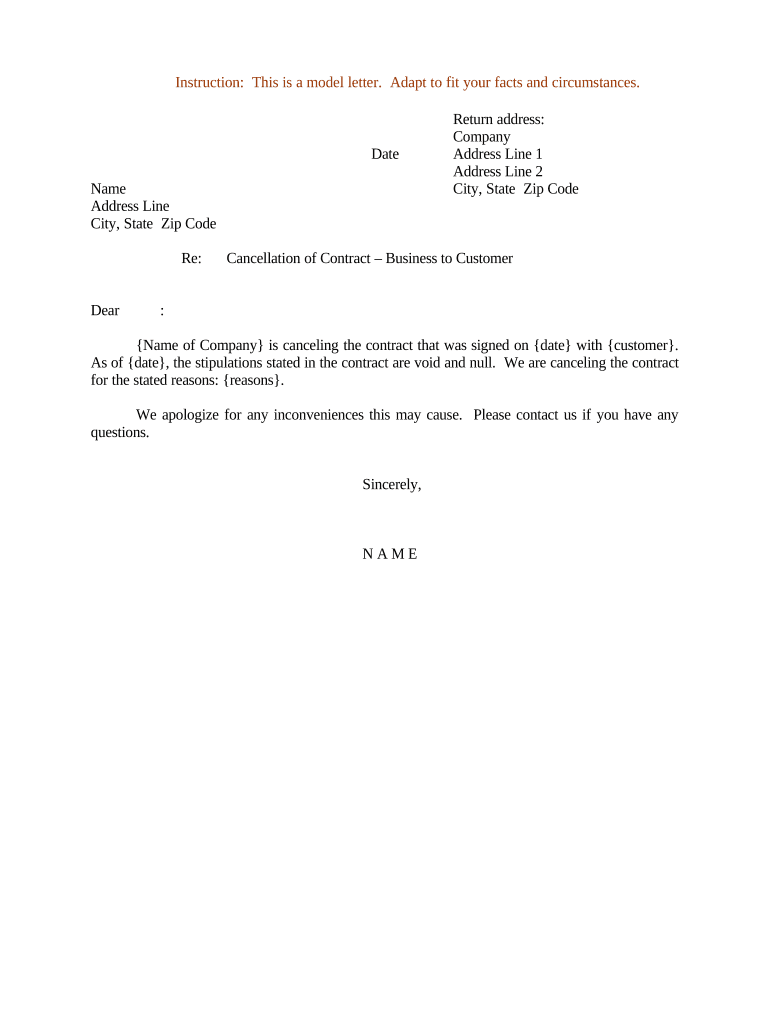
Cancellation of Contract – Business to Customer
What this Cancellation of Contract – Business to Customer Does
Why a Clear Cancellation Notice Matters
A formal cancellation notice reduces ambiguity about rights, deadlines, and financial obligations, protects both parties by creating a dated record, and supports regulatory compliance where consumer protections apply.
Who Typically Prepares or Receives This Cancellation
Businesses, customer support teams, in-house counsel, and individual consumers commonly prepare or receive this document depending on the dispute or voluntary termination.
- Customer service representatives issuing refunds or contract terminations after consumer requests.
- Business owners or account managers initiating cancellation per contract terms.
- Individual consumers seeking to exercise statutory rescission or reject goods or services.
Who Signs the Cancellation and Why
Business Signatory
A person with authority to bind the company, commonly a contract manager or authorized officer. Their signature affirms the business's intent to terminate and sets processing instructions for refunds, equipment returns, or account closure. If authority is unclear, attach a delegation of authority or reference the company resolution to avoid disputes.
Consumer Signatory
The contract counterparty or authorized consumer representative signs to confirm receipt and acceptance of the cancellation terms. Their signature documents agreement to any remaining obligations and is especially important when waivers of future claims or refunds are involved. Mismatched names or unsigned notices create enforceability risk.
Consequences of an Incorrect or Incomplete Cancellation
Common Preparation Pitfalls to Avoid
- Using vague language like 'terminate immediately' without citing the contract clause or law, which invites disputes over timing and basis.
- Failing to include a clear effective date and method of delivery, leaving parties uncertain when obligations end and when refunds are due.
- Omitting signature blocks for both parties or relying on initials only, which can make the document legally ambiguous or unenforceable in some jurisdictions.
- Not preserving a reliable record of delivery and receipt, such as a signed acceptance or an electronic audit trail with timestamp and IP address.
Real-world Cancellation Scenarios
Subscription Refund
A customer requests cancellation due to service issues, and the provider documents termination and prorated refund.
- Provider documents refund amount and timeline.
- The signed notice prevents future billing disputes and provides evidence for accounting and tax records during reconciliation.
Service Contract Termination
A homeowner cancels a renovation contract after delays, citing contract clause and cure failure.
- Parties record returned deposit terms.
- A properly executed cancellation and acceptance avoids small-claims litigation and clarifies remaining remedies and warranties for both parties.
Step-by-step: Completing the Cancellation Form
-
01Identify the Agreement: Enter contract name, date, and ID.
-
02State the Grounds: Cite clause or factual basis for cancellation.
-
03Specify Remedies: Detail refunds, returns, or remaining duties.
-
04Sign and Deliver: Obtain signatures and confirm receipt method.
How Cancellation and Notice Delivery Typically Flow
-
Draft Notice: Prepare cancellation with referenced clauses.
-
Internal Review: Legal or support verifies terms.
-
Send to Consumer: Deliver via tracked email or registered mail.
-
Confirm Receipt: Obtain signed acknowledgement or audit trail.
Essential Elements of a Professional Cancellation
Identification
List full party names, contract title, contract date, and any reference or invoice numbers so the notice unambiguously ties to the original agreement and reduces misrouting or processing delays.
Cancellation Grounds
Specify the contractual clause or factual events that justify termination, including dates and supporting facts; avoid vague terms and provide short, verifiable descriptions to aid resolution.
Remedies and Timing
State refund amounts, return shipping instructions, crediting timelines, or outstanding balances; include payment methods and deadlines to reduce reconciliation work.
Execution and Proof
Capture signatures, dates, and delivery proof such as registered mail receipt or an electronic audit trail with timestamp and IP address for enforceability.
Practical Tips for Accurate and Efficient Completion
Typical Deadlines and Timing Expectations
Contract Cure Period:
Commonly 10–30 days to remedy breach
Notice Period:
Often 30 days for voluntary terminations
TILA Rescission:
3 business days for certain credit transactions
Refund Window:
Typically 14–30 days after processing
Retention for Records:
Keep signed notice for at least 3 years
How to Configure an Online Cancellation Workflow
| Field | Configuration |
|---|---|
| Party Details | Required text fields; autofill from CRM |
| Effective Date | Date field with MM/DD/YYYY format |
| Signature Field | Required signer field; timestamped |
| Delivery Receipt | Auto-generate audit trail on send |
Technical Considerations for eSubmission and Sharing
Choose systems that support secure document formats, industry integrations, and strong audit trails to maintain evidentiary value for cancellations.
- File formats: PDF and DOCX support preserve layout and metadata
- Integrations: CRM and cloud storage integrations speed routing and archival
- Authentication: Email/SMS or advanced authentication for higher assurance
Key Processing Milestones After Issuing a Cancellation
Issue Notice
Day zero: prepare and send cancellation with date and signature
Acknowledge Receipt
Within 1–3 business days: confirm consumer received notice
Process Refunds
Within specified contract or law period: execute refunds
Archive Documents
Within same month: store signed notice and delivery proof in records
Frequently Asked Questions About Cancellation of Contract – Business to Customer
-
Can a consumer cancel after signing?
Possibly. Look first to the contract's termination clause and any statutory rescission rights such as TILA rescission for certain credit transactions (15 U.S.C. §1635). If the contract grants no unilateral right, cancellation may require mutual agreement or a contractual cure period.
-
Is an electronic signature valid?
Yes, in most cases electronic signatures are legally binding under the ESIGN Act (15 U.S.C. §7001) and UETA where adopted. Exceptions include certain testamentary instruments and some court filings; verify industry-specific requirements before relying solely on simple e-signatures.
-
Do I need a notary or witnesses?
Usually not for standard consumer cancellations, but some states or document types require notarization or witnesses for deeds, powers of attorney, or specified statutory notices. Check state law for requirements before finalizing execution.
-
How should I prove delivery?
Use delivery methods that create evidence: registered mail with return receipt, courier acknowledgements, or an electronic audit trail that records timestamp, IP address, and signer attribution to show receipt and acceptance.
-
How long must I keep the cancellation record?
Keep signed cancellations at least three years as a baseline; industry rules may require longer retention such as six years under HIPAA (45 CFR §164.530(j)) or longer for tax or real estate matters. Confirm per regulator.
-
Can the cancellation itself be revoked?
A cancellation may be revoked by mutual written agreement signed by both parties. Absent mutual consent, revocation depends on contract language and applicable law; keep clear records of any attempted revocation or reactivation.