Establishing secure connection…Loading editor…Preparing document…

Letter of Recommendation

This template is fully customizable. Edit the text, fill out the fields, and send it for signature. Give it a try!
Letter of Recommendation

What a Letter of Recommendation Is and When It's Used

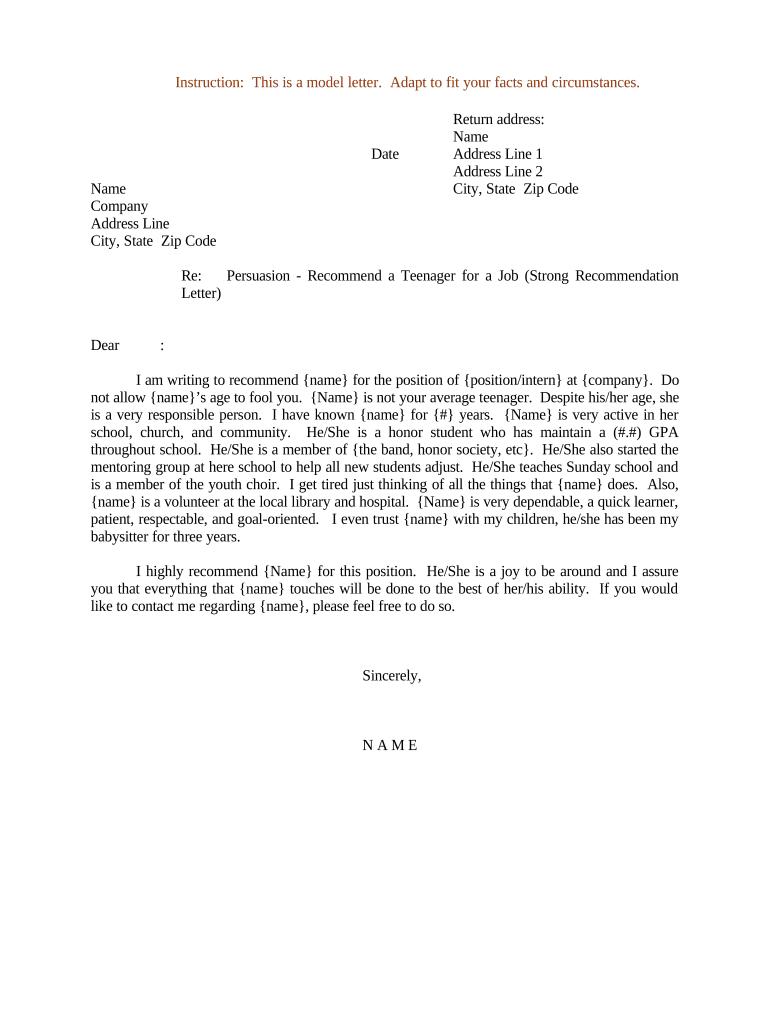
A Letter of Recommendation is a formal written statement from a person who can attest to an applicant's qualifications, character, skills, or accomplishments. Institutions commonly request letters when evaluating candidates for jobs, academic programs, scholarships, licensing, or professional advancement. Effective letters explain the writer's relationship to the subject, specific examples of performance, and a clear assessment of suitability for the opportunity being sought.

Why a Clear, Accurate Letter Matters

A well‑crafted letter provides decision-makers objective evidence about an applicant and can materially influence outcomes where evaluators compare similar candidates. Accuracy, specificity, and proper formatting protect the author and recipient from misunderstandings and preserve institutional compliance obligations.

Why a Clear, Accurate Letter Matters

Who Typically Prepares or Requests These Letters

Matching the letter's tone and content to the recipient's expectations improves clarity and reduces the likelihood of follow-up questions or requests for clarification.

  • Academic departments seeking admissions or fellowship evaluations
  • Hiring managers and HR professionals reviewing employment candidates
  • Professional boards or licensing authorities verifying competence

Core Elements of a Professional Letter of Recommendation

A dependable letter follows a consistent structure so readers can find essential information quickly. Thoughtful examples and measurable outcomes strengthen credibility and help recipients assess fit for the role, program, or credential.

Header

Date, author name, title, institutional or company affiliation, and contact details so recipients can verify or follow up.
Relationship

State how long and in what capacity the writer knew the applicant to establish the basis of the evaluation.

Qualifications

Describe specific skills, accomplishments, and measurable results that demonstrate the applicant’s strengths relevant to the opportunity.

Concrete Examples

Include one or two concise anecdotes or metrics that illustrate the applicant’s performance or impact in real situations.

Assessment

Provide a clear, comparative statement of suitability (for example, 'one of the top 5 percent of students I have taught').

Closing

Offer availability for follow-up, include signature and date, and provide preferred contact methods for verification.

Required Information and Common Data Elements

Applicant Name: Full legal name
Position or Program: Title or program name
Dates Known: Start and end dates
Relationship: Supervisor, advisor, etc.
Author Contact: Phone and email
Signature: Typed or handwritten

Step‑by‑Step: Writing and Delivering a Letter

Follow a short, consistent workflow to draft, review, sign, and transmit the letter so the recipient receives a clear and verifiable document.

  • 01
    Draft: Write a concise, specific letter tailored to the request.
  • 02
    Review: Check facts, dates, and applicant name spellings.
  • 03
    Sign: Apply an author signature and date the document.
  • 04
    Send: Transmit according to the recipient’s instructions.

Where to Send or File the Letter

Recipients specify preferred delivery methods; follow their instructions precisely to avoid lost or misrouted materials.

  • Email Submission: Send to the address specified on the application portal.
  • Portal Upload: Upload to the admissions or HR portal per instructions.
  • Direct Mail: Mail a signed hard copy if requested by the recipient.
  • Third‑Party Systems: Submit via the portal used by the recipient (interfolio, institution systems).

Digital Submission and Platform Considerations

If using an eSignature provider, ensure the service meets the recipient's technical and compliance requirements and that the signed file and audit trail are retained.

  • File Formats: PDF or Word DOCX preferred
  • Integrations: Supports Salesforce, Google Workspace
  • Authentication: Email, SMS code, or stronger

Typical Timelines and Processing Expectations

Plan ahead: institutions commonly set firm submission deadlines and may require letters to arrive before committee review; allow time for drafting, approvals, and secure delivery.

Internal Draft Time:

Allow 5–10 business days for drafting and internal review.

Author Response Time:

Ask recommenders at least 2–4 weeks' notice.

Portal Processing:

Some systems take 24–72 hours to reflect uploads.

Hard‑copy Delivery:

Allow postal transit time based on destination.

Late Submissions:

Recipients may decline late letters per policy.

Common Mistakes to Avoid

  • Using generic language that fails to explain why the applicant fits the specific role or program.
  • Misspelling names or providing incorrect dates that prevent matching to an application.
  • Sending a file in the wrong format or uploading to the incorrect portal specified by the recipient.
  • Failing to capture consent or a verifiable signature when the recipient requires authenticated electronic delivery.

Risks and Consequences of Inaccurate Letters

Misrepresentation: Potential reputational harm
Privacy Violation: FERPA or HIPAA exposure risk
Application Rejection: Recipient may discard letter
Legal Liability: Defamation or false statement claims
Verification Delay: Slows applicant processing
Recordkeeping Gaps: Loss of audit trail

Real‑World Letter Use Cases

Examples show how tone and detail adjust based on the recipient and purpose.

Academic Admissions

A professor describes a student's research ability and class rank

  • Highlights a specific research project and measurable outcomes
  • The professor closes by ranking the student among peers and giving contact details for verification, matching common admissions expectations.

Employment Reference

A former manager details supervisory responsibilities and promotion history

  • Notes a measurable performance improvement driven by the candidate
  • The manager offers a clear recommendation for the new role and supplies a direct phone number for follow-up.

Who May Authoritatively Sign or Submit a Letter

Faculty Recommender

A tenured or tenure‑track professor, research advisor, or instructor who can verify academic performance and is familiar with the applicant’s scholarly work. Their institutional title and contact details establish authority and verifiability.

Supervisor Recommender

A direct manager or department head who oversaw the applicant’s work, can provide performance metrics, and confirm dates of employment. A current employer should disclose any potential conflicts of interest.

eSignature Vendor Comparison for Submitting Letters of Recommendation

If you plan to sign and submit letters electronically, compare baseline pricing and key capabilities; signNow is listed first for reference and vendor columns follow.

signNow DocuSign Adobe Sign PandaDoc HelloSign
Starting Price $8/user/mo $15/user/mo $14/user/mo $19/user/mo $15/user/mo
Free Trial 7-day free trial Varies by plan Varies by plan Varies by plan Varies by plan
Bulk Send Yes Yes Yes Yes No
Audit Trail Yes Yes Yes Yes Yes
HIPAA Compliant Yes Yes Yes No No
Envelope Cap No cap 100 envelopes/user/year Varies Varies Varies

Frequently Asked Questions About Letters of Recommendation

Answers to common procedural and legal questions about preparing, signing, and submitting letters for academic, professional, or licensing purposes.


Need help? Contact support

be ready to get more
Join over 28 million airSlate SignNow users