Establishing secure connection…Loading editor…Preparing document…

Letter Requesting Review of Last Will and Testament Drafts

This template is fully customizable. Edit the text, fill out the fields, and send it for signature. Give it a try!
Letter Requesting Review of Last Will and Testament Drafts

What this Letter Requests and why it matters

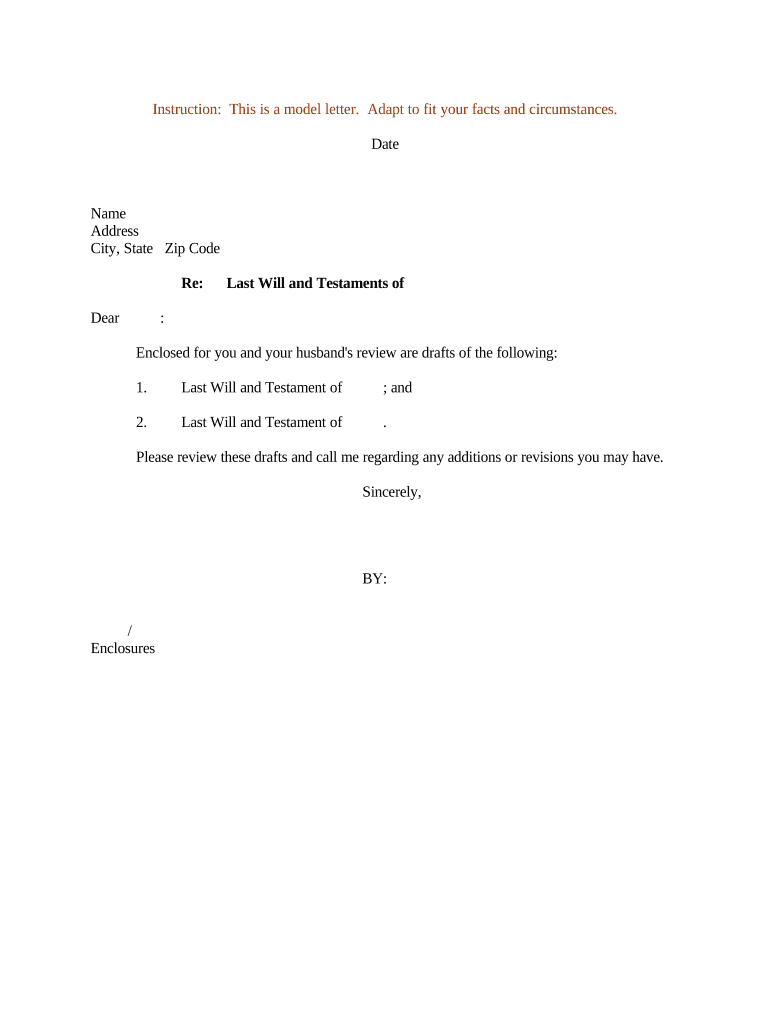
A Letter Requesting Review of Last Will and Testament Drafts is a formal written request from a testator, attorney, or authorized representative asking a reviewer to examine proposed will documents for legal accuracy, clarity, and consistency with the testator’s wishes. The letter typically identifies the draft version, summarizes key dispositions and clauses (executor appointment, guardianship, residuary gifts, and specific bequests), highlights areas needing focused attention, and lists supporting materials such as asset schedules or beneficiary contact information. It creates a record of the request and frames the scope of review prior to execution.

Why send a formal review request first

A concise review letter reduces ambiguity, documents the scope of requested feedback, and helps catch drafting mistakes or legal compliance issues before the will is executed and becomes subject to probate.

Why send a formal review request first

Who typically prepares or receives these letters

Primary users include testators, estate attorneys, fiduciaries, and family members coordinating an independent or peer review of proposed testamentary documents.

  • Estate attorneys seeking a peer legal review or second opinion on will language
  • Individuals finalizing testamentary wishes prior to notarization and execution
  • Trust officers or fiduciaries confirming clarity and administration procedures

Essential elements to include in the review letter

A professional letter should clearly identify the draft, list review priorities, attach supporting documents, indicate desired form of response, and state any applicable deadlines or constraints for the reviewer.

Recipient Details

Identify the reviewer by name, firm or role, and provide direct contact information; note whether the recipient is providing legal advice or informal feedback to set expectations.
Draft Identification

Reference the draft version, file name, and date; attach the exact document to avoid reviewing an outdated version and reduce the risk of inconsistent revisions.

Review Scope

Specify whether feedback should focus on legal validity, ambiguous wording, tax consequences, distribution mechanics, or guardianship and trustee provisions.

Supporting Materials

Attach asset schedules, beneficiary contact information, and any prior wills or trust documents that affect interpretation or create potential conflicts.

Response Format

Request comments as redline edits, tracked-change notes, an annotated PDF, or a written letter; state whether phone or video review is acceptable.

Deadline and Limitations

Provide a clear deadline for feedback, note any confidentiality expectations, and indicate whether subsequent revisions will require additional review or approval.

Step-by-step: preparing and sending the review letter

Follow these steps to prepare a clear, actionable review letter and route the draft to appropriate reviewers in an organized manner.

  • 01
    Prepare Draft: Attach the exact will draft and supporting schedules.
  • 02
    Specify Scope: List the clauses and issues needing review.
  • 03
    Select Reviewers: Choose attorney, fiduciary, or trusted advisor reviewers.
  • 04
    Send and Track: Deliver with version control and request a dated response.

Typical review routing and feedback flow

This sequence shows how drafts move from sender to reviewer and back with clear checkpoints for each stage of the review.

  • Upload Draft: Attach final draft and asset schedule.
  • Assign Review: Specify reviewer role and review deadline.
  • Annotate: Reviewer returns redlines or annotated copy.
  • Finalize: Incorporate edits and confirm final version.

Setting up a digital review workflow

Configure these workflow settings to preserve version history, capture reviewer identity, and ensure a clear audit trail.

Field Configuration
Notification Method Email with optional SMS reminders
Authentication Email link or SMS code for reviewers
Signing Order Sequential or parallel reviewer assignment
Retention Retain final letter and dated responses

Technical and compliance considerations for online review

Digital completion works best with a secure e-sign and document platform that preserves timestamps, audit logs, and version history.

  • Supported formats: PDF, DOCX, HTML
  • Authentication options: Email link, SMS code, KBA
  • Integrations: Salesforce, Microsoft 365, NetSuite

Practical tips for accurate, efficient review requests

Use these practices to reduce revision cycles and ensure reviewers have what they need to provide useful feedback.

Clear Scope and Questions
List targeted review questions at the top of the letter. Identify specific clauses and legal issues to avoid broad, unfocused feedback that wastes reviewer time and increases cost.
Attach Exact Files
Attach the precise draft and supporting schedules. Include file names and version labels and avoid sending multiple near-identical files that create version-control errors during redline review.
Prefer Annotated Responses
Request redline edits or annotated PDFs to capture the reviewer’s intended changes. Ask for brief rationale with each edit so you understand legal or factual concerns.
Document Deadlines
Set a realistic response date and note whether the date is firm. Indicate any consequences of missed feedback to align expectations and accelerate finalization.

Consequences of an incomplete or incorrect review letter

Invalid Execution: Will may be rejected
Probate Delay: Administration timeline extended
Higher Costs: Additional attorney time required
Beneficiary Disputes: Increased litigation risk
Confidentiality Risk: Sensitive data may be exposed
Tax Exposure: Unintended tax consequences

Common mistakes to avoid when preparing the letter

  • Sending an unlabeled or ambiguous draft that leaves reviewers unsure which document version to critique and leads to inconsistent edits across versions.
  • Failing to include a clear scope or specific questions, resulting in unfocused feedback and additional revision rounds that increase cost and delay.
  • Omitting supporting asset schedules or beneficiary details, which prevents reviewers from assessing whether bequests are feasible or conflicts exist.
  • Using informal language about revocation or prior wills without attaching the earlier document, creating interpretive risk at probate.

Who signs or authorizes these letters

Estate Attorney

An attorney acting for the testator typically drafts and sends the review letter to specialist counsel or co-counsel. The attorney documents the request as part of the representation file and ensures client instructions are accurately recorded.

Individual Testator

A testator may prepare or authorize the letter personally when seeking informal review from family or advisors, or when asking a lawyer for limited-scope feedback before formal execution.

Typical eSignature vendor pricing and capability snapshot

Pricing and basic feature availability for common eSignature vendors; signNow appears first as a reference option and pricing is shown by plan entry point.

signNow DocuSign Adobe Sign PandaDoc HelloSign
Starting Price $8/user/mo $15/user/mo $14/user/mo $19/user/mo $15/user/mo
Free Trial 7-day trial No No Yes, limited Yes, limited
Bulk Send Yes Yes Yes Yes No
Audit Trail Yes Yes Yes Yes Yes
HIPAA Compliant Yes Yes Yes No No

Frequently asked questions about review letters and digital submission

Answers to common questions about legality, e-signing, notarization, and recordkeeping for a Letter Requesting Review of Last Will and Testament Drafts.


Need help? Contact support

be ready to get more
Join over 28 million airSlate SignNow users