Establishing secure connection…Loading editor…Preparing document…

Letter of Intent

This template is fully customizable. Edit the text, fill out the fields, and send it for signature. Give it a try!
Letter of Intent

What a Letter of Intent is and how it functions

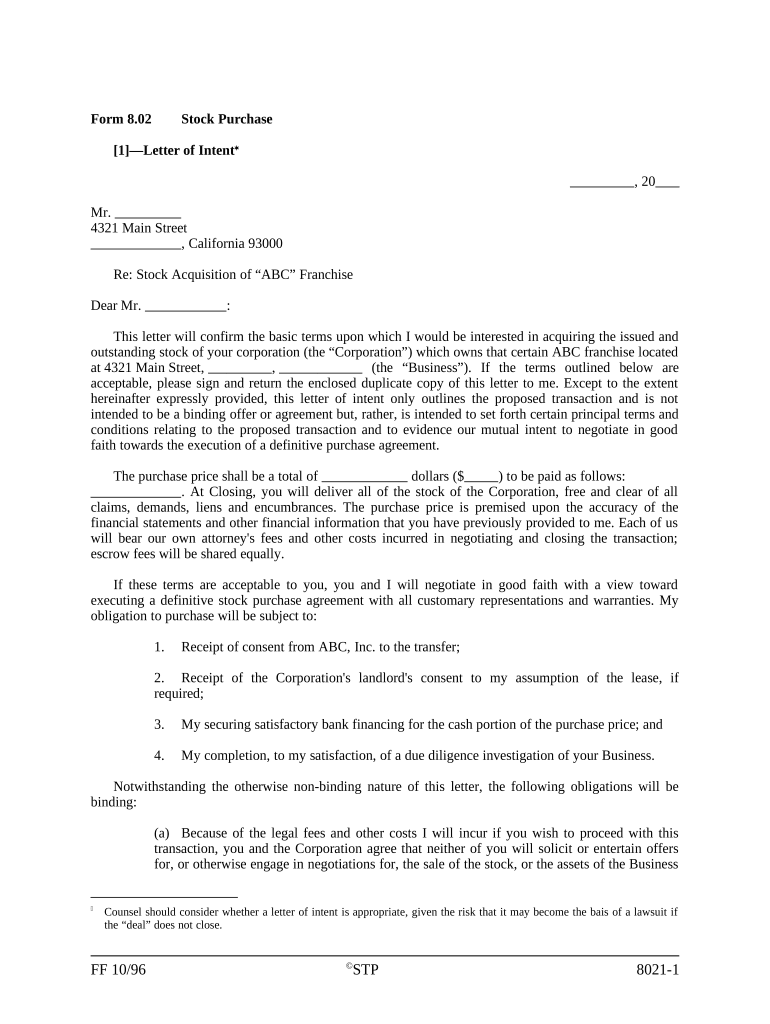
A Letter of Intent (Letter of Intent) is a preliminary written statement that records the principal terms and mutual intentions of parties contemplating a transaction, such as a sale, lease, joint venture, investment, or commercial partnership. It typically summarizes price or consideration, proposed timetable, conditions precedent, confidentiality obligations, exclusivity windows, and the anticipated closing process. Parties use an LOI to align expectations and to structure due diligence before drafting definitive agreements; specific clauses may be expressly binding or nonbinding depending on the language used.

Why parties use a Letter of Intent

A Letter of Intent clarifies core deal terms early, protects short-term rights like confidentiality or exclusivity, and reduces negotiation friction by establishing expectations and next steps before committing to final contracts.

Why parties use a Letter of Intent

Common users and roles for Letters of Intent

Common users who prepare or sign Letters of Intent include buyers, sellers, landlords, tenants, investors, and corporate development and legal teams.

  • Startups and investors negotiating term sheets and preliminary financing details during early-stage fundraising.
  • Real estate buyers and landlords outlining purchase or lease terms before formal contracts are prepared.
  • Corporations and legal teams setting deal milestones, exclusivity windows, and confidentiality obligations before closing.

Essential parts to include in a professional Letter of Intent

A well-structured Letter of Intent groups negotiable items, interim obligations, and logistical details so both sides can proceed with due diligence and drafting of definitive documents while minimizing misunderstandings.

Price/Consideration

State the proposed purchase price, payment schedule, deposits, earnest money, and adjustment mechanisms; specify currency, allocation between assets and liabilities, and valuation contingencies clearly.
Conditions

List conditions precedent such as satisfactory due diligence, financing, regulatory approvals, or third-party consents that must be met before closing may occur.

Confidentiality

Define the scope, duration, permitted disclosures, and remedies for breaches; specify any separate confidentiality agreement or incorporate terms directly in the LOI.

Exclusivity

If required, set the exclusivity period, permitted solicitation exceptions, and consequences for negotiating with third parties during that window.

Timeline

Provide target dates for signing, due diligence milestones, financing commitments, and a proposed closing date to coordinate parties and advisors.

Binding Clauses

Identify which provisions are intended to be binding (for example, confidentiality, exclusivity, fees) and state that other terms are nonbinding until definitive agreements are signed.

Step-by-step: preparing and finalizing an LOI

Follow these steps to prepare, sign, and circulate a clear Letter of Intent for commercial or real estate transactions.

  • 01
    Draft LOI: Summarize key terms, timeline, and conditions.
  • 02
    Review & Revise: Obtain legal and financial review for accuracy.
  • 03
    Signers Identified: Confirm authorized signatories and signature authority.
  • 04
    Execute & Distribute: Obtain signatures and circulate executed copies promptly.

Where to send and file an executed Letter of Intent

An LOI is delivered to counterparties, in-house counsel, advisors, escrow agents, or transaction folders and should be stored with diligence materials for reference.

  • To Counterparty: Email signed PDF to the primary negotiator and legal counsel.
  • To Legal Counsel: Provide executed copy plus supporting exhibits and schedules.
  • To Escrow or Agent: Deliver LOI to escrow or closing agent if deposits are required.
  • For Records: Store the executed LOI in the transaction file and document management system.

Typical online workflow settings for LOI signing and tracking

Configure your e-sign workflow to collect signatures, enforce authentication, attach exhibits, and archive audit trails for compliance and review.

Field Configuration
Authentication Email link; optional SMS code or KBA for higher assurance
Signing Order Set sequential or parallel signing according to parties' preferences
Attachments Allow exhibit upload and require specific files before signing
Audit Trail Capture timestamps, IP, and signer actions for reproducibility

Technical requirements for eSigning and eSubmission

Choose a platform that supports PDF and DOCX signing, tamper-evident audit trails, and common integrations to streamline Letter of Intent workflows.

  • File formats: PDF, DOCX, and hybrid formats supported
  • Integrations: Salesforce, NetSuite, Microsoft 365, Google Workspace
  • Authentication: Email link, SMS OTP, KBA or advanced options

Typical eSignature vendor pricing and feature overview for LOIs

Compare starting prices and common feature rows across vendors; signNow appears first in the table to reflect plan-level pricing and known caps.

signNow DocuSign Adobe Sign PandaDoc HelloSign
Starting Price $8/user/mo $15/user/mo $14/user/mo $19/user/mo $15/user/mo
Free Trial Yes, 7-day free trial Yes Yes Yes Yes
Bulk Send Yes Yes Yes Yes No
Audit Trail Yes Yes Yes Yes Yes
HIPAA Compliant Yes Yes Yes No No
Envelope Cap No envelope cap 100 envelopes/user/year Varies by plan Varies by plan Varies by plan

Required information commonly found in a Letter of Intent

Party Name: Provide exact legal entity name
Effective Date: MM/DD/YYYY format required
Contact Address: Street, city, state, ZIP
Contact Email: Valid email for formal notices
Proposed Consideration: Numeric amount or clear terms
Confidentiality Term: Scope and duration specified

Primary risks and legal consequences of a poorly drafted LOI

Unintended Obligation: Nonbinding language may still create enforceable promises
Confidentiality Breach: Information disclosures can lead to damages
Reliance Liability: Costs incurred based on LOI expectations
Deal Collapse: Ambiguity can derail negotiations
Tax Exposure: Misstated consideration may affect tax reporting
Notary Errors: Improper notarization can complicate enforcement

Common drafting mistakes to avoid

  • Using vague or open-ended terms for price or scope that later lead to disputes and delay definitive agreement execution.
  • Failing to isolate which clauses are binding, causing confusion about enforceable obligations and potential litigation risk.
  • Omitting clear timelines and milestones, which hampers diligence scheduling and can create missed deadlines or financing gaps.
  • Not attaching material exhibits or schedules referenced in the LOI, leaving required information absent during review.

Practical tips for accurate and efficient LOI completion

These practices reduce negotiation friction and preserve intended legal effects while accelerating review and signatures.

Be explicit about binding versus nonbinding clauses
State plainly which provisions are intended to bind the parties—such as confidentiality, exclusivity, fees, or breakup costs—to avoid ambiguity and potential enforcement disputes that arise from inconsistent expectations.
Attach exhibits and schedules
Include term sheets, asset lists, or basic financials as exhibits to the LOI so reviewers see the exact scope and avoid later discrepancies during definitive agreement drafting.
Confirm signer authority
Verify that signatories have authority to bind their organizations; where appropriate, request a corporate resolution or officer certification to avoid post-signature challenges.
Use secure eSignature with audit trail
Select an eSignature provider that captures signer identity, IP, timestamps, and an auditable certificate of completion to support attribution and record retention.

Representative use cases for Letters of Intent

Real-world scenarios show how LOIs guide deals across industries and reduce early-stage friction between parties.

Startup Funding LOI

A seed investor and founder documented valuation, amount, and closing conditions to align expectations and expedite diligence.

  • Investor due diligence commenced immediately after LOI.
  • The LOI clarified equity allocation, vesting expectations, and a 45-day exclusivity period, which reduced negotiation cycles and focused counsel on definitive financing documentation.

Commercial Lease LOI

A prospective tenant and landlord outlined rent, lease term, tenant improvements, and rent commencement to set transactional milestones.

  • Landlord review began with property disclosure included.
  • The LOI fixed key economic points, scheduled inspections, and preserved landlord confidentiality obligations while allowing both parties to negotiate the formal lease.

Typical timing and deadlines for LOI-driven workflows

Set clear dates in the LOI for signing, exclusivity, diligence milestones, and anticipated closing to coordinate parties and advisors.

Signing Deadline:

Specify the date by which parties must sign to keep terms valid

Exclusivity Period:

Define the number of days for exclusivity and any early termination triggers

Due Diligence Window:

Set a diligence period for inspections, finance, and legal reviews

Financing Cutoff:

Identify the date by which financing commitments must be delivered

Target Closing:

State the anticipated closing date subject to conditions precedent

Frequently asked questions about Letters of Intent

Answers to common questions about enforceability, signatures, revisions, and secure storage of Letters of Intent.


Need help? Contact support

be ready to get more
Join over 28 million airSlate SignNow users