Establishing secure connection…Loading editor…Preparing document…

Sample Letter to Landlord

This template is fully customizable. Edit the text, fill out the fields, and send it for signature. Give it a try!
Sample Letter to Landlord

What a Sample Letter to Landlord Is and When to Use It

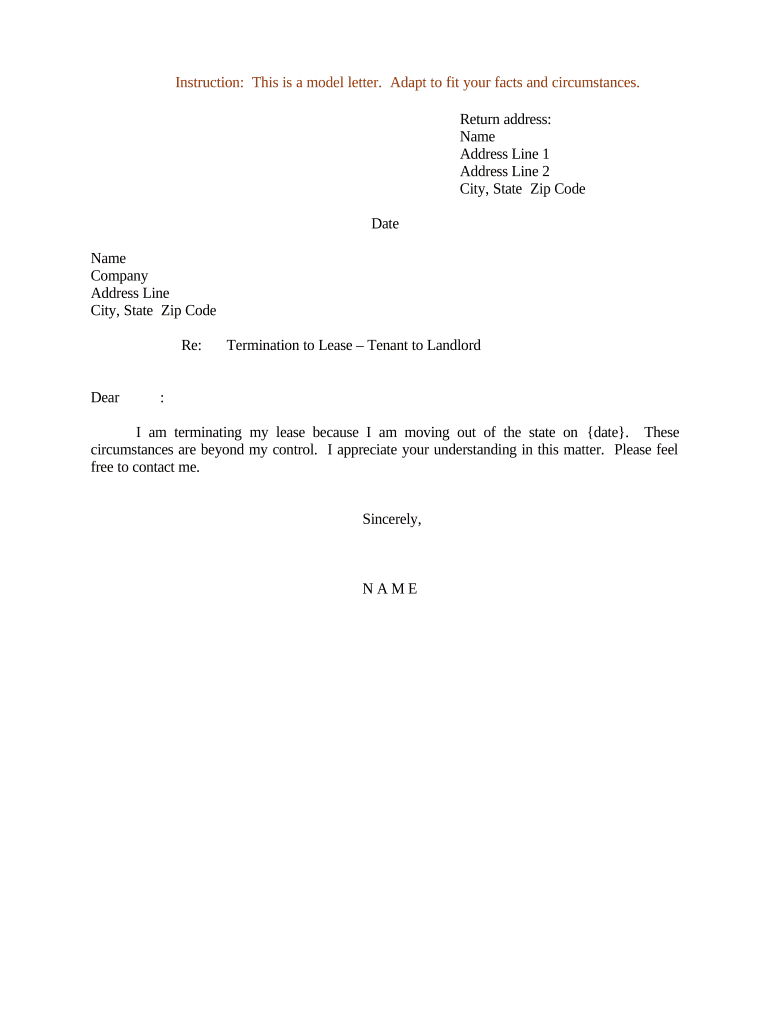
A Sample Letter to Landlord is a concise written notice used by tenants or landlords to communicate a specific, documented request or statement about a rental relationship. Common uses include rent payment reminders, repair requests, notice to vacate, lease amendment proposals, and documentation of lease violations. A clear, dated, and signed letter helps create an evidentiary record that can be used in dispute resolution or court proceedings, and it can be delivered by mail, in-person, or electronically when state law and the parties’ agreement permit.

Why a Well‑Prepared Letter Matters

A precise, properly formatted letter reduces ambiguity, creates a dated record, and preserves rights for both parties. It supports compliance with notice periods, strengthens documentation for dispute resolution, and clarifies requested remedies or next steps without needing immediate legal intervention.

Why a Well‑Prepared Letter Matters

Who Typically Uses This Letter and How

Tenants and landlords use this letter to document requests, notices, and responses tied to tenancy obligations.

  • Tenants seeking repairs, rent adjustments, or to give formal move‑out notice; keeps a dated record for habitability or deposit disputes.
  • Landlords issuing breach notices, rent demand letters, or lease termination notices to document steps taken before court filing.
  • Property managers coordinating status updates, scheduling repairs, or providing official notices to multiple tenants while preserving consistent records.

Who Can Sign and Why It Matters

Tenant

The tenant or all named tenants on the lease should sign letters that assert tenant rights or give notice to vacate; signatures demonstrate intent and attribution and avoid later disputes about whether the notice was validly given.

Landlord

The landlord, property owner, or an authorized property manager may sign demand or cure notices; when signed by an agent, attach evidence of authority such as a management agreement or written delegation.

Essential Elements to Include in Every Letter

A professional Sample Letter to Landlord contains consistent, verifiable elements so it can be relied upon later. Include clear identification, a concise statement of purpose, exact dates, and a requested remedy or deadline.

Date

The date the letter is written, using MM/DD/YYYY format to establish the effective notice date.
Parties

Full legal names of tenant(s) and landlord or management company plus the rental property address.

Statement

A concise description of the issue (e.g., repair request, notice to vacate, lease violation) with relevant dates and facts.

Requested Action

Clear remedy or next step (repair within X days, pay rent by X date, vacate by X date) including any statutory reference if applicable.

Signature

Handwritten or electronic signature with printed name and contact information for attribution.

Delivery Method

How the letter was delivered (certified mail, email, hand delivery) and proof such as tracking or a screenshot.

Step‑by‑Step: Creating and Sending Your Letter

Follow these sequential steps to complete a Sample Letter to Landlord and create an auditable record of delivery.

  • 01
    Draft: Fill in names, address, dates, and a clear description of the issue.
  • 02
    Specify Remedy: State the requested outcome and a reasonable deadline for response.
  • 03
    Sign: Sign manually or electronically to show intent and attribution.
  • 04
    Deliver and Document: Send by certified mail, email with read receipt, or an eSignature platform and retain proof of delivery.

Where to Send or File the Letter

Choose the delivery method that best creates a provable record and complies with any lease notice requirements.

  • Certified Mail: Use USPS certified mail with return receipt for strong proof of delivery.
  • Email: Send to the landlord’s official email on file and retain read receipts or delivery logs.
  • Hand Delivery: Deliver in person and get a signed acceptance or time‑stamped receipt.
  • eSubmission: Use a compliant eSignature platform to capture signature, timestamp, and audit trail.

Configuring an Electronic Workflow for the Letter

When completing and sending online, choose settings that preserve attribution, timestamp, and delivery proof.

Field Configuration
Signature Field Required — signer must complete before sending
Date Field Auto-fill with execution date
Authentication Email plus optional SMS code for stronger attribution
Copy Delivery Automatically send PDF copy to all parties

Technical Considerations for eSigning and eDelivery

Use an electronic platform that preserves an audit trail, timestamps, and signer attribution when sending letters online.

  • File Types: PDF or DOCX preferred for fidelity and archival
  • Authentication: Email link plus optional SMS or ID verification
  • Integrations: Works with common storage and case management systems

Typical Timelines and Deadlines to Keep in Mind

Different notice types follow different statutory or lease timelines; confirm with your lease and state law before relying on the timetable below.

Pay or Quit Notice Deadline:

Typically 3–10 days depending on state; check your lease and local statute.

Cure or Quit Notice:

Time to remedy lease violation often 7–30 days by jurisdiction or lease clause.

Notice to Vacate (Month‑to‑Month):

Commonly 30 or 60 days depending on state and tenancy terms.

Repair Response Expectation:

Reasonable timeframe often 7–14 days for non‑emergency repairs; emergency repairs should be immediate.

Record Retention:

Keep letters and proof of delivery for at least three years in most cases.

Key Milestones After Sending a Notice

Track milestones to preserve rights and support escalation if the issue is not resolved within required timeframes.

01

Send Notice

Letter dated and sent via chosen method with proof of delivery.

02

Response Window

Allow the stated cure period for the recipient to act.

03

Follow Up

Send a reminder or escalate if no response by deadline.

04

Next Steps

Document further actions taken such as filing in small claims or pursuing eviction where permitted.

Common Mistakes to Avoid When Preparing the Letter

  • Using vague language that fails to specify dates or expected remedies, which weakens enforceability and creates ambiguity in disputes.
  • Sending to an out‑of‑date address or unverified email, resulting in a claim of non‑receipt and lost statutory timelines.
  • Failing to sign the letter or using initials only when the lease requires a full signature from named tenants.
  • Not retaining proof of delivery such as certified mail receipts, email headers, or platform audit logs for later verification.

Risks If the Letter Is Incorrect or Incomplete

Lost Rights: Missing statutory notice may forfeit remedies
Delay: Improper delivery can extend dispute timelines
Invalid Notice: Wrong party or address may render notice void
Escalation: Incomplete evidence increases litigation risk
Deposit Dispute: Poor documentation complicates security deposit claims
Regulatory Exposure: Noncompliance with habitability laws risks penalties

Security and Compliance Considerations

Encryption: TLS 1.2/1.3; AES-256 at rest
Audit Trail: Timestamped signature and history
Access Controls: Role-based permissions
HIPAA: BAA available if needed
ESIGN / UETA: E-signatures legally recognized
Retention: Secure archival and export

Comparing eSignature Options for Sending a Letter

Select an eSignature provider that supports audit trails, required authentication, and your volume needs; table shows starting prices and core capabilities.

signNow DocuSign Adobe Sign PandaDoc HelloSign
Starting Price $8/user/mo $15/user/mo $14/user/mo $19/user/mo $15/user/mo
Free Trial 7-day free trial Varies Varies Varies Varies
Bulk Send Yes Yes Yes Yes Yes
Audit Trail Yes Yes Yes Yes Yes
HIPAA Compliant Yes Yes Yes No No

Practical Examples Using a Sample Letter to Landlord

Two concise scenarios illustrate how to adapt the sample letter for common tenant and landlord needs.

Repair Request Example

Tenant documents a recurring water leak with dates and photos

  • Requests repair within 14 days
  • The letter provides a clear remedy, creates a dated record used for follow‑up, and supports habitability claims if repairs are not made.

Notice to Vacate Example

Tenant gives month‑to‑month notice specifying move‑out date

  • Cites lease section for notice period
  • The signed, dated letter and proof of delivery protect both parties by starting the timeline for deposit accounting and final walk‑through scheduling.

Frequently Asked Questions About Sample Letters to Landlord

Answers to common questions about validity, signatures, delivery, and recordkeeping for Sample Letter to Landlord templates.


Need help? Contact support

be ready to get more
Join over 28 million airSlate SignNow users