Establishing secure connection…Loading editor…Preparing document…

Letter Resubmitting Proposal

This template is fully customizable. Edit the text, fill out the fields, and send it for signature. Give it a try!
Letter Resubmitting Proposal

What a Letter Resubmitting Proposal Is and When to Use It

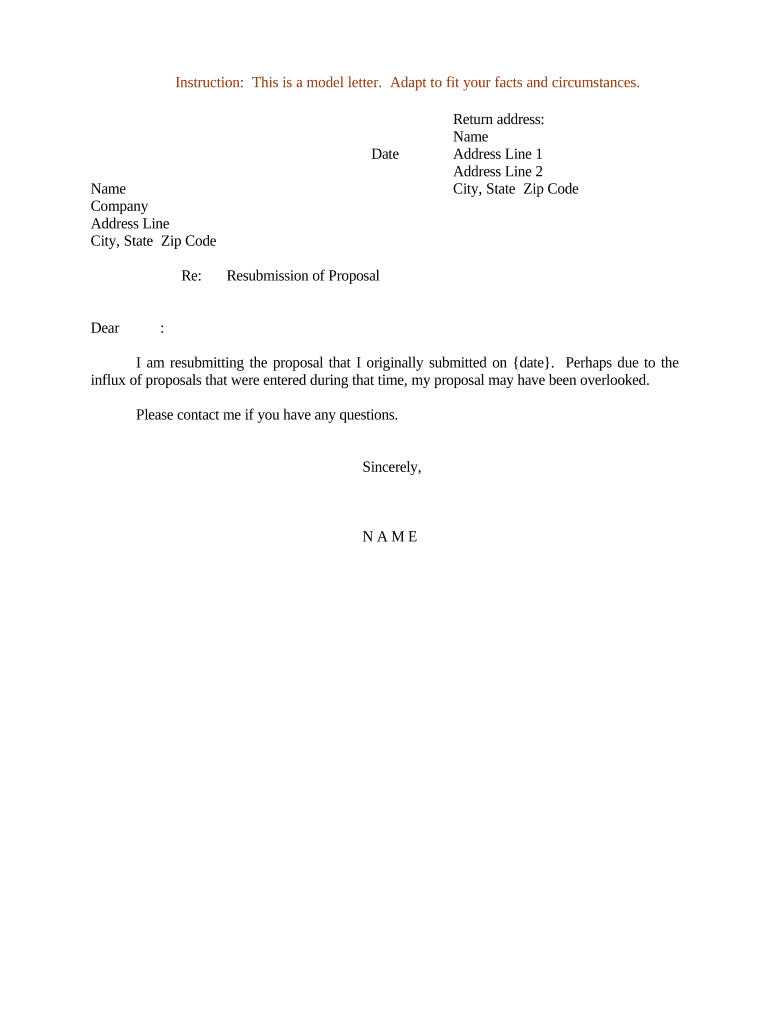
A Letter Resubmitting Proposal is a formal business letter used to resend a previously submitted proposal, often after a correction, clarification, or at the request of the recipient. It restates the proposal title, submission reference, and any changes from the original, and attaches or links to the updated proposal documents. The letter should summarize why the resubmission is necessary, highlight key differences from the original submission, and provide clear instructions for reviewing or accepting the revised materials. It serves as an auditable record of the resubmission event.

Why Resubmit: Purpose and Practical Benefits

Resubmitting a proposal corrects errors, updates pricing or scope, and ensures evaluators review the most accurate information. A concise resubmission letter reduces ambiguity, preserves procurement timelines, and creates a clear audit trail for procurement, legal, and compliance teams.

Why Resubmit: Purpose and Practical Benefits

Who Typically Sends and Reviews a Resubmitted Proposal

Common senders include vendors, subcontractors, and internal contract teams who need to replace or amend an earlier submission.

  • Vendors and Sales Teams: Responsible for preparing corrected materials and ensuring all required attachments accompany the resubmission.
  • Procurement Officers: Assess compliance with RFP terms, compare revisions to prior submission, and manage evaluation logs.
  • Legal and Contracts Teams: Verify changes for legal risk, authority to bind, and any contractual implications of revised terms.

Essential Elements to Include in the Letter Resubmitting Proposal

A professional resubmission letter is brief, references the original proposal, lists changes, attaches updated documents, and supplies contact details and signature authority.

Reference

Cite the original proposal title, submission date, and any bidder or proposal ID so reviewers can match records across systems.
Reason

State the concise reason for resubmission (correction, clarification, updated pricing, scope change) and the impact on evaluation.

Summary of Changes

Bullet key amendments (e.g., pricing adjustment, corrected specification, added appendix) to speed reviewer comparison.

Attachments

List attached or replaced files by filename and version so recipients can confirm they have the current documents.

Signature

Include authorized signer name, title, company, date, and an electronic or physical signature consistent with procurement rules.

Contact Info

Provide direct contact details for follow-up, including phone, email, and preferred availability window for questions.

Required Data Points to Include in the Letter

Proposal ID: Unique identifier for matching submissions
Original Date: Date of first submission
Recipient: Name and procurement office
Change Summary: Short description of edits
Attachments: Files and version numbers
Authorized Signer: Name, title, and signature method

Step-by-Step: Preparing and Sending a Resubmission Letter

Follow a repeatable process to prepare, verify, and deliver the resubmitted proposal to preserve records and reduce review friction.

  • 01
    Confirm Need: Verify that the recipient requests or will accept a resubmission.
  • 02
    Assemble Materials: Collect revised proposal, marked changes, and any supporting documentation.
  • 03
    Draft Letter: Write a concise letter referencing the original submission and summarizing changes.
  • 04
    Send and Log: Transmit via approved channel and record the delivery method, timestamp, and recipients.

How to Configure an Online Resubmission Workflow

Set up a digital workflow that enforces required fields, attachments, and signer authentication to make resubmissions auditable and consistent.

Field Configuration
File Types Accept PDF and DOCX; prefer PDF/A for archiving
Signature Method Choose eSignature or wet ink based on recipient policy
Authentication Use email plus optional SMS or knowledge-based checks
Notifications Enable sender and recipient delivery receipts

Where to Send a Resubmitted Proposal

Deliver the resubmission via the channel the recipient specifies; document the delivery method and preserve proof of receipt.

  • Procurement Portal: Upload revised files to the official RFP submission portal.
  • Designated Email: Send to the listed procurement email with a delivery read receipt.
  • Vendor Portal: Replace or append files in the vendor account if permitted.
  • Physical Mail: When required, send signed originals via tracked courier and record tracking details.

Accepted Delivery and Signing Methods

Confirm the recipient's accepted delivery channels and signature methods before sending to ensure compliance with procurement rules.

  • Email: Simple method; include delivery receipts
  • eSignature Platform: Provides timestamps, audit trails
  • Secure Portal: Meets stricter agency security requirements

Typical Timelines and Expectations for Resubmitted Proposals

Timelines vary by purchaser; confirm resubmission windows and internal review periods to avoid missed opportunities.

Resubmission Window:

Often limited to 7–14 days after original submission or as stated in the RFP

Acknowledgment:

Expect an automated acknowledgment within 48 hours of receipt

Evaluation Period:

Agencies typically resume review within 1–4 weeks after receiving revisions

Decision Notice:

Final award decisions follow the procuring office's published timeline

Record Retention:

Retain resubmission records per your retention policy and any agency requirements

Common Pitfalls to Avoid When Resubmitting

  • Failing to reference the original proposal ID, causing confusion during evaluation and potential misfiling.
  • Attaching mismatched or incomplete documents that omit required appendices or signatures.
  • Using an unapproved delivery channel that the procurement office does not accept for formal updates.
  • Not documenting the resubmission in internal logs, which complicates audit and compliance reviews.

Risks and Potential Consequences of an Incorrect Resubmission

Disqualification: May result in removal from consideration
Contract Delay: Slows procurement and award timelines
Financial Exposure: Incorrect pricing can create loss exposure
Noncompliance: Violates RFP terms or agency rules
Data Leak: Sending sensitive files insecurely risks confidentiality
Audit Findings: Incomplete records can trigger compliance reviews

How to Save, Export, and Share the Updated Proposal

Preserve signed letters and revised proposals in multiple formats and maintain an audit log to support compliance and future reference.

PDF Export

Save final signed documents as PDF/A for long-term archiving and to preserve formatting and signatures.

DOCX Source

Keep an editable DOCX master with tracked changes for internal version control and future amendments.

Audit Record

Include a signed certificate or audit trail showing timestamps, signer identity, and delivery method for evidentiary purposes.

Attachment Bundle

Create a single zipped package of all attachments with a manifest listing filenames and versions.

Updating or Revising a Previously Resubmitted Proposal

Use a controlled revision workflow to track changes, obtain approvals, and circulate the updated version while preserving earlier records.

01

Mark Changes:

Use redline or versioned filenames to show edits.
02

Internal Approval:

Obtain sign-off from legal and finance where required.
03

Prepare Letter:

Draft a short resubmission letter referencing prior versions.
04

Deliver:

Send via approved channel and request receipt confirmation.
05

Log:

Record the resubmission event in your document control system.
06

Archive:

Store both original and revised files with metadata.

Industry Examples: How Resubmissions Are Used in Practice

Real-world examples show how resubmitted proposals clarify scope or correct errors while preserving compliance records.

Real Estate — Martin Properties

A mid-size property management firm corrected bid pricing after a calculation error

  • Focused correction of pricing only to avoid scope changes
  • "I can process and execute all of these documents online with 100% compliance and built-in security. Whether on mobile or working offline, I can get forms back to their necessary parties efficiently."

Healthcare — Fertility Centers of Illinois

A provider updated service descriptions and clarified exclusions in response to evaluator queries

  • Supplied annotated redlines and a summary letter
  • "The airSlate SignNow team has been exceptional, responsive, the API has been great, and we're extremely happy that we chose airSlate SignNow as a company." — John Butler, Founder

Who Can Sign a Resubmission Letter

Authorized Signer

Typically an officer or individual with contractual authority (CEO, COO, VP of Contracts). This person’s name and title must match corporate authorization documents and any delegated authority records.

Procurement Officer

For subcontract or vendor corrections, a procurement or contract manager may sign if formally authorized. Ensure written delegation of signing authority is on file to avoid challenges.

eSignature Vendor Comparison for Resubmitting and Signing Proposals

Common eSignature features and pricing vary by provider; below is a concise feature and price comparison to inform platform selection for secure resubmissions.

signNow DocuSign Adobe Sign PandaDoc HelloSign
Starting Price $8/user/mo $15/user/mo $14/user/mo $19/user/mo $15/user/mo
Free Trial 7-day free trial Varies by plan Varies by plan Varies by plan Varies by plan
Bulk Send Yes (Business Premium) Yes Yes Yes No
Audit Trail Yes Yes Yes Yes Yes
HIPAA Compliant Yes Yes Yes No No

Frequently Asked Questions About Letter Resubmitting Proposal

Answers to common questions about format, signatures, delivery channels, and legal validity for resubmitting proposals.


Need help? Contact support

be ready to get more
Join over 28 million airSlate SignNow users