Establishing secure connection…Loading editor…Preparing document…

Letter Regarding Sales Lead Notification

This template is fully customizable. Edit the text, fill out the fields, and send it for signature. Give it a try!
Letter Regarding Sales Lead Notification

What the Letter Regarding Sales Lead Notification Is and when to use it

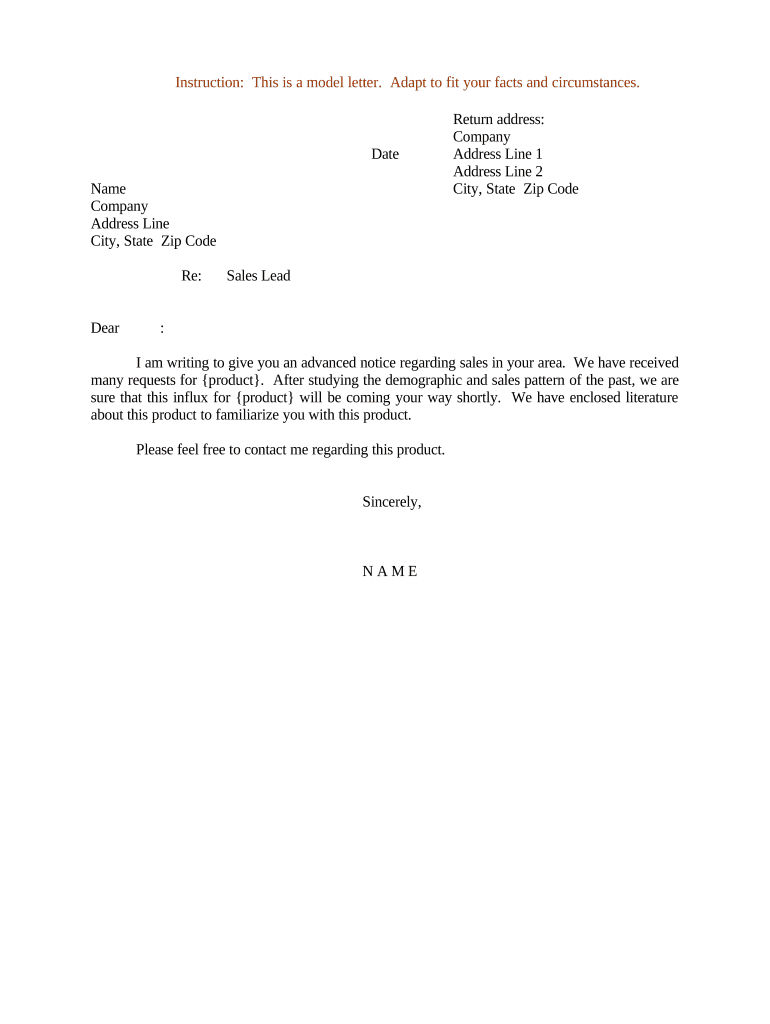
Letter Regarding Sales Lead Notification is a business communication used to inform a third party—typically a partner, referral source, or internal sales team—about the submission, status, or transfer of a sales lead. The letter documents lead details, timestamps, contact permissions, and any referral fees or commission arrangements. It creates a clear record for compliance, tracking, and payment reconciliation. Organizations use it to confirm who owns the lead, what next steps are expected, and to set consent boundaries for outreach consistent with data-privacy or TCPA considerations.

Why a clear notification letter matters for sales and compliance

A clear Letter Regarding Sales Lead Notification reduces disputes over lead ownership, documents consent for outreach, and supports timely commission payments. It standardizes information transfer between parties, improves recordkeeping for audits, and helps meet regulatory obligations related to consumer contact and data handling.

Why a clear notification letter matters for sales and compliance

Who prepares and receives these letters

Typical senders and recipients include internal sales managers, channel partners, referral agents, and legal or compliance teams who oversee lead handling.

  • Internal sales managers — assign ownership, record next steps, and update the CRM promptly.
  • Channel partners — document referrals, confirm referral fees, and capture contact consent.
  • Referral sources and agents — provide lead details and track payment or credit.

Core elements to include in the Letter Regarding Sales Lead Notification

Essential elements of the Letter Regarding Sales Lead Notification ensure clear ownership, contact consent, and a record for follow-up, payment, and compliance.

Lead Details

Include full name, company, role, phone, email, lead source, date/time discovered, and a concise description of the inquiry or buying intent to support qualification and routing decisions.
Sender Info

Provide the sender's legal name, company, contact details, CRM ID, and the person responsible for follow-up so recipient can verify origin and manage communications.

Recipient Info

Name the intended recipient or team, include contact info and preferred method of response, and specify any geographic or product assignments that affect lead handling.

Consent Statement

Confirm whether the lead provided consent for contact, note how consent was obtained, and include any do-not-contact preferences or communication restrictions.

Referral Terms

State any referral fees, commission percentages, payment timing, reimbursement conditions, and whether terms are negotiable or fixed for this specific lead.

Next Steps

Outline required actions, deadlines, assigned owner, expected response time, and how progress will be reported back to the sender for reconciliation.

Required information and quick data checklist

Lead Name: Full legal name of prospect.
Contact Info: Phone, email, company, title.
Lead Source: Referral partner or marketing channel.
Date/Time: MM/DD/YYYY and time zone.
Consent Status: Express consent noted (Yes/No).
Referral Terms: Commission, fee, or payment schedule.

Step-by-step: prepare, approve, sign, and distribute

Follow these steps to prepare, approve, and send the Letter Regarding Sales Lead Notification for consistent handling and recordkeeping.

  • 01
    Prepare: Populate lead details, consent status, and referral terms.
  • 02
    Review: Compliance or legal reviews signature authority and privacy language.
  • 03
    Approve: Authorized signer signs and dates the letter.
  • 04
    Send: Deliver by agreed channel and log in CRM.

Where the letter is sent and how routing works

Routing options and destinations for the letter vary by relationship; choose the channel that matches contract and privacy obligations.

  • Email: Secure email to recipient with read receipt requested.
  • CRM: Attach PDF to lead record and flag owner.
  • Portal: Upload through partner portal with tracking metadata.
  • Postal: Certified mail when original signature or hard copy required.

Technical requirements for eSubmission and secure handling

Use tools supporting secure delivery, audit trails, and conditional fields to gather consent and record signatures.

  • Authentication: Email, SMS code, or KBA.
  • Audit Trail: IP, timestamp, and action log.
  • File Types: PDF, DOCX, and exportable audit record.

Online workflow configuration checklist

Configure an online workflow to validate fields, route approvals, and capture consent before sending the letter.

Field Configuration
Recipient Authentication Email link with optional SMS code
Signature Method Click-to-sign with audit trail
Conditional Fields Show referral terms when referral=Yes
Storage Location Export to CRM and secure archive
Notification Email and in-app alerts to assignees

Timelines, deadlines, and expected processing windows

Key timelines and deadlines associated with lead notification, follow-up, and commission payment.

Acknowledgment Window:

Acknowledge receipt within 48 hours to avoid ownership disputes.

Follow-Up Timeline:

Contact lead within 3 business days for qualification.

Dispute Period:

Claims to ownership must be raised within 14 days.

Payment Trigger:

Payment due after closed sale or invoice within 30 days.

Record Retention:

Keep signed letter per retention policy (see retention section).

Common mistakes to avoid when preparing the letter

  • Incomplete contact details delay outreach; missing time zones or corporate email addresses often require repeat verification and can result in lost conversion opportunities.
  • Unclear referral terms lead to commission disputes; vague language about fees or payment timing increases reconciliation burden and legal risk.
  • Failing to document consent can violate TCPA or internal privacy policies; retain proof of opt-in and method of consent capture.
  • Sending unsigned or poorly formatted letters reduces enforceability; use a standard template and ensure authorized signature authority is verified.

Risks and potential consequences of errors

Contract Disputes: Delayed or denied commission payments.
Regulatory Risk: TCPA or privacy violations.
Financial Loss: Missed revenue or recovery costs.
Reputational Harm: Partner relationship damage.
Legal Fees: Costs to litigate disputes.
Recordkeeping Penalties: Noncompliance fines, audit issues.

Two practical examples of how organizations use the letter

These two use cases show how organizations use the Letter Regarding Sales Lead Notification to document referrals, consent, and payment responsibilities.

Referral Partner Example

A regional software reseller sends the letter to capture lead details and confirm commission terms when forwarding qualified prospects to the vendor.

  • Referral confirmed and logged in CRM.
  • The documented letter reduced disputed commission claims and provided an auditable trail during quarterly reconciliations, simplifying finance workflows and allowing timely payout according to preagreed terms.

Internal Sales Handoff

A national field sales team uses the letter to transfer inbound leads from marketing to local account executives with clear ownership.

  • Ownership and next steps assigned.
  • Consistent use of the template improved lead response times, reduced duplicate outreach, and ensured follow-up activities were tracked for performance metrics and commission calculations.

Best practices to make the letter reliable and audit-ready

Follow these best practices to make your sales lead notifications reliable, auditable, and aligned with compliance and payment policies.

Standardize the template
Use a single approved template across teams to avoid omissions. Standard fields ensure consistent data collection, reduce data-entry errors, and make it easier to automate routing and reconciliation in your CRM or document management system.
Document consent clearly
Record how consent was obtained, include exact language used for opt-in, and attach supporting evidence such as web form timestamps. Clear consent reduces TCPA and privacy compliance risk and eases future audit reviews.
Use eSignature and audit trails
Adopt an eSignature platform that provides tamper-evident PDFs, time-stamped audit trails, and signer attribution. Maintain exportable records to support dispute resolution and meet regulatory retention obligations.
Assign ownership and deadlines
Always name the person responsible for next steps, set explicit deadlines for outreach and qualification, and log completion in CRM. This minimizes handoff delays and supports timely commission calculations.

Comparing eSignature vendor starting prices and common capabilities

Compare common eSignature criteria and starting prices for processing sales lead notifications; signNow appears first per vendor column ordering.

signNow DocuSign Adobe Sign PandaDoc HelloSign
Starting Price $8/user/mo $15/user/mo $14/user/mo $19/user/mo $15/user/mo
Free Trial Yes, 7-day trial Varies by plan Varies by plan Varies by plan Varies by plan
Bulk Send Yes Varies by plan Varies by plan Varies by plan Varies by plan
Audit Trail Yes Yes Yes Yes Yes
HIPAA Compliant Yes Varies by plan Varies by plan Varies by plan Varies by plan
Envelope Cap No cap 100 envelopes/user/year Varies Varies Varies

Frequently asked questions about preparing and using the letter

Answers to common questions about preparing, signing, and managing the Letter Regarding Sales Lead Notification are below, including eSignature and retention considerations.


Need help? Contact support

be ready to get more
Join over 28 million airSlate SignNow users