Caption
Court caption showing county, court name, and case number so the document is clearly linked to the underlying petition and docket.
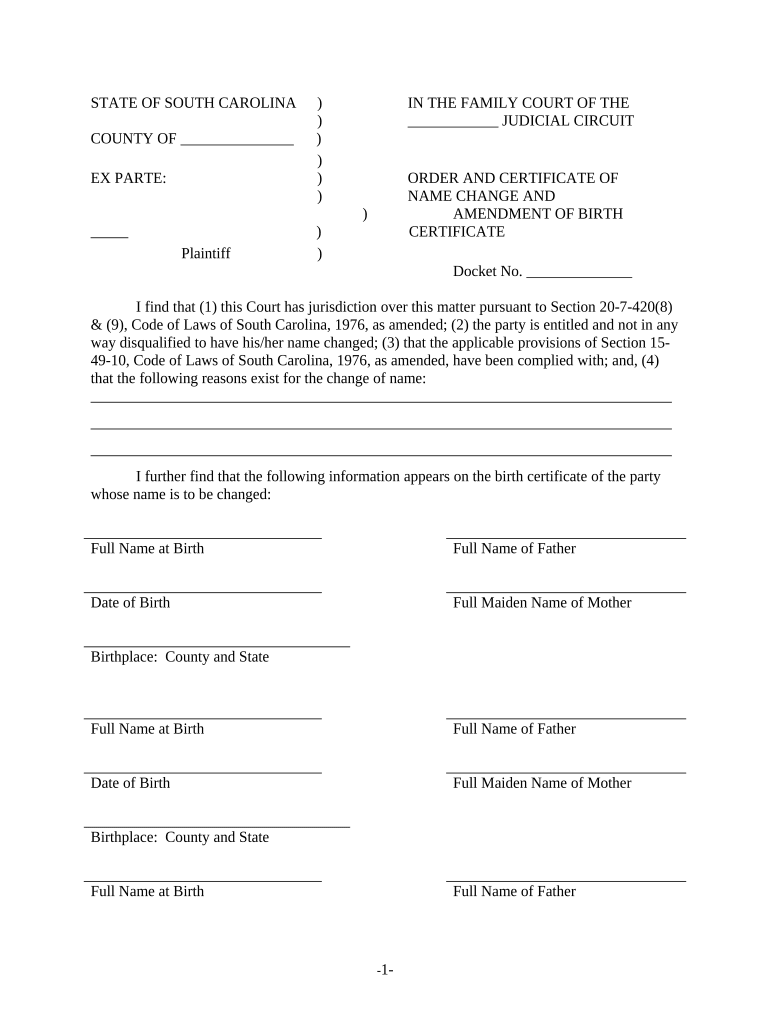
A court-issued order and certificate formalizes a name change for legal, financial, and administrative purposes and creates a clear record that agencies and businesses can rely on.

Individuals changing their legal name and the court staff who process petitions commonly use the order and certificate.
After entry, the petitioner should use certified copies to update records with federal, state, and private entities.
The petitioner is the person requesting the name change and must provide identifying information, evidence, and sworn statements. The petitioner signs the petition and any verification or consent documents required by the court.
A presiding judge or authorized judicial officer signs the final order and certificate to effect the name change; the judge’s signature creates the legal basis for updating public and private records.
Court caption showing county, court name, and case number so the document is clearly linked to the underlying petition and docket.
Full identifying information including current legal name, date of birth, residence, and any required statutory statements about reasons for the change.
The court’s factual findings (e.g., notice provided, no fraud evident) that support the judge’s legal authority to order the change.
Explicit directive that the petitioner’s name is changed to the new legal name and that agencies shall accept the order as proof.
A concise certificate block summarizing the new name, order date, judge’s signature, and clerk’s attestation for certified copies.
Judge or clerk signature and court seal or stamp to authenticate the order and permit acceptance by third parties.
Electronic preparation and submission require compatible file types, reliable signer authentication, and retention of an audit trail for legal validity.
Check local court e-filing rules before electronic submission and retain a tamper-evident copy along with the signing audit trail for recordkeeping.
| Field | Configuration |
|---|---|
| Signature Field | eSign field for petitioner and clerk |
| Authentication | Email verification + optional SMS code |
| Attachments | Upload ID, birth certificate, and supporting docs |
| Routing Order | Petitioner → Clerk → Judge |
Download or scan certified copies as PDF/A to preserve formatting and support long-term retention and reproducibility for agencies.
Keep the clerk-signed certificate as a single-page proof to present to banks, DMV, Social Security, and employers.
Store a tamper-evident electronic copy with an audit trail and restricted access to protect privacy and meet retention policies.
Attach certified birth certificate, photo ID, and proof of residence when submitting to third parties to expedite updates.
A petitioner files a standard petition and provides ID and a marriage certificate
An individual requests a name change for personal identity alignment and submits required notice
| signNow | DocuSign | Adobe Sign | PandaDoc | HelloSign | |
|---|---|---|---|---|---|
| Starting Price | $8/user/mo | $15/user/mo | $14/user/mo | $19/user/mo | $15/user/mo |
| Free Trial | Yes, 7-day free trial | Varies by vendor | Varies by vendor | Varies by vendor | Varies by vendor |
| Bulk Send | Yes | Yes | Yes | Yes | No |
| Audit Trail | Yes | Yes | Yes | Yes | Yes |
| Envelope Cap | No cap | 100 envelopes/user/year | Varies by plan | Varies by plan | Varies by plan |