Establishing secure connection… Loading editor… Preparing document…
Navigation

Fill and Sign the Sec Info Geon Co 10 K405 for 123196 Ex 13 Form
Fill and Sign the Sec Info Geon Co 10 K405 for 123196 Ex 13 Form

How it works

Open the document and fill out all its fields.
Apply your legally-binding eSignature.
Save and invite other recipients to sign it.

Rate template

4.5
55 votes
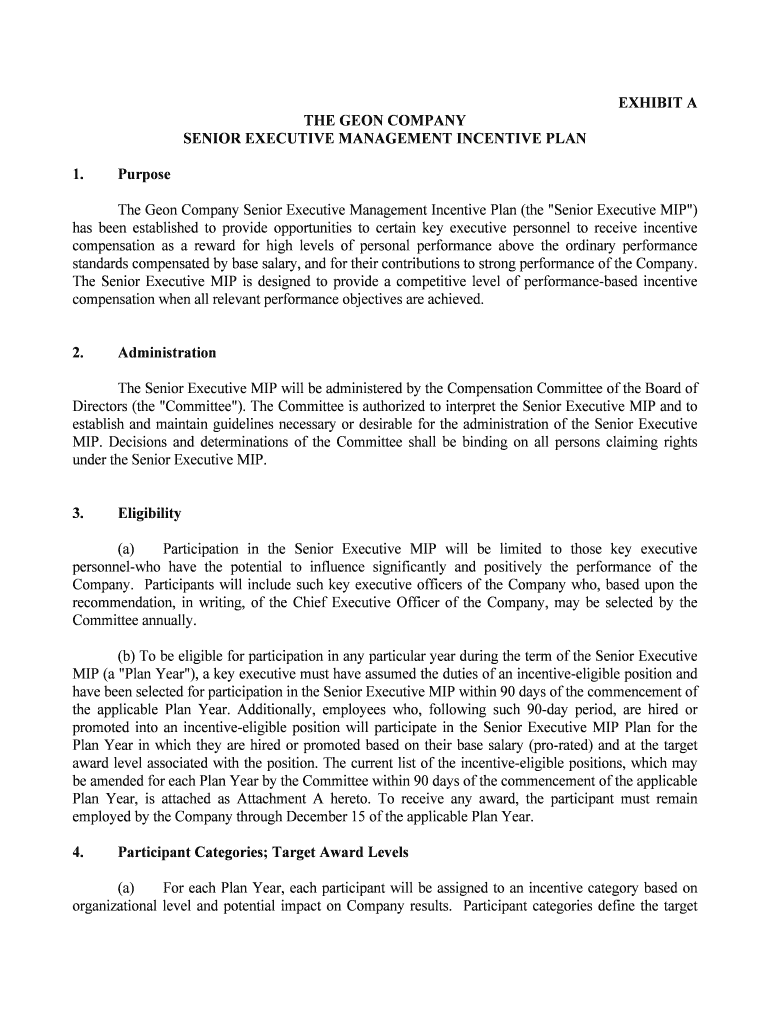
EXHIBIT A THE GEON COMPANY SENIOR EXECUTIVE MANAGEMENT INCENTIVE PLAN 1. Purpose The Geon Company Senior Executive Management Incentive Plan (the "Senior Execut ive MIP") has been established to provide opportunities to certain key executive personnel to receive incentive compensation as a reward for high levels of personal performance above the ordinary performanc e standards compensated by base salary, and for their contributions to strong performance of t he Company. The Senior Executive MIP is designed to provide a competitive level of performanc e-based incentive compensation when all relevant performance objectives are achieved. 2. Administration The Senior Executive MIP will be administered by the Compensation Commit tee of the Board of Directors (the "Committee"). The Committee is authorized to interpret t he Senior Executive MIP and to establish and maintain guidelines necessary or desirable for the administrat ion of the Senior Executive MIP. Decisions and determinations of the Committee shall be binding on all persons claiming rights under the Senior Executive MIP. 3. Eligibility (a) Participation in the Senior Executive MIP will be limited to those key executive personnel-who have the potential to influence significantly and positively the performa nce of the Company. Participants will include such key executive officers of the Company who, based upon the recommendation, in writing, of the Chief Executive Officer of the Company, may be se lected by the Committee annually. (b) To be eligible for participation in any particular year during the term of the S enior Executive MIP (a "Plan Year"), a key executive must have assumed the duties of an i ncentive-eligible position and have been selected for participation in the Senior Executive MIP within 90 days of the commencement of the applicable Plan Year. Additionally, employees who, following such 90-day period, are hired or promoted into an incentive-eligible position will participate in the Senior E xecutive MIP Plan for the Plan Year in which they are hired or promoted based on their base salary (pro-rated) and at the target award level associated with the position. The current list of the incenti ve-eligible positions, which may be amended for each Plan Year by the Committee within 90 days of the commenc ement of the applicable Plan Year, is attached as Attachment A hereto. To receive any award, t he participant must remain employed by the Company through December 15 of the applicable Plan Year. 4. Participant Categories; Target Award Levels (a) For each Plan Year, each participant will be assigned to an incentive category based on organizational level and potential impact on Company results. Participant ca tegories define the target level of incentive opportunity ("Incentive Percentage") stated as a percentage (up to a maximum of 200%) of base salary that will be available to the participant upon achieveme nt of the Performance Targets (as hereinafter defined) for the applicable Plan Year. (b) Category assignments for each Plan Year (other than that of the Chief Executi ve Officer) will be based on the recommendation of the Chief Executive Officer of the Com pany and will be approved by the Compensation Committee within 90 days of the commencement of the applicable Plan Year. The category assignment for the Chief Executive Officer of the Company wil l be determined and approved by the Compensation Committee within 90 days of the commencement of the applicable Plan Year. 5. Performance Measures and Targets (a) Within 90 days of the commencement of each applicable Plan Year, the Com mittee shall determine the performance goal target level ("Performance Target") applicable to the measures of Company performance ("Performance Measures") which must be achieved in order for any aw ards to paid under the Senior Executive MIP. The Performance Measures will include one or more of the following, as determined by the Committee for each Plan Year: (i) return to st ockholders, (ii) cash flow, (iii) return on equity, (iv) Company created income (for example, income due to Company ini tiated cost reductions or productivity improvements), (v) sales growth, (vi) earnings and earnings growth, (vii) return on assets, (viii) stock price, (ix) earnings per share, (x) market share, (xi) cust omer satisfaction, and (xii) safety and/or environmental performance. (b) The Performance Measures selected by the Committee for each Plan Ye ar will be weighted by the Committee to reflect their relative importance to the C ompany in the applicable Plan Year. The weightings of the Performance Measures shall also be determined by the Committee within 90 days of the commencement of each applicable Plan Year. 6. Certification of Achievement Promptly following the end of each Plan Year the Committee will meet to certify achievement by the Company of the Performance Targets for the applicable Plan Year and, if such goals have been achieved, to review management recommendations and approve actual awards under the Senior Executive MIP. 7. Determination of Awards (a) If all of the Performance Targets are achieved, the amount of incentive awa rds available for payment under the Senior Executive MIP will be the product of the participant's salary and the Incentive Percentage; provided that the maximum annual dollar award (after giving e ffect to the 25% premium for restricted stock deferrals provided for in Section 8) paid to any participant for any one Plan Year will be $1,000,000. (b) If one or more, but less than all, of the Performance Targets are achieved, the percentage will be reduced from 100% based on the weightings assigned to the Performance Meas ures with respect to which the Performance Targets were met. For example, if there were three Performance Measures selected for a Plan Year with each Performance Measure having an equal weighting, i.e. 33฀%, and the Performance Targets for only two of the Performance Measures were achieved, the a mount of the available incentive award would be 66 ฀% of the product of the participant's salary and the Incentive Percentage. No awards will be paid under the Senior Executive MIP if none of the Performance Targets is achieved. (c) Notwithstanding the amount of any available incentive award under the Senior E xecutive MIP, the Committee may, in its discretion, reduce or eliminate the amount of any incentive award actually paid to a participant based on individual performance or otherwise. In no eve nt may the Committee increase the amount of any available incentive award provided for under the Senior Executive MIP. 8. Payment of Awards (a) Awards will be paid as soon as practicable after approval by the Commi ttee. A portion of each participant's award, as determined by the Committee within 90 days of the commencement of the applicable Plan Year, will be paid in the form of restricted stock (the "B asic Deferral"). Participants will also have the opportunity to elect additional optional deferrals so that they ma y receive up to 100% of their award, if any, as restricted stock. (b) Any award paid as restricted stock will be enhanced with a 25% "premium", i.e. for every $100 deferred, the participant will receive $125 in restricted stock. Restrictions on the stock will be determined by the Committee at the time awards are approved in accordance with the provisions of the Company's Incentive Stock Plan. The number of shares of restricted stock to be del ivered to a participant in respect of his or her incentive award under the Senior Executive MIP shall be determined by dividing the dollar amount of the incentive award (after giving effect to the 25% premium for re stricted stock deferrals) under the Senior Executive MIP by the fair market value of one share of the Company's common stock on the first business day of the year immediately succeeding the Plan Year `in respect of which the incentive award is made; provided, that in no event shall the sum of the cash portion of the incentive award and the fair market value (determined as of the date the aw ard is approved by the Committee) of any restricted stock deliverable in respect of the award exce ed 120% of the amount of the incentive award (after giving effect to the 25% premium for restricted stock deferrals). (c) For purposes of the Senior Executive MIP, fair market value of one share of stock s hall be the mean of the high and low prices of the Company's common stock on the relevant date (or, if no sale was made on such date, then on the next preceding date on which such a sale w as made) on The New York Stock Exchange (or, if the Company's common stock is reported on NASDAQ Nati onal Market System, then on such system). If the Company's common stock is not listed or report ed on The New York Stock Exchange or the NASDAQ National Market System, the fair market value of one share of stock shall be as determined by the Committee. (d) Any portion of a participant's award not paid as restricted stock will be paid in cash. 9: Other Provisions (a) No awards under the Senior Executive MIP are to be considered earned until received. (b) Awards to participants who serve in incentive-eligible positions for less than a full year, or who within a year serve in two or more positions that are of significantly diffe rence size, may be adjusted on a pro rata basis. 10. Payment upon Change in Control (a) Anything to the contrary notwithstanding, within five days following the occurrence of a "Change in Control" (as defined in Attachment B hereto), the Company shall pay t o each participant an interim lump-sum cash payment (the "Interim Payment") with respect to his or her participation in the Senior Executive MIP. The amount of the Interim Payment shall equal the product of the number of months, including fractional months, that have elapsed until the occurrence of the C hange in Control in the calendar year in which the Change in Control occurs and one-twelfth of the great er of (i) the amount most recently paid to each participant for a full calendar year, or (ii) the le vel of incentive opportunity for each participant in effect prior to the Change in Control for the calendar year in which the Change in Control occurs, in each case under the terms of the Senior Executive MIP. (b) The Interim Payment shall not reduce the obligation of the Company to make a final payment under the terms of the Senior Executive MIP, but any Interim Payment made shall be offset against any later payment required to be made under the terms of the Senior Exe cutive MIP for the Plan Year in which a Change in Control occurs. In no event shall any participant be requi red to refund to the Company, or have offset against any other payment due any participant from or on behalf of the Company, all or any portion of the Interim Payment. 11. Amendment; Term of the Senior Executive MIP (a) The Senior Executive MIP may be amended by the Committee to the extent required in order to comply with the provisions of Section 162(m) of the Internal Revenue Code of 1986, as amended, and the regulations promulgated thereunder regarding "performance-based" compensation. (b) The Senior Executive MIP will, subject to stockholder approval at the 1995 Annual Meeting, be effective for the year beginning January 1,1995 and remain in effect thereafte r until terminated by the Committee. Attachment A THE GEON COMPANY SENIOR EXECUTIVE MANAGEMENT INCENTIVE PLAN Incentive Eligible Positions for the 1995 Plan Year Chairman of the Board and President and Chief Executive Officer Senior Vice President, Operations Chief Financial Officer, Senior Vice President, Human Resources Senior Vice President, Commercial Vice President, General Counsel and Secretary Vice President, Research and Development Attachment B THE GEON COMPANY SENIOR EXECUTIVE MANAGEMENT INCENTIVE PLAN Definition of "Change in Control" For purposes of the Senior Executive Management Incentive Plan, "Change in Control" shall mean: (a) The acquisition by any individual, entity or group (within the meaning of Section 13(d) (3) or 14(d)(2) of the Securities Exchange Act of 1934, as amended (the "Exchange Act"), of be neficial ownership (within the meaning of Rule 13d-3 promulgated under the Exchange Act) of 20% or more of either (i) the then outstanding shares of common stock of the Company (the "Outstandi ng Company Common Stock") or (ii) the combined voting power of the then outstanding voting securities of the Company entitled to vote generally in the election of directors (the "Outsta nding Company Voting Securities"); provided, however, that the following acquisitions shall not constit ute a Change in Control: (A) any acquisition directly from the Company (other than by exercise of a conversion privi lege), (B) any acquisition by the Company of any of its subsidiaries, (C) any acquisitions by any employee benefit plan (or related trust) sponsored or maintained by the Company or any of its subsidiaries or (D) any acquisition by any corporation with respect to which following such acquisition, more than 70% of, respectively, the then outstanding shares of common stock of such corporation and the com bined voting power of the then outstanding voting securities of such corporation entitled to vote gene rally in the election of directors is then beneficially owned, directly or indirectly, by all or substantially all of the individuals and entities who were the beneficial owners, respectively, of the Outstanding Company Common Stock and Company Voting Securities immediately prior to such acquisiti on in substantially the same proportions as their ownership, immediately prior to such acquisition, of t he Outstanding Company Common Stock and Outstanding Company Voting Securities, as the case may be; (b) During any period of two consecutive years, individuals who, at of the beginning of such period, constitute the Board (the "Incumbent Board") cease for any reason to constitut e at least a majority of the Board, provided, however, that any individual becoming a director subsequent to the be ginning of such period whose election, or nomination for election by the Company's stockholders, wa s approved by a vote of at least a majority of the directors then comprising the Incumbent B oard shall be considered as though such individual were a member of the Incumbent Board, but excluding, for this purpose, any such individual whose initial assumption of office occurs as a result of either an actual or threatened election contest (as such terms are used in Rule 14a-11 of Regulation 14A promulgated under the Exchange Act); (c) Approval by the stockholders of the Company of a reorganization, merger or consolidation, in each case, with respect to which all or substantially a ll of the individuals and entities who were the beneficial owners, respectively, of the Outstanding Company Common St ock and Outstanding Company Voting Securities immediately prior to such reorganization, me rger or consolidation, do not, following such reorganization, merger or consolidation, beneficially own, directly or indirectly, more than 700/o of, respectively, the then outstanding shares of common stoc k and the combined voting power of the then outstanding voting securities entitled to vote genera lly in the election of directors, as the case may be, of the company resulting from such reorganization, merger or consolidation in substantially the same proportions as their ownership, immediat ely prior to such reorganization, merger or consolidation of the Outstanding Company Common Stock and Outsta nding Company Voting Securities, as the case may be; or(d) Approval by the stockholders of the Company of (i) a complete liquidation or dissolution of the Company or (ii) a sale or other disposition of all or substantially all of the assets of the Company, other than to a corporation, with respect to which following such sale or other dispos ition, more than 70% of, respectively, the then outstanding shares of common stock of such company and the c ombined voting power of the then outstanding voting securities of such company entitled to vote generally in the election of directors is then beneficially owned, directly or indirectly, by all or substantially all of the individuals and entities who were the beneficial owners, respectively, of the Outstanding Company Common Stock and Outstanding Company Voting Securities immediately prior to such sale or other disposition in substantially the same proportion as their ownership, immediatel y prior to such sale or other disposition, of the Outstanding Company Common Stock and Outstanding Company Voting Securities, as the case may be. The Geon Company 3/22/95

Convenient assistance for finishing your ‘Sec Info Geon Co 10 K405 For 123196 Ex 13’ online

Are you exhausted from the inconvenience of handling paperwork? Search no more than airSlate SignNow, the premier electronic signature platform for individuals and businesses. Bid farewell to the laborious process of printing and scanning documents. With airSlate SignNow, you can smoothly finalize and sign documents online. Take advantage of the robust features included in this user-friendly and cost-effective platform and transform your strategy for paperwork administration. Whether you need to approve forms or gather electronic signatures, airSlate SignNow makes it all simple, with just a few clicks.

Follow this comprehensive guide:

  1. Access your account or initiate a free trial with our service.
  2. Select +Create to upload a file from your device, cloud, or our template collection.
  3. Open your ‘Sec Info Geon Co 10 K405 For 123196 Ex 13’ in the editor.
  4. Click Me (Fill Out Now) to complete the form on your end.
  5. Add and assign fillable fields for others (if necessary).
  6. Proceed with the Send Invite settings to request eSignatures from others.
  7. Download, print your copy, or convert it into a reusable template.

Don’t worry if you need to work together with your colleagues on your Sec Info Geon Co 10 K405 For 123196 Ex 13 or send it for notarization—our solution provides everything you need to accomplish such tasks. Sign up with airSlate SignNow today and elevate your document management to new levels!

Here is a list of the most common customer questions. If you can’t find an answer to your question, please don’t hesitate to reach out to us.

Need help? Contact Support

The best way to complete and sign your sec info geon co 10 k405 for 123196 ex 13 form

Save time on document management with airSlate SignNow and get your sec info geon co 10 k405 for 123196 ex 13 form eSigned quickly from anywhere with our fully compliant eSignature tool.

How to Sign a PDF Online How to Sign a PDF Online

How to fill out and sign documents online

In the past, coping with paperwork took pretty much time and effort. But with airSlate SignNow, document management is quick and easy. Our robust and user-friendly eSignature solution enables you to effortlessly fill out and electronically sign your sec info geon co 10 k405 for 123196 ex 13 form online from any internet-connected device.

Follow the step-by-step guidelines to eSign your sec info geon co 10 k405 for 123196 ex 13 form template online:

  • 1.Sign up for a free trial with airSlate SignNow or log in to your account with password credentials or SSO authorization option.
  • 2.Click Upload or Create and import a form for eSigning from your device, the cloud, or our form collection.
  • 3.Click on the document name to open it in the editor and utilize the left-side menu to complete all the empty fields accordingly.
  • 4.Put the My Signature field where you need to eSign your form. Type your name, draw, or upload a photo of your handwritten signature.
  • 5.Click Save and Close to finish modifying your completed document.

After your sec info geon co 10 k405 for 123196 ex 13 form template is ready, download it to your device, save it to the cloud, or invite other people to electronically sign it. With airSlate SignNow, the eSigning process only requires several clicks. Use our powerful eSignature tool wherever you are to handle your paperwork successfully!


How to Sign a PDF Using Google Chrome How to Sign a PDF Using Google Chrome

How to fill out and sign documents in Google Chrome

Completing and signing documents is easy with the airSlate SignNow extension for Google Chrome. Adding it to your browser is a fast and efficient way to deal with your forms online. Sign your sec info geon co 10 k405 for 123196 ex 13 form sample with a legally-binding eSignature in just a couple of clicks without switching between programs and tabs.

Follow the step-by-step guide to eSign your sec info geon co 10 k405 for 123196 ex 13 form template in Google Chrome:

  • 1.Navigate to the Chrome Web Store, search for the airSlate SignNow extension for Chrome, and install it to your browser.
  • 2.Right-click on the link to a form you need to approve and select Open in airSlate SignNow.
  • 3.Log in to your account with your credentials or Google/Facebook sign-in option. If you don’t have one, you can start a free trial.
  • 4.Use the Edit & Sign menu on the left to complete your sample, then drag and drop the My Signature option.
  • 5.Upload a photo of your handwritten signature, draw it, or simply type in your full name to eSign.
  • 6.Verify all information is correct and click Save and Close to finish editing your form.

Now, you can save your sec info geon co 10 k405 for 123196 ex 13 form sample to your device or cloud storage, email the copy to other individuals, or invite them to electronically sign your document with an email request or a secure Signing Link. The airSlate SignNow extension for Google Chrome improves your document processes with minimum time and effort. Try airSlate SignNow today!


How to Sign a PDF in Gmail How to Sign a PDF in Gmail How to Sign a PDF in Gmail

How to fill out and sign paperwork in Gmail

When you get an email with the sec info geon co 10 k405 for 123196 ex 13 form for approval, there’s no need to print and scan a document or save and re-upload it to another tool. There’s a much better solution if you use Gmail. Try the airSlate SignNow add-on to promptly eSign any paperwork right from your inbox.

Follow the step-by-step guidelines to eSign your sec info geon co 10 k405 for 123196 ex 13 form in Gmail:

  • 1.Go to the Google Workplace Marketplace and find a airSlate SignNow add-on for Gmail.
  • 2.Install the tool with a related button and grant the tool access to your Google account.
  • 3.Open an email containing an attachment that needs approval and use the S sign on the right sidebar to launch the add-on.
  • 4.Log in to your airSlate SignNow account. Select Send to Sign to forward the document to other parties for approval or click Upload to open it in the editor.
  • 5.Place the My Signature option where you need to eSign: type, draw, or upload your signature.

This eSigning process saves time and only takes a couple of clicks. Take advantage of the airSlate SignNow add-on for Gmail to adjust your sec info geon co 10 k405 for 123196 ex 13 form with fillable fields, sign paperwork legally, and invite other people to eSign them al without leaving your mailbox. Improve your signature workflows now!


How to Sign a PDF on a Mobile Device How to Sign a PDF on a Mobile Device How to Sign a PDF on a Mobile Device

How to complete and sign paperwork in a mobile browser

Need to rapidly submit and sign your sec info geon co 10 k405 for 123196 ex 13 form on a smartphone while doing your work on the go? airSlate SignNow can help without needing to install extra software applications. Open our airSlate SignNow solution from any browser on your mobile device and add legally-binding electronic signatures on the go, 24/7.

Follow the step-by-step guidelines to eSign your sec info geon co 10 k405 for 123196 ex 13 form in a browser:

  • 1.Open any browser on your device and go to the www.signnow.com
  • 2.Sign up for an account with a free trial or log in with your password credentials or SSO authentication.
  • 3.Click Upload or Create and import a file that needs to be completed from a cloud, your device, or our form library with ready-to go templates.
  • 4.Open the form and fill out the empty fields with tools from Edit & Sign menu on the left.
  • 5.Put the My Signature field to the form, then type in your name, draw, or add your signature.

In a few easy clicks, your sec info geon co 10 k405 for 123196 ex 13 form is completed from wherever you are. As soon as you're finished editing, you can save the file on your device, generate a reusable template for it, email it to other people, or ask them to electronically sign it. Make your documents on the go speedy and effective with airSlate SignNow!


How to Sign a PDF on iPhone How to Sign a PDF on iPhone

How to fill out and sign paperwork on iOS

In today’s business community, tasks must be done rapidly even when you’re away from your computer. With the airSlate SignNow application, you can organize your paperwork and sign your sec info geon co 10 k405 for 123196 ex 13 form with a legally-binding eSignature right on your iPhone or iPad. Set it up on your device to conclude contracts and manage forms from anywhere 24/7.

Follow the step-by-step guide to eSign your sec info geon co 10 k405 for 123196 ex 13 form on iOS devices:

  • 1.Open the App Store, find the airSlate SignNow app by airSlate, and set it up on your device.
  • 2.Open the application, tap Create to import a form, and select Myself.
  • 3.Opt for Signature at the bottom toolbar and simply draw your signature with a finger or stylus to eSign the sample.
  • 4.Tap Done -> Save right after signing the sample.
  • 5.Tap Save or use the Make Template option to re-use this paperwork in the future.

This method is so easy your sec info geon co 10 k405 for 123196 ex 13 form is completed and signed in just a couple of taps. The airSlate SignNow application works in the cloud so all the forms on your mobile device are kept in your account and are available whenever you need them. Use airSlate SignNow for iOS to enhance your document management and eSignature workflows!


How to Sign a PDF on Android How to Sign a PDF on Android

How to complete and sign documents on Android

With airSlate SignNow, it’s simple to sign your sec info geon co 10 k405 for 123196 ex 13 form on the go. Set up its mobile application for Android OS on your device and start boosting eSignature workflows right on your smartphone or tablet.

Follow the step-by-step guidelines to eSign your sec info geon co 10 k405 for 123196 ex 13 form on Android:

  • 1.Navigate to Google Play, search for the airSlate SignNow application from airSlate, and install it on your device.
  • 2.Log in to your account or register it with a free trial, then add a file with a ➕ option on the bottom of you screen.
  • 3.Tap on the uploaded file and select Open in Editor from the dropdown menu.
  • 4.Tap on Tools tab -> Signature, then draw or type your name to eSign the form. Fill out blank fields with other tools on the bottom if required.
  • 5.Use the ✔ button, then tap on the Save option to finish editing.

With an easy-to-use interface and total compliance with major eSignature standards, the airSlate SignNow app is the best tool for signing your sec info geon co 10 k405 for 123196 ex 13 form. It even operates offline and updates all document modifications when your internet connection is restored and the tool is synced. Complete and eSign forms, send them for approval, and make multi-usable templates anytime and from anyplace with airSlate SignNow.

Sign up and try Sec info geon co 10 k405 for 123196 ex 13 form
  • Close deals faster
  • Improve productivity
  • Delight customers
  • Increase revenue
  • Save time & money
  • Reduce payment cycles

