Establishing secure connection…Loading editor…Preparing document…

Small Estate Form

This template is fully customizable. Edit the text, fill out the fields, and send it for signature. Give it a try!
Small Estate Form

What the Small Estate Form Is and when it applies

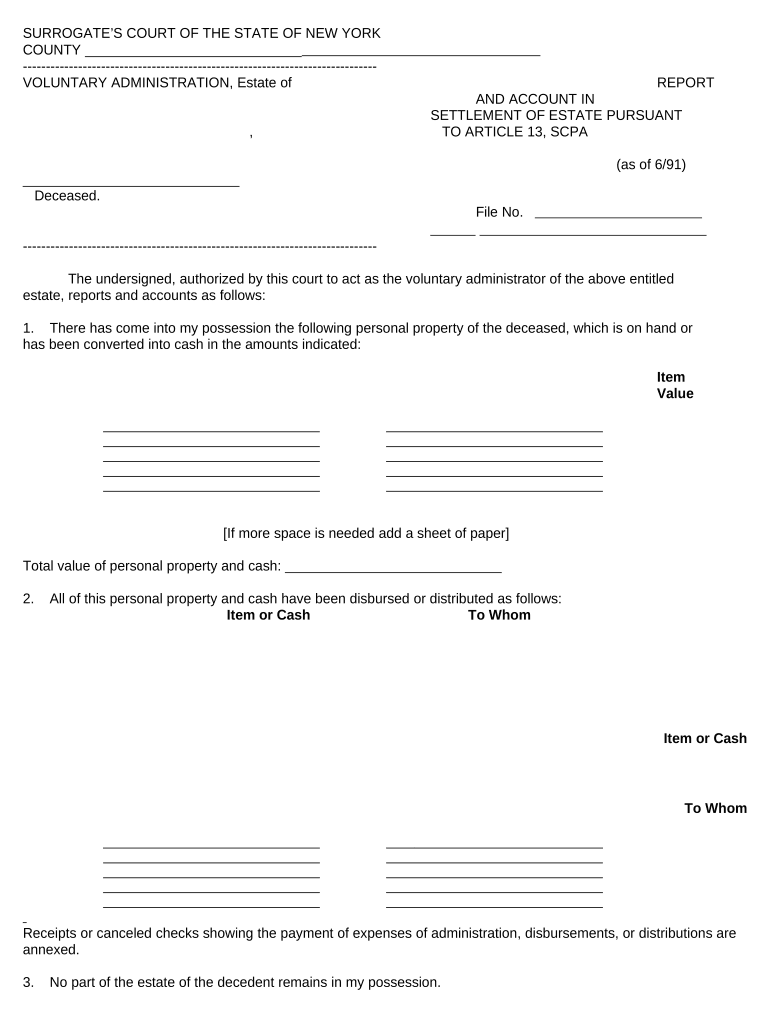
A Small Estate Form (also called a small estate affidavit in many states) is a simplified probate document used to transfer certain assets after a decedent's death when the estate value falls below a state-specific threshold. It lets heirs or beneficiaries collect bank account funds, personal property, or other non‑probate assets without full probate administration. The form typically requires the decedent's identifying information, a statement of the estate's value, claimant declarations, and supporting documentation such as a death certificate and creditor notice if applicable. Use is limited by statute and by which asset holders will accept the affidavit.

Why the Small Estate Form matters for heirs and administrators

The Small Estate Form reduces cost, paperwork, and time compared with formal probate for qualifying estates. It provides a clear legal statement of entitlement that many financial institutions and title holders accept, simplifying transfers of bank balances, vehicles, and personal property when state thresholds are met.

Why the Small Estate Form matters for heirs and administrators

Who commonly completes a Small Estate Form

Individuals and professional representatives use this form when an estate meets statutory small‑estate limits and a faster transfer is needed.

  • Family members or named beneficiaries asserting entitlement to specific assets after death, often without hiring an attorney.
  • Personal representatives or executors for streamlined recovery of minor assets when formal probate is unnecessary.
  • Creditors and payees who require a statutory affidavit to release funds or property to an heir or claimant.

Confirm eligibility under the decedent's state law before relying on a small estate procedure; requirements vary by jurisdiction.

Step-by-step: complete and submit a Small Estate Form

Follow these sequential steps to assemble the form, supporting documents, authentication, and submission so institutions will accept it.

  • 01
    Gather documents: Obtain death certificate, ID, and asset statements.
  • 02
    Confirm eligibility: Check the state's small estate threshold and timing rules.
  • 03
    Complete affidavit: Fill each field accurately, using MM/DD/YYYY dates.
  • 04
    Authenticate and submit: Notarize or witness as required, then present to the asset holder or file with court.

How the Small Estate process typically moves

A small estate case follows a predictable path from preparation through asset release; understanding each handoff reduces delays.

  • Preparation: Collect documents and calculate estate value.
  • Authentication: Sign and notarize or secure required witnesses.
  • Submission: Deliver affidavit to bank, DMV, or court clerk.
  • Distribution: Asset holder releases funds or titles to claimant.

Digital workflow settings when completing the form online

Configure the electronic form for signer identity, required fields, and document retention before sending to claimants or institutions.

Field Configuration
Required Signature Enable signer fields and date stamps
Authentication Method Choose email link, SMS code, or higher verification
Notary / Witness Enable remote notarization session if available
Retention Settings Set secure storage duration and export formats

Key elements to include for a professional Small Estate Form

A complete form is clear about identity, estate value, authority to claim, signatures, notarization, and supporting evidence so holders accept it without court intervention.

Decedent identification

Full name, date of death, social security or last four digits when required, and usual residence are essential to link the affidavit to records.
Statutory statement

An explicit declaration that the estate meets the state's small estate threshold and citation to the controlling statute improves acceptance.

Asset itemization

List each bank account, vehicle, or personal property item with approximate values and account or title numbers where applicable.

Claimant declaration

A signed attestation of relationship or beneficiary status, including how claimant derives authority to receive assets, reduces disputes.

Authentication block

Notary acknowledgement or witness signature block with date and jurisdictional wording matching state law is required in many states.

Supporting documents

Attach the death certificate, ID for claimant, account statements, and any court orders that bear on authority or outstanding debts.

Security and compliance considerations for electronic submission

Encryption: TLS 1.2/1.3 in transit; AES-256 at rest
Certifications: SOC 2 Type II and ISO 27001 certified
HIPAA: BAA available for health data
ESIGN / UETA: Meets ESIGN and UETA standards
Audit Trail: Timestamped signature and IP logging
Accessibility: WCAG 2.0 Level AA compliant

Timing expectations and typical deadlines

Some actions are time‑sensitive: confirm state filing windows, creditor notice requirements, and institutional timelines before submitting an affidavit.

Statute of limitations:

Varies by state; start date often date of death

Institution review:

Banks and title holders may take 1–6 weeks to accept documents

Creditor notice:

Some states require notice periods before distribution

Tax reporting:

File any required final tax returns by standard deadlines

Court filing:

If court involvement is needed, local clerk schedules apply

Key processing milestones after submitting a Small Estate Form

Typical stages run from submission through release; track each milestone to anticipate follow-up actions.

01

Submission

Deliver affidavit and attachments to the asset holder or clerk

02

Verification

Institution confirms identity, death certificate, and account ownership

03

Holding period

Some payors hold funds for creditor claims or additional review

04

Release

Funds or title transferred to claimant after acceptance

Common mistakes that delay Small Estate Form acceptance

  • Using informal names or initials that do not match the death certificate or account records often causes institutions to reject the affidavit.
  • Failing to notarize or secure the required number of witnesses under state law will lead to refusal by title agents or banks.
  • Omitting account numbers, vehicle identification numbers, or concise asset descriptions forces extra verification and slows processing.
  • Not checking beneficiary designations and creditor notice rules can produce conflicts and potential liability for premature distributions.

Risks and legal consequences of incorrect filings

Improper distribution: Civil liability to rightful heirs
Fraud allegation: Criminal exposure if misrepresentation
Creditor claims: Potential returned payments and claims
Late tax filing: Penalties under IRC §6651
Information return fines: IRC §6721 penalties for incorrect filings
Notarization failure: Rejection of affidavit

eSignature vendor comparison for executing the Small Estate Form electronically

Comparing basic pricing and core capabilities can help organizations choose a platform for secure signing and notarization. signNow is listed first per the comparison format.

signNow DocuSign Adobe Sign PandaDoc HelloSign
Starting Price $8/user/mo $15/user/mo $14/user/mo $19/user/mo $15/user/mo
Free Trial 7-day free trial Varies by vendor Varies by vendor Varies by vendor Varies by vendor
Bulk Send Yes Yes Yes Yes No
Audit Trail Yes Yes Yes Yes Yes
HIPAA Compliant Yes Yes Yes No No

Technical considerations for digital signing and submission

Confirm the platform supports required authentication, file formats, and integrations before completing and sending the Small Estate Form.

  • File formats: PDF, DOCX supported
  • Integrations: Salesforce, NetSuite, Google Workspace support
  • Authentication: Email, SMS, KBA, and SSO options

Frequently asked questions about the Small Estate Form

Common questions and concise answers on eligibility, signatures, notarization, and filing will help prevent typical delays and rejections.


Need help? Contact support

be ready to get more
Join over 28 million airSlate SignNow users