Establishing secure connection… Loading editor… Preparing document…
Navigation

Fill and Sign the Software License Agreementtrusona Form
Fill and Sign the Software License Agreementtrusona Form

How it works

Open the document and fill out all its fields.
Apply your legally-binding eSignature.
Save and invite other recipients to sign it.

Rate template

4.6
46 votes
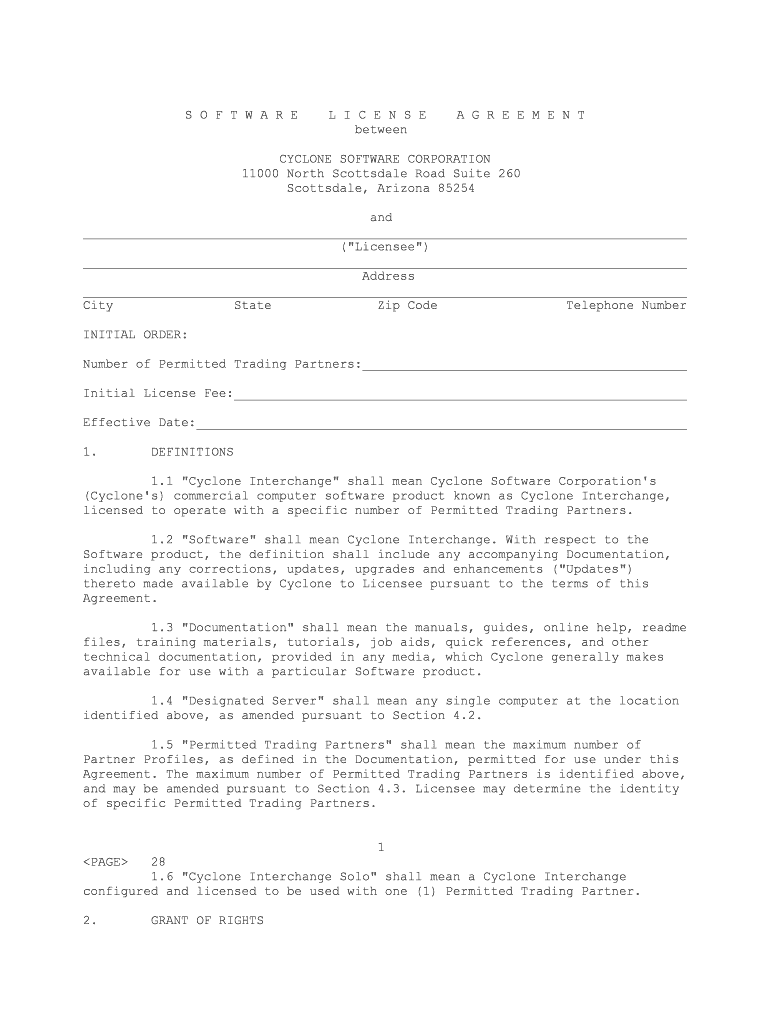
S O F T W A R E L I C E N S E A G R E E M E N T between CYCLONE SOFTWARE CORPORATION 11000 North Scottsdale Road Suite 260 Scottsdale, Arizona 85254 and ________________________________________________________________________________ ("Licensee")________________________________________________________________________________ Address________________________________________________________________________________ City State Zip Code Telephone Number INITIAL ORDER: Number of Permitted Trading Partners:___________________________________________ Initial License Fee:____________________________________________________________ Effective Date:_________________________________________________________________1. DEFINITIONS 1.1 "Cyclone Interchange" shall mean Cyclone Software Corporation's (Cyclone's) commercial computer software product known as Cyclone Interchange, licensed to operate with a specific number of Permitted Trading Partners. 1.2 "Software" shall mean Cyclone Interchange. With respect to the Software product, the definition shall include any accompanying Documentation, including any corrections, updates, upgrades and enhancements ("Updates") thereto made available by Cyclone to Licensee pursuant to the terms of thisAgreement. 1.3 "Documentation" shall mean the manuals, guides, online help, readme files, training materials, tutorials, job aids, quick references, and other technical documentation, provided in any media, which Cyclone generally makes available for use with a particular Software product. 1.4 "Designated Server" shall mean any single computer at the location identified above, as amended pursuant to Section 4.2. 1.5 "Permitted Trading Partners" shall mean the maximum number of Partner Profiles, as defined in the Documentation, permitted for use under this Agreement. The maximum number of Permitted Trading Partners is identified above, and may be amended pursuant to Section 4.3. Licensee may determine the identity of specific Permitted Trading Partners. 1 28 1.6 "Cyclone Interchange Solo" shall mean a Cyclone Interchange configured and licensed to be used with one (1) Permitted Trading Partner. 2. GRANT OF RIGHTS 2.1 Licenses. Cyclone hereby grants to Licensee the following Software license: a nonexclusive, nontransferable license, without right of sublicense, to install and use, solely in object- or byte-code format, and solely for Licensee's internal business purposes, solely on a Designated Server, and within the maximum number of Permitted Trading Partners. 2.2 Copies. (a) Software. Licensee may make copies of the Software as reasonably required for internal testing, training, and for archival purposes pursuant to Licensee's standard archival procedures. (b) Documentation. Licensee may make copies of the Documentation as reasonably required to allow Licensee's employees to use the Software in accordance with the licenses granted in this Section 2. 2.3 Limitations. Licensee shall have the rights only with respect to the Software and Documentation expressly set forth herein. In particular, (i) Licensee shall have no right to use, copy, modify, display, rent, lease, loan or otherwise distribute the Software or Documentation except as expressly provided herein, and (ii) Licensee shall not decompile, reverse engineer or otherwise attempt to obtain, derive or modify the source code or architecture of theSoftware. 2.4 Use by Trading Partners. During the term of this Agreement, Cyclone agrees to provide, according to Cyclone's standard Software License Agreement, a no-cost, nontransferable Cyclone Interchange Solo license to each of Licensee's Permitted Trading Partners. This Cyclone Interchange Solo license is to be used by the Permitted Trading Partners to trade only with Licensee. 3. PROPRIETARY RIGHTS 3.1 Ownership. The Software and Documentation are proprietary to Cyclone or its licensors and, except for the licenses explicitly granted hereunder or otherwise granted by Cyclone, Cyclone or its licensors own all right, title and interest, including without limitation all intellectual property rights, in and to the Software and Documentation, and in and to any copies, translations, compilations, partial copies, modifications, improvements, enhancements, and updates of the Software and Documentation. Licensee shall not remove any proprietary notices from any part of the Software or Documentation, and shall reproduce such notices on any copies of such materials made by Licensee in the same manner as such notices appear on the originals. 3.2 Confidentiality. Licensee acknowledges that the Software (including materials, processes or techniques utilized in the Software) are proprietary to and valuable trade secrets of Cyclone and/or its licensors, and Licensee agrees to maintain their confidential nature. Licensee shall exercise at least the same degree of care to protect the confidentiality of the Software as it would exercise in protecting its own similar confidential information. Licensee will take all steps 2 29 necessary to ensure that the Software shall not be disclosed to, or used by, any person, association or entity except Licensee's own employees and consultants and then only to the extent necessary for Licensee's permitted use of the Software and consistent with the protection required by this Section. Additionally, each party agrees that while either may disclose the existence of this Agreement, the exact terms shall be deemed confidential information. 4. SOFTWARE USE 4.1 Back-Up Hardware. Licensee may use a single back-up or replacement CPU as a temporary substitute for a Designated Server while it is inoperative because it is malfunctioning or undergoing repair, maintenance or other modification; provided that the Software shall be removed from such back-up or replacement hardware when the original Designated Server is returned to use. 4.2 Replacement Hardware. Licensee may permanently substitute new hardware for a Designated Server without additional charge. 4.3 Ordering New Software. (a) Licensee may license additional Permitted Trading Partners by submitting a purchase order or other notice to Cyclone specifying the number of Permitted Trading Partners which Licensee wishes to add to this Agreement; provided, however, that Licensee may only increase the number of Permitted Trading Partners in increments according to Cyclone's then-current pricing policies. Upon receipt of such order, Cyclone shall invoice Licensee for the agreed upon license fees due and shall provide Licensee with the information necessary to be input in a manner specified by Cyclone to provide access to the Software by up to the appropriate number of new Permitted Trading Partners. (b) Notwithstanding anything herein to the contrary, the ordering and use of the Software shall be governed by the terms of this Agreement, and nothing contained in any purchase order submitted by Licensee other than order dates, identity, location, quantity and price shall in any way serve to modify or add to the terms of this Agreement. (c) Notwithstanding anything herein to the contrary, where Licensee has purchased Maintenance (as defined in Section 7 below) for the Software, continued Maintenance shall be subject to Licensee's payment of a pro rata share of the Maintenance fee due for the additional Software ordered by Licensee, as provided in Cyclone's then-current Maintenance policy. 5. LICENSE FEE AND PAYMENT 5.1 Fees. The license fee for the software initially licensed by Licensee hereunder is set forth on the face of this Agreement. All amounts payable under this Agreement shall be paid net thirty (30) days from the date of invoice. Any amounts due Cyclone under this Agreement not received by Cyclone by the date due shall be subject to a service charge of one and one-half percent (1 1/2%) per month, or the maximum charge permitted by law, whichever is less. 3 30 5.2 Taxes. Unless separately stated, all charges under this Agreement do not include any taxes, duties or charges of any kind (including withholding or value-added taxes) imposed by any federal, state or local governmental entity for products or services provided under this Agreement. When Cyclone has the legal obligation to collect such taxes, the appropriate amount shall be due upon invoice to Licensee unless Licensee provides Cyclone with a valid tax exemption certificate authorized by the appropriate taxing authority. 6. LIMITED WARRANTY Cyclone warrants that it is the owner of the Software and/or has the right to grant Licensee the rights set forth herein; provided that Licensee's sole remedy, and Cyclone's sole obligation, with respect to such warranty shall be Cyclone's indemnification obligation set forth in Section 8 below. EXCEPT FOR THIS EXPRESS LIMITED WARRANTY, NEITHER CYCLONE NOR ITS LICENSORS MAKE ANY WARRANTIES, EXPRESS, IMPLIED, STATUTORY OR OTHERWISE, AND SPECIFICALLY DISCLAIMS ANY IMPLIED WARRANTIES OF MERCHANTABILITY AND FITNESS FOR A PARTICULAR PURPOSE. 7. MAINTENANCE SERVICES Cyclone will maintain the Software in an operable condition in accordance with the specifications contained in the Documentation supplied with the Software for a period of 90 days after the Effective Date. Also during this period, Cyclone shall provide Licensee without charge such corrections and improvements as Cyclone may make generally available to its Software licensees as part of standard maintenance service. All such services shall be referred to as "Maintenance" and shall be provided according to Cyclone's then-current Maintenance Policy. Upon expiration of this initial period of Maintenance, Licensee shall have the option to continue to receive Maintenance in accordance with Cyclone's then-current Maintenance Policy upon payment in advance to Cyclone, on an annual basis, of the Maintenance charges then in effect for the Software licensed to Licensee. 8. INTELLECTUAL PROPERTY RIGHTS INDEMNITY Cyclone agrees, at its own expense, to defend or, at its option, to settle, any claim or action brought against Licensee on the issue of infringement of any United States copyright or trade secret of any third party by the Software as used within the scope of this Agreement, and to pay all damages and costs, including reasonable legal fees, which may be assessed against Licensee under any such claim or action. Cyclone shall be released from the foregoing obligation unless Licensee provides Cyclone with (i) written notice within fifteen (15) days of the date Licensee first becomes aware of such claim or action, or possibility thereof, (ii) sole control and authority over the defense or settlement thereof and (iii) proper and full information and assistance to settle and/or defend any such claim or action. Without limiting the foregoing, if a final injunction is, or Cyclone believes, in its sole discretion, is likely to be, entered prohibiting the use of the Software by Licensee as contemplated herein, Cyclone will, at its sole option and expense, either: (a) procure for Licensee the right to use the infringing Software as provided herein, or (b) replace the infringing Software with noninfringing, functionally equivalent products, or (c) suitably modify the infringing Software so that it is not infringing; or, (d) in the event (a), (b) and 4 31 (c) are not commercially reasonable, accept return of the infringing Software. Except as specified above, Cyclone will not be liable for any costs or expenses incurred without its prior written authorization. Notwithstanding the foregoing, Cyclone assumes no liability for infringement claims arising from (i) combination of the Software with other products not provided by Cyclone, but not covering the Software, or (ii) any modifications to the Software unless such modification was made by Cyclone. THE FOREGOING PROVISIONS OF THIS SECTION 8 STATE THE ENTIRE LIABILITY AND OBLIGATIONS OF CYCLONE OR ITS LICENSORS, AND THE EXCLUSIVE REMEDY OF LICENSEE, WITH RESPECT TO ANY ACTUAL OR ALLEGED INFRINGEMENT OF ANY PATENT, COPYRIGHT, TRADE SECRET, TRADEMARK OR OTHER INTELLECTUAL PROPERTY RIGHT BY THE SOFTWARE. 9. LIMITATION OF LIABILITY EXCEPT AS PROVIDED IN SECTION 8, CYCLONE'S LIABILITY UNDER THIS AGREEMENT SHALL NOT EXCEED THE AMOUNT OF LICENSE FEES RECEIVED BY CYCLONE FROM LICENSEE UNDER THIS AGREEMENT. IN NO EVENT SHALL CYCLONE OR ITS LICENSORS HAVE ANY LIABILITY FOR LOST PROFITS, LOSS OF DATA OR COSTS OF PROCUREMENT OF SUBSTITUTE GOODS OR SERVICES, OR FOR ANY SPECIAL, INDIRECT, OR CONSEQUENTIAL DAMAGES INCLUDING, WITHOUT LIMITATION, DAMAGES ARISING IN ANY WAY OUT OF THIS AGREEMENT UNDER ANY CAUSE OF ACTION, WHETHER OR NOT CYCLONE HAS BEEN ADVISED OF THE POSSIBILITY OF SUCH DAMAGES. LICENSEE UNDERSTANDS THAT NOTHING CONTAINED HEREIN SHALL RELEASE LICENSEE FROM PAYING ANY AMOUNTS THEN DUE AND OWING TO CYCLONE. THESE LIMITATIONS SHALL APPLY NOTWITHSTANDING THE FAILURE OF THE ESSENTIAL PURPOSE OF ANY LIMITED REMEDY. 10. TERM AND TERMINATION 10.1 Termination. This Agreement is effective until terminated. Upon prior written notice, either party may terminate this Agreement if the other party becomes insolvent, ceases doing business in the regular course, files a petition in bankruptcy or is subject to the filing of an involuntary petition for bankruptcy which is not rescinded within a period of forty-five (45) days, or fails to cure a material breach of any term or condition of this Agreement within thirty (30) days of receipt of written notice specifying such breach. 10.2 Return of Materials. Upon termination of this Agreement for any reason, Licensee shall immediately discontinue use of the Software and Documentation and within ten (10) days after termination certify. in writing to Cyclone that all copies of the Software and Documentation, in whole or in part, in any form, have either been returned to Cyclone or destroyed in accordance with Cyclone's instructions. All payments made by Licensee to Cyclone hereunder are non-refundable. 10.3 Effect of Termination. The following provisions shall survive any termination of this Agreement: Sections 3, 5, 6, 8, 9, 10.2 and 11. Termination shall not release Licensee from 5 32 paying any amounts owed to Cyclone under this Agreement. All other rights and licenses granted hereunder will cease upon termination. 11. GENERAL 11.1 Assignment. Licensee may not assign its rights, duties and obligations under this Agreement, except with the advance written consent of Cyclone. Any attempted assignment contrary to the terms of this clause shall terminate this Agreement. Notwithstanding, the rights and obligations of this Agreement shall be binding on each party's permitted successors and assigns. 11.2 Governing Law and Jurisdiction. This Agreement shall be governed, construed and enforced in accordance with the laws of the State of Arizona, without reference to conflict of law principles. The federal and state courts within Maricopa County, Arizona, shall have exclusive jurisdiction to adjudicate any dispute arising out of this Agreement. Each party hereto expressly consents to the personal jurisdiction of, and venue in, such courts. 11.3 No Waiver. The failure of either party to enforce at any time any of the provisions of this Agreement shall not be deemed to be a waiver of the right of such party thereafter to enforce any such provisions. 11.4 Government Customers. Any use of the Software and Documentation by the U.S. Government is conditioned upon the Government agreeing that the Software is subjected to Restricted Rights as provided under the provisions set forth in subdivision (c)(1)(ii) of Clause 252.227-7013 of the Defense Federal Acquisition Regulations Supplement, or the similar acquisition regulations of other applicable U.S. Government organizations. 11.5 Export Laws. Licensee shall comply with all applicable export control laws and regulations, including the Export Administration Regulations maintained by the United States Department of Commerce. Licensee acknowledges that certain Cyclone products utilize encryption technology, which is specifically regulated by the U.S. Government. 11.6 Entire Agreement. This Agreement and Exhibits attached hereto and incorporated herein constitute the entire agreement between the parties and supersedes all previous agreements or representations, oral or written, relating to this Agreement. This Agreement may not be modified or amended except in writing and signed by a duly authorized representative of each party. 6 33 IN WITNESS WHEREOF, the parties by their duly authorized representatives have executed this Agreement as of the Effective Date. CYCLONE SOFTWARE CORPORATION ____________________________________ ("LICENSEE") By:____________________________ By:_________________________________Name:__________________________ Name:_______________________________Title:_________________________ Title:______________________________

Useful advice for finalizing your ‘Software License Agreementtrusona’ online

Fed up with the inconvenience of managing paperwork? Look no further than airSlate SignNow, the leading eSignature solution for individuals and businesses alike. Bid farewell to the tedious procedure of printing and scanning documents. With airSlate SignNow, you can easily complete and sign documents online. Take advantage of the extensive features offered by this intuitive and budget-friendly platform and transform your method of document management. Whether you need to authorize forms or gather digital signatures, airSlate SignNow manages everything seamlessly, needing just a handful of clicks.

Adhere to this comprehensive guide:

  1. Access your account or sign up for a complimentary trial of our service.
  2. Select +Create to upload a file from your device, cloud storage, or our template library.
  3. Edit your ‘Software License Agreementtrusona’ in the editor.
  4. Click Me (Fill Out Now) to finalize the document on your end.
  5. Add and designate fillable fields for others (if necessary).
  6. Proceed with the Send Invite settings to request eSignatures from others.
  7. Download, print your version, or transform it into a reusable template.

Don’t be concerned if you need to collaborate with your teammates on your Software License Agreementtrusona or send it for notarization—our platform offers everything required to accomplish such tasks. Register with airSlate SignNow today and elevate your document management to new levels!

Here is a list of the most common customer questions. If you can’t find an answer to your question, please don’t hesitate to reach out to us.

Need help? Contact Support

The best way to complete and sign your software license agreementtrusona form

Save time on document management with airSlate SignNow and get your software license agreementtrusona form eSigned quickly from anywhere with our fully compliant eSignature tool.

How to Sign a PDF Online How to Sign a PDF Online

How to fill out and sign paperwork online

In the past, coping with paperwork required lots of time and effort. But with airSlate SignNow, document management is easy and fast. Our powerful and user-friendly eSignature solution lets you easily complete and electronically sign your software license agreementtrusona form online from any internet-connected device.

Follow the step-by-step guide to eSign your software license agreementtrusona form template online:

  • 1.Sign up for a free trial with airSlate SignNow or log in to your account with password credentials or SSO authentication.
  • 2.Click Upload or Create and add a file for eSigning from your device, the cloud, or our form library.
  • 3.Click on the file name to open it in the editor and use the left-side toolbar to complete all the empty fields accordingly.
  • 4.Place the My Signature field where you need to eSign your form. Type your name, draw, or import a picture of your handwritten signature.
  • 5.Click Save and Close to finish editing your completed document.

After your software license agreementtrusona form template is ready, download it to your device, save it to the cloud, or invite other parties to electronically sign it. With airSlate SignNow, the eSigning process only takes a few clicks. Use our robust eSignature solution wherever you are to deal with your paperwork productively!


How to Sign a PDF Using Google Chrome How to Sign a PDF Using Google Chrome

How to fill out and sign paperwork in Google Chrome

Completing and signing documents is easy with the airSlate SignNow extension for Google Chrome. Adding it to your browser is a fast and efficient way to manage your paperwork online. Sign your software license agreementtrusona form template with a legally-binding eSignature in just a couple of clicks without switching between applications and tabs.

Follow the step-by-step guide to eSign your software license agreementtrusona form in Google Chrome:

  • 1.Navigate to the Chrome Web Store, locate the airSlate SignNow extension for Chrome, and install it to your browser.
  • 2.Right-click on the link to a form you need to approve and choose Open in airSlate SignNow.
  • 3.Log in to your account using your password or Google/Facebook sign-in option. If you don’t have one, sign up for a free trial.
  • 4.Utilize the Edit & Sign menu on the left to fill out your template, then drag and drop the My Signature option.
  • 5.Add an image of your handwritten signature, draw it, or simply type in your full name to eSign.
  • 6.Make sure all the details are correct and click Save and Close to finish modifying your paperwork.

Now, you can save your software license agreementtrusona form template to your device or cloud storage, email the copy to other people, or invite them to electronically sign your document via an email request or a secure Signing Link. The airSlate SignNow extension for Google Chrome improves your document workflows with minimum effort and time. Try airSlate SignNow today!


How to Sign a PDF in Gmail How to Sign a PDF in Gmail How to Sign a PDF in Gmail

How to complete and sign documents in Gmail

Every time you get an email with the software license agreementtrusona form for approval, there’s no need to print and scan a document or download and re-upload it to a different tool. There’s a better solution if you use Gmail. Try the airSlate SignNow add-on to rapidly eSign any paperwork right from your inbox.

Follow the step-by-step guide to eSign your software license agreementtrusona form in Gmail:

  • 1.Go to the Google Workplace Marketplace and find a airSlate SignNow add-on for Gmail.
  • 2.Install the program with a corresponding button and grant the tool access to your Google account.
  • 3.Open an email containing an attached file that needs signing and utilize the S symbol on the right panel to launch the add-on.
  • 4.Log in to your airSlate SignNow account. Opt for Send to Sign to forward the document to other parties for approval or click Upload to open it in the editor.
  • 5.Drop the My Signature option where you need to eSign: type, draw, or import your signature.

This eSigning process saves time and only takes a couple of clicks. Utilize the airSlate SignNow add-on for Gmail to update your software license agreementtrusona form with fillable fields, sign documents legally, and invite other parties to eSign them al without leaving your inbox. Enhance your signature workflows now!


How to Sign a PDF on a Mobile Device How to Sign a PDF on a Mobile Device How to Sign a PDF on a Mobile Device

How to fill out and sign documents in a mobile browser

Need to quickly fill out and sign your software license agreementtrusona form on a smartphone while working on the go? airSlate SignNow can help without needing to set up additional software applications. Open our airSlate SignNow tool from any browser on your mobile device and create legally-binding eSignatures on the go, 24/7.

Follow the step-by-step guidelines to eSign your software license agreementtrusona form in a browser:

  • 1.Open any browser on your device and follow the link www.signnow.com
  • 2.Sign up for an account with a free trial or log in with your password credentials or SSO option.
  • 3.Click Upload or Create and add a file that needs to be completed from a cloud, your device, or our form collection with ready-to go templates.
  • 4.Open the form and fill out the blank fields with tools from Edit & Sign menu on the left.
  • 5.Add the My Signature area to the sample, then type in your name, draw, or add your signature.

In a few simple clicks, your software license agreementtrusona form is completed from wherever you are. As soon as you're finished editing, you can save the document on your device, create a reusable template for it, email it to other individuals, or invite them eSign it. Make your documents on the go quick and productive with airSlate SignNow!


How to Sign a PDF on iPhone How to Sign a PDF on iPhone

How to complete and sign paperwork on iOS

In today’s business world, tasks must be accomplished rapidly even when you’re away from your computer. With the airSlate SignNow app, you can organize your paperwork and sign your software license agreementtrusona form with a legally-binding eSignature right on your iPhone or iPad. Install it on your device to close deals and manage documents from just about anywhere 24/7.

Follow the step-by-step guidelines to eSign your software license agreementtrusona form on iOS devices:

  • 1.Go to the App Store, search for the airSlate SignNow app by airSlate, and set it up on your device.
  • 2.Open the application, tap Create to add a form, and choose Myself.
  • 3.Choose Signature at the bottom toolbar and simply draw your signature with a finger or stylus to eSign the form.
  • 4.Tap Done -> Save right after signing the sample.
  • 5.Tap Save or take advantage of the Make Template option to re-use this paperwork later on.

This process is so straightforward your software license agreementtrusona form is completed and signed in a few taps. The airSlate SignNow app works in the cloud so all the forms on your mobile device are kept in your account and are available whenever you need them. Use airSlate SignNow for iOS to boost your document management and eSignature workflows!


How to Sign a PDF on Android How to Sign a PDF on Android

How to fill out and sign documents on Android

With airSlate SignNow, it’s easy to sign your software license agreementtrusona form on the go. Install its mobile app for Android OS on your device and start improving eSignature workflows right on your smartphone or tablet.

Follow the step-by-step guide to eSign your software license agreementtrusona form on Android:

  • 1.Open Google Play, find the airSlate SignNow application from airSlate, and install it on your device.
  • 2.Sign in to your account or create it with a free trial, then add a file with a ➕ option on the bottom of you screen.
  • 3.Tap on the uploaded file and select Open in Editor from the dropdown menu.
  • 4.Tap on Tools tab -> Signature, then draw or type your name to eSign the template. Fill out blank fields with other tools on the bottom if needed.
  • 5.Use the ✔ button, then tap on the Save option to end up with editing.

With an easy-to-use interface and total compliance with main eSignature requirements, the airSlate SignNow app is the perfect tool for signing your software license agreementtrusona form. It even operates without internet and updates all document adjustments once your internet connection is restored and the tool is synced. Fill out and eSign documents, send them for eSigning, and make multi-usable templates anytime and from anyplace with airSlate SignNow.

Sign up and try Software license agreementtrusona form
  • Close deals faster
  • Improve productivity
  • Delight customers
  • Increase revenue
  • Save time & money
  • Reduce payment cycles

