Establishing secure connection…Loading editor…Preparing document…

Letter Regarding Sale of Property

This template is fully customizable. Edit the text, fill out the fields, and send it for signature. Give it a try!
Letter Regarding Sale of Property

What a Letter Regarding Sale of Property Is and When It's Used

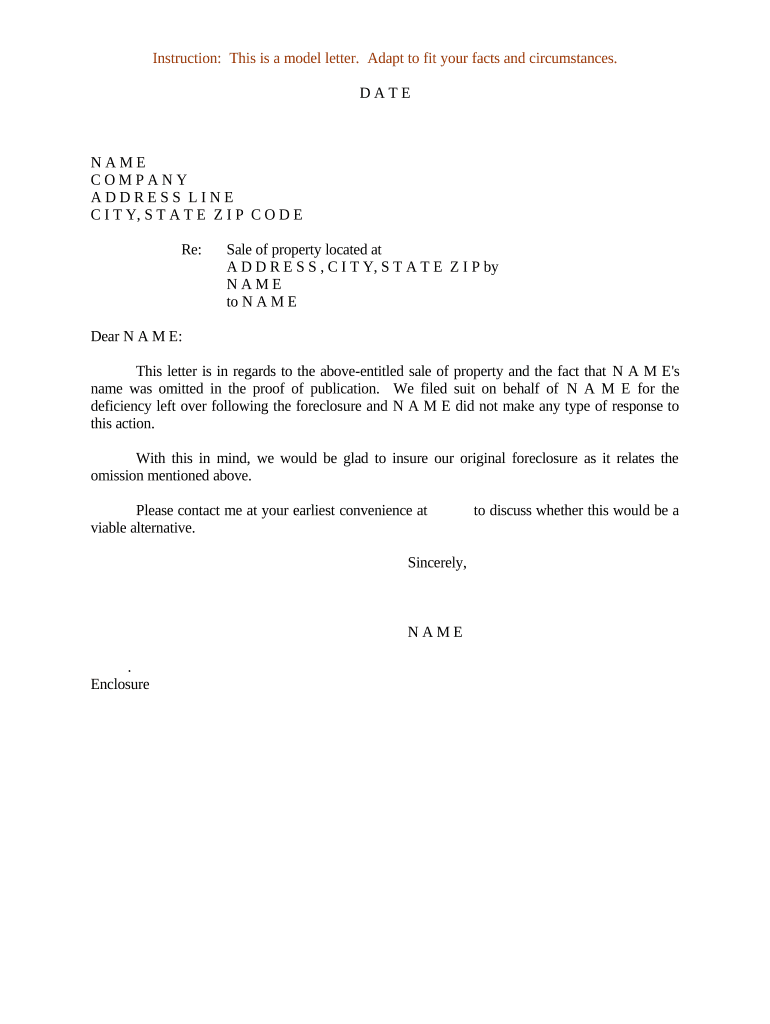
A Letter Regarding Sale of Property is a written notice used to inform interested parties about the sale, transfer, or pending sale of real property. Common senders include sellers, listing agents, title companies, mortgage lenders, and escrow officers. The letter documents basic transaction facts — property address, buyer and seller names, sale date or expected closing date, and any conditions affecting the transfer — and can be used for recordkeeping, title clearance, tenant notice, or lien release coordination. It is a transactional, non‑binding notice unless incorporated into a contract or recorded instrument.

Why a Clear Sale Letter Matters

A concise, properly completed letter reduces ambiguity about who is selling, the timing, and any encumbrances. It helps protect title, supports closing logistics, and provides evidence of disclosure to lenders, tenants, and lienholders.

Why a Clear Sale Letter Matters

Who Typically Prepares or Receives This Letter

Various participants in a property transaction rely on a sale letter to confirm status and coordinate next steps.

  • Seller or seller's attorney — to confirm the seller's intent and provide contact details to title or escrow.
  • Listing broker or agent — to notify tenant occupants and other brokers of an accepted offer and pending closing.
  • Title or escrow company — to request payoff information, clear liens, and schedule closing requirements.

The letter's audience and required detail vary by role; tailor content to the recipient's operational or legal needs.

Core Elements of a Professional Sale Letter

A well-structured letter includes identification, transaction facts, encumbrance status, contact information, relevant documents, and a signature block. Each element supports different follow-up actions during closing and title clearance.

Property Identification

Full street address, legal description or parcel number to avoid ambiguity and match title records.
Parties Named

Full legal names of seller(s) and buyer(s), including business entity type and EIN if applicable for corporate sellers.

Transaction Dates

Contract date, expected closing date, and any contingency deadlines that affect timing.

Encumbrances

Known liens, mortgages, easements, or recorded judgments that may require payoff or release.

Attachments

Reference to attached documents: purchase contract, payoff statements, lien releases, or recorded notices.

Signature Block

Name, title, signature, and date; include notarization if required for effectiveness or recording.

Essential Data to Include

Property Address: Street, city, state, ZIP
Parcel ID: County assessor parcel number
Seller Name: Full legal name or entity
Buyer Name: Full legal name or entity
Expected Closing: MM/DD/YYYY format
Contact Information: Phone and email for follow-up

Step-by-Step: Preparing the Letter

Follow these sequential steps to create a clear, actionable letter that supports closing and title processes.

  • 01
    Gather documents: Collect purchase contract, title report, and payoff statements.
  • 02
    Identify parties: Enter full legal names and any company identifiers.
  • 03
    State transaction facts: List property, contract date, and expected closing date.
  • 04
    Sign and record: Sign, date, and notarize if required by recipient or recording rules.

How to Customize and Complete the Letter Online

Configure a digital template to speed repeat use and reduce errors; include conditional fields for entity types and attachments.

Field Recommended setting
Seller Name Text field; required; autofill from contacts
Buyer Name Text field; required; conditional for multiple buyers
Property Description Multiline text; include parcel ID option
Attachments File upload; allow PDFs and DOCX

Where to Send or File the Letter

Select recipients and delivery methods based on the letter's purpose: notice, title coordination, or tenant communication.

  • Title/Escrow Company: Email or secure upload to clear liens and request payoffs
  • Mortgage Lender: Send payoff direction if loan will be paid at closing
  • Tenant or Occupant: Deliver written notice per lease and state landlord-tenant rules
  • County Recorder: Record only when document is a conveyance or required acknowledgement

Distribution and eSubmission Options

Choose delivery channels that meet recipient security and legal requirements, including secure upload and eSignature-enabled email.

  • Email: Standard delivery; verify receipt and keep copies
  • Secure Portal: Preferred for title companies and lenders
  • eRecording / Recorder: Use vendor or county portal if recording a related document

Common Timelines and Deadlines to Watch

Timelines affect when you must notify parties, obtain payoffs, or record related documents; missing a deadline can delay or jeopardize closing.

Contract Contingencies:

Address inspection, financing, and title deadlines set in contract

Closing Date:

Confirm MM/DD/YYYY and allow time for funding

Payoff Requests:

Allow 7–14 business days for lender responses

Recording Window:

Coordinate timing with escrow to record deed and releases

Tenant Notices:

Follow state notice periods for lease transfers or termination

Frequent Preparation Mistakes to Avoid

  • Using incomplete legal names or abbreviations that don’t match title records.
  • Failing to attach or reference required payoff statements and lien information.
  • Omitting expected closing dates or contingency deadlines, causing coordination delays.
  • Not notarizing or witnessing when the recipient or county requires it.

Risks of an Incorrect or Incomplete Letter

Title Delays: Closings postponed due to mismatched records
Liens Remain: Missing payoff details leave encumbrances uncleared
Tenant Disputes: Improper notice can breach lease obligations
Recording Rejection: County clerks may reject improperly formatted recordings
Contract Breach: Missed contingencies can trigger breach claims
Financial Exposure: Unpaid liens may transfer to buyer in limited cases

Real-World Examples of Using a Sale Letter

These customer examples show practical uses of clear sale letters in real estate and enterprise operations.

Martin Properties — Tim Martin, Founder

Tim Martin used an online sale letter to process closings remotely and maintain compliance.

  • Resulted in faster turnaround for off-site signings.
  • The approach reduced the need for in-person meetings while preserving auditable records and compliance with recording and title checks.

Xerox — Kodi-Marie Evans, Director

Xerox integrated sale notices with its ERP to push buyer and seller data into escrow workflows.

  • Integration automated data entry.
  • That reduced manual corrections, improved coordination between title and finance teams, and supported consistent archival of sale documentation.

eSignature Vendor Pricing and Feature Snapshot for Sale Letters

Compare common vendor pricing and feature signals to select a platform that supports secure delivery, notarization options, and audit trails for property sale communications.

signNow DocuSign Adobe Sign PandaDoc HelloSign
Starting Price $8/user/mo $15/user/mo $14/user/mo $19/user/mo $15/user/mo
Free Trial 7-day free trial Varies by plan Varies by plan Varies by plan Varies by plan
Bulk Send Yes Yes Yes Yes No
Audit Trail Yes Yes Yes Yes Yes
HIPAA Compliant Yes Yes Yes No No

Frequently Asked Questions and Troubleshooting

Answers to common questions about validity, notarization, eSigning, and distribution for a Letter Regarding Sale of Property.


Need help? Contact support

be ready to get more
Join over 28 million airSlate SignNow users