Establishing secure connection…Loading editor…Preparing document…

Tenant Improvement

This template is fully customizable. Edit the text, fill out the fields, and send it for signature. Give it a try!
Tenant Improvement

What a Tenant Improvement document is and when it’s used

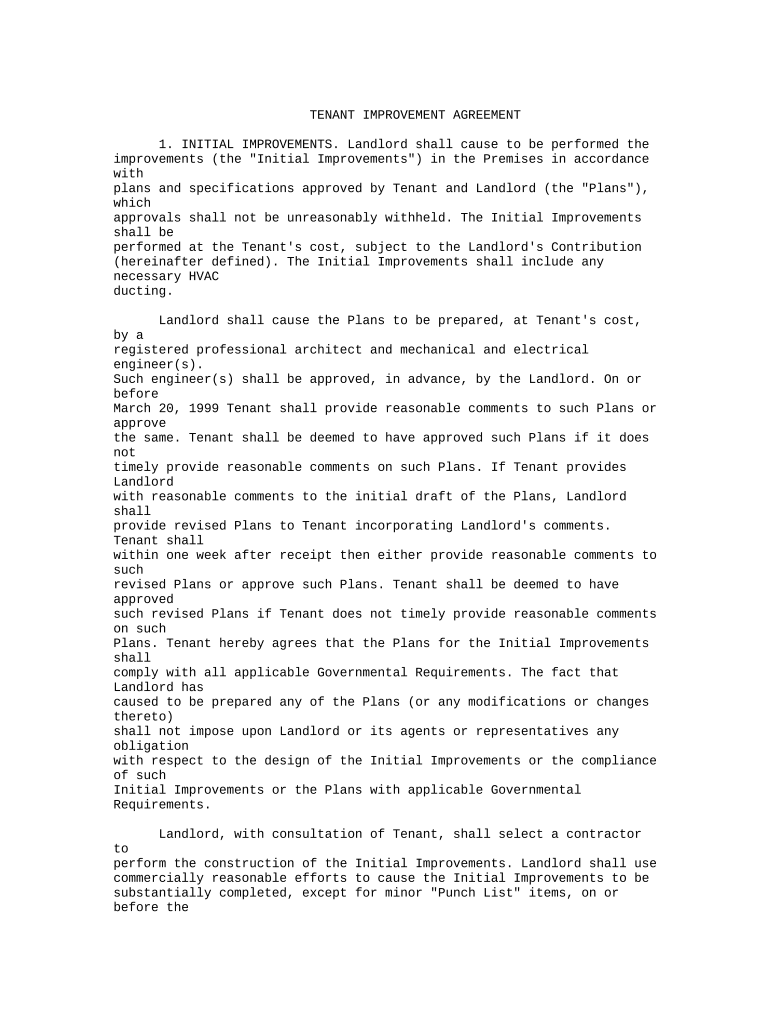
A Tenant Improvement (TI) document describes alterations, finishes, fixtures, and related work a tenant or landlord will perform to prepare leased commercial space for occupancy. It typically outlines scope of work, responsibilities, cost allocations, schedule, approvals, permitting obligations, ownership of improvements, and conditions for turnover. TI documents can take the form of a lease addendum, construction exhibit, or separate improvement agreement tied to the master lease. Clear TI paperwork reduces disputes over who pays, who manages permits, and who retains installed fixtures at lease end.

Why a clear Tenant Improvement agreement matters

A well-drafted TI document allocates risk, clarifies payment and approval paths, and preserves landlord and tenant rights so construction proceeds without unexpected stoppages or disputes. It also documents permit responsibilities and conditions that affect insurance, code compliance, and final acceptance.

Why a clear Tenant Improvement agreement matters

Who typically prepares and reviews Tenant Improvement documents

Circulate drafts for legal review and permit verification before authorizing construction to avoid costly rework or compliance issues.

  • Landlords and property managers coordinating landlord-paid allowances and approvals during lease negotiations.
  • Commercial tenants (retail/office) documenting scope, budget, and acceptance criteria for fit-out work.
  • General contractors and architects submitting cost, schedule, and permitting documentation for approval.

Who can sign a Tenant Improvement agreement

Authorized Signer

An individual with corporate authority such as an officer, property manager, or authorized agent must sign. If signing on behalf of a company, include the signer’s title and evidence of authority to bind the entity.

Contractor Representative

The contractor’s authorized representative signs the scope and price portions. Subcontractors do not sign the tenant-landlord TI unless party-to-party obligations require it.

Essential elements to include in a professional Tenant Improvement document

A complete TI document ensures responsibilities, timelines, and acceptance criteria are explicit to reduce disagreement during construction and handover.

Scope of Work

Detailed description of all work, materials, drawings, and finishes with references to attachments or plans.
Payment Terms

Who pays what (allowance, tenant-funded, landlord-funded), draw schedule, retainage, and invoicing conditions.

Permits & Approvals

Which party obtains permits, pays fees, and is responsible for code compliance and inspections.

Schedule & Milestones

Start and completion dates, interim milestones, and remedies or liquidated damages for delays.

Acceptance Criteria

How finished work is inspected, punchlist procedure, and final acceptance conditions for turnover.

Ownership & Removal

Who owns fixtures/improvements at lease end, and whether removal or restoration is required.

Step-by-step: preparing and executing a Tenant Improvement agreement

Follow these sequential actions to ensure the TI is complete, permitted, and ready for construction.

  • 01
    Gather Lease Details: Confirm lease clauses on TI allowance, restoration, and approvals.
  • 02
    Define Scope: Attach detailed plans, specs, and materials list for contractor bidding.
  • 03
    Obtain Permits: Identify required municipal permits and assign responsibility for filings.
  • 04
    Execute & File: Obtain signatures, notarization if required, and distribute fully executed copies.

How electronic completion and routing typically flows for a TI agreement

Digital workflows reduce delays and centralize records for TI approvals, permitting, and payments.

  • Upload Document: Sender uploads final TI PDF or DOCX and attaches plans as exhibits.
  • Place Fields: Add signature, initial, date, and conditional approval fields in the template.
  • Set Signers: Add landlord, tenant, contractor emails and define signing order.
  • Send & Track: Distribute via secure link; track viewing, signing, and download logs.

Configuring a digital workflow for Tenant Improvement approvals

Common workflow settings save time when repeatedly executing TI agreements across leases and projects.

Field Configuration
Signature Authentication Use email plus SMS code or stronger ID verification for high-value approvals
Conditional Fields Show cost or removal clauses only when tenant-funded options are selected
Bulk Send Enable for repeating standardized amendments across portfolios
Audit Trail Capture IP, timestamps, and document history for compliance

Digital signing and platform capabilities to support Tenant Improvement documents

Ensure the chosen platform meets any applicable compliance needs such as HIPAA if documents include protected health information or privacy-sensitive tenant data.

  • File Formats: PDF and DOCX for contracts; drawings as PDF or CAD exports
  • Integrations: Connectors with Project Management and Storage systems simplify recordkeeping
  • Authentication: Multi-factor options and notarization integrations for enforceability

Common timelines and deadlines in Tenant Improvement projects

TI schedules combine contractual milestones, permit processing times, and inspection windows; track each separately to avoid delays.

Design Finalization:

Complete prior to permit submission to avoid rework

Permit Submission:

Allow 2–8 weeks depending on municipality and scope

Construction Period:

Defined in the TI schedule; include contingencies for inspections

Punchlist & Acceptance:

Typically 7–30 days after substantial completion

Warranty Period:

Often 1 year for workmanship; longer for equipment

Key milestones from negotiation to turnover

A numbered milestone sequence helps coordinate approvals, permitting, and handover activities for Tenant Improvements.

01

1. Lease / Allowance Agreed

Parties finalize allowance, responsibilities, and approval matrix.

02

2. Design & Specs Complete

Architects deliver construction drawings and technical specifications.

03

3. Permits Issued

Municipal approvals secured and posted at the site as required.

04

4. Substantial Completion

Work completed to permit inspections and tenant can occupy the space.

Common mistakes to avoid when preparing Tenant Improvement documents

  • Undefined scope that leads to frequent change orders and cost disputes.
  • Unclear permit responsibility resulting in inspection delays and penalties.
  • Missing owner/tenant restoration terms that trigger end-of-lease disagreement.
  • Incomplete signatory authority that invalidates approvals or delays execution.

Consequences of incomplete or incorrect Tenant Improvement paperwork

Permit Fines: Municipal fines and stop-work orders
Contract Damages: Cost recovery or delay-related damages
Mechanic's Liens: Unpaid contractors can file liens against the property
Insurance Gaps: Work not covered due to improper documentation
Invalid Signatures: Execution errors could render agreements unenforceable
Cost Overruns: Unallocated expenses passed to tenant or landlord

How Tenant Improvement agreements differ from related documents

Compare common document types to ensure you select the correct format for your objective.

Criteria Tenant Improvement Lease Amendment Work Order
Primary Purpose build-out terms modify lease terms direct contractor actions
Typical Parties landlord / tenant landlord / tenant contractor / client
Formality high high medium
Attachments plans & permits lease exhibit scope documents

eSignature platform comparison for executing Tenant Improvement paperwork

Key pricing and capability points for common eSignature vendors. signNow is listed first per vendor comparison norms.

signNow DocuSign Adobe Sign PandaDoc HelloSign
Starting Price $8/user/mo $15/user/mo $14/user/mo $19/user/mo $15/user/mo
Free Trial 7-day free trial Varies Varies Varies Varies
Bulk Send Yes Yes Yes Yes No
Audit Trail Yes Yes Yes Yes Yes
HIPAA Compliant Yes Yes Yes Varies Varies
Envelope Cap No cap 100 envelopes/user/year Varies Varies Varies

Frequently asked questions about Tenant Improvement documents

Answers to common questions about execution, signing, and post-execution handling of TI agreements.


Need help? Contact support

be ready to get more
Join over 28 million airSlate SignNow users