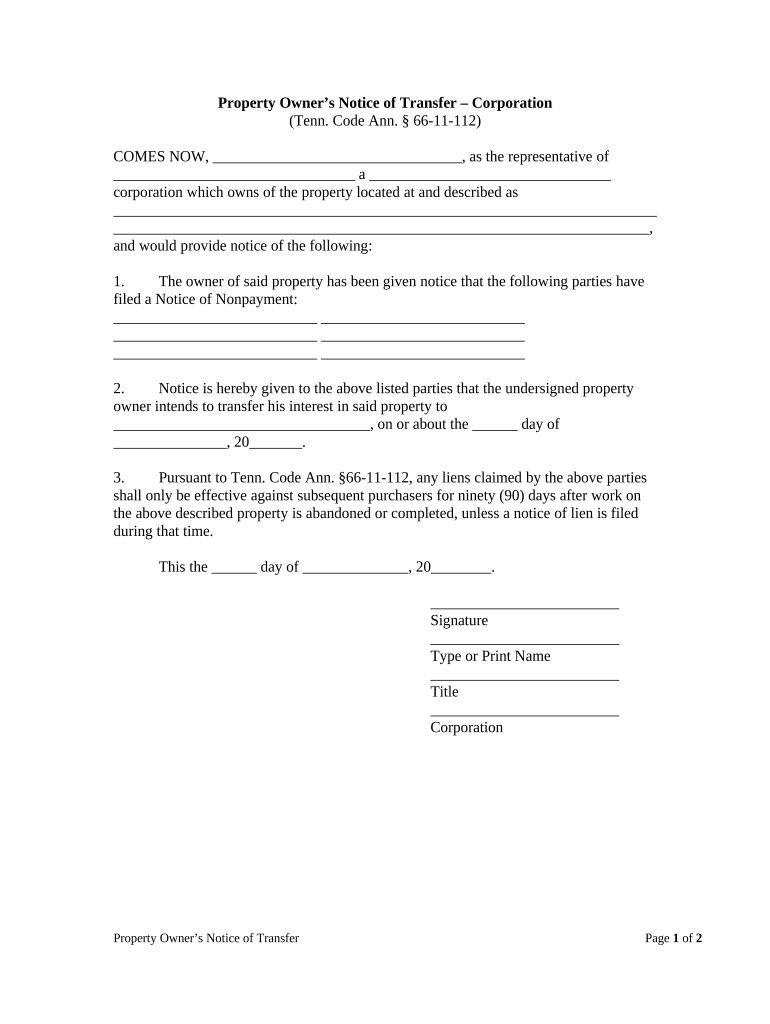
Tennessee Transfer Form
What the Tennessee Transfer Form Is and when it’s used
Why completing the Tennessee Transfer Form correctly matters
A properly completed Tennessee Transfer Form documents legal transfer, reduces disputes, and ensures correct recording and tax reporting. When executed electronically with required disclosures and audits it aligns with ESIGN (15 U.S.C. ch. 96) and UETA standards for enforceability.
Who commonly completes and relies on this form
Common users include municipal clerks, county register offices, title companies, lenders, attorneys, and private parties involved in property or account transfers.
- Title companies: prepare and file deeds, ensure chain of title integrity.
- Banks and lenders: record security interests, update collateral and account ownership records.
- Individuals and businesses: transfer vehicles, equipment, or intercompany assets with documented consideration.
Step-by-step: complete, sign, and file the form
-
01Prepare: Gather IDs, title documents, and evidence of consideration.
-
02Fill: Enter names, asset descriptions, dates, and consideration precisely.
-
03Notarize: Obtain notary or witness signatures as required by state rules.
-
04File: Submit to county register, DMV, or other recording office with fee.
Setup for an online completion and routing workflow
| Field | Configuration |
|---|---|
| Signer Order | Sequential or parallel routing; choose sequential for legal approvals. |
| Auth Method | Email link, SMS code, or KBA for high-risk transfers. |
| Conditional Fields | Show fields only when transfer type or consideration meets criteria. |
| Record Copy | Auto-save signed PDF, attach notarization certificate and audit trail. |
Where executed forms usually go after signature
-
County Recorder: Submit deed transfers with acknowledgement and required fee.
-
DMV: File vehicle title transfers per state motor vehicle rules.
-
Financial Institution: Provide assignment and updated account documentation to bank.
-
Internal Records: Keep signed originals in corporate files and update ledgers.
Digital platform requirements for eCompletion and storage
Use platforms that support PDF, Word DOCX, audit trails, conditional fields, and secure storage for legal records.
- File Formats: PDF, DOCX, and Excel supported.
- Integrations: Works with Salesforce, NetSuite, Google Workspace.
- Authentication: Supports SMS, email, SSO, and advanced methods.
Key filing and reporting deadlines tied to transfers
W-9: Provide on payer request:
No statutory deadline; supply when payer requests to avoid backup withholding.
1099-NEC reporting:
Issue to recipient and IRS by Jan 31 to avoid penalties.
Deed recording deadlines:
Record promptly with county to protect priority; timelines vary by county.
Vehicle title transfers (DMV):
Follow state DMV deadlines; some states require prompt reporting within 30 days.
Tax return filing:
Individual returns due April 15; extensions file Form 4868 for more time.
Processing milestones from preparation to recorded evidence
Preparation
Collect title papers, IDs, and evidence of authorization.
Execution
All parties sign before notary or witnesses as required.
Submission
Deliver executed form to the proper county or agency with fee.
Recordation
County clerk records the document; obtain recorded copy for records.
Common errors that cause delays or rejections
- Using nicknames, initials, or inconsistent corporate names can cause recording rejection, tax withholding triggers, or chain-of-title ambiguity requiring corrective filings or affidavits.
- Vague or incomplete property descriptions (missing deed book/page, plat reference, VIN, or account number) frequently lead to county or institutional refusal to accept the document for recording.
- Missing or incorrect notarization, incomplete notary wording, or omitted witness lines can render the form unrecordable and require re-execution in front of a notary or witnesses.
- Failing to attach required supporting documents such as corporate resolutions, assignment exhibits, or prior recorded instruments creates administrative holds and delays in acceptance or title transfer.
Consequences and financial risks of errors
Real-world examples of moving transfer workflows online
Martin Properties
Tim Martin, Founder of Martin Properties, moved property and lease transfer processing online to reduce in-person signings and speed closings.
- He highlights mobile signing and compliance.
- He reported being able to process and execute documents online with compliance and security, enabling efficient returns from mobile or offline signing and faster delivery to necessary parties while maintaining auditability.
Tech Data
Tech Data used signNow to streamline internal and external document workflows, improving turnaround on transfers and contracts across distributed teams.
- Results included faster processing and fewer manual steps.
- CEO Bob Dutkowsky noted improvements in customer service and speed to revenue by simplifying signature capture and reducing administrative delays while preserving secure records.
Practical tips to reduce rework and speed acceptance
eSignature provider comparison for executing and storing Tennessee transfer forms
| signNow | DocuSign | Adobe Sign | PandaDoc | HelloSign | |
|---|---|---|---|---|---|
| Starting Price | $8/user/mo | $15/user/mo | $14/user/mo | $19/user/mo | $15/user/mo |
| Free Trial | 7-day free trial, no card required | Varies by plan and region | Varies by plan and region | Varies by plan and region | Varies by plan and region |
| Bulk Send | Yes, bulk send available on plans | Yes | Yes | Yes | No |
| Audit Trail | Yes | Yes | Yes | Yes | Yes |
| HIPAA Compliant | Yes | Yes | Yes | No | No |
| Envelope Cap | No envelope cap | 100 envelopes/user/year | Varies by plan | Varies by plan | Varies by plan |
Frequently asked questions and practical answers
-
Can I sign the form electronically?
Yes. Electronic signatures are legally valid under the ESIGN Act (15 U.S.C. ch. 96) and UETA in UETA-adopting states, provided intent, consent, attribution, and record retention are met. Confirm the receiving county or institution accepts e-signed documents.
-
Does Tennessee require notarization?
Most transfers recorded in county offices require a notarized acknowledgement for deed instruments. Check the county register or recorder for precise language and notary block requirements before execution to avoid rejection.
-
What if names or capacities do not match?
Mismatched names or missing signer capacity can lead to recording refusal or title defects. Obtain affidavits, corrective deeds, or corporate resolutions as needed; consult counsel for remediation and re-execution procedures.
-
Are remote online notarizations allowed?
Many states permit Remote Online Notarization (RON) with identity proofing and audio-video recording requirements. Verify the notary’s authority and state acceptance for recording; accompany RON with the required recorded session and retention.
-
How do transfers affect tax reporting?
Transfers may trigger reporting or information returns; provide W-9s upon request and ensure correct TINs to avoid backup withholding (24%). Consult IRS rules for specific reporting obligations tied to the transfer.
-
How long should I keep executed forms?
Retain executed transfer documents for at least three years after filing; many real estate and tax-related records should be kept seven years. For HIPAA-related records retain six years per 45 CFR §164.530(j).