Establishing secure connection…Loading editor…Preparing document…

Testamentary Trustee

This template is fully customizable. Edit the text, fill out the fields, and send it for signature. Give it a try!
Testamentary Trustee

What a Testamentary Trustee Is and When It Applies

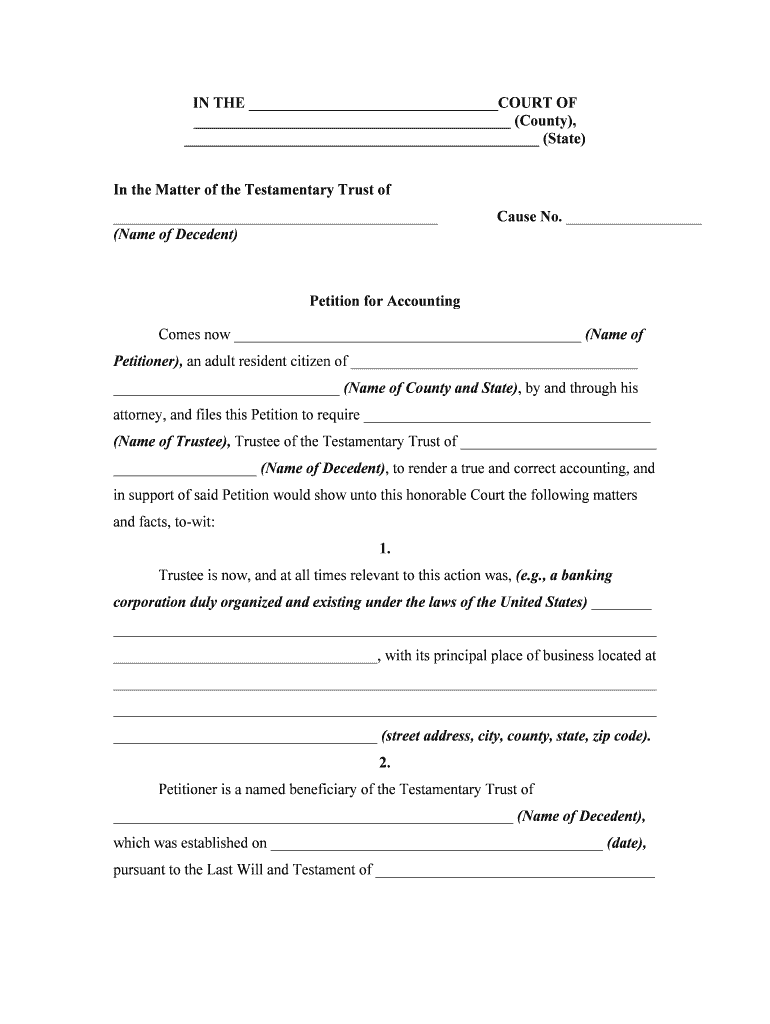
Testamentary Trustee is a legal designation appointed within a decedent’s will that authorizes an individual or institution to act as trustee of a testamentary trust created at death. The trustee holds and manages trust assets, makes distributions to beneficiaries, files required tax returns, and carries out fiduciary duties under the governing instrument and applicable state law. This document establishes trustee powers, succession rules, compensation, reporting obligations, and any special directions for investment or distribution timing. It operates alongside probate procedures and becomes effective only after the testator’s death and probate court recognition.
Why Clear Testamentary Trustee Language Matters

A clear Testamentary Trustee clause reduces probate friction, provides ongoing fiduciary oversight, and sets enforceable duties for post-death asset management. Naming a professional or successor trustee helps ensure continuity, accurate tax reporting, and adherence to the testator’s distribution intentions under state law.

Why Clear Testamentary Trustee Language Matters

Who Typically Prepares or Signs a Testamentary Trustee Clause

Typical users include estate attorneys, executors, wealth managers, and individuals drafting wills who need clear trustee authority.

  • Estate attorneys preparing wills or testamentary trusts for clients professionally.
  • Executors coordinating probate distributions and supervising trustee appointments after death.
  • Financial institutions acting as corporate trustees under fiduciary and reporting obligations.

Core Sections a Professional Testamentary Trustee Clause Should Include

Essential sections of a professional Testamentary Trustee clause define authority, duties, compensation, succession, reporting, and termination conditions to ensure enforceability and clarity.

Authority

Specify trustee authority for investments, distributions, tax elections, borrowing, and settlement of claims. Include express delegation rights and limits on authority to prevent creditor or beneficiary challenges and to comply with state fiduciary standards.

Duties

Describe fiduciary duties including loyalty, prudence, impartiality, and recordkeeping. Require periodic accounting and specify reporting intervals, beneficiaries to receive reports, and remedies for breaches to maintain transparency.

Compensation

Set trustee fee method — hourly, flat, or percentage of assets — and address expense reimbursement, payment timing, and whether court approval is required to minimize fee disputes during administration.

Succession

Name successor trustees in priority order, provide contact details, and describe vacancy-fill procedures. Include alternates and tie-breaker rules to avoid intestacy-related court involvement and require successor acceptance in writing within a set period.

Reporting

Require annual or trustee-specified accountings, beneficiary notifications on significant actions, and tax return filing responsibilities. Specify formats and retention periods to support audits and probate scrutiny.

Termination

Define events that terminate trusteeship: trust expiration, beneficiary majority, court order, or trustee resignation. Detail asset distribution steps, final accounting, and claim-resolution obligations at closing.

Step-by-Step: Drafting and Attaching a Testamentary Trustee Clause

Follow these sequential steps to draft, verify, and attach a clear Testamentary Trustee clause to a will or testamentary instrument.

  • 01
    Draft Clause: Describe trustee authority and limits in plain language.
  • 02
    Identify Trustee: Enter full legal name and contact details.
  • 03
    Specify Powers: List investment, distribution, tax, and administrative powers.
  • 04
    Attach to Will: Reference the clause in the will and initial pages.

How to Configure an Online Execution Workflow

Configure an online workflow when completing a Testamentary Trustee clause for electronic execution and tracking.

Field Configuration
Signing Order Sequential signing: Testator, witnesses, notary, trustee
Authentication Email + SMS code or ID verification for stronger proof
Attachments Include will pages, death certificate, trusteeship form
Audit Trail Capture IP, timestamps, signer emails, and document history

Typical Processing Route for a Testamentary Trustee Package

Common routing for a Testamentary Trustee instrument includes drafting, legal review, signing, notarization, and probate submission.

  • Draft: Prepare clause and supporting exhibits.
  • Review: Attorney reviews language for state compliance.
  • Sign: Testator signs will with required witnesses.
  • Probate: File will and trust materials with probate court.

Technical Capabilities to Support Electronic Execution and Storage

Electronic execution of a Testamentary Trustee clause requires platform support for strong authentication, notarization, and long-term storage.

  • Authentication: Email, SMS, or KBA options.
  • Notarization: Support for RON or e-notary workflows.
  • Storage: AES-256 at rest and TLS 1.2/1.3 in transit.

Required Data Elements for the Testamentary Trustee Clause

Trustee Name: Full legal name as on ID.
Trustee Address: Street, city, state, ZIP.
Trust Powers: List specific powers granted.
Successor Trustee: Name alternates and order.
Compensation: Fee structure and expense rules.
Effective Date: Use MM/DD/YYYY format for probate timing.

Common Mistakes to Avoid When Preparing a Testamentary Trustee Clause

  • Failing to name successor trustees or using vague succession language forces courts to appoint replacements, increasing legal costs and delaying distributions.
  • Omitting compensation terms leaves trustee fees subject to dispute and probate court approval, which can reduce estate value and prolong administration.
  • Listing powers that conflict with state law, such as delegation prohibitions or prohibited investments, can render parts of the clause void or require judicial modification.
  • Not updating trustee contact or accepting outdated addresses results in missed notices, tax slips, or inability to serve statutory notices required during probate.

Legal Risks and Consequences of Ambiguous or Incorrect Clauses

Invalidity Risk: Vague powers may be unenforceable.
Fiduciary Breach: Improper actions trigger litigation.
Tax Liability: Incorrect tax elections cause penalties.
Probate Delays: Ambiguity increases court involvement.
Penalty Exposure: Late filings risk IRS penalties.
Revocation Issues: Unclear succession leads to disputes.

eSignature Vendor Pricing and Compliance Snapshot

Vendor comparison focused on core pricing and compliance features relevant to executing a Testamentary Trustee electronically.

signNow DocuSign Adobe Sign PandaDoc HelloSign
Starting Price $8/user/mo $15/user/mo $14/user/mo $19/user/mo $15/user/mo
Free Trial 7-day free trial Yes Yes Yes Yes
Bulk Send Yes Yes Yes Yes No
Audit Trail Yes Yes Yes Yes Yes
HIPAA Compliant Yes Yes Yes No No
Envelope Cap No cap 100 envelopes/user/year No cap No cap No cap

Key Milestones from Draft to Trust Administration

Typical milestones for implementing a Testamentary Trustee cover drafting, execution, probate submission, and trust administration start.

01

Drafting

Prepare trustee clause and supporting exhibits.

02

Execution

Sign will with required witnesses and acknowledgments.

03

Probate Filing

File will, death certificate, and trustee documents in court.

04

Trust Administration

Trustee accepts role, opens accounts, and begins distributions.

Essential Supporting Documents and Export Formats

Supporting documents and output formats for a Testamentary Trustee package ensure completeness for probate, tax, and banking processes and title transfers.

Supporting Documents

Include the original will, death certificate, letters testamentary or letters of administration, trust instrument pages, beneficiary identification, and any previously executed trustee acceptance forms to satisfy probate and banking requirements.

Tax Filings

Prepare IRS forms and tax IDs: estate tax returns if applicable, fiduciary income tax returns, and trustee-issued 1099s. Coordinate with tax counsel for elections and filing deadlines.

Banking Setup

Provide trustee letter, certified death certificate, tax identification number, and bank-specific forms. Banks typically require originals or certified copies for account transfers and trust disbursements.

Download Formats

Save executed documents as PDF/A for long-term archival and as searchable PDF for accessibility. Retain audit trails and native copies for legal review and recordkeeping.

Best Practices to Minimize Disputes and Facilitate Administration

Follow these best practices to reduce disputes, satisfy courts, and streamline trustee responsibilities after death.

Use Clear, Specific Trustee Language
Avoid generic phrases such as 'reasonable discretion.' Spell out investment guidelines, distribution triggers, and decision-making tests. Clear definitions reduce judicial interpretation, shorten probate timelines, and help trustees meet fiduciary standards without repeated court orders or clarifying litigation.
Name Multiple Successor Trustees Explicitly
Designate alternate trustees in order of priority, include contact information and acceptance procedures, and require successors to sign acceptance. This minimizes court appointment needs, supports continuity, and prevents administration delays if the primary trustee cannot serve.
Specify Accounting Frequency and Format
Mandate annual or semiannual accountings, define required content (receipts, disbursements, investment reports), and state delivery method to beneficiaries. Precise accounting rules reduce disputes, provide auditability, and help trustees meet tax and fiduciary reporting obligations.
Coordinate with Tax Counsel Early
Engage tax counsel before finalizing elections to address estate tax, income tax, and required filings. Early coordination prevents late elections, reduces exposure to penalties under IRC §6501(a), and clarifies who files fiduciary returns and issues beneficiary information returns.

FAQs: Practical Answers for Common Testamentary Trustee Questions

Answers to common questions about appointing, executing, and administering a Testamentary Trustee clause in the United States.


Need help? Contact support

be ready to get more
Join over 28 million airSlate SignNow users