Establishing secure connection… Loading editor… Preparing document…
Navigation

Fill and Sign the This is a Model Agreement Form
Fill and Sign the This is a Model Agreement Form

How it works

Open the document and fill out all its fields.
Apply your legally-binding eSignature.
Save and invite other recipients to sign it.

Rate template

4.8
54 votes
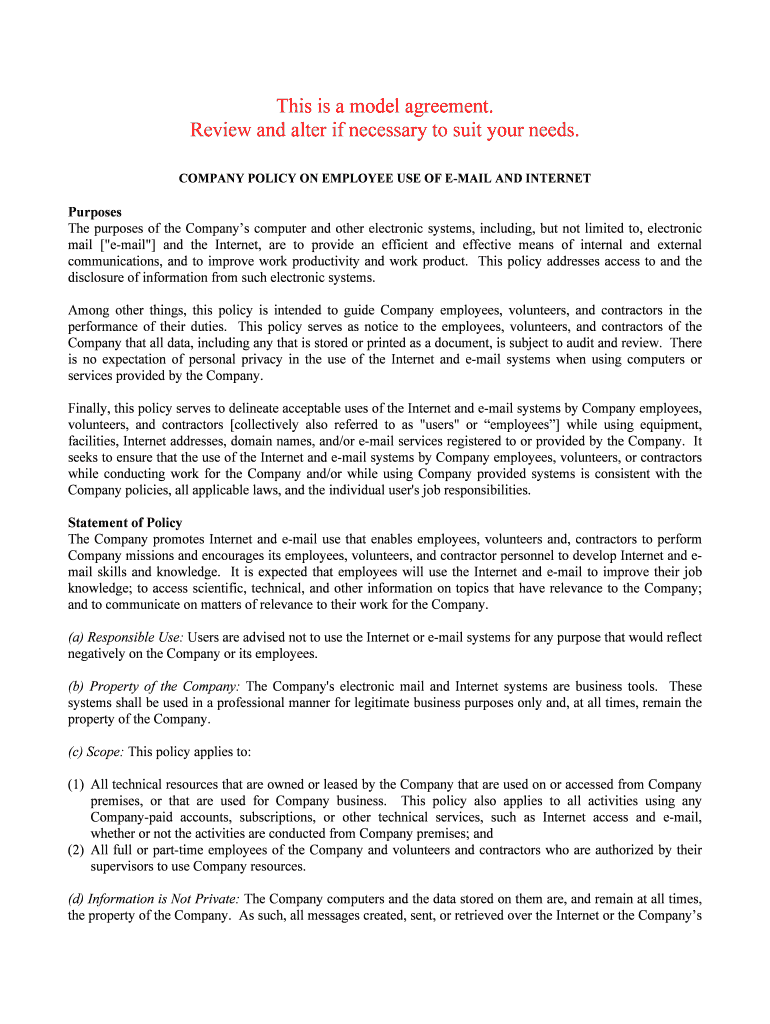
This is a model agreement. Review and alter if necessary to suit your needs. COMPANY POLICY ON EMPLOYEE USE OF E-MAIL AND INTERNET Purposes The purposes of the Company’s computer and other electronic systems, including, but not limit ed to, electronic mail ["e-mail"] and the Internet, are to provide an efficient and effective means of internal and external communications, and to improve work productivity and work product. This policy addresses access to and the disclosure of information from such electronic systems. Among other things, this policy is intended to guide Company employees, volunteers, and contrac tors in the performance of their duties. This policy serves as notice to the employees, volunteers, and contractors of the Company that all data, including any that is stored or printed as a document, is subj ect to audit and review. There is no expectation of personal privacy in the use of the Internet and e-mail systems when using computers or services provided by the Company. Finally, this policy serves to delineate acceptable uses of the Internet and e-ma il systems by Company employees, volunteers, and contractors [collectively also referred to as "users" or “employees”] while using equipment, facilities, Internet addresses, domain names, and/or e-mail services registered to or provide d by the Company. It seeks to ensure that the use of the Internet and e-mail systems by Company employees, vol unteers, or contractors while conducting work for the Company and/or while using Company provided systems is consistent with the Company policies, all applicable laws, and the individual user's job responsibilities. Statement of Policy The Company promotes Internet and e-mail use that enables employees, volunteers and, contractors to perform Company missions and encourages its employees, volunteers, and contractor personnel to develop Internet and e- mail skills and knowledge. It is expected that employees will use the Internet a nd e-mail to improve their job knowledge; to access scientific, technical, and other information on topics that have relevance to the Company; and to communicate on matters of relevance to their work for the Company. (a) Responsible Use: Users are advised not to use the Internet or e-mail systems for any purpose that would reflect negatively on the Company or its employees. (b) Property of the Company: The Company's electronic mail and Internet systems are business tools. These systems shall be used in a professional manner for legitimate business purposes only and, at all times, remain the property of the Company. (c) Scope: This policy applies to: (1) All technical resources that are owned or leased by the Company that are used on or a ccessed from Company premises, or that are used for Company business. This policy also applies to all acti vities using any Company-paid accounts, subscriptions, or other technical services, such as Internet access and e-mail, whether or not the activities are conducted from Company premises; and (2) All full or part-time employees of the Company and volunteers and contractors who are authorized by their supervisors to use Company resources. (d) Information is Not Private: The Company computers and the data stored on them are, and remain at all time s, the property of the Company. As such, all messages created, sent, or retrieved over the Int ernet or the Company’s electronic mail systems are the property of the Company, and should not be considered private information. Employees have no right to privacy as to any information or file transmitted through or stored on the Company's computer systems, electronic mail, or other technical resources. (e) Use With Respect for Others: Access to the Internet via Company resources and use of Company provided e- mail must only be for Company purposes. To that end, the use shall not disrupt or interfere with the work of other network users, adversely affect the operation of the Internet or the Company's own internal network, or misrepresent the interests of the Company. (f) Monitoring and Disclosure: The Company reserves the right to access, retrieve, read and disclose any data, messages or files stored on Company-funded systems for any purpose. Employees should be aware that, even when a message is erased or a visit to a web site is closed, it is still possibl e to recreate the message or locate the web site. The Company reserves the right to monitor use of these systems to prevent abuse, enforc e other policies, and access information. Access may occur in, but is not limited to, situations indicating: (1) impropriety, (2) violation Company policy, (3) legal requirements, (4) suspected criminal activitie s, (5) breach of system security, or (6) to locate substantive information or monitor employee performance and conduct. T he contents of these systems may be disclosed by Company Management within or outside of the Company wi thout employee permission. Furthermore all communications including text and images may be disclosed to law enforcement or other third parties without prior consent of the sender or the receiver. The Company has unlim ited access to protect the security of these systems or the Company's property rights. (g) Consent: All Company employees, who are provided with access to the Company's e-mail system, Int ernet, or other electronic systems are required to abide by the Company's policy contained here a nd in other relevant documents. Use of the Internet The Company provides Internet access to employees for their use in performing their duties for the Company. All employees of the Company are responsible for using Internet resources in an effective, ethica l, and lawful manner. It is the Company’s policy that the Internet resources, like other Company assets, be used for the benefit of the Company. All Internet use should be congruent with the Company's overall policies. T he Company reserves the right to monitor and/or log all network activity with or without notice, i ncluding all web site communications, and therefore, users should have no expectations of privacy in the use of these resources. Use of the system in violation of this or other Company policies is prohibited and may lea d to disciplinary action, up to and including termination. (a) Uses that are acceptable and encouraged: (1) Communications and information exchanges directly relating to the mission, charter a nd work tasks of the Company, (2) Announcements Company procedures, meetings, policies, services, or activities; (3) Use for advisory, standards, research, analysis, and professional society or development activitie s related to the user's Company job-related duties; and (4) Use in applying for or administering grants or contracts for Company research programs.(b) Uses that are unacceptable: It is unacceptable for a user to access, use, submit, publish, display, download, save, or transmit on the network, or on any computer system, any information which: (1) Violates or infringes on the rights of any other person, including the right to privacy; (2) Contains defamatory, false, inaccurate, abusive, obscene, pornographic, profane, sexually oriented, threatening, racially offensive, or otherwise biased, discriminatory, or illegal material; (3) Violates Company regulations prohibiting sexual harassment; (4) Restricts or inhibits other users from using the system, or the efficiency of the computer systems, (5) Encourages the use of controlled substances or uses the system for the purpose of criminal intent; or (6) Uses the system for any other illegal purpose. (c) It is also unacceptable for a user to use the facilities and capabilities of the system to: (1) Conduct any non-approved business; (2) Solicit the performance of any activity that is prohibited by law; (3) Transmit material, information or software in violation of any local, state or federal law; (4) Conduct any political activity; (5) Conduct any non-Company-related fund raising or public relations activities; (6) Engage in any activity for personal gain or personal business transactions, or (7) Make any unauthorized purchases. (d) Copyrighted Material: Users may download copyrighted material, but its use must be strictly within the agreement as posted by the author or current copyright law. The federal Copyright Act at 17 U. S. C. 10 1 et seq. (1988), protects and prohibits misuse of all original works of authorship in any tangible medium of expression. This includes a prohibition on plagiarism (using someone else's ideas or writing and passing it on as one's own). (e) E-Mail: Internet e-mail is considered network activity, thus, it is subject to all policie s regarding acceptable/unacceptable uses of the Internet as well as the Company's e-mail policy. Users should not consider Internet e-mail to be either private or secure. (f) Passwords: Access to the Internet may require a password and authorized employees are prohibited from giving their password to any other person, except as provided in this policy. The password remains the property of the Company, and all passwords must be disclosed to the Information Systems Manager. Uses of E-mail System The Company provides an e-mail system to employees for their use in performing their dut ies for the Company. All employees of the Company are responsible for using the e-mail system in an effecti ve, ethical, and lawful manner. It is the Company policy that the e-mail system, like other Company asse ts, be used for the benefit of the Company. All e-mail use should be congruent with the Company's overall policies. The Company reserves the right to monitor and/or log all network activity with or without notice, including all web site communications, and therefore, users should have no expectations of privacy in the use of these resources. Use of the syste m in violation of this or other Company policies is prohibited and may lead to disciplinary action, up to and including termination. (a) The Company's e-mail system is for official Company business and it shall be unacce ptable to use the system for unrelated purposes, including but not limited to, the following: (1) To send or receive "chain" or similar type "letters." (2) To send or receive documents in violation of copyright or other laws. (3) To knowingly open mail not directed to you. Except to the extent that Company reserves the right to access and review all electronic uses and records, e-mail messages are confidential. (4) To send messages in violation of the Company’s security policies. (5) To forward electronic messages without a legitimate business purpose under circumstances likely to lead to embarrassment of the sender or to violate the clearly expressed desire of the sender to restrict additional dissemination. (6) To send messages that are false or misleading, inaccurate, abusive, obscene, pornographic, profa ne, sexually oriented, threatening, offensive, discriminatory, or illegal, including but not limited to sending messages under an assumed name or with the intent to obscure the origin of the message. (7) To solicit or proselytize for commercial ventures, religious or political causes, outsi de organizations or other non-job related solicitations. (b) Avoid "carbon copying" individuals who have no direct involvement or “need-to-know.” Likewise, e-mail to all users should only be used on very rare occasions when every person on the system has a direct need to know. (c) Avoid "forwarding" e-mail to a third party unless necessary (see "carbon copying"). When forwarding, explain the reason for the forwarding action and edit out any potentially inappropriate cont ents. If in doubt about the appropriateness of forwarding a given piece of mail, check with the originator for guidance. (d) When sending an e-mail requiring "action," be sure to indicate which "TO" addressee(s) is/ are to take the action. (e) Do not "say" anything in an e-mail message that could prove embarrassing or compromising to you or others. Each employee is responsible for the content of all text, audio, or images they transmit. (f) Avoid potentially contentious exchanges through e-mail. (g) Confidential and sensitive information, such as performance reviews, disciplinary and/or c orrective actions, attorney-client privileged information, personnel information, and health or medical informat ion should not be communicated via e-mail. (h) Communications which would be inappropriate under other Company policies are equally unac ceptable if delivered via electronic communication. These communications may include, but are not limited to, harassing or discriminatory comments, breaches of confidentiality, and insubordinate statements. (i) Use your common sense in determining when to use e-mail, in what is said, and to whom. Remember that no electronic communication is private and the Company reserves the right to monitor a nd review all communications originating from or entering its computer systems. Security and Virus Protection (a) E-mail and/or Internet access may utilize passwords for security; however employees shoul d be aware that the reliability of such tools for maintaining confidentiality cannot be guaranteed. Additional ly all passwords must be made known to the Company, through the Information Systems Manager. (b) To prevent computer viruses from being transmitted through the system, employees are not perm itted to download any software onto their computer or any drive in that computer or on the network. When downloading a file or opening an e-mail attachment, users must scan all materials with Company provided virus protection software. Additional consideration of policies established by the Information Systems Manager should be used in determining how to handle potentially damaging e-mails or files. Enforcement This policy is intended to be illustrative of the range of acceptable and unacceptable uses of the Internet and e- mail systems provided by the Company of and is not necessarily exhaustive. Questions about speci fic uses should be directed to the user's supervisor. The supervisor shall consult the Information Systems Manager to determine of any policy violation has occurred. Immediately upon implementation of this policy, supe rvisors will be responsible to provide a copy of this policy to, and collect signed consent forms from, all em ployees who currently have access to the Company's Internet or e-mail systems. Prior to authorizing new access, the supervisor is responsible to provide a copy of this policy to, and collect signed consent forms from all employees who will have access to the Company's Internet or e-mail systems. The supervisor will review alleged or suspected violations of the policy and clear violat ions may result in disciplinary actions. Any user violating these provisions or applicable local, state or federa l laws is subject to immediate loss or restrictions of Internet/e-mail privileges, additional disciplinary actions, up to and including termination of employment, and/or criminal prosecution. Consent Agreement As a condition of employment, all Company employees must acknowledge that all computer and electronic systems, including but not limited to, electronic mail and Internet network acti vity are the property of the Company, and therefore, they should not consider any activity to be private. Current users of the C ompany's Internet or e-mail systems must sign the consent form provided, within thirty (30) days of receiving a copy of this policy. Prior to obtaining new access to Internet or e-mail systems provided by the Company, employees must sign the consent form provided. By signing the consent form, users acknowledge that they have receive d a copy of the policy, read it, and understand the Company's Policy and the potential penalties for non-compliance. ----------------------------------------------------------------------------------------------------------------------------------------- ------------- Company Consent Form on Employee Use of E-Mail, Internet, and other Electronic Systems I, _____________________________, have read the Company's Policy on Employee Use of E-Mail, Internet, and other Electric Systems and agree to comply with all of its terms and conditions. I unde rstand and agree that all computer and electronic activity, including but not limited to, electronic m ail and Internet network activity, being conducted with Company resources is the property of the Company. I acknowledge and consent to the Company's right to monitor, log, access, and review all such activity, with or without noti ce. Therefore, I have no expectation of privacy in the use of these resources. I understand that such monitoring may include printing and reading all electronic mail and data entering, leaving or stored on the Company's equi pment. Finally, I understand that violation of this Policy may subject me to discipline, up to and including, te rmination of employment by my employer. ________________________________________ ___________________________ Employee Signature Date ________________________________________ ___________________________ Employee Name Department ________________________________________ ___________________________ Supervisor Signature Date ________________________________________ Supervisor Name and Title

Valuable advice on organizing your ‘This Is A Model Agreement’ online

Are you fed up with the burdens of managing paperwork? Search no further than airSlate SignNow, the premier eSignature platform for both individuals and businesses. Bid farewell to the lengthy process of printing and scanning documents. With airSlate SignNow, you can swiftly finalize and authorize paperwork online. Utilize the robust features integrated into this user-friendly and cost-effective platform to transform your approach to document administration. Whether you aim to endorse documents or gather signatures, airSlate SignNow manages everything effortlessly, with just a few clicks.

Follow this comprehensive guide:

  1. Access your account or register for a free trial with our service.
  2. Press +Create to upload a document from your device, cloud storage, or our template library.
  3. Open your ‘This Is A Model Agreement’ in the editor.
  4. Click Me (Fill Out Now) to prepare the document on your end.
  5. Add and designate fillable fields for others (if needed).
  6. Proceed with the Send Invite options to solicit eSignatures from others.
  7. Download, print your version, or convert it into a reusable template.

Don’t fret if you need to collaborate with your coworkers on your This Is A Model Agreement or send it for notarization—our solution provides everything necessary to achieve such objectives. Register with airSlate SignNow today and elevate your document management to the next level!

Here is a list of the most common customer questions. If you can’t find an answer to your question, please don’t hesitate to reach out to us.

Need help? Contact Support

The best way to complete and sign your this is a model agreement form
Save time on document management with airSlate SignNow and get your this is a model agreement form eSigned quickly from anywhere with our fully compliant eSignature tool.

How to Sign a PDF Online How to Sign a PDF Online

How to complete and sign paperwork online

In the past, coping with paperwork took pretty much time and effort. But with airSlate SignNow, document management is quick and easy. Our robust and easy-to-use eSignature solution lets you effortlessly complete and electronically sign your this is a model agreement form online from any internet-connected device.
Follow the step-by-step guide to eSign your this is a model agreement form template online:

  • 1.Sign up for a free trial with airSlate SignNow or log in to your account with password credentials or SSO authorization option.
  • 2.Click Upload or Create and import a file for eSigning from your device, the cloud, or our form library.
  • 3.Click on the document name to open it in the editor and utilize the left-side menu to fill out all the blank fields accordingly.
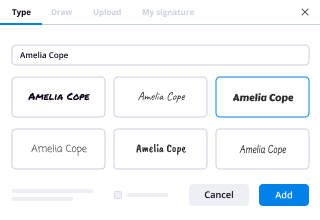
  • 4.Place the My Signature field where you need to eSign your sample. Type your name, draw, or import a photo of your regular signature.
  • 5.Click Save and Close to finish editing your completed document.

Once your this is a model agreement form template is ready, download it to your device, save it to the cloud, or invite other people to electronically sign it. With airSlate SignNow, the eSigning process only takes several clicks. Use our robust eSignature solution wherever you are to manage your paperwork productively!
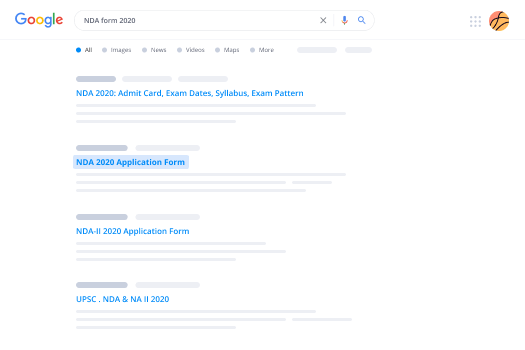
How to Sign a PDF Using Google Chrome How to Sign a PDF Using Google Chrome

How to complete and sign documents in Google Chrome

Completing and signing documents is easy with the airSlate SignNow extension for Google Chrome. Installing it to your browser is a fast and effective way to manage your forms online. Sign your this is a model agreement form sample with a legally-binding electronic signature in just a few clicks without switching between tools and tabs.

Follow the step-by-step guidelines to eSign your this is a model agreement form in Google Chrome:

  • 1.Go to the Chrome Web Store, search for the airSlate SignNow extension for Chrome, and add it to your browser.
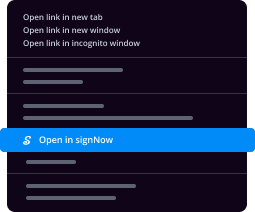
  • 2.Right-click on the link to a document you need to approve and choose Open in airSlate SignNow.
  • 3.Log in to your account using your credentials or Google/Facebook sign-in option. If you don’t have one, sign up for a free trial.
  • 4.Use the Edit & Sign menu on the left to complete your template, then drag and drop the My Signature option.
  • 5.Add a photo of your handwritten signature, draw it, or simply type in your full name to eSign.
  • 6.Verify all data is correct and click Save and Close to finish modifying your form.

Now, you can save your this is a model agreement form sample to your device or cloud storage, send the copy to other people, or invite them to electronically sign your document via an email request or a protected Signing Link. The airSlate SignNow extension for Google Chrome enhances your document processes with minimum time and effort. Start using airSlate SignNow today!
How to Sign a PDF in Gmail How to Sign a PDF in Gmail How to Sign a PDF in Gmail

How to complete and sign forms in Gmail

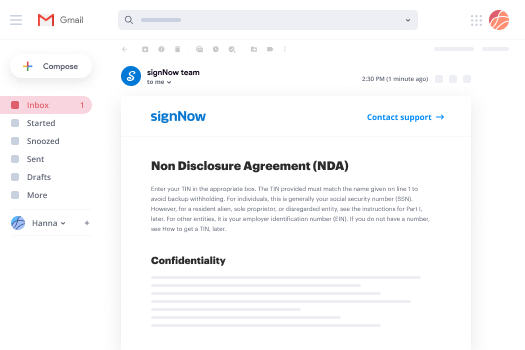
Every time you receive an email containing the this is a model agreement form for signing, there’s no need to print and scan a document or save and re-upload it to a different tool. There’s a better solution if you use Gmail. Try the airSlate SignNow add-on to quickly eSign any documents right from your inbox.

Follow the step-by-step guidelines to eSign your this is a model agreement form in Gmail:

  • 1.Go to the Google Workplace Marketplace and find a airSlate SignNow add-on for Gmail.
  • 2.Install the program with a related button and grant the tool access to your Google account.
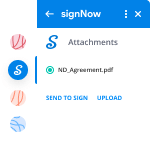
  • 3.Open an email containing an attachment that needs approval and utilize the S sign on the right sidebar to launch the add-on.
  • 4.Log in to your airSlate SignNow account. Choose Send to Sign to forward the file to other parties for approval or click Upload to open it in the editor.
  • 5.Put the My Signature field where you need to eSign: type, draw, or import your signature.

This eSigning process saves efforts and only requires a couple of clicks. Take advantage of the airSlate SignNow add-on for Gmail to adjust your this is a model agreement form with fillable fields, sign documents legally, and invite other individuals to eSign them al without leaving your mailbox. Enhance your signature workflows now!
How to Sign a PDF on a Mobile Device How to Sign a PDF on a Mobile Device How to Sign a PDF on a Mobile Device

How to fill out and sign paperwork in a mobile browser

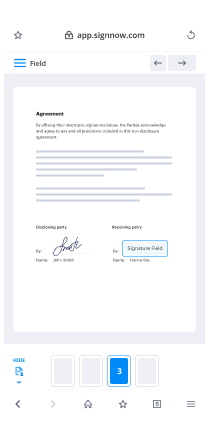
Need to rapidly fill out and sign your this is a model agreement form on a mobile phone while doing your work on the go? airSlate SignNow can help without the need to install extra software programs. Open our airSlate SignNow tool from any browser on your mobile device and create legally-binding electronic signatures on the go, 24/7.

Follow the step-by-step guide to eSign your this is a model agreement form in a browser:

  • 1.Open any browser on your device and go to the www.signnow.com
  • 2.Register for an account with a free trial or log in with your password credentials or SSO authentication.
  • 3.Click Upload or Create and import a file that needs to be completed from a cloud, your device, or our form library with ready-to go templates.
  • 4.Open the form and fill out the empty fields with tools from Edit & Sign menu on the left.
  • 5.Place the My Signature area to the form, then enter your name, draw, or upload your signature.

In a few easy clicks, your this is a model agreement form is completed from wherever you are. As soon as you're finished editing, you can save the file on your device, generate a reusable template for it, email it to other people, or invite them eSign it. Make your paperwork on the go quick and productive with airSlate SignNow!
How to Sign a PDF on iPhone How to Sign a PDF on iPhone

How to fill out and sign documents on iOS

In today’s business community, tasks must be accomplished quickly even when you’re away from your computer. With the airSlate SignNow mobile app, you can organize your paperwork and approve your this is a model agreement form with a legally-binding eSignature right on your iPhone or iPad. Set it up on your device to conclude contracts and manage forms from anywhere 24/7.

Follow the step-by-step guidelines to eSign your this is a model agreement form on iOS devices:

  • 1.Go to the App Store, find the airSlate SignNow app by airSlate, and set it up on your device.
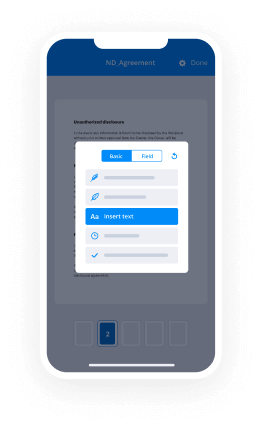
  • 2.Open the application, tap Create to upload a template, and choose Myself.
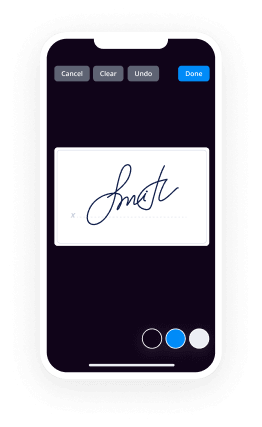
  • 3.Select Signature at the bottom toolbar and simply draw your autograph with a finger or stylus to eSign the form.
  • 4.Tap Done -> Save right after signing the sample.
  • 5.Tap Save or utilize the Make Template option to re-use this document in the future.

This process is so straightforward your this is a model agreement form is completed and signed within a few taps. The airSlate SignNow application works in the cloud so all the forms on your mobile device remain in your account and are available any time you need them. Use airSlate SignNow for iOS to boost your document management and eSignature workflows!
How to Sign a PDF on Android How to Sign a PDF on Android

How to complete and sign paperwork on Android

With airSlate SignNow, it’s easy to sign your this is a model agreement form on the go. Set up its mobile application for Android OS on your device and start enhancing eSignature workflows right on your smartphone or tablet.

Follow the step-by-step guidelines to eSign your this is a model agreement form on Android:

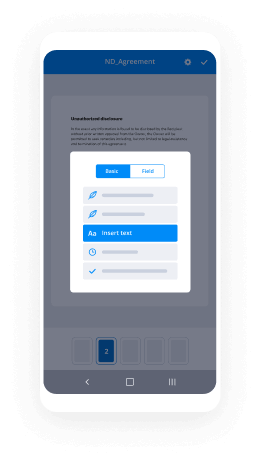
  • 1.Open Google Play, find the airSlate SignNow application from airSlate, and install it on your device.
  • 2.Sign in to your account or register it with a free trial, then add a file with a ➕ key on the bottom of you screen.
  • 3.Tap on the uploaded document and select Open in Editor from the dropdown menu.
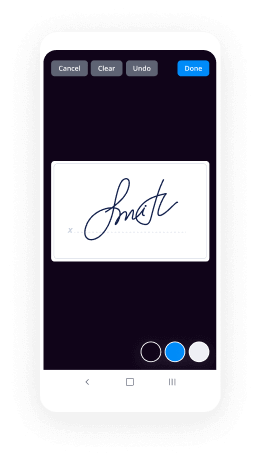
  • 4.Tap on Tools tab -> Signature, then draw or type your name to electronically sign the sample. Fill out empty fields with other tools on the bottom if required.
  • 5.Utilize the ✔ button, then tap on the Save option to end up with editing.

With an intuitive interface and full compliance with primary eSignature requirements, the airSlate SignNow app is the best tool for signing your this is a model agreement form. It even works without internet and updates all form modifications when your internet connection is restored and the tool is synced. Fill out and eSign forms, send them for approval, and make re-usable templates anytime and from anyplace with airSlate SignNow.

Sign up and try This is a model agreement form
  • Close deals faster
  • Improve productivity
  • Delight customers
  • Increase revenue
  • Save time & money
  • Reduce payment cycles