Establishing secure connection…Loading editor…Preparing document…

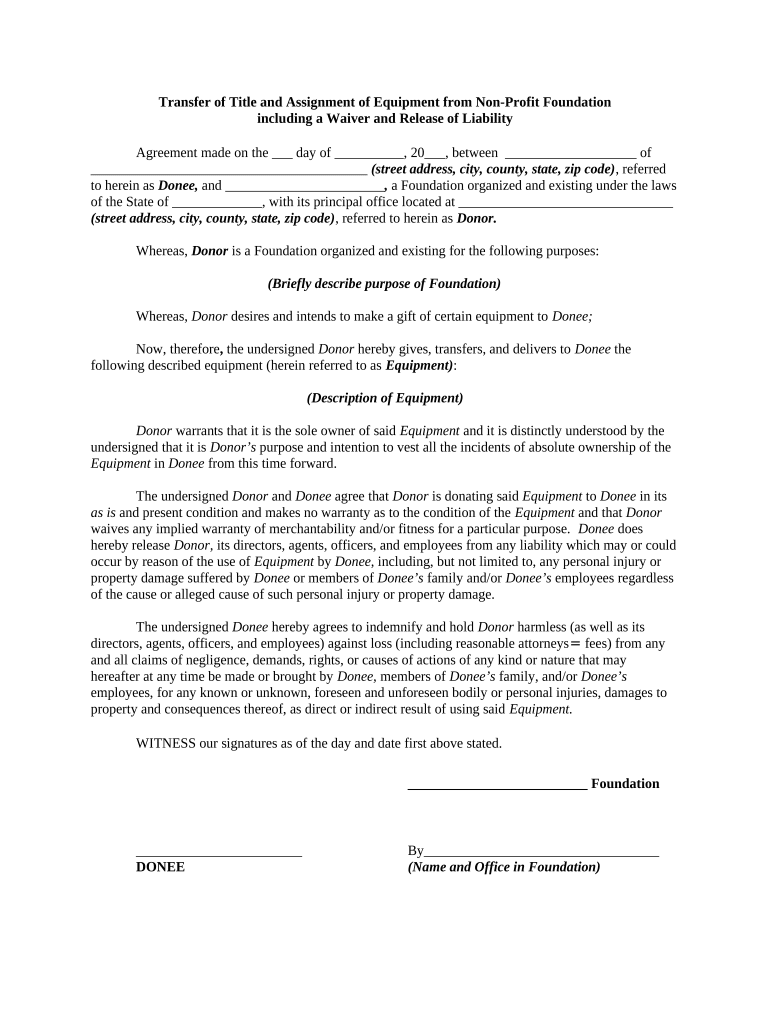
Title Transfer Sheet

This template is fully customizable. Edit the text, fill out the fields, and send it for signature. Give it a try!
Title Transfer Sheet

What the Title Transfer Sheet Is and when it’s used

A Title Transfer Sheet is a concise record used to document the transfer of legal title in property- or asset-related transactions. It summarizes the parties, the effective date, the description of the asset, the form of consideration, and any recording or lien-release instructions. The sheet is used by closing agents, title companies, corporate legal departments, and county recorders to ensure the underlying deed, bill of sale, or certificate of title is supported by a clear administrative trail. While not always a standalone legal instrument, it organizes data required for recording, notarization, and submission to third parties.

Why a clear Title Transfer Sheet matters

A properly completed Title Transfer Sheet reduces administrative delays, lowers the risk of recording errors, and documents chain-of-title facts for future inspections or disputes. It helps ensure consistent data is delivered to registries, lenders, and insurers, and supports compliance with recording and tax-reporting obligations.

Why a clear Title Transfer Sheet matters

Who typically prepares and relies on this sheet

Common users include closing agents, title company staff, vehicle registration clerks, corporate transactions teams, and escrow officers who need a single-reference document for transfers.

  • Title agents and closers who coordinate deed execution and county recording with lenders and insurers.
  • Corporate legal and records teams who track asset dispositions and maintain audit-ready files.
  • Deal counterparties (buyers/sellers) and their brokers who need confirmation of transfer details and effective dates.

The sheet improves handoffs between parties and serves as a concise administrative record supporting notarization, recording, and tax reporting.

Essential fields to include on the Title Transfer Sheet

Document Title: Name of the underlying instrument
Grantor/Transferor: Full legal name as on ID
Grantee/Transferee: Full legal name or entity name
Asset Description: Street address or VIN and legal description
Effective Date: Date in MM/DD/YYYY format
Recording Instructions: County, recording reference

Step-by-step: filling out a Title Transfer Sheet

Follow these sequential steps to complete the sheet, verify identity, and prepare for recording or submission.

  • 01
    Prepare Parties: Confirm full legal names and entity status before entering data.
  • 02
    Describe Asset: Enter the legal description or VIN exactly as on prior title documents.
  • 03
    State Consideration: Provide the specific amount or description of exchanged goods or services.
  • 04
    Set Recording: Specify county recorder and any indexing references required for submission.

Where the completed sheet goes in the process

A Title Transfer Sheet moves with the transaction from signer to recorder as part of the closing package; these entries explain typical routing.

  • Closing Package: Included with deed, bill of sale, payoff statements, and supporting affidavits.
  • Notary or RON: Taken to a notary for acknowledgement or completed via remote online notarization if allowed.
  • County Recorder: Submitted with deed for official recording and indexing.
  • Title Company File: Retained in the title company or corporate records system for audit and insurance.

How to set up an online Title Transfer Sheet workflow

Configure fields, signer order, and authentication to match your operational and compliance needs.

Field Configuration
Signer Order Define required parties and sequence before sending
Authentication Use email+SMS, KBA, or ID verification as needed
Notary Integration Enable RON or in-person notarization options where permitted
Retention Enable automated archival and export to corporate repository

Digital signing and submission considerations

Choose signing and submission settings that satisfy legal, recording, and organizational requirements.

  • Document Formats: PDF or DOCX accepted; PDF preferred for recording
  • Integrations: Connect to cloud storage, title systems, or ERPs
  • Authentication: Use MFA or ID proofing when required

Ensure the chosen platform supports audit trails, secure storage (AES-256 at rest), and any required notarization or RON workflows for your jurisdiction.

Typical timing and recording expectations

Timing depends on jurisdiction, county backlog, and whether notarization or RON is required. Plan accordingly to avoid priority or tax issues.

Immediate Recording:

Many counties record within 1–10 business days

Delayed Recording Risk:

Delays can affect lien priority and tax reporting

Tax Reporting:

Transfer dates affect year of income or property tax assessments

RON Session:

RON may add processing time for identity proofing

County Variance:

Recording fees and backlog vary significantly by county

Common mistakes that slow or invalidate transfers

  • Entering an abbreviated or inconsistent party name that fails county clerk verification and triggers resubmission.
  • Using a generic property description instead of the required legal description, causing recording rejection.
  • Omitting notarization language or improper notary jurisdiction, resulting in an unrecordable instrument.
  • Failing to disclose liens or encumbrances which can lead to title insurance exceptions or claim disputes.

Risks and consequences of incorrect Title Transfer Sheets

Recording Rejection: Requires resubmission
Lien Priority Loss: Compromised lien position
Tax Reporting Error: Potential penalties
Title Insurance Risk: Coverage exceptions possible
Fraud Exposure: Increased liability
Contract Disputes: Delayed closings

Sample uses showing common variations

These brief examples illustrate practical Title Transfer Sheet scenarios across organizations.

Brokered Home Sale

A title company attaches a transfer sheet to the deed to clarify seller funds distribution

  • Sheet lists payoff and escrow instructions
  • The recorded deed matched the recording index; retaining the sheet simplified insurer underwriting and title search during a later refinance.

Corporate Asset Disposal

A corporation uses a transfer sheet for equipment sale between affiliates

  • Includes serial numbers and Bill of Sale reference
  • The centralized record reduced reconciliation time, provided audit evidence for fixed-asset disposals, and sped internal approvals.

Practical tips for accurate and efficient Title Transfer Sheets

Apply these practices to reduce rejections and streamline recording.

Verify Names Early
Confirm exact legal names and entity status before preparing the sheet to avoid county clerk mismatches.
Use Standard Templates
Standardize field labels and order so closing teams and recorders see consistent data.
Match Supporting Docs
Attach the deed, bill of sale, and payoff statements and confirm exhibit references match the sheet.
Set Retention Rules
Automate archival with access controls and compliance tagging based on document type and jurisdiction.

Sample eSignature pricing and feature comparison for Title Transfer workflows

Basic vendor pricing and feature differences for eSignature platforms that commonly support title and recording workflows; signNow is listed first per standard comparison format.

signNow DocuSign Adobe Sign PandaDoc HelloSign
Starting Price $8/user/mo $15/user/mo $14/user/mo $19/user/mo $15/user/mo
Free Trial 7-day free trial Varies by plan Varies by plan Varies by plan Varies by plan
Bulk Send Yes Yes Yes Yes Yes
Audit Trail Yes Yes Yes Yes Yes
HIPAA Compliant Yes Yes Yes No No

Frequently asked questions about Title Transfer Sheets

Answers to common questions about validity, notarization, e-signing, and recordkeeping for Title Transfer Sheets.


Need help? Contact support

be ready to get more
Join over 28 million airSlate SignNow users