Establishing secure connection… Loading editor… Preparing document…
Navigation

Fill and Sign the Trust Reynolds Form
Fill and Sign the Trust Reynolds Form

How it works

Open the document and fill out all its fields.
Apply your legally-binding eSignature.
Save and invite other recipients to sign it.

Rate template

4.6
55 votes
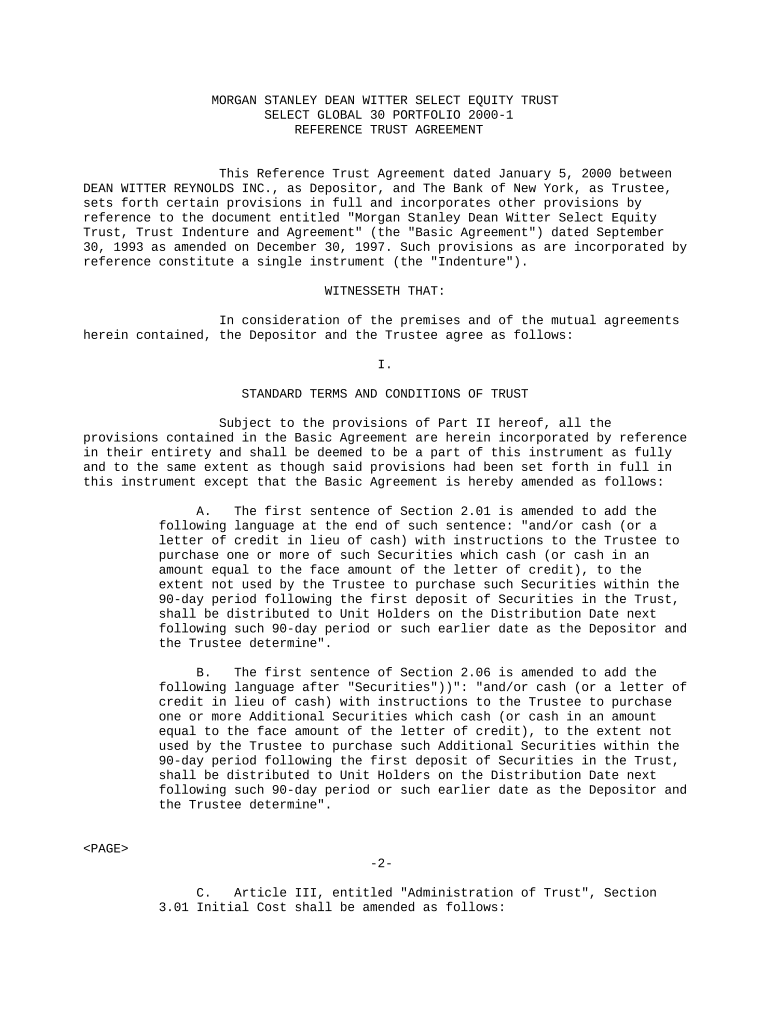
MORGAN STANLEY DEAN WITTER SELECT EQUITY TRUST SELECT GLOBAL 30 PORTFOLIO 2000-1 REFERENCE TRUST AGREEMENT This Reference Trust Agreement dated January 5, 2000 between DEAN WITTER REYNOLDS INC., as Depositor, and The Bank of New York, as Trustee, sets forth certain provisions in full and incorporates other provisions by reference to the document entitled "Morgan Stanley Dean Witter Select Equity Trust, Trust Indenture and Agreement" (the "Basic Agreement") dated September 30, 1993 as amended on December 30, 1997. Such provisions as are incorporated by reference constitute a single instrument (the "Indenture"). WITNESSETH THAT: In consideration of the premises and of the mutual agreements herein contained, the Depositor and the Trustee agree as follows: I. STANDARD TERMS AND CONDITIONS OF TRUST Subject to the provisions of Part II hereof, all the provisions contained in the Basic Agreement are herein incorporated by reference in their entirety and shall be deemed to be a part of this instrument as fully and to the same extent as though said provisions had been set forth in full in this instrument except that the Basic Agreement is hereby amended as follows: A. The first sentence of Section 2.01 is amended to add the following language at the end of such sentence: "and/or cash (or a letter of credit in lieu of cash) with instructions to the Trustee to purchase one or more of such Securities which cash (or cash in an amount equal to the face amount of the letter of credit), to the extent not used by the Trustee to purchase such Securities within the 90-day period following the first deposit of Securities in the Trust, shall be distributed to Unit Holders on the Distribution Date next following such 90-day period or such earlier date as the Depositor and the Trustee determine". B. The first sentence of Section 2.06 is amended to add the following language after "Securities"))": "and/or cash (or a letter of credit in lieu of cash) with instructions to the Trustee to purchase one or more Additional Securities which cash (or cash in an amount equal to the face amount of the letter of credit), to the extent not used by the Trustee to purchase such Additional Securities within the 90-day period following the first deposit of Securities in the Trust, shall be distributed to Unit Holders on the Distribution Date next following such 90-day period or such earlier date as the Depositor and the Trustee determine". -2- C. Article III, entitled "Administration of Trust", Section 3.01 Initial Cost shall be amended as follows: Section 3.01 Initial Cost shall be amended to substitute the following language: SECTION 3.01. INITIAL COST The costs of organizing the Trust and sale of the Trust Units shall, to the extent of the expenses reimbursable to the Depositor provided below, be borne by the Unit Holders, PROVIDED, HOWEVER, that, to the extent all of such costs are not borne by Unit Holders, the amount of such costs not borne by Unit Holders shall be borne by the Depositor and, PROVIDED FURTHER, HOWEVER, that the liability on the part of the Depositor under this section shall not include any fees or other expenses incurred in connection with the administration of the Trust subsequent to the deposit referred to in Section 2.01. Upon notification from the Depositor that the primary offering period is concluded, the Trustee shall withdraw from the Account or Accounts specified in the Prospectus or, if no Account is therein specified, from the Principal Account, and pay to the Depositor the Depositor's reimbursable expenses of organizing the Trust and sale of the Trust Units in an amount certified to the Trustee by the Depositor. If the balance of the Principal Account is insufficient to make such withdrawal, the Trustee shall, as directed by the Depositor, sell Securities identified by the Depositor, or distribute to the Depositor Securities having a value, as determined under Section 4.01 as of the date of distribution, sufficient for such reimbursement. The reimbursement provided for in this section shall be for the account of the Unitholders of record at the conclusion of the primary offering period and shall not be reflected in the computation of the Unit Value prior thereto. As used herein, the Depositor's reimbursable expenses of organizing the Trust and sale of the Trust Units shall include the cost of the initial preparation and typesetting of the registration statement, prospectuses (including preliminary prospectuses), the indenture, and other documents relating to the Trust, SEC and state blue sky registration fees, the cost of the initial valuation of the portfolio and audit of the Trust, the initial fees and expenses of the Trustee, and legal and other out-of-pocket expenses related thereto, but not including the expenses incurred in the printing of preliminary prospectuses and prospectuses, expenses incurred in the preparation and printing of brochures and other advertising materials and any other selling expenses. Any cash which the Depositor has identified as to be used for reimbursement of expenses pursuant to this Section shall be reserved by the Trustee for such purpose and shall not be subject to distribution or, unless the Depositor otherwise directs, -3- used for payment of redemptions in excess of the per-Unit amount allocable to Units tendered for redemption. D. The third paragraph of Section 3.05 is hereby amended to add the following sentence after the first sentence thereof: "Depositor may direct the Trustee to invest the proceeds of any sale of Securities not required for the redemption of Units in eligible money market instruments selected by the Depositor which will include only negotiable certificates of deposit or time deposits of domestic banks which are members of the Federal Deposit Insurance Corporation and which have, together with their branches or subsidiaries, more than $2 billion in total assets, except that certificates of deposit or time deposits of smaller domestic banks may be held provided the deposit does not exceed the insurance coverage on the instrument (which currently is $100,000), and provided further that the Trust's aggregate holding of certificates of deposit or time deposits issued by the Trustee may not exceed the insurance coverage of such obligations and U.S. Treasury notes or bills (which shall be held until the maturity thereof) each of which matures prior to the earlier of the next following Distribution Date or 90 days after receipt, the principal thereof and interest thereon (to the extent such interest is not used to pay Trust expenses) to be distributed on the earlier of the 90th day after receipt or the next following Distribution Date." E. The first sentence of each of Sections 3.10, 3.11 and 3.12 is amended to insert the following language at the beginning of such sentence, "Except as otherwise provided in Section 3.13,". F. The following new Section 3.13 is added: Section 3.13. EXTRAORDINARY EVENT - SECURITY RETENTION AND VOTING. In the event the Trustee is notified of any action to be taken or proposed to be taken by holders of the securities held by the Trust in connection with any proposed merger, reorganization, spin-off, split-off or split-up by the issuer of stock or securities held in the Trust, the Trustee shall take such action or refrain from taking any action, as appropriate, so as to insure that the securities are voted as closely as possible in the same manner and in the same general proportion as are the securities held by owners other than the Trust. If stock or securities are received by the Trustee, with or without cash, as a result of any merger, reorganization, spin-off, split-off or split-up by the issuer of stock or securities held in the Trust, the Trustee at the direction of the Depositor may retain such stock or securities in the Trust. Neither the Depositor nor the Trustee shall be liable to any person for any action or failure to take action with respect to this section. G. Section 1.01 is amended to add the following definition: (9) "Deferred Sales Charge" shall mean any deferred sales charge payable in accordance with the provisions of Section 3.14 hereof, as set forth in the prospectus for a Trust. Definitions following this definition (9) shall be renumbered. -4- H. Section 3.05 is hereby amended to add the following paragraph after the end thereof: On each Deferred Sales Charge payment date set forth in the prospectus for a Trust, the Trustee shall pay the account created pursuant to Section 3.14 the amount of the Deferred Sales Charge payable on each such date as stated in the prospectus for a Trust. Such amount shall be withdrawn from the Principal Account from the amounts therein designated for such purpose. I. Section 3.06B(3) shall be amended by adding the following: "and any Deferred Sales Charge paid". J. Section 3.08 shall be amended by adding the following at the end thereof: "In order to pay the Deferred Sales Charge, the Trustee shall sell or liquidate an amount of Securities at such time and from time to time and in such manner as the Depositor shall direct such that the proceeds of such sale or liquidation shall equal the amount required to be paid to the Depositor pursuant to the Deferred Sales Charge program as set forth in the prospectus for a Trust. K. Section 3.14 shall be added as follows: Section 3.14. DEFERRED SALES CHARGE. If the prospectus for a Trust specifies a Deferred Sales Charge, the Trustee shall, on the dates specified in and as permitted by the prospectus, withdraw from the Income Account if such account is designated in the prospectus as the source of the payments of the Deferred Sales Charge, or to the extent funds are not available in that account or if such account is not so designated, from the Principal Account, an amount per Unit specified in the prospectus and credit such amount to a special, non-Trust account maintained at the Trustee out of which the Deferred Sales Charge will be distributed to the Depositor. If the Income Account is not designated as the source of the Deferred Sales Charge payment or if the balances in the Income and Principal Accounts are insufficient to make any such withdrawal, the Trustee shall, as directed by the Depositor, either advance funds, if so agreed to by the Trustee, in an amount equal to the proposed withdrawal and be entitled to reimbursement of such advance upon the deposit of additional monies in the Income Account or the Principal Account, sell Securities and credit the proceeds thereof to such special Depositor's account or credit Securities in kind to such special Depositor's Account. Such directions shall identify the Securities, if any, to be sold or distributed in kind and shall contain, if the Trustee is directed by the Depositor to sell a Security, instructions as to execution of such sales. If a Unit Holder redeems Units prior to full payment of the Deferred Sales Charge, the Trustee shall, if so provided in the prospectus, on the Redemption Date, withhold from the Redemption Price payment to such Unit Holder an amount equal to the unpaid portion of the Deferred Sales Charge and distribute such amount to such special Depositor's account or, if the Depositor shall purchase such Unit pursuant to the terms of Section 5.02 hereof, the Depositor shall pay the Redemption Price for such Unit less the unpaid portion of the Deferred Sales Charge. The Depositor may at any time instruct the Trustee to dis- -5- tribute to the Depositor cash or Securities previously credited to the special Depositor's account. L. The following new Section 3.15 is added: Section 3.15. FOREIGN EXCHANGE TRANSACTIONS; RECLAIMING FOREIGN TAXES. (a) For any Trust holding Securities denominated in a currency other than U.S. dollars, the Depositor shall direct the Trustee with respect to the circumstances under which foreign exchange transactions are to be entered into and calculations under this Indenture are to be made, in order to convert amounts receivable in respect of the Securities in foreign currencies into U.S. dollars. (b) The Trustee shall take such reasonable action as the Depositor shall direct or, if not so directed, use reasonable efforts to reclaim or recoup any amounts of non-U.S. tax paid by the Trust or withheld from income received by the Trust to which the Trust may be entitled as a refund. M. The following paragraphs are inserted after the first paragraph in Section 4.01: "With respect to foreign securities, each security listed on a securities exchange will be valued at the last closing sale price on the relevant stock exchange or if no such price exists at the closing offer price thereof. If the Trust holds securities denominated in a currency other than U.S. dollars, the evaluations shall be converted to U.S. dollars based, during the initial offering period, on the offering side of the relevant currency exchange rate, and, subsequent to such period, on the bid side of the relevant exchange rate, including the cost of a forward foreign exchange contract in the relevant currency to correspond to the Trustee's settlement requirement for redemption requests as quoted to the Trustee by one or more banks designated by the Depositor, unless the Security is in the form of an American depository share or receipt, in which case the evaluations shall be based upon the U.S. dollar prices in the market for American depository shares or receipts (unless the Trustee deems such prices inappropriate as a basis for valuation)." N. Reference to "Dean Witter Select Equity Trust" is replaced by "Morgan Stanley Dean Witter Select Equity Trust". -6- II. SPECIAL TERMS AND CONDITIONS OF TRUST The following special terms and conditions are hereby agreed to: A. The Trust is denominated Morgan Stanley Dean Witter Select Equity Trust Select Global 30 Portfolio 2000-1 (the "Select 30 Trust"). B. The publicly traded stocks listed in Schedule A hereto are those which, subject to the terms of this Indenture, have been or are to be deposited in trust under this Indenture. C. The term, "Depositor" shall mean Dean Witter Reynolds Inc. D. The aggregate number of Units referred to in Sections 2.03 and 9.01 of the Basic Agreement is 24,242 for the Select 30 Trust. E. A Unit is hereby declared initially equal to 1/24,242. F. The term "In-Kind Distribution Date" shall mean March 15, 2001. G. The term "Record Dates" shall mean July 1, 2000 and April 4, 2001 and such other date as the Depositor may direct. H. The term "Distribution Dates shall mean July 15, 2000 and April 11, 2001 and such other date as the Depositor may direct. I. The term "Termination Date" shall mean April 4, 2001. J. The Depositor's Annual Portfolio Supervision Fee shall be a maximum of $0.25 per 100 Units. K. The Trustee's Annual Fee as defined in Section 6.04 of the Indenture shall be $0.80 per 100 Units. L. For a Unit Holder to receive an "in-kind" distribution during the life of the Trust, such Unit Holder must tender at least 25,000 Units for redemption. There is no minimum amount of Units that a Unit Holder must tender in order to receive an "in-kind" distribution on the In-Kind Date or in connection with a rollover. (Signatures and acknowledgments on separate pages)

Useful suggestions for preparing your ‘Trust Reynolds’ online

Are you fed up with the complications of managing paperwork? Look no further than airSlate SignNow, the best eSignature solution for both individuals and organizations. Bid farewell to the tedious task of printing and scanning documents. With airSlate SignNow, you can effortlessly finish and sign paperwork on the internet. Take advantage of the robust features included in this user-friendly and cost-effective platform and transform your document management practices. Whether you need to approve forms or collect eSignatures, airSlate SignNow takes care of it all effortlessly, with just a few clicks.

Adhere to this comprehensive guide:

  1. Access your account or initiate a free trial with our service.
  2. Select +Create to upload a document from your device, cloud storage, or our template collection.
  3. Open your ‘Trust Reynolds’ in the editor.
  4. Click Me (Fill Out Now) to prepare the document on your end.
  5. Insert and designate fillable fields for others (if necessary).
  6. Proceed with the Send Invite options to solicit eSignatures from others.
  7. Download, print your version, or convert it into a reusable template.

No need to worry if you need to work with your colleagues on your Trust Reynolds or send it for notarization—our solution offers everything required to complete such tasks. Register with airSlate SignNow today and elevate your document management to the next level!

Here is a list of the most common customer questions. If you can’t find an answer to your question, please don’t hesitate to reach out to us.

Need help? Contact Support

The best way to complete and sign your trust reynolds form

Save time on document management with airSlate SignNow and get your trust reynolds form eSigned quickly from anywhere with our fully compliant eSignature tool.

How to Sign a PDF Online How to Sign a PDF Online

How to fill out and sign documents online

In the past, dealing with paperwork took pretty much time and effort. But with airSlate SignNow, document management is fast and easy. Our powerful and user-friendly eSignature solution enables you to effortlessly complete and electronically sign your trust reynolds form online from any internet-connected device.

Follow the step-by-step guidelines to eSign your trust reynolds form template online:

  • 1.Register for a free trial with airSlate SignNow or log in to your account with password credentials or SSO authorization option.
  • 2.Click Upload or Create and import a form for eSigning from your device, the cloud, or our form catalogue.
  • 3.Click on the file name to open it in the editor and use the left-side menu to fill out all the blank fields appropriately.
  • 4.Drop the My Signature field where you need to eSign your sample. Provide your name, draw, or import an image of your handwritten signature.
  • 5.Click Save and Close to finish modifying your completed form.

As soon as your trust reynolds form template is ready, download it to your device, export it to the cloud, or invite other people to eSign it. With airSlate SignNow, the eSigning process only requires several clicks. Use our robust eSignature tool wherever you are to deal with your paperwork productively!

How to Sign a PDF Using Google Chrome How to Sign a PDF Using Google Chrome

How to fill out and sign forms in Google Chrome

Completing and signing paperwork is easy with the airSlate SignNow extension for Google Chrome. Installing it to your browser is a fast and effective way to deal with your paperwork online. Sign your trust reynolds form sample with a legally-binding electronic signature in a couple of clicks without switching between programs and tabs.

Follow the step-by-step guidelines to eSign your trust reynolds form in Google Chrome:

  • 1.Navigate to the Chrome Web Store, search for the airSlate SignNow extension for Chrome, and add it to your browser.
  • 2.Right-click on the link to a form you need to approve and select Open in airSlate SignNow.
  • 3.Log in to your account with your password or Google/Facebook sign-in buttons. If you don’t have one, you can start a free trial.
  • 4.Utilize the Edit & Sign toolbar on the left to fill out your template, then drag and drop the My Signature field.
  • 5.Add a picture of your handwritten signature, draw it, or simply enter your full name to eSign.
  • 6.Make sure all the details are correct and click Save and Close to finish modifying your paperwork.

Now, you can save your trust reynolds form sample to your device or cloud storage, email the copy to other individuals, or invite them to eSign your document via an email request or a secure Signing Link. The airSlate SignNow extension for Google Chrome improves your document workflows with minimum effort and time. Start using airSlate SignNow today!

How to Sign a PDF in Gmail How to Sign a PDF in Gmail How to Sign a PDF in Gmail

How to complete and sign paperwork in Gmail

Every time you get an email with the trust reynolds form for approval, there’s no need to print and scan a file or save and re-upload it to another tool. There’s a much better solution if you use Gmail. Try the airSlate SignNow add-on to quickly eSign any paperwork right from your inbox.

Follow the step-by-step guide to eSign your trust reynolds form in Gmail:

  • 1.Navigate to the Google Workplace Marketplace and find a airSlate SignNow add-on for Gmail.
  • 2.Install the program with a corresponding button and grant the tool access to your Google account.
  • 3.Open an email containing an attached file that needs signing and use the S sign on the right sidebar to launch the add-on.
  • 4.Log in to your airSlate SignNow account. Select Send to Sign to forward the document to other people for approval or click Upload to open it in the editor.
  • 5.Drop the My Signature option where you need to eSign: type, draw, or import your signature.

This eSigning process saves efforts and only takes a few clicks. Utilize the airSlate SignNow add-on for Gmail to adjust your trust reynolds form with fillable fields, sign documents legally, and invite other individuals to eSign them al without leaving your inbox. Improve your signature workflows now!

How to Sign a PDF on a Mobile Device How to Sign a PDF on a Mobile Device How to Sign a PDF on a Mobile Device

How to complete and sign documents in a mobile browser

Need to rapidly complete and sign your trust reynolds form on a mobile phone while doing your work on the go? airSlate SignNow can help without the need to install additional software applications. Open our airSlate SignNow tool from any browser on your mobile device and add legally-binding eSignatures on the go, 24/7.

Follow the step-by-step guidelines to eSign your trust reynolds form in a browser:

  • 1.Open any browser on your device and go to the www.signnow.com
  • 2.Sign up for an account with a free trial or log in with your password credentials or SSO option.
  • 3.Click Upload or Create and import a file that needs to be completed from a cloud, your device, or our form catalogue with ready-to go templates.
  • 4.Open the form and fill out the blank fields with tools from Edit & Sign menu on the left.
  • 5.Add the My Signature field to the form, then enter your name, draw, or upload your signature.

In a few simple clicks, your trust reynolds form is completed from wherever you are. When you're done with editing, you can save the file on your device, build a reusable template for it, email it to other people, or invite them eSign it. Make your paperwork on the go speedy and productive with airSlate SignNow!


How to Sign a PDF on iPhone How to Sign a PDF on iPhone

How to complete and sign paperwork on iOS

In today’s corporate environment, tasks must be accomplished quickly even when you’re away from your computer. With the airSlate SignNow application, you can organize your paperwork and sign your trust reynolds form with a legally-binding eSignature right on your iPhone or iPad. Set it up on your device to close deals and manage forms from anyplace 24/7.

Follow the step-by-step guidelines to eSign your trust reynolds form on iOS devices:

  • 1.Go to the App Store, find the airSlate SignNow app by airSlate, and install it on your device.
  • 2.Open the application, tap Create to upload a form, and select Myself.
  • 3.Opt for Signature at the bottom toolbar and simply draw your signature with a finger or stylus to eSign the form.
  • 4.Tap Done -> Save right after signing the sample.
  • 5.Tap Save or take advantage of the Make Template option to re-use this paperwork in the future.

This process is so easy your trust reynolds form is completed and signed in a couple of taps. The airSlate SignNow application works in the cloud so all the forms on your mobile device are kept in your account and are available any time you need them. Use airSlate SignNow for iOS to improve your document management and eSignature workflows!


How to Sign a PDF on Android How to Sign a PDF on Android

How to complete and sign documents on Android

With airSlate SignNow, it’s simple to sign your trust reynolds form on the go. Set up its mobile app for Android OS on your device and start enhancing eSignature workflows right on your smartphone or tablet.

Follow the step-by-step guidelines to eSign your trust reynolds form on Android:

  • 1.Go to Google Play, search for the airSlate SignNow app from airSlate, and install it on your device.
  • 2.Sign in to your account or register it with a free trial, then add a file with a ➕ key on the bottom of you screen.
  • 3.Tap on the uploaded file and choose Open in Editor from the dropdown menu.
  • 4.Tap on Tools tab -> Signature, then draw or type your name to eSign the template. Fill out empty fields with other tools on the bottom if required.
  • 5.Utilize the ✔ button, then tap on the Save option to end up with editing.

With an easy-to-use interface and full compliance with major eSignature laws and regulations, the airSlate SignNow application is the perfect tool for signing your trust reynolds form. It even operates offline and updates all document modifications once your internet connection is restored and the tool is synced. Fill out and eSign forms, send them for approval, and generate multi-usable templates whenever you need and from anyplace with airSlate SignNow.

Sign up and try Trust reynolds form
  • Close deals faster
  • Improve productivity
  • Delight customers
  • Increase revenue
  • Save time & money
  • Reduce payment cycles







