Establishing secure connection…Loading editor…Preparing document…

Louisiana Termination of Trust and Release of Trustee

This template is fully customizable. Edit the text, fill out the fields, and send it for signature. Give it a try!
Louisiana Termination of Trust and Release of Trustee

What this Louisiana Termination of Trust and Release of Trustee does

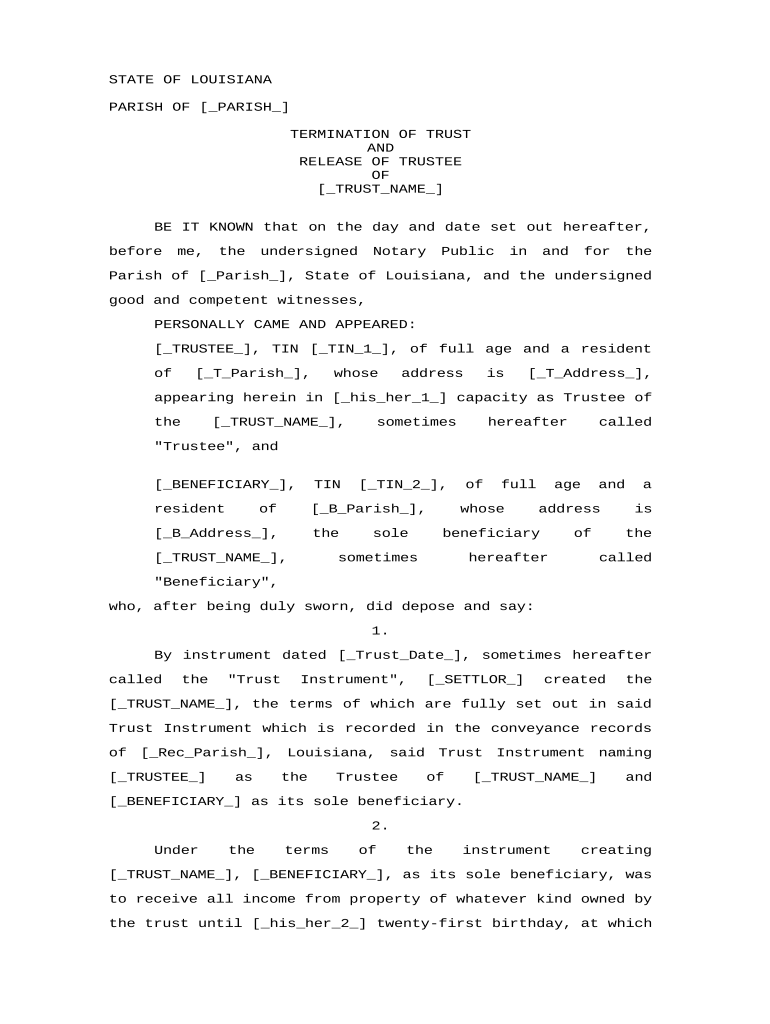
A Louisiana Termination of Trust and Release of Trustee is a legal instrument used when a trust reaches its termination conditions or the parties otherwise agree to end the trust. The form documents the settlor's or beneficiaries' directive to wind up trust affairs, distributes remaining trust property according to the trust terms, and formally releases the current trustee from further duties. In Louisiana, which follows civil-law traditions, such releases commonly require notarial act formalities and may involve witness or notarization steps depending on the nature of the trust property and local practice.

Why a formal termination and release matter in Louisiana

A written termination clarifies the trustee's end of duties, documents distribution of trust assets, and reduces future liability and disputes among beneficiaries when executed with required formalities.

Why a formal termination and release matter in Louisiana

Who typically prepares or signs this document

The following roles commonly prepare, review, or sign a trust termination and release in Louisiana.

  • Settlor, Grantor, or Trust Creator — Individuals who established the trust and may direct termination when reserved powers allow.
  • Current Trustee — The person or corporate trustee holding legal title who executes the release after distributions are made.
  • Beneficiaries or Successor Trustees — Parties receiving assets and consenting to termination or accepting successor duties.

Parties often consult an attorney and a notary public to ensure compliance with Louisiana civil-law formalities and to minimize post-termination disputes.

Primary signers and their roles

Settlor / Grantor

The person who created the trust or their authorized representative; they may direct termination when the trust instrument reserves that right, and their clear written instruction helps establish the legal basis for winding up trust affairs.

Trustee

The trustee holding legal title executes the Release of Trustee after assets are distributed and accounting is delivered, which limits trustee liability going forward when the document is properly witnessed and notarized under Louisiana law.

Common security and compliance considerations

Encryption: TLS 1.2/1.3 in transit
Data at Rest: AES-256 encrypted storage
Audit Trail: Timestamped signing history
HIPAA: BAA required for PHI
Authentication: Multi-factor options available
Access Controls: Role-based permissions

Legal risks and consequences to watch for

Trustee Liability: Possible if distribution incorrect
Notary Defect: May void release
Tax Exposure: Unreported distributions risk penalties
Beneficiary Objections: Can trigger litigation
Fraud Allegations: Civil and criminal exposure
Recordkeeping Failures: Complicates future audits

Common mistakes that cause delays or disputes

  • Failing to verify trustee authority or corporate resolution before executing the release, which can leave the release unenforceable against creditors or beneficiaries.
  • Neglecting to obtain a proper notarial act in Louisiana or omitting required witnesses for certain trust instruments, resulting in invalid acknowledgements.
  • Distributing assets without a final accounting or beneficiary consent where the trust instrument requires accounting, triggering later claims against the trustee.
  • Using ambiguous distribution language or failing to reference the exact trust name and date, which creates interpretive disputes during probate or title transfers.

Step-by-step: completing the termination and release

Follow a concise sequence to close the trust, document distributions, and release the trustee while preserving legal evidence of the process.

  • 01
    Review Trust: Confirm termination clause and distribution terms.
  • 02
    Prepare Accounting: Produce final accounting for beneficiaries.
  • 03
    Execute Release: Parties sign release before notary.
  • 04
    Record or File: Record deed transfers or file instruments as needed.

How the workflow typically proceeds

A clear workflow helps ensure every legal and administrative step is completed before the trustee is discharged.

  • Initiation: Settlor or beneficiaries notify trustee of termination.
  • Accounting Delivery: Trustee provides final account and receipts.
  • Signatures: Settlor, trustee, and beneficiaries sign release.
  • Authentication: Execute notarial and witness requirements.

Essential components to include in the document

A professional termination and release should combine clear legal language with factual detail so parties and third parties can rely on the document.

Trust Identification

Full trust name, trust date, and any file or instrument reference to ensure the termination applies to the correct legal entity and avoids ambiguity when title companies or courts review the document.
Recital of Authority

A concise recital confirming who has authority to terminate and the provision of the trust instrument that authorizes termination, preventing later claims that the settlement lacked authority.

Final Accounting

A summary or attachment showing distributions, expenses, and receipts, which supports the trustee's release and gives beneficiaries a record for tax and estate purposes.

Release Language

Clear release clauses that discharge the trustee from further liability for acts covered by the accounting, using precise temporal and scope language to limit future claims.

Signatures and Dates

Signature blocks for settlor, trustee, successor trustee, and beneficiaries with printed names and dates; legible dates establish the effective termination date and support record retention rules.

Notarial Form

A proper Louisiana notarial acknowledgement or act where required, including notary signature, seal, and any required witness attestations to satisfy civil-law formalities.

Configuring a digital workflow for completion

Set up signing order, authentication, and retention to match Louisiana requirements and the trust instrument's specificity.

Field Configuration
Signer Authentication Email link or SMS code; consider stronger ID for notarization.
Notarial Steps Enable remote notarization if state and notary permit it.
Retention Policy Set automatic 7+ year retention for trust documents.
API Integration Connect to title or trust accounting systems for records.

Technical and platform notes for e-signing and submission

Choose a platform that supports secure signatures, notarization workflows, and audit trails aligned with ESIGN and Louisiana practice.

  • File Formats: PDF and DOCX supported
  • Integrations: Salesforce, NetSuite, Google Workspace
  • Authentication: SMS, email, or KBA options

Ensure the chosen platform can provide tamper-evident signed PDFs, audit logs, and exportable notarization records to satisfy title companies and courts.

Timelines and expected processing steps

Track required dates to avoid late distributions, tax reporting issues, or challenges to trustee discharge.

Effective Date:

Date parties sign; use MM/DD/YYYY format.

Accounting Delivery:

Provide final accounting before distribution, typically within 30–60 days.

Record Transfers:

Record deeds or title changes after distributions are complete.

Tax Reporting:

Issue relevant tax forms following IRS deadlines.

Retention Start:

Retention period begins on the effective date of termination.

Key milestones from initiation to final record

A sequential milestone view helps coordinate trustee actions, beneficiary consents, and recording requirements.

01

Document Review

Verify trust termination clause and gather all supporting records.

02

Final Accounting

Prepare and distribute the final accounting to beneficiaries.

03

Execution & Notarization

All required parties sign and a notary completes the acknowledgment.

04

Record and Retain

Record transfers and retain originals per retention policy.

Typical eSignature vendor pricing and capability snapshot

Compare starting price, trial availability, bulk-send support, audit trail, and HIPAA capability when selecting an eSignature provider for trust terminations.

signNow DocuSign Adobe Sign PandaDoc HelloSign
Starting Price $8/user/mo $15/user/mo $14/user/mo $19/user/mo $15/user/mo
Free Trial 7-day free trial Varies Varies Varies Varies
Bulk Send Yes Yes Yes Yes No
Audit Trail Yes Yes Yes Yes Yes
HIPAA Compliant Yes Yes Yes No No

Representative scenarios for terminating a trust in Louisiana

Two concise examples show how termination typically proceeds and what documentation is important.

Property Sale Closure

A trustee sells trust real estate per trust terms and prepares a Release of Trustee to transfer title

  • Sale proceeds are distributed per schedule
  • The trustee records the deed, executes a notarized release, provides the final accounting to beneficiaries, and retains records for tax and title audits.

Family Trust Wind-Up

A settlor directs termination after beneficiaries reach majority and all obligations are met

  • Trustee disburses personal property and funds
  • The trustee executes the formal termination, secures beneficiary consents, obtains a notary acknowledgment in Louisiana, and files any necessary transfer documents.

Practical tips to minimize risk and speed completion

Follow clear drafting and execution habits to reduce disputes and ensure enforceability.

Use Exact Names
Match names to the original trust instrument and government IDs; mismatched or abbreviated names can create title issues or allow beneficiaries to challenge the release.
Attach Accounting
Include a final accounting and receipts as an exhibit to the release so distribution details are documented and accessible to third parties and auditors.
Confirm Notarial Form
Use the correct Louisiana notarial acknowledgement or act form; consult a notary experienced in civil-law formalities to avoid defects in execution.
Preserve Audit Trail
When using eSign, preserve the audit trail and signed PDF to show timestamps, signer attribution, and any authentication methods used.

Frequently asked questions and troubleshooting

Answers to common questions about enforceability, signing authority, notarization, and what to do after execution.


Need help? Contact support

be ready to get more
Join over 28 million airSlate SignNow users