Establishing secure connection…Loading editor…Preparing document…

Vehicle Policy

This template is fully customizable. Edit the text, fill out the fields, and send it for signature. Give it a try!
Vehicle Policy

What the Vehicle Policy Is and when it applies

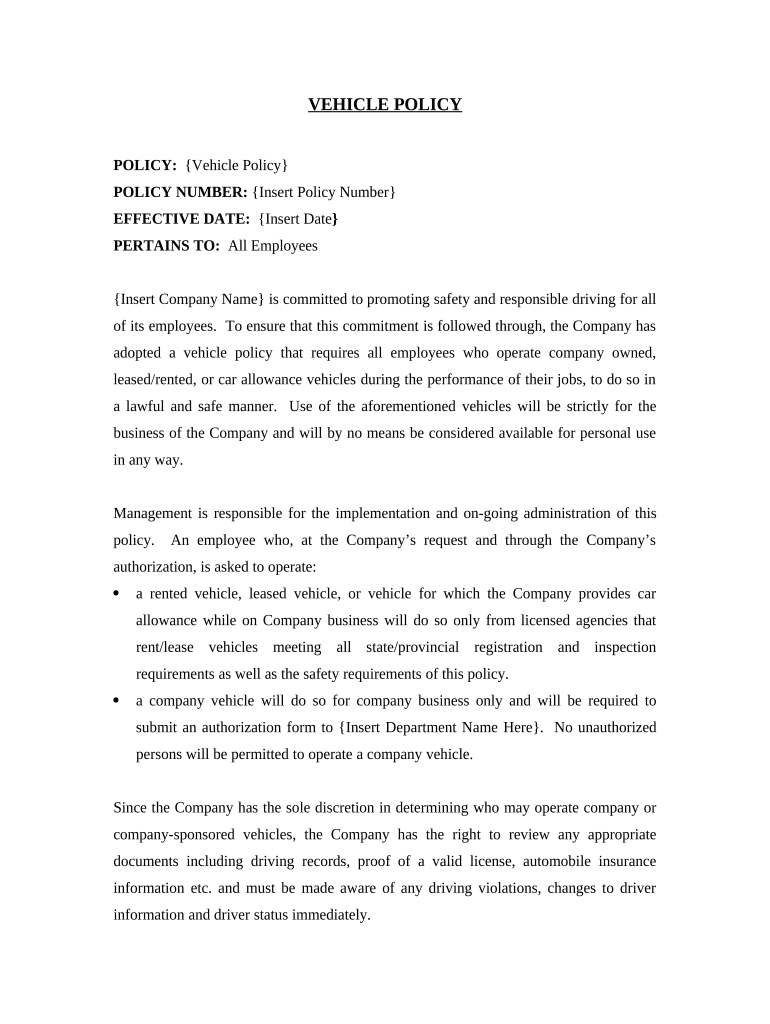
A Vehicle Policy is an employer-issued document that sets rules, responsibilities, and procedures for employees who use company-owned, leased, or personal vehicles for business purposes. It defines permitted uses, driver qualification requirements, vehicle maintenance and inspection protocols, insurance and reporting obligations, permitted passengers and cargo, and disciplinary measures for violations. The policy can also cover mileage reimbursement, telematics, mobile device use while driving, and drug-and-alcohol rules. A clear written Vehicle Policy reduces liability, improves safety, and documents consent and acknowledgements by drivers.

Why a written Vehicle Policy matters for employers

A formal Vehicle Policy clarifies expectations, demonstrates risk management, and creates an auditable record of employee acknowledgement. It helps align insurance coverage, supports consistent enforcement, and can reduce exposure after accidents by showing that the employer provided rules and training.

Why a written Vehicle Policy matters for employers

Who typically issues or completes a Vehicle Policy

Employers, fleet managers, HR teams, and safety officers usually create and distribute Vehicle Policies for employees who operate vehicles for business.

  • Fleet managers and safety officers who set vehicle standards and inspection routines for company vehicles.
  • Human resources teams that manage acknowledgements, training records, and disciplinary compliance.
  • Drivers and employees required to sign policy acknowledgements, provide a valid license, and consent to background or MVR checks.

The signed Vehicle Policy serves as evidence of notice and consent and should be retained with personnel and safety records.

Core sections to include in a professional Vehicle Policy

A comprehensive Vehicle Policy groups rules into clear sections so employees can find requirements, reporting steps, and consequences quickly.

Purpose

State the policy scope and which drivers and vehicles it covers, including leased, owned, and personal vehicles used for business purposes, plus exceptions and effective date.
Driver Qualifications

List required licenses, minimum experience, acceptable driving record standards, required MVR checks, and procedures for reporting license suspensions or convictions.

Vehicle Maintenance

Describe inspection schedules, preventive maintenance responsibilities, reporting of defects, and who is authorized to approve repairs and service.

Use and Conduct

Define permitted business uses, restrictions on personal use, seat belt, distracted-driving and mobile-device rules, and rules on transporting passengers or hazardous cargo.

Accident Reporting

Provide step-by-step actions after a collision: safety, emergency contacts, police reports, photographs, supervisor notification, and insurance claims procedures.

Enforcement

Explain progressive discipline, suspension of driving privileges, required retraining, and circumstances that may lead to termination or reimbursement denial.

Required data to collect and retain

Employee Name: Full legal name
Driver's License: License number and state
Insurance Info: Policy number and carrier
MVR Consent: Signed authorization
Acknowledgement: Signed policy receipt
Incident Record: Accident report details

Step-by-step: distributing and collecting Vehicle Policy acknowledgements

Use a consistent workflow to send, collect, and store signed Vehicle Policy forms to ensure timely compliance and auditability.

  • 01
    Prepare policy: Finalize text, effective date, and required fields.
  • 02
    Upload document: Add to your e-sign platform or document management system.
  • 03
    Assign signers: Add employees, specify signing order, and include MVR consent.
  • 04
    Track completion: Monitor completions and retain signed copies.

Suggested online configuration for efficient e-distribution

Configure your eSignature workflow to automate reminders, require key fields, and retain an audit trail for compliance purposes.

Field Configuration
Signature Required; date auto-populates on sign
MVR Consent Required checkbox with timestamp
Driver License Upload Optional file field; validate file type
Reminder Schedule Automatic reminders at 3 and 7 days

Where to send signed Vehicle Policies and how to file them

Route signed forms to HR, safety, and the employee record. Maintain a retrievable copy for audits and insurance claims.

  • Human Resources: Store signed acknowledgement in personnel file
  • Fleet / Safety Team: Record driver approvals, MVR results, and training status
  • Insurance Carrier: Provide copies for claims or underwriting requests
  • Employee Copy: Deliver a signed PDF to the employee

How to distribute the Vehicle Policy digitally and system requirements

Choose an eSignature platform that supports audit trails, file uploads, and secure storage for sensitive driver data.

  • File Formats: PDF and DOCX supported
  • Integrations: Connect to HRIS and cloud storage
  • Authentication: Email, SMS code, or stronger

Verify platform compliance with applicable regulations (HIPAA if medical data included) and ensure retention policies meet legal and insurance requirements.

Key deadlines and recommended processing timeframes

Establish deadlines for acknowledgements, MVR reviews, and refresher training to keep driver qualification current and claims defensible.

Policy Effective Date:

Set a clear effective date on the form

Acknowledgement Deadline:

Require signed form within 14 days of assignment

MVR Rechecks:

Conduct annually or semi-annually per risk level

Incident Reporting:

Report accidents within 24 hours to supervisor

Training Refresh:

Schedule refresher training every 12 months

Common mistakes when preparing or collecting Vehicle Policies

  • Failing to define covered vehicles clearly leads to disputes over whether an incident falls under company coverage and responsibilities.
  • Collecting signatures without retaining an audit trail can make it difficult to prove consent or the version of the policy acknowledged.
  • Using inconsistent date formats or leaving key fields blank causes delays in MVR checks and may invalidate authorizations.
  • Not aligning the policy with insurance requirements risks claim denials or gaps in coverage after an incident.

Consequences and legal risks of incomplete or incorrect Vehicle Policies

Insurance Denial: Claims may be denied for noncompliance
Increased Liability: Employer may face vicarious liability
Regulatory Fines: State fines possible for recordkeeping failures
Employment Action: Disciplinary measures or termination
Civil Litigation: Exposure to negligence suits
Reputational Harm: Publicized incidents can damage reputation

How to save, export, and archive completed Vehicle Policies

Store signed policies in formats that preserve the signature record and audit trail. Export copies for insurance, legal, and HR audits.

Signed PDF

Export a PDF with embedded audit trail and timestamps for legal admissibility and claims support.

CSV Roster

Export signer roster and status as CSV for HR systems and compliance reporting.

Audit Trail

Retain the platform audit log showing IP, timestamps, and actions to demonstrate intent and attribution.

Mobile Access

Download copies to secured cloud storage with role-based access for authorized personnel.

eSignature vendor comparison for Vehicle Policy distribution and signing

Compare common pricing and feature considerations when choosing an eSignature provider for distributing Vehicle Policies; signNow appears first for reference.

signNow DocuSign Adobe Sign PandaDoc HelloSign
Starting Price $8/user/mo $15/user/mo $14/user/mo $19/user/mo $15/user/mo
Free Trial 7-day free trial Varies by vendor Varies by vendor Varies by vendor Varies by vendor
Bulk Send Yes Yes Yes Yes No
Audit Trail Yes Yes Yes Yes Yes
HIPAA Compliant Yes Yes Yes No No
Envelope Cap No cap 100 envelopes/user/year Varies by plan Varies by plan Varies by plan

FAQs and troubleshooting for distributing and signing a Vehicle Policy

Answers to common questions about e-signatures, retention, notarization, and what to do after an accident or policy change.


Need help? Contact support

be ready to get more
Join over 28 million airSlate SignNow users