Establishing secure connection…Loading editor…Preparing document…

Virginia LLC Dissolution

This template is fully customizable. Edit the text, fill out the fields, and send it for signature. Give it a try!
Virginia LLC Dissolution

What the Virginia LLC Dissolution document does

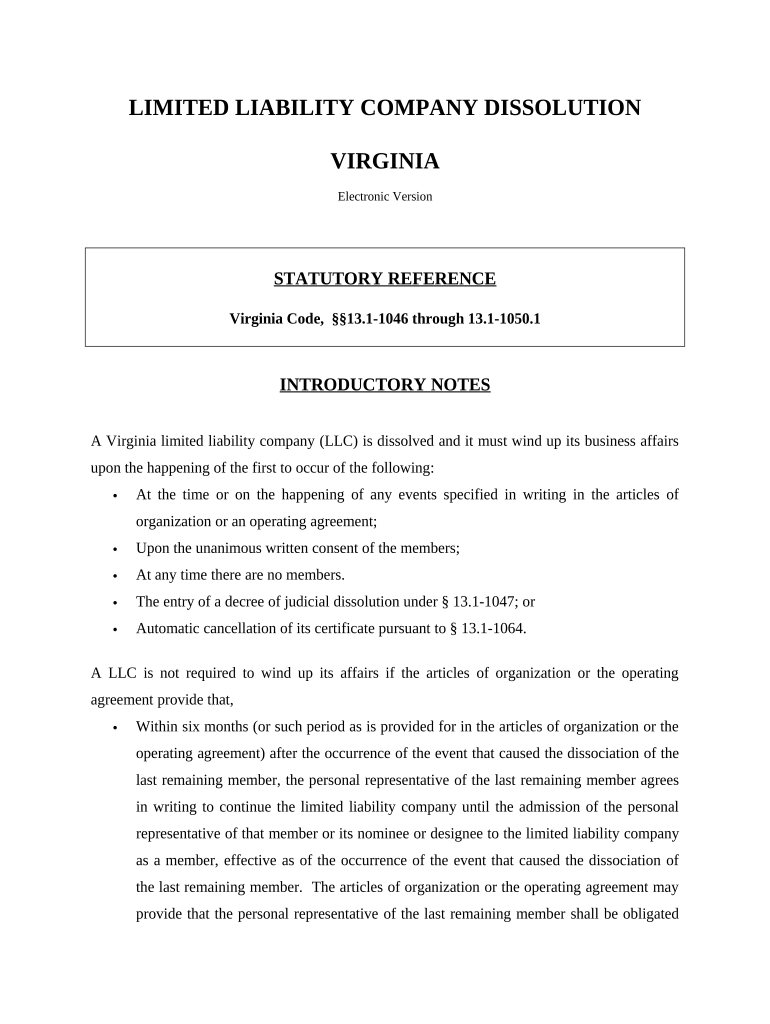
The Virginia LLC Dissolution is the formal record that ends an LLC's existence under state law and notifies Virginia's State Corporation Commission (SCC) and third parties that the company is winding up. It documents the members' decision to dissolve, confirms that debts and obligations will be addressed, and provides the information required by the SCC to terminate the LLC's registration. Properly completed termination paperwork also starts any post-dissolution obligations such as final tax filings and creditor notification, and it creates a public record of the entity’s closure.

Why you should file a formal dissolution

Filing a Virginia LLC Dissolution protects members from future liability, stops state reporting obligations, and enables final tax and asset distribution. A formal termination prevents ongoing franchise or registration obligations and makes it clear to creditors and counterparties that the LLC no longer conducts business.

Why you should file a formal dissolution

Who completes and relies on the dissolution filing

Typical users complete the dissolution to close an LLC and stop state obligations.

  • Members and managers who vote to dissolve the LLC and prepare required resolutions and filings.
  • Corporate counsel or attorneys who draft the Certificate of Termination and advise on creditor notices.
  • Accountants and tax professionals who prepare final federal and state tax returns and ensure payroll obligations are settled.

After filing, these parties use the termination record to finalize distributions, close accounts, and retain compliance records.

Step-by-step: completing a Virginia LLC Dissolution

Follow these stages in order to complete the dissolution correctly and minimize post-termination obligations.

  • 01
    Approve dissolution: Adopt member resolution per operating agreement.
  • 02
    Settle liabilities: Pay debts and notify known creditors.
  • 03
    Prepare termination: Complete the Certificate of Termination form accurately.
  • 04
    File with state: Submit to the SCC and retain proof of filing.

How submission and acknowledgement typically proceed

A dissolution moves from internal approval to state filing and then to administrative close-out; these are the routine milestones.

  • Internal vote: Members document approval in resolution.
  • Document preparation: Complete termination form and exhibits.
  • State filing: File with SCC by mail or online where available.
  • Confirmation: SCC returns an acknowledgement or certificate of termination.

Setting up a digital dissolution workflow

A clear digital workflow reduces errors: define who prepares, who approves, and where the signed record is stored.

Field Configuration
Document upload PDF or DOCX, single final version
Signer order Members first, then registered agent if required
Authentication Email + optional SMS code or stronger ID
Record storage Secure cloud archive with audit trail

Digital signing and platform needs for filing

Choose tools that produce tamper-evident signed PDFs, preserve an audit trail, and support required authentication.

  • File formats: PDF and DOCX supported
  • Authentication: Email link, SMS, or stronger
  • Integrations: CRM and cloud storage

Ensure the platform you use supports the state’s electronic filing options and retains a verifiable audit trail for the required retention period.

Timing considerations and typical deadlines

Key timing items affect tax filings, creditor notice periods, and the official termination date; plan these alongside the filing itself.

Effective date selection:

Choose the date to cease new business and begin winding up.

Post-approval filing:

File the termination promptly after member vote to avoid extra obligations.

Final tax returns:

Prepare final federal and state tax returns and issue final employment tax forms.

Creditor notices:

Provide required notices and allow statutory response periods before final distribution.

Record retention start:

Retention periods begin on the effective date or date of creation as specified by regulators.

Milestones from vote to administrative closure

A typical milestone sequence helps you track internal approvals, public filing, and post-filing obligations.

01

Member resolution

Document vote to dissolve and record minutes.

02

Prepare termination filing

Complete Certificate of Termination and exhibits.

03

File with SCC

Submit and obtain state acknowledgement.

04

Wind up and distribute

Settle liabilities and distribute remaining assets.

Core elements included in a professional dissolution filing

A complete dissolution package addresses corporate approval, state paperwork, creditor protections, and post-dissolution administration.

Member resolution

Formal written resolution or meeting minutes showing the decision to dissolve and authorizing filing of the Certificate of Termination.
Certificate of Termination

Completed state form with LLC name, entity ID, effective date, and authorized signature ready for submission to the SCC.

Creditor notice plan

Documentation of steps taken to notify known creditors and a plan for addressing claims during winding up.

Final tax documentation

Records showing final federal, state, and payroll tax filings and documentation of any final tax payments or clearances.

Asset distribution schedule

A clear plan for paying liabilities, returning capital, and distributing residual assets consistent with the operating agreement.

Record retention summary

A docket of documents to retain after termination, including signed certificates, final returns, and creditor correspondence.

Security and electronic-signature considerations

ESIGN / UETA: Recognized legal framework
RON support: Permitted in Virginia
TLS encryption: TLS 1.2/1.3 in transit
Data at rest: AES-256 encryption
Audit trail: Timestamps and IP logs
HIPAA available: BAA available where required

Top legal and financial risks of incomplete dissolution

Ongoing liability: Member exposure if not properly wound up
State penalties: Late or missing filings can trigger fines
Tax obligations: Unfiled final returns may incur penalties
Creditor claims: Unaddressed claims can become litigation
Registered agent issues: Service failures post-dissolution
Document rejection: Incorrect forms can be rejected

Common preparation mistakes to avoid

  • Failing to adopt a proper member resolution or not following the operating agreement’s approval process, which can invalidate distributions or expose members to dispute.
  • Neglecting creditor notice requirements or rushing distributions before liabilities are settled, leading to claims against remaining assets or personal liability.
  • Using an incorrect legal name or SCC ID on the filing, which can cause rejection and delay official termination of registration.
  • Overlooking final payroll, sales, or income tax filings and withholding obligations, which can result in penalties assessed after the LLC is closed.

Real-world closure scenarios and how they played out

Two typical scenarios illustrate practical issues teams encounter when dissolving an LLC in Virginia.

Small Services LLC

The members voted to dissolve after a decline in demand and documented the resolution

  • They paid final vendors and issued final payroll
  • After filing the Certificate of Termination, they retained records and completed final tax returns to close out obligations and avoid lingering assessments.

Property Management LLC

Owners sold the property and planned distribution of proceeds

  • They established a creditor notice timeline and escrow for disputed claims
  • Filing followed creditor notice and clearance of liens, enabling an orderly distribution consistent with the operating agreement.

Practical tips for accurate, efficient dissolution

Adopt a consistent process, document decisions, and coordinate tax and creditor steps before filing to reduce post‑dissolution exposure.

Document approvals thoroughly
Maintain signed resolutions and meeting minutes showing the member vote, including quorum and voting tallies, to support the legality of the dissolution and subsequent distributions.
Coordinate tax filings
Work with tax counsel or an accountant to file final federal, state, and payroll returns and to determine any required final employer tax deposits or information returns.
Notify creditors reasonably
Provide known creditors notice and hold funds as necessary to resolve claims before distributing remaining assets to members to limit liability risk.
Keep a retention plan
Create a document retention schedule that identifies which records to keep, for how long, and where they are stored to meet regulatory and tax requirements.

Typical eSignature vendor pricing and capabilities

Compare baseline pricing and common features for electronic signing platforms; signNow is listed first for parity in comparison.

signNow DocuSign Adobe Sign PandaDoc HelloSign
Starting Price $8/user/mo $15/user/mo $14/user/mo $19/user/mo $15/user/mo
Free Trial 7-day free trial Varies by vendor Varies by vendor Varies by vendor Varies by vendor
Bulk Send Yes (premium tier) Yes Yes Yes No
Audit Trail Yes Yes Yes Yes Yes
HIPAA Compliant Yes Yes Yes No No
Envelope Cap No envelope cap 100 envelopes/user/year Varies Varies Varies

Who can sign the Certificate of Termination

Managing Member

A managing member or an officer authorized by the operating agreement typically signs the termination. The signer should be identified in the resolution and have authority documented to avoid challenges to the filing.

Authorized Attorney

An attorney or other authorized representative may sign if the operating agreement or resolution grants express authority; provide a copy of the authorization with the filing when required.

Frequently asked questions about Virginia LLC Dissolution

Answers to common procedural and legal questions encountered when preparing and filing a Certificate of Termination.


Need help? Contact support

be ready to get more
Join over 28 million airSlate SignNow users