Establishing secure connection…Loading editor…Preparing document…

Voting Agreement

This template is fully customizable. Edit the text, fill out the fields, and send it for signature. Give it a try!
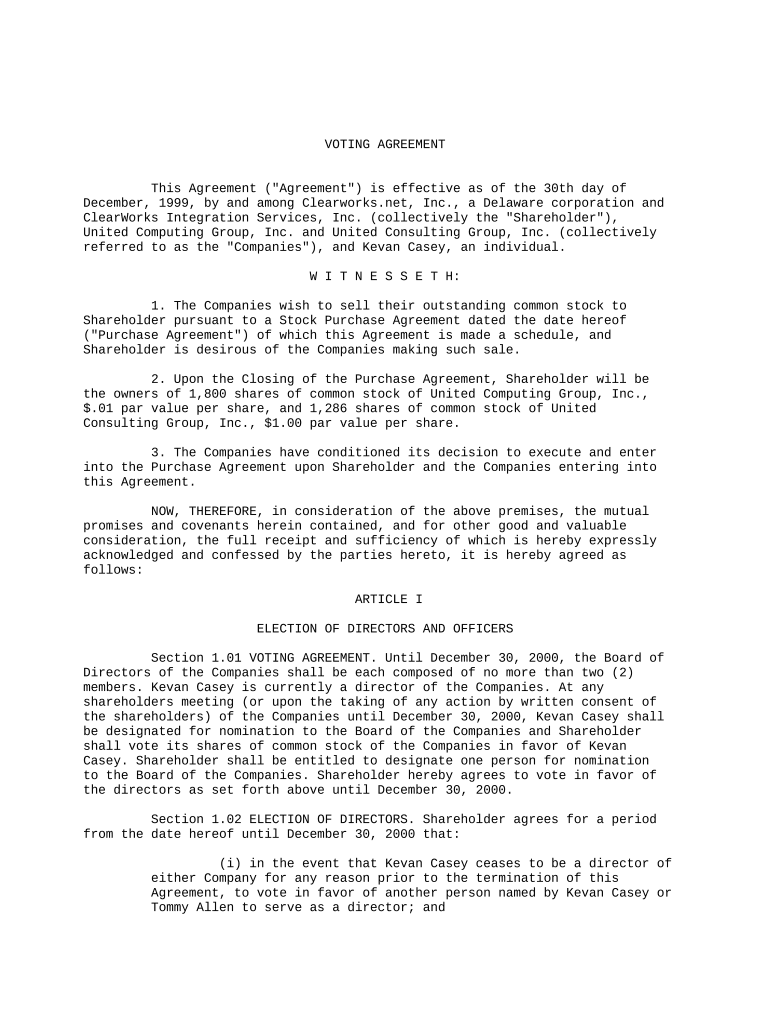
Voting Agreement

What a Voting Agreement Is and when it applies

A Voting Agreement is a legally binding contract among shareholders, partners, or members that specifies how they will cast votes on corporate matters such as board elections, mergers, or major corporate actions. Voting agreements commonly define voting thresholds, nominee selection procedures, deadlock resolution, and transfer restrictions tied to voting commitments. These agreements operate alongside corporate charters and bylaws and can affect control and governance. In the United States they are subject to state corporate law and general contract principles; some execution and delivery rules may be satisfied electronically under ESIGN and state UETA statutes.

Why parties use a Voting Agreement

A Voting Agreement clarifies decision-making, reduces future disputes, protects minority or majority interests, and creates predictable governance outcomes. It documents mutual commitments, supports investor protections, and can simplify regulatory compliance when paired with properly retained records and enforceable execution methods under state corporate law.

Why parties use a Voting Agreement

Who commonly prepares and signs Voting Agreements

Company founders, institutional investors, minority shareholders, and private equity sponsors in closely held or venture-backed companies commonly use Voting Agreements.

  • Founders and co-founders seeking to preserve control through coordinated board and shareholder votes.
  • Investors requiring agreed voting commitments as a condition of financing or protective provisions.
  • Family-owned businesses formalizing succession and governance arrangements across generations of owners.

Core provisions that make a Voting Agreement work

Essential provisions in a professional Voting Agreement allocate voting rights, set procedures for key decisions, and include remedies and transfer limitations to minimize governance disputes.

Voting Scope

Define specific matters covered (board elections, mergers, amendments), identify reserved actions, and state whether approvals require simple majority, supermajority, or unanimous consent.
Voting Blocks

Describe any block voting arrangements, pooled voting, or proxy delegation, including duration, revocation terms, and how votes are allocated among parties.

Board Nomination

Specify nomination rights, procedures for proposing candidates, fill vacancies, and any consent rights tied to investor classes or share tiers.

Transfer Restrictions

Include restrictions on share transfers that affect voting control, right of first refusal, tag-along and drag-along provisions, and permitted transfers exceptions.

Deadlock Remedies

Set mechanisms for resolving deadlocks such as mediation, binding arbitration, casting votes by an independent director, or buy-sell triggers.

Term & Termination

State effective date, duration, events causing termination, and survival clauses for obligations that outlast the agreement's termination.

Step-by-step: preparing and finalizing a Voting Agreement

Follow these steps to prepare, execute, and store a Voting Agreement to ensure legal validity and operational clarity.

  • 01
    Draft: Assemble terms and identify covered parties.
  • 02
    Review: Have corporate counsel and key stakeholders review.
  • 03
    Execute: Sign with required witnesses/notary or e-signature.
  • 04
    File & Store: Record with corporate records and distribute executed copies.

Configuring an electronic workflow for signature and retention

Configure an electronic workflow for secure signature collection, authentication, and document retention across stakeholders and audit trails.

Workflow Field or Setting Name Configuration
Signature Authentication and Verification Method Email link, SMS code, or knowledge-based authentication.
Field Types and Conditional Logic Use conditional fields for class-specific voting triggers.
Audit Trail and Retention Policy Capture timestamps, IP, and stored certificate for required period.
Signer Role Assignment and Ordering Define signer roles, order, and whether parallel signing allowed.

From draft to executed copy: the typical routing flow

Routing and submission steps for a Voting Agreement document, from creation to executed distribution and record retention.

  • Upload: Upload the final draft PDF or DOCX.
  • Place Fields: Add signature, date, and initial fields for each signer.
  • Authenticate Signers: Choose email, SMS, or advanced authentication per risk.
  • Complete & Archive: Store executed copy and export audit trail.

Platform features to support secure e-execution

Electronic execution and eSubmission require platform features that secure signatures, authenticate signers, and retain compliant audit trails.

  • Integrations: Salesforce, NetSuite, Google Workspace, Box
  • File Formats: PDF, DOCX, and Excel supported.
  • Security Standards: AES-256 at rest; TLS 1.2/1.3.

Security and compliance considerations

Encryption: TLS 1.2/1.3 in transit; AES-256 at rest.
Audit Trail: Timestamps, IP, and action history captured.
Compliance: ESIGN and UETA legal framework support.
Healthcare BAA: HIPAA-compatible with signed BAA required.
Access Controls: Role-based permissions and SSO support.
Certifications: SOC 2 Type II and ISO 27001.

Common risks and consequences of errors

Unenforceability: Improper execution may void commitments.
Breach Disputes: Ambiguous terms increase litigation risk.
Compliance Gaps: Failure to observe securities laws.
Transfer Issues: Incorrect transfer clauses hinder transactions.
Data Loss: Poor retention risks regulatory penalties.
Tax Reporting: Mismatched names affect tax reporting.

Practical drafting and execution best practices

Adopt clear drafting, consistent execution methods, and robust recordkeeping to improve enforceability, reduce disputes, and preserve stakeholder transparency.

Use precise voting definitions
Define voting matters, thresholds, and any class-specific exceptions explicitly. Avoid vague phrases like 'major matters' without citation to specific articles or thresholds; this reduces litigation over interpretation and supports enforcement.
Align with corporate charter
Ensure the Voting Agreement does not conflict with the certificate of incorporation, bylaws, or existing shareholder agreements. Where conflicts exist, obtain amendments or board resolutions to harmonize documents before execution to prevent invalidation.
Preserve an immutable audit trail
When using electronic execution, capture signer authentication, timestamps, IP addresses, and a certificate of completion. Retain copies in secure storage with restricted access to satisfy evidentiary requirements in disputes.
Limit transfer ambiguity and triggers
Include clear transfer restrictions, ROFRs, tag-along and drag-along clauses, and specify remedies for breach. Tie transfer mechanics to voting commitments to prevent inadvertent loss of control.

Four structural elements to check before signing

Core sections make a Voting Agreement enforceable: defined scope, signatory obligations, transfer limits, dispute remedies, and interaction with corporate governance documents.

Scope

List covered corporate actions, whether routine or major, and specify vote thresholds for each category.

Obligations

Set out precise voting commitments, duration, required actions at meetings, and notification duties. Include examples of permitted abstentions and procedures for substituted representatives.

Transfers

Detail transfer limitations, ROFRs, drag-along and tag-along mechanics, permitted exceptions such as transfers to affiliates or estates, and filing requirements following a transfer.

Remedies

Specify available remedies for breach including injunctive relief, liquidated damages, buyout formulas, or temporary suspension of voting rights until cure.

How organizations use Voting Agreements in practice

These short examples show common implementations of Voting Agreements and how electronic execution integrates with corporate workflows.

Optica Ventures — Brian Fitzgibbons

A small investment firm used a Voting Agreement template to coordinate founder and investor votes during portfolio company governance changes.

  • Executed online with remote signers and audit trail.
  • Optica reported smoother collection of signatures, clearer documentation of voting commitments, and a reduction in follow-up queries; the firm emphasized ease of use for clients and internal teams when agreements were executed online with full audit trails and secure storage.

Xerox — Kodi-Marie Evans

An enterprise with NetSuite integration linked Voting Agreements to contract lifecycle systems for automated recordkeeping and reporting.

  • Integrated execution via API and reusable templates.
  • Xerox highlighted that integration allowed routing, role-based signing, and consistent formatting across volumes, improving turnaround and maintainability while preserving centralized records for compliance and reporting.

Typical timing considerations for Voting Agreements

Typical deadlines for Voting Agreements relate to notice periods, execution timing, and record retention; timelines vary by corporate bylaws and state law.

Effective Date Entry:

Enter effective date as MM/DD/YYYY; governs start of obligations.

Shareholder Notice Period:

Provide notice consistent with bylaws; common periods range from 10 to 60 days.

Board Election Window:

Tie voting commitments to defined election dates or special meetings.

Execution Timeline Expectation:

Allow 1–7 business days for signatures in typical e-signature workflows.

Record Retention Start:

Retention begins on effective date and supports reproduction for audits.

Key milestones from negotiation to archival

Key milestones from negotiation through long-term storage help parties track obligations and preserve enforceability of Voting Agreements.

01

Negotiation & Drafting

Finalize terms and distribute redlines among parties.

02

Board/Shareholder Approval

Obtain approvals per bylaws and any required board resolutions.

03

Signing & Authentication

Execute via wet-ink or e-signature with robust authentication methods.

04

Filing & Recordkeeping

File with corporate records and retain executed copy securely.

Vendor pricing and capability comparison for e-signature usage

Comparison of vendor pricing and core capabilities relevant to executing Voting Agreements; signNow column appears first per page rules.

signNow DocuSign Adobe Sign PandaDoc HelloSign
Starting Price $8/user/mo $15/user/mo $14/user/mo $19/user/mo $15/user/mo
Free Trial Yes, 7-day trial Varies Varies Varies Varies
Bulk Send Yes Yes Yes Yes No
Audit Trail Yes Yes Yes Yes Yes
HIPAA Compliant Yes Yes Yes No No

Frequently asked questions about Voting Agreements

Answers to common questions about drafting, executing, and enforcing Voting Agreements, including electronic execution and recordkeeping.


Need help? Contact support

be ready to get more
Join over 28 million airSlate SignNow users