Establishing secure connection…Loading editor…Preparing document…

Will Revocation

This template is fully customizable. Edit the text, fill out the fields, and send it for signature. Give it a try!
Will Revocation

What a Will Revocation Is and when it applies

A Will Revocation is a formal statement or act by which a testator cancels a previously executed will or portions of it so the earlier instrument no longer governs distribution of the estate. Revocation can occur by executing a later will that expressly revokes prior wills, by a signed and witnessed revocation instrument, or by a physical act such as burning, tearing, or otherwise destroying the original will with intent to revoke. State rules vary for formalities; consult state statute or counsel for required witness or notarization steps.

Why you might use a Will Revocation

Revoking an outdated will clarifies estate distribution, reduces probate disputes, and aligns legal documents with current intentions. A clear revocation avoids ambiguity when multiple wills exist and helps executors and courts process the estate according to the testator’s latest instructions.

Why you might use a Will Revocation

Typical parties involved in a Will Revocation

Parties who commonly prepare, sign, or receive notice of a will revocation include the testator, estate attorneys, beneficiaries, and the named executor.

  • Estate attorneys and law firms advising clients on testamentary changes and preparing legally compliant revocation instruments.
  • Individual testators updating estate plans after life changes such as marriage, divorce, births, or asset transfers.
  • Executors and personal representatives who must record and act on revocation evidence during probate or estate administration.

Properly documenting and communicating a revocation helps reduce probate friction and protects the testator’s updated intentions from later challenge.

Core components of a professional Will Revocation

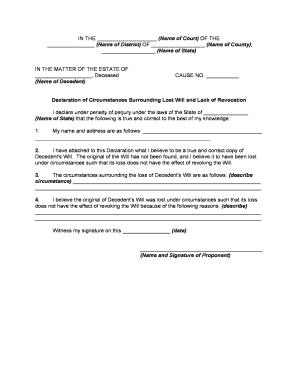
A professional revocation instrument includes a clear revocation clause, identification of the original will, testator details, execution details, witness attestations, and any self-proving or notarization language required by state law.

Revocation Clause

A concise statement that expressly revokes the prior will or specific provisions, using unambiguous language to eliminate doubt about intent.
Will Identification

Reference the original will by date and any distinguishing details so the revocation is tied to the correct instrument.

Testator Identity

Full legal name, date of birth, and current address to confirm the person executing the revocation is the testator of the earlier will.

Execution Details

Signing date and place plus any required witness signatures and notary acknowledgment to meet state formalities.

Witness Attestation

Witness signatures and their printed names and addresses; some states require two witnesses or a self-proving affidavit.

Notary / Self-Proving

If available, attach a self-proving affidavit or notary acknowledgment to ease probate, per state rules.

Information elements to include and protect

Testator Name: Full legal name as on ID
Date of Revocation: MM/DD/YYYY format
Original Will Date: Reference prior will date
Witness Details: Names and addresses
Notary Acknowledgment: Notary name or seal
Reason (Optional): Brief statement of intent

Consequences of an improperly executed revocation

Invalid Revocation: May be disregarded by courts
Probate Disputes: Increases litigation risk
Asset Delay: Holds on distribution
Title Confusion: Property transfer complications
Creditor Claims: Unclear obligations may arise
Procedural Defect: Witness/notary errors invalidate

Common mistakes to avoid when preparing a revocation

  • Failing to identify the prior will clearly, which can leave multiple instruments in conflict and require court interpretation.
  • Not following state execution formalities — missing witness signatures or notary acknowledgement can render a revocation ineffective.
  • Neglecting to physically destroy the old will when relying on a physical act of revocation, leaving ambiguous or contested evidence.
  • Failing to notify the executor, beneficiaries, or attorney, which can result in reliance on the prior will and unexpected outcomes.

Step-by-step: preparing and executing a Will Revocation

Follow these sequential actions to create a clear, enforceable revocation and reduce the risk of challenge.

  • 01
    Confirm Intent: Decide whether to revoke fully or partially.
  • 02
    Draft Revocation: Refer to the prior will and state formalities.
  • 03
    Execute Properly: Sign with required witnesses and notary if applicable.
  • 04
    Communicate: Provide copies to attorney, executor, and beneficiaries.

Where to keep, file, or deliver your revocation

After execution, distribute the revocation in ways that preserve its evidence and minimize confusion during probate.

  • Attorney File: Send a certified copy to your estate attorney for safe-keeping.
  • Personal Records: Place the original with other estate documents in a secure location.
  • Executor Notice: Provide copies to your appointed executor or personal representative.
  • Beneficiary Notice: Inform primary beneficiaries so they know of the change.

Customizing an online revocation workflow

If you use an eSignature platform, configure fields and authentication to meet legal formality and audit requirements.

Template Prepare a reusable revocation template to ensure consistency
Auto-detected Fields Use name, date, and signature fields mapped to signer identity
Authentication Require email plus SMS or knowledge-based verification
Bulk Notify Use bulk send to share copies with beneficiaries and counsel
Audit Trail Enable full event logging and certificate of completion

Digital execution and technical considerations

Electronic workflows must balance signer authentication, auditability, and adherence to state exceptions for wills.

  • File Formats: PDF or PDF/A recommended for long-term integrity
  • Integrations: Connect with cloud storage and case management systems
  • Authentication: Use multi-factor methods where permitted

Verify state law before relying on remote notarization or e-signature for revocation since wills are commonly excluded from ESIGN protections.

eSignature vendor comparison (pricing and core features)

Quick vendor snapshot for baseline pricing and feature availability relevant to executing legal documents; signNow is listed first per table convention.

signNow DocuSign Adobe Sign PandaDoc HelloSign
Starting Price $8/user/mo $15/user/mo $14/user/mo $19/user/mo $15/user/mo
Free Trial 7-day free trial Varies Varies Varies Varies
Bulk Send Yes Yes Yes Yes No
Audit Trail Yes Yes Yes Yes Yes
HIPAA Compliant Yes Yes Yes No No
Envelope Cap No cap 100 envelopes/user/year Varies Varies Varies

Frequently asked questions about Will Revocations

Answers to common questions about validity, formalities, and next steps help prevent errors and disputes.


Need help? Contact support

Practical tips to ensure a clear and enforceable revocation

Follow these practical steps to reduce challenges and make administration smoother for your estate representatives.

Use clear language
State an explicit revocation clause referencing the prior will by date; avoid ambiguous phrasing that invites interpretation.
Follow state formalities
Observe the required number of witnesses and notary procedures for your jurisdiction to ensure the revocation is legally effective.
Keep the original safe
Store the signed revocation with your estate planner or in a secure location and provide location details to the executor.
Document destruction
If revocation relies on physical destruction of the prior will, perform the act in a verifiable manner and have witnesses confirm it where possible.

Real-world use examples for a Will Revocation

Two concise scenarios illustrate when a revocation is used and the practical steps taken to preserve clarity.

Individual Update

A testator elderly and recently remarried wanted the new spouse excluded from a decade-old will and executed a signed revocation instrument

  • The revocation explicitly named the prior will by date
  • The testator signed before two witnesses and provided copies to the attorney and named executor to prevent probate confusion.

Attorney-Prepared Change

An estate attorney prepared a revocation after a client sold a major asset and sought to reallocate property in a new will

  • The attorney attached a self-proving affidavit to streamline probate
  • The original will was marked revoked, stored with the attorney, and beneficiaries were informed in writing.

be ready to get more
Join over 28 million airSlate SignNow users