Signed Loan Agreement with SignNow
Solución de firma electrónica galardonada





Do more online with a globally-trusted eSignature platform
Standout signing experience
Robust reports and analytics
Mobile eSigning in person and remotely
Industry polices and conformity
Signed loan agreement, faster than ever
Handy eSignature add-ons
Vea las firmas electrónicas de airSlate SignNow en acción


Soluciones de airSlate SignNow para una mayor eficiencia
Las reseñas de nuestros usuarios hablan por sí mismas











Por qué elegir airSlate SignNow
-
Prueba gratuita de 7 días. Elige el plan que necesitas y pruébalo sin riesgos.
-
Precios honestos para planes completos. airSlate SignNow ofrece planes de suscripción sin cargos adicionales ni tarifas ocultas al renovar.
-
Seguridad de nivel empresarial. airSlate SignNow te ayuda a cumplir con los estándares de seguridad globales.

Tu guía paso a paso — signed loan agreement
Using airSlate SignNow’s electronic signature any business can enhance signature workflows and eSign in real-time, providing an improved experience to consumers and employees. Use signed Loan Agreement in a couple of simple steps. Our handheld mobile apps make operating on the go possible, even while off the internet! Sign signNows from any place in the world and make tasks faster.
Follow the walk-through guideline for using signed Loan Agreement:
- Log on to your airSlate SignNow account.
- Locate your needed form within your folders or upload a new one.
- Open up the template adjust using the Tools list.
- Place fillable areas, add textual content and eSign it.
- List numerous signers using their emails and set up the signing sequence.
- Choose which recipients will receive an signed copy.
- Use Advanced Options to limit access to the template and set up an expiry date.
- Tap Save and Close when completed.
Furthermore, there are more innovative capabilities open for signed Loan Agreement. Include users to your shared workspace, view teams, and keep track of cooperation. Millions of customers across the US and Europe agree that a solution that brings everything together in a single holistic digital location, is the thing that businesses need to keep workflows performing smoothly. The airSlate SignNow REST API allows you to integrate eSignatures into your application, website, CRM or cloud storage. Check out airSlate SignNow and enjoy faster, smoother and overall more productive eSignature workflows!
Cómo funciona
Funciones de airSlate SignNow que los usuarios adoran





Vea resultados excepcionales Signed Loan Agreement with signNow
How to submit and eSign a PDF online
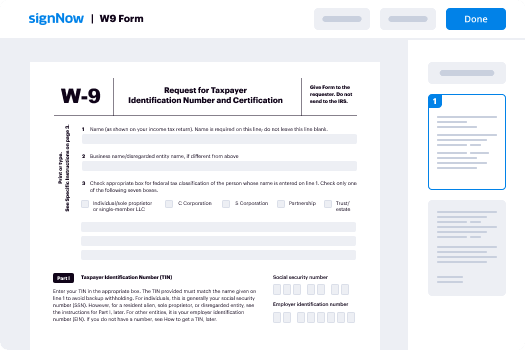
Try out the fastest way to signed Loan Agreement. Avoid paper-based workflows and manage documents right from airSlate SignNow. Complete and share your forms from the office or seamlessly work on-the-go. No installation or additional software required. All features are available online, just go to signnow.com and create your own eSignature flow.
A brief guide on how to signed Loan Agreement in minutes
- Create an airSlate SignNow account (if you haven’t registered yet) or log in using your Google or Facebook.
- Click Upload and select one of your documents.
- Use the My Signature tool to create your unique signature.
- Turn the document into a dynamic PDF with fillable fields.
- Fill out your new form and click Done.
Once finished, send an invite to sign to multiple recipients. Get an enforceable contract in minutes using any device. Explore more features for making professional PDFs; add fillable fields signed Loan Agreement and collaborate in teams. The eSignature solution supplies a protected process and functions in accordance with SOC 2 Type II Certification. Make sure that your records are guarded so no one can edit them.
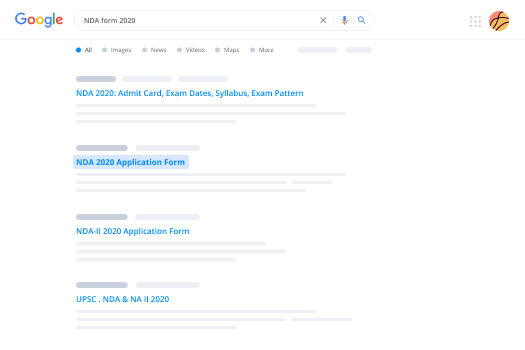
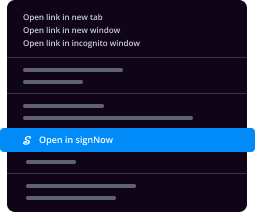
How to eSign a PDF template in Google Chrome
Are you looking for a solution to signed Loan Agreement directly from Chrome? The airSlate SignNow extension for Google is here to help. Find a document and right from your browser easily open it in the editor. Add fillable fields for text and signature. Sign the PDF and share it safely according to GDPR, SOC 2 Type II Certification and more.
Using this brief how-to guide below, expand your eSignature workflow into Google and signed Loan Agreement:
- Go to the Chrome web store and find the airSlate SignNow extension.
- Click Add to Chrome.
- Log in to your account or register a new one.
- Upload a document and click Open in airSlate SignNow.
- Modify the document.
- Sign the PDF using the My Signature tool.
- Click Done to save your edits.
- Invite other participants to sign by clicking Invite to Sign and selecting their emails/names.
Create a signature that’s built in to your workflow to signed Loan Agreement and get PDFs eSigned in minutes. Say goodbye to the piles of papers sitting on your workplace and begin saving money and time for extra important duties. Selecting the airSlate SignNow Google extension is a great handy option with many different benefits.
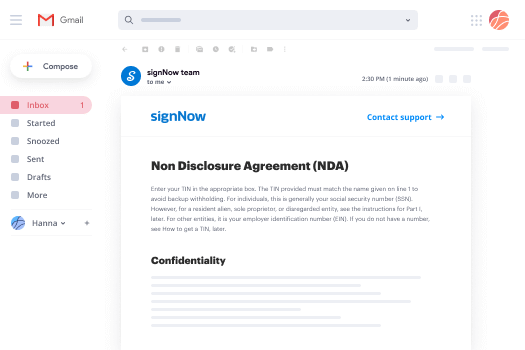
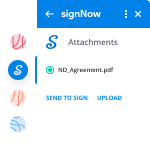

How to eSign an attachment in Gmail
If you’re like most, you’re used to downloading the attachments you get, printing them out and then signing them, right? Well, we have good news for you. Signing documents in your inbox just got a lot easier. The airSlate SignNow add-on for Gmail allows you to signed Loan Agreement without leaving your mailbox. Do everything you need; add fillable fields and send signing requests in clicks.
How to signed Loan Agreement in Gmail:
- Find airSlate SignNow for Gmail in the G Suite Marketplace and click Install.
- Log in to your airSlate SignNow account or create a new one.
- Open up your email with the PDF you need to sign.
- Click Upload to save the document to your airSlate SignNow account.
- Click Open document to open the editor.
- Sign the PDF using My Signature.
- Send a signing request to the other participants with the Send to Sign button.
- Enter their email and press OK.
As a result, the other participants will receive notifications telling them to sign the document. No need to download the PDF file over and over again, just signed Loan Agreement in clicks. This add-one is suitable for those who like focusing on more important goals rather than burning up time for nothing. Boost your day-to-day routine with the award-winning eSignature platform.
How to eSign a PDF file on the go without an mobile app
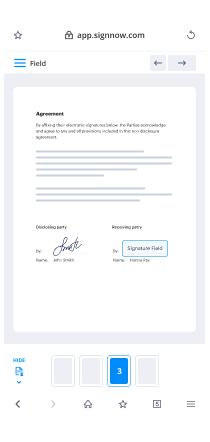
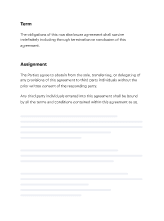
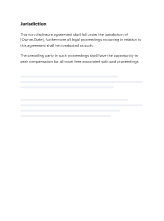
For many products, getting deals done on the go means installing an app on your phone. We’re happy to say at airSlate SignNow we’ve made singing on the go faster and easier by eliminating the need for a mobile app. To eSign, open your browser (any mobile browser) and get direct access to airSlate SignNow and all its powerful eSignature tools. Edit docs, signed Loan Agreement and more. No installation or additional software required. Close your deal from anywhere.
Take a look at our step-by-step instructions that teach you how to signed Loan Agreement.
- Open your browser and go to signnow.com.
- Log in or register a new account.
- Upload or open the document you want to edit.
- Add fillable fields for text, signature and date.
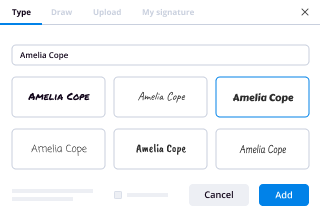
- Draw, type or upload your signature.
- Click Save and Close.
- Click Invite to Sign and enter a recipient’s email if you need others to sign the PDF.
Working on mobile is no different than on a desktop: create a reusable template, signed Loan Agreement and manage the flow as you would normally. In a couple of clicks, get an enforceable contract that you can download to your device and send to others. Yet, if you really want a software, download the airSlate SignNow mobile app. It’s comfortable, fast and has an intuitive layout. Try out smooth eSignature workflows from the workplace, in a taxi or on a plane.
How to sign a PDF file having an iPhone
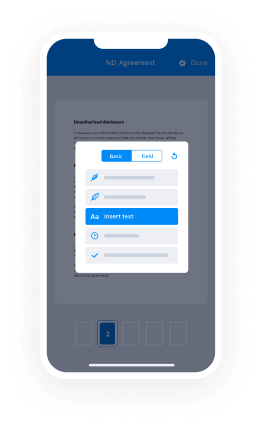
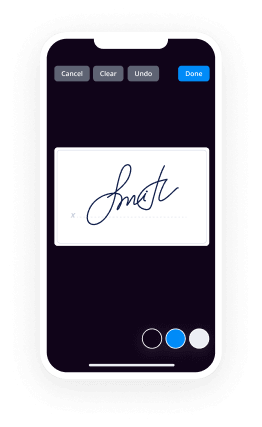
iOS is a very popular operating system packed with native tools. It allows you to sign and edit PDFs using Preview without any additional software. However, as great as Apple’s solution is, it doesn't provide any automation. Enhance your iPhone’s capabilities by taking advantage of the airSlate SignNow app. Utilize your iPhone or iPad to signed Loan Agreement and more. Introduce eSignature automation to your mobile workflow.
Signing on an iPhone has never been easier:
- Find the airSlate SignNow app in the AppStore and install it.
- Create a new account or log in with your Facebook or Google.
- Click Plus and upload the PDF file you want to sign.
- Tap on the document where you want to insert your signature.
- Explore other features: add fillable fields or signed Loan Agreement.
- Use the Save button to apply the changes.
- Share your documents via email or a singing link.
Make a professional PDFs right from your airSlate SignNow app. Get the most out of your time and work from anywhere; at home, in the office, on a bus or plane, and even at the beach. Manage an entire record workflow easily: create reusable templates, signed Loan Agreement and work on documents with partners. Turn your device into a powerful organization instrument for closing contracts.
How to eSign a PDF taking advantage of an Android
For Android users to manage documents from their phone, they have to install additional software. The Play Market is vast and plump with options, so finding a good application isn’t too hard if you have time to browse through hundreds of apps. To save time and prevent frustration, we suggest airSlate SignNow for Android. Store and edit documents, create signing roles, and even signed Loan Agreement.
The 9 simple steps to optimizing your mobile workflow:
- Open the app.
- Log in using your Facebook or Google accounts or register if you haven’t authorized already.
- Click on + to add a new document using your camera, internal or cloud storages.
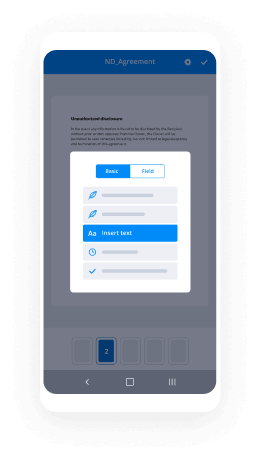
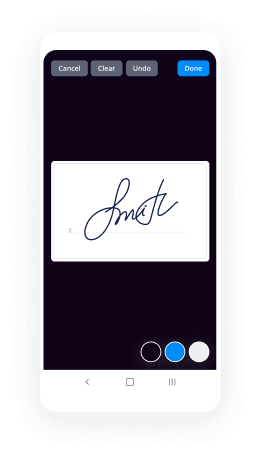
- Tap anywhere on your PDF and insert your eSignature.
- Click OK to confirm and sign.
- Try more editing features; add images, signed Loan Agreement, create a reusable template, etc.
- Click Save to apply changes once you finish.
- Download the PDF or share it via email.
- Use the Invite to sign function if you want to set & send a signing order to recipients.
Turn the mundane and routine into easy and smooth with the airSlate SignNow app for Android. Sign and send documents for signature from any place you’re connected to the internet. Build professional PDFs and signed Loan Agreement with a few clicks. Put together a faultless eSignature process with only your mobile phone and boost your total productiveness.
¡Obtenga firmas legalmente vinculantes ahora!
Preguntas frecuentes
-
How do I write a legally binding loan agreement?
Step 1 \u2013 Loan Amount, Borrower and Lender. ... Step 2 \u2013 Payment. ... Step 3 \u2013 Interest. ... Step 4 \u2013 Expenses. ... Step 5 \u2013 Governing Law. ... Step 6 \u2013 Signing. -
Does Cancelling a loan affect credit rating?
No, cancelling your loan application will not affect your credit or CIBIL score in anyway. However, when you apply for a loan, banks inquire into your credit score to check your credit worthiness. This is called a hard inquiry and puts a dent in your score. The negative impact, however, is minimal. -
Can you get out of a loan agreement?
A loan agreement is a contract between you, the borrower and the lender. ... Call the lender and explain that you would like to cancel the loan contract, disown the item it financed (car or house) and be relieved of any future obligations. Give your reasons and see if the lender is willing to work with you. -
Can I cancel a loan after approval?
One can get the loan cancelled even if sanctioned before availing the same by paying the Processing Charges or any other charges that may be levied by the Banks. However, once released one has to pay the loan with interest (some banks charge minimum 7 days interest) and prepayment charges, if applicable. -
How can I get out of loan me Loan?
Look at all your debts together. ... Prioritize high-interest debts. ... Ask for an extended payment plan. ... Refinance with a personal loan. ... Get a credit union payday alternative loan. ... Look into payday loan debt assistance. ... Borrow from your support network. ... Turn to your job for debt help. -
Will canceling a loan hurt my credit?
No, cancelling a loan application before the amount is disbursed will not have any impact on your credit score. ... No, cancelling a loan does not impact your credit score. The reason for this is simple \u2013 when you cancel a loan application, there is nothing that your lender has to report to the credit bureau. -
How do you write a promissory note for a family member?
Write the date of the writing of the promissory note at the top of the page. Write the amount of the note. ... Describe the note terms. ... Write the interest rate. ... State if the note is secured or unsecured. ... Include the names of both the lender and the borrower on the note, indicating which person is which. -
What makes a loan agreement legal?
A loan agreement is a contract between a borrower and a lender which regulates the mutual promises made by each party. ... Loan agreements are usually in written form, but there is no legal reason why a loan agreement cannot be a purely oral contract (although oral agreements are more difficult to enforce). -
What makes a loan legal?
A loan agreement is a contract between a borrower and a lender which regulates the mutual promises made by each party. ... Loan agreements are usually in written form, but there is no legal reason why a loan agreement cannot be a purely oral contract (although oral agreements are more difficult to enforce). -
Is a loan agreement a contract?
A loan agreement is a contract between a borrower and a lender which regulates the mutual promises made by each party. ... Loan agreements are usually in written form, but there is no legal reason why a loan agreement cannot be a purely oral contract (although oral agreements are more difficult to enforce).


