How to Use an Electronic Signature
- Quick to start
- Easy-to-use
- 24/7 support




Award-winning eSignature solution




Simplified document journeys for small teams and individuals

We spread the word about digital transformation







Why choose airSlate SignNow
-
Free 7-day trial. Choose the plan you need and try it risk-free.
-
Honest pricing for full-featured plans. airSlate SignNow offers subscription plans with no overages or hidden fees at renewal.
-
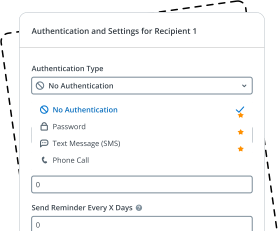
Enterprise-grade security. airSlate SignNow helps you comply with global security standards.







Increase the efficiency of your document-based processes with airSlate SignNow
Effortless-to-use eSignature tools
A single, secure hub for your documents
Robust integration and API functionality
Intuitive eSignature workflow configuration
Industry-leading protection and compliance
Extensive support team
Quick guide on how to use an electronic signature
The airSlate SignNow eSignature solution is here to replace your handwritten signature and streamline virtually any paper-driven, manual processes. Signing documents electronically saves time, reduces costs, and offers you the flexibility to sign agreements and business forms from anywhere and anytime, on any device. Keep reading to learn about tips on how to start enhancing your approval workflows and sign and send out documents for signing electronically.
Complete the following steps listed below to discover how to use an electronic signature:
- Open your web browser and go to signnow.com.
- Join for a free trial or log in utilizing your electronic mail or Google/Facebook credentials.
- Click on User Avatar -> My Account at the top-right area of the webpage.
- Customize your User Profile with your personal information and changing configurations.
- Create and manage your Default Signature(s).
- Return to the dashboard webpage.
- Hover over the Upload and Create button and choose the appropriate option.
- Click on the Prepare and Send option next to the document's title.
- Type the email address and name of all signers in the pop-up window that opens.
- Make use of the Start adding fields option to begin to modify file and self sign them.
- Click on SAVE AND INVITE when you're done.
- Continue to fine-tune your eSignature workflow employing advanced features.
It can't get any easier to learn how to use an electronic signature than it is with airSlate SignNow. Register your profile, modify and sign templates, request signatures, and monitor every activity taken to your documents.
How it works
Rate your experience
What is the how signature
The how signature is a method of electronically signing documents that allows individuals and businesses to authenticate their identity and consent to the contents of a document. This digital signature serves the same legal purpose as a handwritten signature, ensuring that the signer is who they claim to be and that the document has not been altered after signing. The how signature can be applied to various types of documents, including contracts, agreements, and forms, making it an essential tool for modern digital workflows.
How to use the how signature
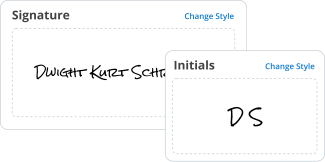
To use the how signature, users can follow a straightforward process. First, upload the document that requires a signature to airSlate SignNow. Next, select the area where the signature is needed. Users can then either draw their signature using a mouse or touchscreen, type it, or upload an image of their handwritten signature. After placing the signature, users can fill out any additional fields, such as dates or initials, before sending the document for signature or saving it for their records. This process streamlines document handling and enhances efficiency.
Steps to complete the how signature
Completing the how signature involves several clear steps:
- Log in to your airSlate SignNow account.
- Upload the document you wish to sign.
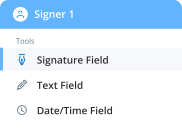
- Select the signature field and choose your preferred signing method.
- Fill out any required fields within the document.
- Review the document to ensure all information is accurate.
- Save the document or send it for signature to other parties as needed.
Each step is designed to be user-friendly, making it easy for anyone to complete the signing process electronically.
Legal use of the how signature
The how signature is legally recognized in the United States under the Electronic Signatures in Global and National Commerce (ESIGN) Act and the Uniform Electronic Transactions Act (UETA). These laws establish that electronic signatures hold the same legal weight as traditional handwritten signatures, provided that both parties consent to use electronic means for signing. This legal framework ensures that documents signed electronically are valid and enforceable in a court of law, promoting trust in digital transactions.
Security & Compliance Guidelines
When using the how signature, it is essential to adhere to security and compliance guidelines to protect sensitive information. airSlate SignNow employs advanced encryption methods to secure documents during transmission and storage. Additionally, users should ensure that they verify the identity of signers and maintain a clear audit trail of all signatures and actions taken on the document. Compliance with industry standards, such as GDPR and HIPAA, may also be necessary depending on the nature of the documents being signed.
Sending & Signing Methods (Web / Mobile / App)
Users can send and sign documents using the how signature through various methods. On the web, users can access airSlate SignNow via any browser, allowing for easy document management. The mobile app provides flexibility for users on the go, enabling them to sign documents directly from their smartphones or tablets. Each method ensures a seamless experience, allowing users to choose the platform that best suits their needs while maintaining the integrity of the signing process.
-
Best ROI. Our customers achieve an average 7x ROI within the first six months.
-
Scales with your use cases. From SMBs to mid-market, airSlate SignNow delivers results for businesses of all sizes.
-
Intuitive UI and API. Sign and send documents from your apps in minutes.
FAQs
-
What is an electronic signature and how to use it effectively?
An electronic signature is a digital representation of your intent to sign a document. To learn how to use an electronic signature effectively, you can utilize tools like airSlate SignNow, which offers a user-friendly interface to create and manage your signatures securely. Simply upload your document, add your signature, and send it for signing.
-
How to use an electronic signature for contracts?
To use an electronic signature for contracts, first, choose a reliable platform like airSlate SignNow. Upload your contract, drag and drop your signature field, and then send it to the other party for their signature. This process ensures quick turnaround times and legally binding agreements.
-
Is there a cost associated with learning how to use an electronic signature?
While many electronic signature platforms offer free trials, airSlate SignNow provides flexible pricing plans to fit different business needs. You can explore their pricing options to determine the best fit for your budget while learning how to use an electronic signature efficiently.
-
What are the benefits of using airSlate SignNow for electronic signatures?
Using airSlate SignNow for electronic signatures simplifies the signing process, making it faster and more secure. You'll benefit from real-time tracking, templates for repeated use, and the ability to integrate with other business tools. This enhances productivity and streamlines workflow.
-
How to use an electronic signature in different industries?
Different industries can utilize electronic signatures uniquely; for example, real estate professionals can quickly sign contracts, while healthcare providers can handle patient consent forms seamlessly. Learning how to use an electronic signature with airSlate SignNow allows you to adapt to industry-specific needs effectively.
-
Can I integrate airSlate SignNow with other software to use electronic signatures?
Yes, airSlate SignNow integrates with numerous applications such as Google Drive, Salesforce, and Dropbox. This integration facilitates smooth workflows and allows you to use an electronic signature in conjunction with your existing business tools, enhancing efficiency.
-
What security measures does airSlate SignNow take for electronic signatures?
AirSlate SignNow employs advanced security measures, including encryption and compliance with e-signature laws like ESIGN and UETA. This ensures that when you learn how to use an electronic signature, your documents remain safe and legally binding.


How to use an electronic signature
How to fill out and sign a document online
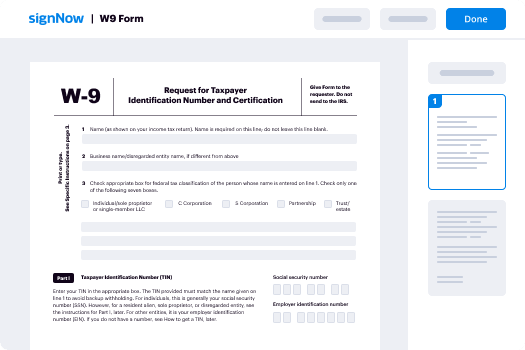
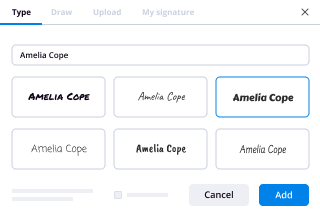
So, you need to eSign a document online? Drive your process with airSlate SignNow, a perfect solution to lost time, risky security and inefficient processes. Generate your signatures online in three possible ways: draw, type in or upload an image of a handwritten signature. how to use an electronic signature at ease.
Follow the step-by-step guidelines to how to use an electronic signature online:
- Upload a document.
- Once it’s uploaded, it’ll open in the online editor.
- Select My signature.
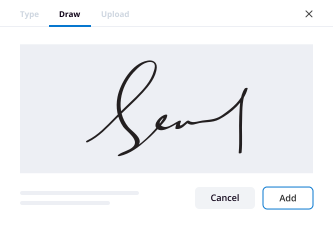
- Choose one of three options to generate a signature: draw, type or upload an image of a handwritten one.
- Once you create a signature click Ok.
- Finish the process by clicking Done.
airSlate SignNow supports almost every format: PDF, Word, etc. Apart from signing a document, you can fill it out by adding a variety of fields: text, date, dropdown. Send a doc for signing via email, SMS or with a public hyperlink. Set-up Bots that’ll remind a signer to validate the document and notify a sender once it's signed. how to use an electronic signature efficiently right away.
How to generate an eSignature using Google Chrome
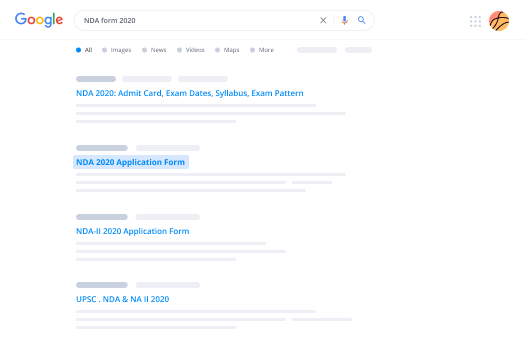
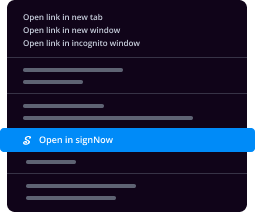
Google Chrome features multiple advantages that users can’t ignore, making it the top browser across the US. For instance, it’s the number one browser for its speed and library of extensions. With Chrome you can synchronize bookmarks, history and settings across all of your devices. To sign a document in Google Chrome, search for the airSlate SignNow add-on in the Web Store and download it. how to use an electronic signature without buying software.
Close deals in Google Chrome:
- Once you download the airSlate SignNow add-on, click on the icon in the upper menu.
- Upload a document you want to eSign.
- It’ll open in the online editor.
- Select My Signature.
- Generate a signature and click Done.
- After you how to use an electronic signature save the executed doc to your device.
The add-on helps streamline the signing process without the need for additional software. It’s compatible with major systems (Mac pc and Windows) and advantages customers by providing a fast, secure and efficient eSigning experience without leaving your Google window. how to use an electronic signature advantageously.

How to eSign in Gmail
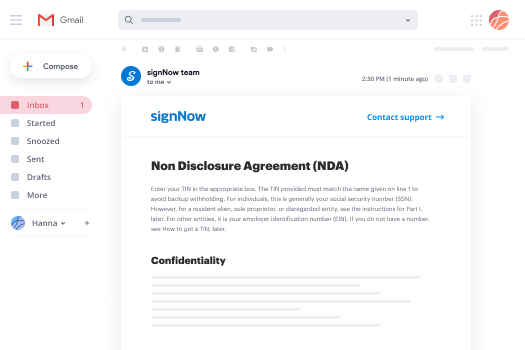
If you’re someone who already loves the experience airSlate SignNow delivers, you’re in for a treat. Raise your hand if you find it time-consuming and inconvenient to switch from your Gmail to your airSlate SignNow account to sign documents. Guess what. Now, get an impactful new way to eSign right from your inbox. how to use an electronic signature for the first time right from the message you received with the attachments that need signing.
How to use an electronic signature in Gmail:
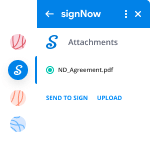
- From your Gmail account click Settings -> Get add-ons.
- Once you find the add-on, install it. It’ll appear in the right-hand sidebar.
- Open an email with an attachment that you need to share for signing and click airSlate SignNow.
- Click Send to sign, enter the recipient’s email address.
- Click Upload to add the doc to your airSlate SignNow account.
airSlate SignNow is one of the leading eSignature solutions on the market. It’s always developing and improving its functionality to meet your most sophisticated requirements. The integration with Gmail enables end users to rapidly, effectively and securely manage eSignatures. Save time and how to use an electronic signature in just a few minutes.
How to generate a signature on mobile
In the era of the digital revolution and instant messaging, users can manage and sign documents on the go via eSigning applications for smartphones and tablets. airSlate SignNow packs two powerful apps, one for iOS and another for Android for generating signatures and to how to use an electronic signature forms.
Taking mobile signatures to the next level:
- Depending on the device you have, find the airSlate SignNow app from the Google Play Market or the AppStore.
- Sign in if you already have an account.
- Register if you don’t already have an account.
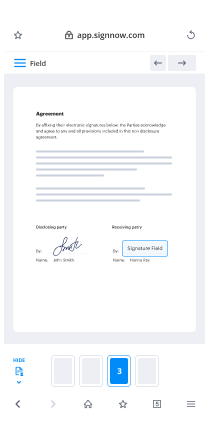
- Upload a doc you want to how to use an electronic signature.
- Follow the instructions for adding a signature.
- After you’ve placed your signature, save your changes and click Done.
The airSlate SignNow application allows you to sign documents while offline. Once you regain internet access the files you executed will automatically send the recipients they’re intended for. airSlate SignNow is actually a useful app that helps users to how to use an electronic signature and keeps document workflows running smoothly.
How to create a signature on an iPhone
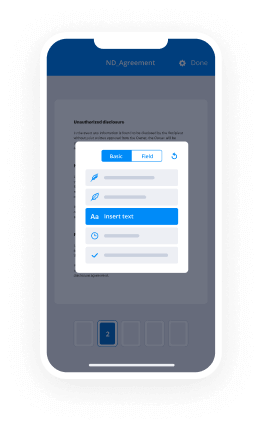
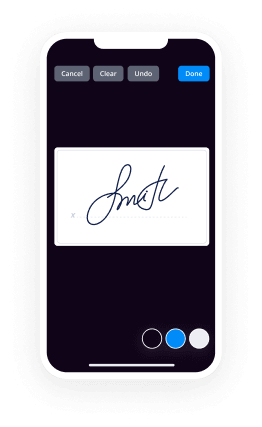
If you’re reading this, you probably need to sign some documents. But you have to get it done on your phone, right? Normally, that’s a tough situation. However, the airSlate SignNow app for Apple, makes mobile signing a piece of cake. Get a powerful mobile-first solution for validating your docs with legally-binding eSignatures, negotiate contracts and automate your workflow. With airSlate SignNow you can how to use an electronic signature from your iPhone while on the go.
How to use an electronic signature on an iPhone and show off to your colleagues:
- Install the airSlate SignNow app and register your account.
- Upload a document.
- Edit the file if you need to.
- Add signature fields and self-sign before sending it to partners or clients.
- Tap Done and generate signing links.
The app is well suited for work within an organization or for B2B and B2C collaboration. It can be used to send out contracts for signing even when users don’t have airSlate SignNow accounts. Notification Bots keep users updated on document status changes. The airSlate SignNow app is a perfect solution to how to use an electronic signature fast, securely and effortlessly.
How to sign e-documents on an Android
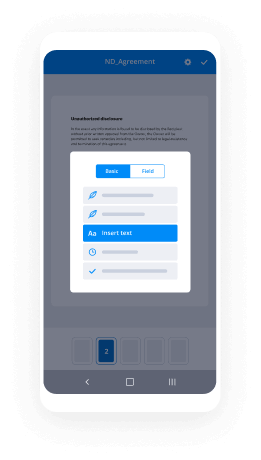
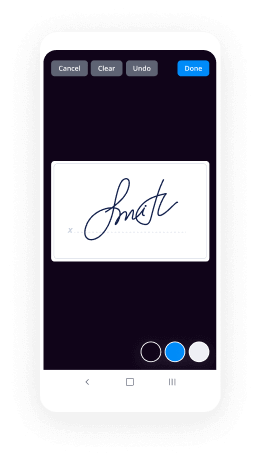
Not only can you eSign a contract, but you can also send a link to the document to your teammates and vendors with the help of airSlate SignNow for Android. Use the full-featured solution to generate an eSignature and reuse it in the future for document verification. how to use an electronic signature fast and conveniently.
Here are the guidelines to how to use an electronic signature on Android:
- Download the app and create an account.
- Import the doc that needs signing.
- Edit it and add fields, including a signature field.
- Set a signing order.
- Self sign it after you created a unique eSignature
- Generate a link and send the document to the other parties involved.
- Keep track of the process with automatic notifications.
airSlate SignNow is a holistic application that can work with documents stored in your account, the cloud and on your device. Besides its eSignature functions, it helps manage business workflows from anywhere and at any time. The platform’s user-friendly interface makes it fast and easy to how to use an electronic signature .
Trusted eSignature solution - how to use an electronic signature


Join over 28 million airSlate SignNow users
Get more for how to use an electronic signature
- Learn How to Add Signature Image in Gmail Easily with ...
- Change Your Email Signature in Outlook Effortlessly
- Change Your Email Signature in Outlook With airSlate ...
- Streamline Your Workflow with Microsoft Outlook ...
- Draw Signature Google Docs Made Easy with airSlate ...
- Unlock the Secret to How to Edit PDF After Signature ...
- Change My Signature with airSlate SignNow
- Learn How to Change Signature in Outlook 365 Webmail ...
The ins and outs of eSignature


