Minnesota Tax Forms 2001
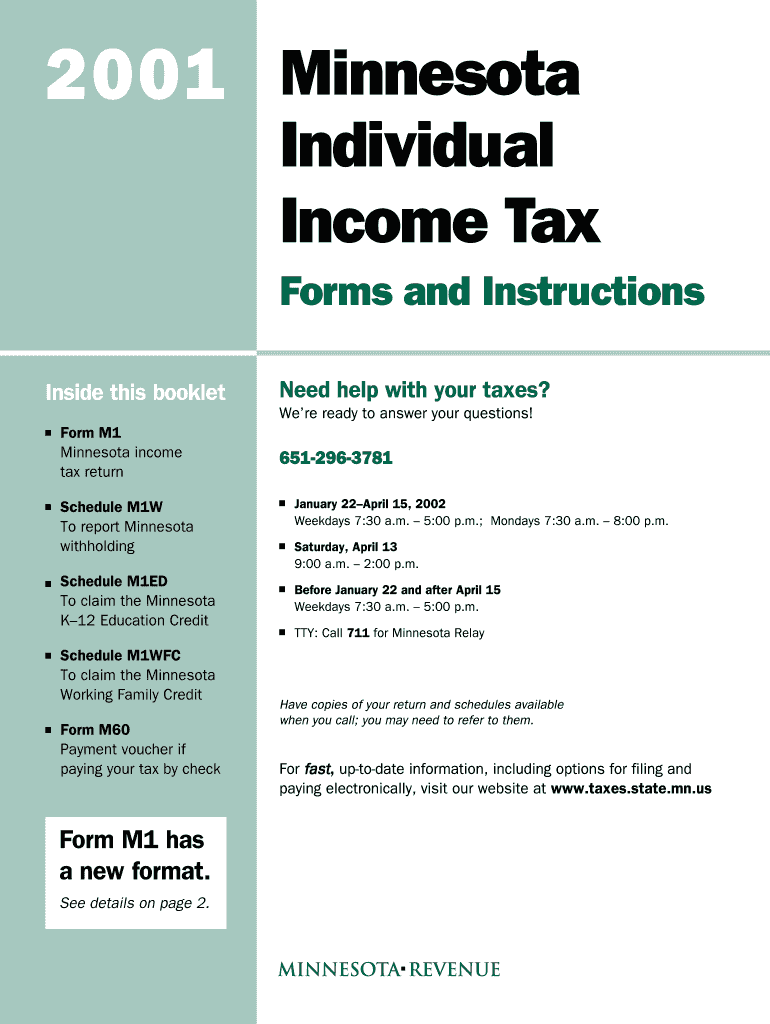
What Minnesota Tax Forms 2001 Cover and who uses them
Why accurate completion of Minnesota Tax Forms 2001 matters
Correctly prepared state tax forms reduce the risk of penalties, interest, and audit attention while preserving eligibility for credits and refunds. Clear documentation and consistent signatures support compliance, and properly retained records meet IRS and state retention requirements.

Who prepares and signs these Minnesota tax forms
Common users include individual filers, payroll administrators, and professional preparers responsible for accurate reporting and submission.
- Individual taxpayers preparing personal income returns or amendments; often gather W-2s, 1099s, and itemized schedules.
- Employers and payroll administrators filing withholding reports and employer-related returns on behalf of staff and contractors.
- Tax professionals and certified preparers completing returns, reconciling state schedules, and advising on state-specific credits.
Responsibilities vary by role: preparers must verify identity and figures; payors must issue correct information returns to recipients.
Step-by-step: completing a Minnesota Tax Form 2001
-
01Gather Documents: Collect W-2s, 1099s, receipts, and prior-year returns before starting.
-
02Select Form: Identify the exact Minnesota form or schedule required for the tax type.
-
03Complete Fields: Enter taxpayer details, numeric amounts, and checkboxes with care.
-
04Submit & Retain: File electronically or by mail and keep copies per retention rules.
How to configure an online form workflow for Minnesota tax filings
| Field | Configuration |
|---|---|
| Authentication Method | Email link with optional SMS two-factor authentication for signer verification. |
| Signature Fields | Place signature, date, and printed-name fields to mirror the paper form layout. |
| Conditional Logic | Use conditional fields when schedules depend on checkbox entries to reduce user errors. |
| Notifications | Enable email reminders and completion receipts for sender and signers. |
Typical electronic filing flow for state tax forms
-
Prepare Document: Populate form fields and attach supporting schedules or statements.
-
Assign Signers: Add payer, preparer, or taxpayer email addresses in signing order.
-
Authenticate Signers: Verify identity using agreed authentication strength before signature.
-
Submit & Archive: Transmit to the state portal or mail and store audit trail and signed copies.
Technical considerations for eSubmission and signatures
Ensure chosen platforms support required file types, authentication, and audit trails for state submissions.
- Supported Formats: PDF, DOCX, and flattened PDF forms are widely accepted.
- Integrations: Connectors to accounting or payroll systems simplify bulk reporting.
- Authentication Options: Email, SMS, or more advanced multi-factor methods improve signer attribution.
Confirm the Minnesota Department of Revenue portal accepts the chosen format and signature method before final submission.
Key filing deadlines commonly relevant to state and federal forms
W-2 and 1099-NEC:
Provide to recipients and file with IRS by January 31 each year.
1099-MISC:
Recipient copies by January 31; paper IRS filing typically by February 28.
Individual Return (Form 1040):
Federal deadline April 15; state deadlines commonly align but verify Minnesota dates annually.
Extension (Form 4868):
Extension request filed by original return due date; payment obligations still due.
FBAR (FinCEN 114):
Federal FBAR due April 15 with automatic extension to October 15.
Milestones from preparation to post-filing retention
Preparation Complete
All fields and attachments finalized and reviewed before submission.
Submit to State
Form transmitted electronically or mailed to the Minnesota Department of Revenue.
Acknowledgement Received
Capture confirmation or USPS proof of delivery as filing evidence.
Record Retention
Store signed forms and supporting records according to retention rules.
Common preparation pitfalls to avoid
- Missing or mismatched taxpayer identification numbers leading to backup withholding and rejections.
- Incorrect year or filing period entered causing processing delays and potential amendments.
- Incomplete supporting schedules or omitted income items triggering audits or adjustments.
- Failure to retain signed originals and audit trail evidence for the required retention period.
Penalties and legal risks from incorrect reporting
Paper versus electronic filing: a concise comparison
| Criterion | Paper Filing | Electronic Filing |
|---|---|---|
| Accepted by Minnesota DOR | ||
| Processing Time | slower | faster |
| Proof of Filing | stamped receipt | audit trail email |
| Signature Method | handwritten | electronic trace |
Representative eSignature vendor pricing and capability snapshot
| signNow | DocuSign | Adobe Sign | PandaDoc | HelloSign | |
|---|---|---|---|---|---|
| Starting Price | $8/user/mo | $15/user/mo | $14/user/mo | $19/user/mo | $15/user/mo |
| Free Trial | 7-day trial, no card | Varies | Varies | Varies | Varies |
| Bulk Send | Yes | Yes | Yes | Yes | No |
| Audit Trail | Yes | Yes | Yes | Yes | Yes |
| HIPAA Compliant | Yes | Yes | Yes | No | No |
| Envelope Cap | No cap | 100 envelopes/user/year | Varies | Varies | Varies |
Frequently asked questions about Minnesota Tax Forms 2001
-
Are electronic signatures accepted?
Yes for many Minnesota tax forms when the filing channel accepts them; ESIGN (15 U.S.C. §7001) and UETA support their legal validity. Confirm acceptance with the Minnesota Department of Revenue before relying on e-signatures for a specific submission.
-
What if I entered the wrong TIN?
Correct the error promptly. A missing or incorrect TIN can trigger backup withholding at 24% and may require corrected information returns to avoid penalties under IRC §6721.
-
How do I amend a filed Minnesota return?
Submit the state-approved amended return form or follow the Department of Revenue guidance for amendments. Keep the original filing, amendment, and supporting documents for the applicable retention period.
-
When is notarization required?
Most routine tax forms do not require notarization, but supporting documents such as powers of attorney or affidavits may. Check the specific form instructions and state notary rules.
-
How long must I keep signed copies?
Keep signed returns and supporting documents at least three years from filing; retain for six years when income is substantially understated, per IRC §6501(a). Industry rules like HIPAA may require longer retention.
-
Who can sign on behalf of an entity?
Authorized officers, partners, or persons with power of attorney may sign. Ensure signatory authority is documented and retained; for durable powers of attorney verify state execution requirements.