Establishing secure connection… Loading editor… Preparing document…
Navigation

Fill and Sign the 21 Form Single Track License
Fill and Sign the 21 Form Single Track License

How it works

Open the document and fill out all its fields.
Apply your legally-binding eSignature.
Save and invite other recipients to sign it.

Rate template

4.8
62 votes
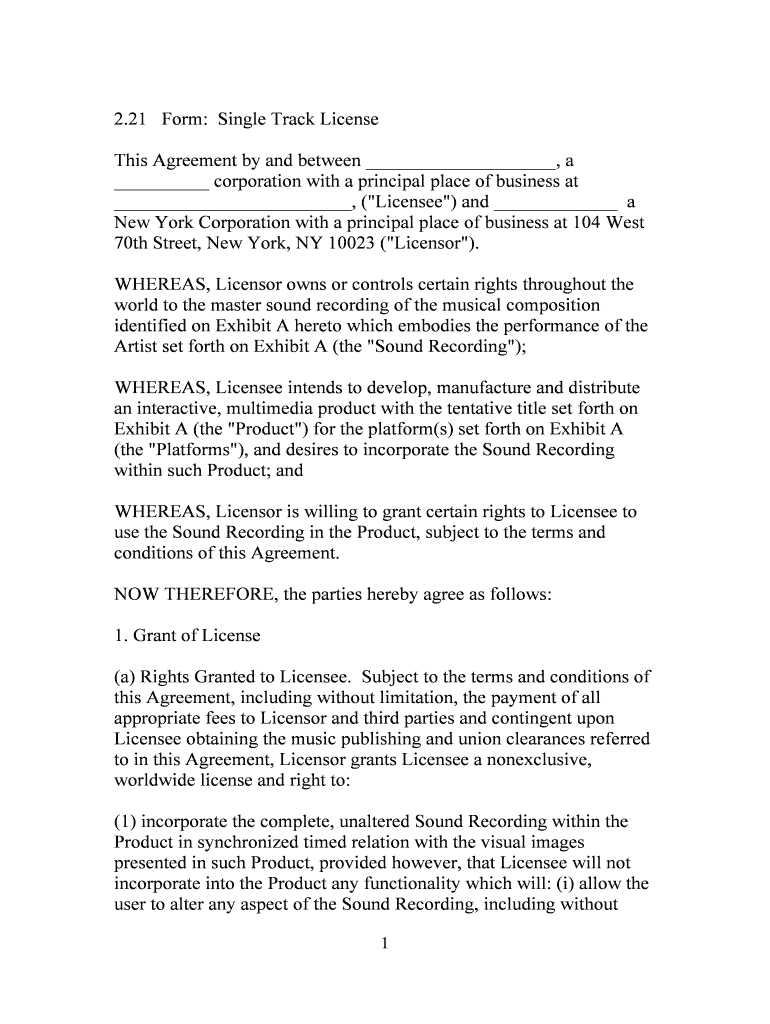
1 2.21 Form: Single Track License This Agreement by and between ____________________, a __________ corporation with a principal place of business at _________________________, ("Licensee") and _____________ a New York Corporation with a principal place of business at 104 West 70th Street, New York, NY 10023 ("Licensor"). WHEREAS, Licensor owns or controls certain rights throughout the world to the master sound recording of the musical composition identified on Exhibit A hereto which embodies the performance of the Artist set forth on Exhibit A (the "Sound Recording"); WHEREAS, Licensee intends to develop, manufacture and distribute an interactive, multimedia product with the tentative title set forth on Exhibit A (the "Product") for the platform(s) set forth on Exhibit A (the "Platforms"), and desires to incorporate the Sound Recording within such Product; and WHEREAS, Licensor is willing to grant certain rights to Licensee to use the Sound Recording in the Product, subject to the terms and conditions of this Agreement. NOW THEREFORE, the parties hereby agree as follows: 1. Grant of License (a) Rights Granted to Licensee. Subject to the terms and conditions of this Agreement, including without limitation, the payment of all appropriate fees to Licensor and third parties and contingent upon Licensee obtaining the music publishing and union clearances referred to in this Agreement, Licensor grants Licensee a nonexclusive, worldwide license and right to: (1) incorporate the complete, unaltered Sound Recording within the Product in synchronized timed relation with the visual images presented in such Product, provided however, that Licensee will not incorporate into the Product any functionality which will: (i) allow the user to alter any aspect of the Sound Recording, including without 2 limitation, its sequence, tone, or quality, or (ii) provide for audio sampling capabilities. Additionally, the license granted herein shall not be construed to allow the Licensee to make the Sound Recording accessible to the end-user of the Product other than in conjunction with images, and this license is expressly contingent on the synchronization with images; (2) manufacture, market, promote, sell, license, and distribute copies of the Product which incorporate the Sound Recording, both directly to end users and indirectly through distributors, dealers, resellers, agents, and other third parties; and (3) subject to the provisions of Article 2, use the full and complete name of the Artist for the credits and packaging of the Product and the distribution, exhibition, advertising, and exploitation of the Product. (b) Rights Reserved to Licensor. Licensee acknowledges that it has no rights in the Sound Recording except those expressly granted by this Agreement. Nothing herein shall be construed as restricting Licensor's right to sell, lease, license, modify, publish, distribute, transmit, create derivatives of, or publicly perform in any way the Sound Recording, in whole or in part. (c) Exclusions. Notwithstanding anything to the contrary in this Agreement, including without limitation anything set forth on Exhibit A hereto, this license does not include rights to: (1) distribute the Sound Recording in any way separate and apart from in the Product in timed synchronized with images; (2) make, sell, or distribute audio phonorecords that reproduce the Sound Recording; (3) use the title of the Sound Recording as part of the title of the Product; (4) utilize the Sound Recording in conjunction with any distribution or transmission technologies other than physical distribution of devices compatible with the Platforms (and expressly excluding any Internet, intranet or other public or propriety on-line technology (e.g., an "on-line service"), or any cable, broadcast, satellite, or wireless technology); (5) publicly perform through any media in any way the Sound Recording; (6) dramatize any part of the plot or lyrics to the Sound Recording; or 3 (7) make any other use of the Sound Recording not expressly authorized therein. (d) No License to Musical Composition. This license does not include any grant of rights with respect to the musical composition performed in the Sound Recording. Prior to exercising any rights granted in this Agreement, Licensee shall obtain, from the owners of the copyrights in the musical work performed in the Sound Recording, all licenses that may be required for the use of that musical work in the Product. Licensee will pay all copyright fees to the music publisher of such musical. 2. Credits Licensee will provide a credit and copyright notice in the Product in the following form: "[Sound Recording] performed by ___________, courtesy of ___________. Copyright 19__, [Licensor]" The placement, size, prominence, and duration of such credit shall be in a manner set forth in Exhibit A (provided that if Exhibit A is silent or this issue, it shall be in a manner approved in writing by Licensor.) 3. Licensor's Delivery Obligations Following execution of this Agreement, and the payment of any fees due to Licensor upon execution, Licensor will provide Licensee with a master copy of the Sound Recording in a form to be specified by Licensor. 4. Quality Review (a) Beta Version Licensee will submit to Licensor, to the attention of the Licensor representative identified in Exhibit A, a beta copy of the Product incorporating the Sound Recording no later than twenty (20) business days prior to the scheduled general beta release for review and approval by Licensor. If Licensor determines that the quality of the Product is not in accordance with Licensor's standards, or if the use of the Sound Recording on the Product is otherwise unacceptable to 4 Licensor, Licensor shall so advise Licensee in writing of the manner in which the use of the Sound Recording is unacceptable (a "Beta Deficiency Notice"). Licensee shall take all necessary steps to resolve any deficiencies noted in the Beta Deficiency Notice and shall submit a revised beta version of the Product for Licensor's review. The process set forth in this Section 4(a) shall be repeated, and Licensee will not issue the beta release until Licensor has approved the beta version of the Product in writing. The beta version of the Product shall not be deemed to be approved by Licensor without Licensor's express written statement thereof. (b) Final Product Licensee will submit to Licensor, to the attention of the Licensor representative identified in Exhibit A, a proposed final copy of the Product incorporating the Sound Recording no later than twenty (20) business days prior to the scheduled date of the earlier of promotional or commercial release, for review and approval by Licensor. If Licensor determines that the quality of the Product is not in accordance with Licensor's standards, or if the use of the Sound Recording on the Product is otherwise unacceptable to Licensor, Licensor shall so advise Licensee in writing of the manner in which the use of the Sound Recording is unacceptable (a "Final Product Deficiency Notice"). Notwithstanding the foregoing, Licensor shall not disapprove any element of the Product which it had approved in the review of the beta version of the Product. Licensee shall take all necessary steps to resolve any deficiencies noted in the Final Product Deficiency Notice and shall submit a revised proposed final version of the Product for Licensor's review. This process shall be repeated, and Licensee will not issue the promotional or commercial lease of the Product until Licensor approved the Product in writing. The Product shall not be deemed to be approved by Licensor without Licensor's express written statement thereof. 5. Licensor's Warranties (a) Authority. Licensor represents and warrants that it has the right and authority to enter into this Agreement and to grant Licensee the rights to the Sound Recording that are granted in this Agreement. 5 (b) DISCLAIMER. THE FOREGOING ARE THE ONLY WARRANTIES MADE BY LICENSOR. LICENSOR SPECIFICALLY DISCLAIMS ALL OTHER WARRANTIES, EXPRESS OR IMPLIED, INCLUDING, BUT NOT LIMITED TO, THE IMPLIED WARRANTIES OF MERCHANTABILITY AND FITNESS FOR A PARTICULAR PURPOSE. (c) Licensee. Licensee warrants and represents that it has obtained approval from all other persons or entities whose approval is required for the use of the Sound Recording as contemplated herein, including without limitation the individuals and/or entities identified in Section 8 herein. Licensee shall be solely responsible for any payments to such individuals and/or entities with regard to Licensee's use of the Sound Recording. Licensee further represents and warrants that except with respect to the rights to be licensed herein, the Product shall not infringe or violate any third party rights, including intellectual property, contract, pricing or publicity rights, and the Product and its use thereof shall be in accordance with the laws and regulations of every jurisdiction in which it is distributed. 6. Indemnification Licensee will defend, indemnify, and hold Licensor harmless from and against any and all liabilities, losses, damages, costs, and expenses (including legal fees) associated with any claim or action brought against Licensor based upon or relating to, in whole or in part, the Product, the use of the Product, or any allegation which if true, would constitute a breach of Licensee's representations, warranties or covenants hereunder, including without limitation any claim related to the unauthorized use of any composition and any claims of artist, producers, or other individuals or entities related to the Sound Recording (excluding any claim or action solely with respect to the copyright in the Sound Recording). 6 7. Payment to Licensor Licensee will pay Licensor the Compensation specified on Exhibit A. 8. Third-Party Consents and Payments Licensee shall make the following payments required in connection with the manufacture, sale, licensing, or distribution of the Sound Recording as part of the Product. (a) Owners of Musical Work. Licensee will obtain a license from the owners of the copyright in the composition performed in the Sound Recording sufficient to authorize the use contemplated by Licensee and shall pay all applicable royalties and/or license fees required by the owner of the copyright in such composition. (b) Union Payments. Licensee will pay all sums, if any, payable to the AF of M Music Performance Trust Fund and Special Payments Trust Fund, the AFTRA Pension and Welfare Fund, or any similar funds, and reuse fees, if any, that may be required by applicable unions as a result of Licensee's use of the Sound Recording in the Product, immediately after receipt of notice from Licensor as to the amount of such fees. 9. Limitation of Liability Licensor's liability to Licensee shall be limited to direct damages and shall in no event exceed $1,000. Without limitation of the foregoing, in no event will Licensor be liable for incidental, special, or consequential damages (including lost profits) suffered by Licensee, even if it has previously been advised of the possibility of such damages. 10. Term and Termination (a) Term. The term of this Agreement shall be as set forth on Exhibit A. 7 (b) Termination for Breach. Licensor may terminate this Agreement in the event of a material breach of the terms or conditions of this Agreement by Licensee which breach is not cured within thirty (30) calendar days of written notice from Licensor, provided however that the use of the Sound Recording beyond the scope set forth in Article 1 shall give rise to Licensor's right to terminate this Agreement immediately upon written notice to Licensee. (c) Effect of Termination. Upon termination of this Agreement for any reason, Licensee will immediately cease duplication of the Sound Recording and production of the Product containing the Sound Recording, and will return to Licensor, at Licensee's expense, the master version of Sound Recording. However, unless the Agreement has been terminated by Licensor for Licensee's breach of the Agreement, Licensee shall have the right for the period of time after termination specified in Exhibit A (the "Sell-Off Period"), to distribute all copies of Products in Licensee's inventory as of the date of termination, provided Licensee continues to make any payments due to Licensor herein. Licensee shall not duplicate excessive numbers of copies of the Product in anticipation of the Sell-Off Period (and in no event shall Licensee duplicate a greater number of copies of the Product during the final six (6) months of the term of this Agreement than were duplicated during the immediately preceding six-month period) and all sales during the Sell-Off Period will be at standard, non-discount pricing. Upon termination of this Agreement for any reason, Section 5(c), Articles 6, 7, and 9-15 shall survive. 11. Conflicts To the extent the terms within the body of this Agreement conflict with those on Exhibit A hereto, the terms within the body of the Agreement shall govern. 12. Notices All notices shall be sent to the parties by regular, certified or overnight mail, return receipt requested, at their respective addresses set forth above. All notices sent by regular or certified mail shall be effective three (3) business days from the date thereof and all notices sent by 8 overnight mail shall be effective one (1) day from the date thereof. All notices from Licensee to Licensor shall be sent to the attention of the Director, Legal and Business Affairs. 13. Entire Agreement This Agreement, together with Exhibit A hereto, sets forth the entire Agreement between Licensor and Licensee with respect to the subject matter hereof, superseding any and all prior written or oral agreements or understandings. This Agreement may not be modified or amended except by written agreement executed by the parties. 14. Assignment Licensee may not assign any of the rights, licenses or privileges under this Agreement. 15. Governing Laws; Forum and Jurisdiction This Agreement shall be governed by and subject to the laws of the State of New York applicable to such agreements made to be wholly performed with the state, and the appropriate state or federal courts located in Manhattan hereby shall be the forum for the resolution of any disputes. Each party consents to personal jurisdiction in such courts. IN WITNESS WHEREOF, the parties have executed this Agreement as of the date set forth above. LICENSEE LICENSOR By: ____________________ By: _______________________ Name:__________________ Name:_____________________ Title:___________________ Title:______________________ 9 EXHIBIT A SOUND RECORDING A. Sound Recording: (a) Title: _______________________________ (b) Artist(s): _______________________________ B. Product Title: _______________________________ C. Platform(s): _______________________________ _______________________________ D. Term: _______________________________ E. Sell-Off Period: _________________________Months F. Credit Placement: _______________________________ _______________________________ G. Licensor Representative: ____________________________ H. Compensation ________________________________ 1. A fee of $_______ ("Contract Administration Fee") payable to Licensor upon execution of this Agreement. 2. A non-refundable advance against royalties of $____ payable to Licensor upon delivery of the beta version of the Product for testing. 3. A royalty equal to $______ for every copy of the Product sold, licensed, leased, distributed, or otherwise made available. 10 4. In the event that during the term of this Agreement, Licensee shall agree to pay any other licensor of an audio master recordings a higher contract administration fee and/or royalty than set forth above, or any other fees or compensation not provided for herein, such higher or additional fees shall be deemed applicable to this Agreement from the commencement of the term of this Agreement. Licensee shall promptly pay Licensor, retroactive to the commencement of the term, the difference between the Contract Administration Fee and such higher fee, and/or the difference between the royalty rate provided for above and the higher rate, and/or any additional fees, and Licensee shall continue to pay such amounts as applicable through the term of this Agreement. 5. At the time that Licensee's royalty reporting statement indicates that the advance has been recouped, Licensee shall, at the time such statement is rendered, render a further advance against royalties in the amount of $______. 6. Licensee shall keep accurate, centralized and complete books and records of all distribution of the Product and shall render a true, accurate and detailed accounting statement to Licensor, within thirty (30) calendar days after the end of each calendar month during the term and thereafter for so long as the Product is distributed. Each sale, license or other distribution of the Product shall be accounted for, and the appropriate royalty shall be remitted therewith. Each statement and the accompanying remittance shall be in United States currency. In calculating royalties, Licensee shall use the most favorable exchange rate for Licensor from the end of the particular calendar quarter to the date payment is made. 7. Licensor, its agents or affiliates shall have the right to examine and inspect the records of Licensee related to the distribution of the Product. The records relating to royalties due from any particular month shall be available for inspection for at least four (4) years from the last day of that month. If the audit examination records an underpayment of two percent (2%) or more, Licensee shall pay the cost of the audit.

Helpful tips for finishing your ‘21 Form Single Track License’ online

Are you fed up with the inconvenience of managing paperwork? Look no further than airSlate SignNow, the leading eSignature solution for individuals and small to medium-sized businesses. Bid farewell to the monotonous task of printing and scanning documents. With airSlate SignNow, you can seamlessly complete and sign documents online. Take advantage of the robust features included in this intuitive and affordable platform and transform your method of document management. Whether you need to authorize forms or collect electronic signatures, airSlate SignNow manages everything seamlessly, needing just a few clicks.

Adhere to this comprehensive guide:

  1. Log into your account or sign up for a complimentary trial with our service.
  2. Click +Create to upload a file from your device, cloud storage, or our form collection.
  3. Access your ‘21 Form Single Track License’ in the editor.
  4. Click Me (Fill Out Now) to get the document ready on your side.
  5. Add and assign fillable fields for others (if necessary).
  6. Continue with the Send Invite settings to request eSignatures from others.
  7. Save, print your version, or convert it into a reusable template.

Don’t be concerned if you need to collaborate with your colleagues on your 21 Form Single Track License or submit it for notarization—our platform provides you with all the tools required to complete such tasks. Sign up with airSlate SignNow today and enhance your document management to a higher level!

Here is a list of the most common customer questions. If you can’t find an answer to your question, please don’t hesitate to reach out to us.

Need help? Contact Support

The best way to complete and sign your 21 form single track license

Save time on document management with airSlate SignNow and get your 21 form single track license eSigned quickly from anywhere with our fully compliant eSignature tool.

How to Sign a PDF Online How to Sign a PDF Online

How to complete and sign documents online

In the past, coping with paperwork took lots of time and effort. But with airSlate SignNow, document management is fast and easy. Our powerful and easy-to-use eSignature solution allows you to effortlessly fill out and eSign your 21 form single track license online from any internet-connected device.

Follow the step-by-step guide to eSign your 21 form single track license template online:

  • 1.Register for a free trial with airSlate SignNow or log in to your account with password credentials or SSO authentication.
  • 2.Click Upload or Create and import a file for eSigning from your device, the cloud, or our form library.
  • 3.Click on the file name to open it in the editor and utilize the left-side toolbar to complete all the blank fields accordingly.
  • 4.Drop the My Signature field where you need to approve your form. Provide your name, draw, or upload a photo of your regular signature.
  • 5.Click Save and Close to finish modifying your completed document.

Once your 21 form single track license template is ready, download it to your device, save it to the cloud, or invite other parties to eSign it. With airSlate SignNow, the eSigning process only requires a few clicks. Use our robust eSignature solution wherever you are to handle your paperwork successfully!

How to Sign a PDF Using Google Chrome How to Sign a PDF Using Google Chrome

How to fill out and sign forms in Google Chrome

Completing and signing paperwork is easy with the airSlate SignNow extension for Google Chrome. Adding it to your browser is a quick and beneficial way to deal with your forms online. Sign your 21 form single track license template with a legally-binding electronic signature in just a couple of clicks without switching between tools and tabs.

Follow the step-by-step guide to eSign your 21 form single track license form in Google Chrome:

  • 1.Go to the Chrome Web Store, locate the airSlate SignNow extension for Chrome, and add it to your browser.
  • 2.Right-click on the link to a document you need to approve and select Open in airSlate SignNow.
  • 3.Log in to your account using your password or Google/Facebook sign-in option. If you don’t have one, sign up for a free trial.
  • 4.Utilize the Edit & Sign menu on the left to fill out your template, then drag and drop the My Signature field.
  • 5.Insert an image of your handwritten signature, draw it, or simply type in your full name to eSign.
  • 6.Make sure all data is correct and click Save and Close to finish editing your paperwork.

Now, you can save your 21 form single track license template to your device or cloud storage, email the copy to other people, or invite them to eSign your form with an email request or a secure Signing Link. The airSlate SignNow extension for Google Chrome improves your document processes with minimum effort and time. Try airSlate SignNow today!

How to Sign a PDF in Gmail How to Sign a PDF in Gmail How to Sign a PDF in Gmail

How to fill out and sign documents in Gmail

When you receive an email containing the 21 form single track license for signing, there’s no need to print and scan a document or save and re-upload it to another tool. There’s a better solution if you use Gmail. Try the airSlate SignNow add-on to quickly eSign any documents right from your inbox.

Follow the step-by-step guide to eSign your 21 form single track license in Gmail:

  • 1.Visit the Google Workplace Marketplace and find a airSlate SignNow add-on for Gmail.
  • 2.Install the tool with a corresponding button and grant the tool access to your Google account.
  • 3.Open an email containing an attached file that needs approval and use the S symbol on the right sidebar to launch the add-on.
  • 4.Log in to your airSlate SignNow account. Opt for Send to Sign to forward the file to other people for approval or click Upload to open it in the editor.
  • 5.Drop the My Signature field where you need to eSign: type, draw, or upload your signature.

This eSigning process saves time and only requires a few clicks. Utilize the airSlate SignNow add-on for Gmail to update your 21 form single track license with fillable fields, sign paperwork legally, and invite other people to eSign them al without leaving your inbox. Boost your signature workflows now!

How to Sign a PDF on a Mobile Device How to Sign a PDF on a Mobile Device How to Sign a PDF on a Mobile Device

How to complete and sign forms in a mobile browser

Need to quickly complete and sign your 21 form single track license on a smartphone while doing your work on the go? airSlate SignNow can help without the need to set up extra software apps. Open our airSlate SignNow tool from any browser on your mobile device and create legally-binding electronic signatures on the go, 24/7.

Follow the step-by-step guide to eSign your 21 form single track license in a browser:

  • 1.Open any browser on your device and follow the link www.signnow.com
  • 2.Sign up for an account with a free trial or log in with your password credentials or SSO authentication.
  • 3.Click Upload or Create and add a file that needs to be completed from a cloud, your device, or our form library with ready-made templates.
  • 4.Open the form and fill out the empty fields with tools from Edit & Sign menu on the left.
  • 5.Add the My Signature field to the sample, then type in your name, draw, or upload your signature.

In a few easy clicks, your 21 form single track license is completed from wherever you are. When you're finished editing, you can save the file on your device, generate a reusable template for it, email it to other individuals, or invite them eSign it. Make your documents on the go fast and productive with airSlate SignNow!


How to Sign a PDF on iPhone How to Sign a PDF on iPhone

How to fill out and sign documents on iOS

In today’s business world, tasks must be completed rapidly even when you’re away from your computer. With the airSlate SignNow app, you can organize your paperwork and approve your 21 form single track license with a legally-binding eSignature right on your iPhone or iPad. Set it up on your device to conclude agreements and manage forms from just about anywhere 24/7.

Follow the step-by-step guide to eSign your 21 form single track license on iOS devices:

  • 1.Go to the App Store, find the airSlate SignNow app by airSlate, and install it on your device.
  • 2.Launch the application, tap Create to import a template, and select Myself.
  • 3.Choose Signature at the bottom toolbar and simply draw your autograph with a finger or stylus to eSign the form.
  • 4.Tap Done -> Save after signing the sample.
  • 5.Tap Save or utilize the Make Template option to re-use this document in the future.

This process is so easy your 21 form single track license is completed and signed in a few taps. The airSlate SignNow app works in the cloud so all the forms on your mobile device remain in your account and are available whenever you need them. Use airSlate SignNow for iOS to improve your document management and eSignature workflows!


How to Sign a PDF on Android How to Sign a PDF on Android

How to complete and sign forms on Android

With airSlate SignNow, it’s easy to sign your 21 form single track license on the go. Install its mobile application for Android OS on your device and start boosting eSignature workflows right on your smartphone or tablet.

Follow the step-by-step guide to eSign your 21 form single track license on Android:

  • 1.Open Google Play, search for the airSlate SignNow app from airSlate, and install it on your device.
  • 2.Sign in to your account or register it with a free trial, then import a file with a ➕ key on the bottom of you screen.
  • 3.Tap on the uploaded document and select Open in Editor from the dropdown menu.
  • 4.Tap on Tools tab -> Signature, then draw or type your name to electronically sign the sample. Complete blank fields with other tools on the bottom if required.
  • 5.Utilize the ✔ key, then tap on the Save option to finish editing.

With an easy-to-use interface and total compliance with main eSignature laws and regulations, the airSlate SignNow application is the perfect tool for signing your 21 form single track license. It even operates without internet and updates all form adjustments when your internet connection is restored and the tool is synced. Complete and eSign forms, send them for approval, and create re-usable templates anytime and from anyplace with airSlate SignNow.

Sign up and try 21 form single track license
  • Close deals faster
  • Improve productivity
  • Delight customers
  • Increase revenue
  • Save time & money
  • Reduce payment cycles







