Establishing secure connection…Loading editor…Preparing document…

Joint Affidavit Form

This template is fully customizable. Edit the text, fill out the fields, and send it for signature. Give it a try!
Joint Affidavit Form

What the Joint Affidavit Form Is and when it's used

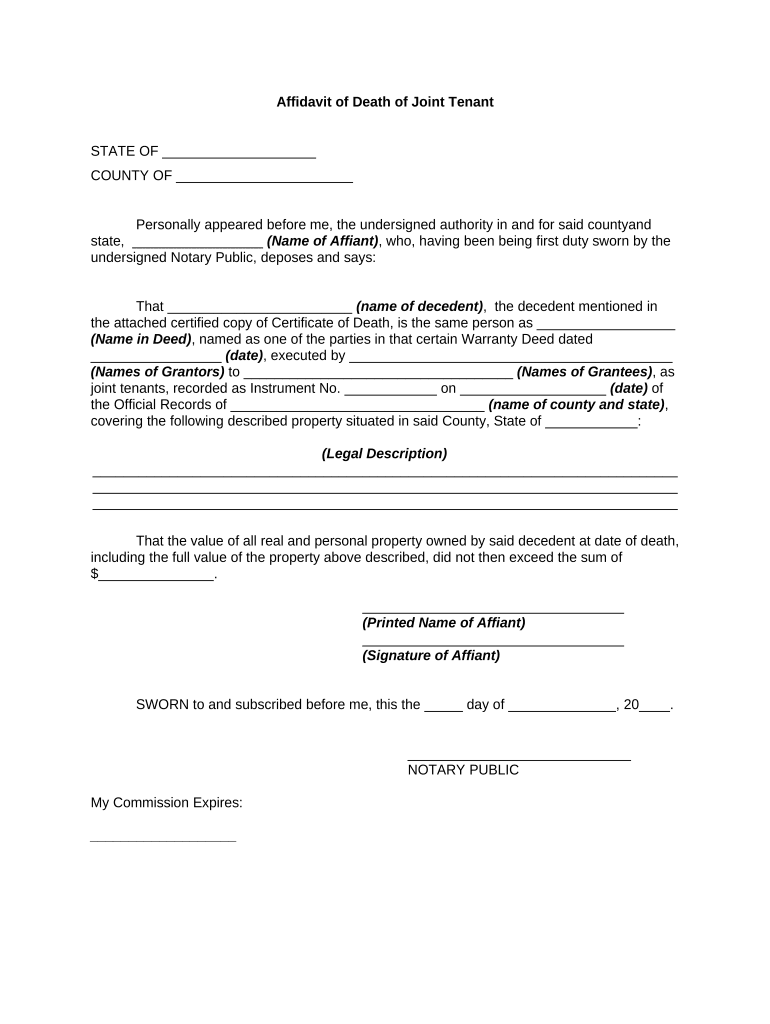
A Joint Affidavit Form is a written sworn statement signed by two or more affiants who declare facts under oath. It consolidates consistent testimony from multiple parties into a single notarized document for use in legal proceedings, title matters, benefit claims, or administrative records. The form typically includes identification of each affiant, a clear statement of facts, signature and jurat sections for a notary public, and any attachments that corroborate the statements. Proper completion and notarization are required to preserve evidentiary value.

Why a Joint Affidavit Form matters for proof and administration

A Joint Affidavit combines aligned testimony from multiple parties into one certified record, reducing duplicative filings and simplifying verification by courts, title companies, or agencies.

Why a Joint Affidavit Form matters for proof and administration

Who typically completes a Joint Affidavit Form

Common users include parties who share knowledge of the same facts and organizations that need consolidated sworn statements.

  • Individual parties and co-owners providing a joint factual account for legal or title purposes.
  • Attorneys and paralegals preparing sworn statements for litigation, probate, or administrative hearings.
  • Title companies, lenders, and government agencies that accept consolidated sworn statements to resolve document gaps.

Use this form when multiple signatories must attest to the same facts; consult counsel for case-specific language or state-specific notarization details.

How to complete a Joint Affidavit Form step by step

Follow a clear sequence: identify parties, write fact statements, sign, and notarize. Proper ordering reduces rework and preserves admissibility.

  • 01
    Prepare Parties: List each affiant and role, confirming government ID details.
  • 02
    Draft Facts: Write numbered, factual statements with dates and locations.
  • 03
    Sign in Presence: Affiants sign in presence of notary or at approved RON session.
  • 04
    Notarize: Notary completes jurat, applies seal, and records journal entry.

Essential sections to include in a professional Joint Affidavit Form

A complete affidavit balances clear identification, precise factual statements, and notarization language so the document is admissible and enforceable.

Parties

Full legal names and roles for each affiant, including contact information and a clear declaration of joint participation in the sworn facts.
Statement of Facts

Numbered paragraphs describing specific actions, dates, and locations. Use plain language and avoid hearsay unless properly attributed.

Oath or Affirmation

A clause where affiants state they swear under penalty of perjury that the facts are true to their knowledge.

Signature Blocks

Separate signature lines for each affiant including printed name, signature, and date; include space for initials if required.

Notary Section

A jurat or acknowledgment with language required by the state notary law, space for seal, notary signature, and commission details.

Attachments

References to supporting documents (IDs, receipts, deeds) appended and described so the affidavit’s claims are corroborated.

Security and compliance notes for electronically stored affidavits

Encryption: TLS 1.2/1.3 in transit; AES-256 at rest
Audit Trail: Timestamped logs with signer attribution
Authentication: Email, SMS, or advanced signer verification
HIPAA Support: BAA available for protected health information
21 CFR Part 11: Compliant controls for regulated records
SOC and ISO: SOC 2 Type II and ISO 27001 certified

Primary legal risks and penalties to avoid

Perjury Risk: Criminal penalties and fines possible
Notarial Defect: Improper notarization can void the affidavit
Identity Errors: Mismatched names undermine admissibility
Missing Attachments: Absent exhibits weaken evidentiary support
Improper Witnessing: Incorrect witness procedure can invalidate statements
Retention Failures: Loss of original record can raise disputes

Common preparation mistakes to avoid

  • Combining inconsistent testimony from joint affiants without reconciling differences, which creates contradictions and invites challenges to credibility.
  • Failing to have all signers appear for notarization or an approved RON session, resulting in a defective jurat or rejection by receiving parties.
  • Using vague language or legal conclusions instead of concrete factual statements, which reduces the affidavit’s probative value in court or title review.
  • Omitting identification details or supporting exhibits such as IDs, receipts, or deeds that prove the affiants’ statements and reduce the need for follow-up.

Typical electronic workflow for completing a Joint Affidavit

An e‑workflow can streamline preparation, signature, notarization, and storage while preserving an audit trail and meeting statutory e-signature tests.

  • Upload Document: Create a single affidavit and attach exhibits.
  • Assign Fields: Place signature, date, and initial fields for each affiant.
  • Authenticate Signers: Use email, SMS, or stronger verification as required.
  • Notarize Electronically: Schedule a RON session or complete in-person notarization.

Recommended digital settings for Joint Affidavit workflows

Configure signer roles, authentication level, and notarization options to match the affidavit’s legal and recipient requirements.

Field Configuration
Authentication Email+SMS or KBA where required
Templates Reusable affidavit template with fixed jurat
Notarization RON session or in-person notary checkbox
Storage Encrypted archive with audit trail

Integrations and platform needs for eSubmission

Electronic completion and RON require platforms that support notarization workflows, secure storage, and audit logs.

  • Integrations: Salesforce, NetSuite, Microsoft 365 supported
  • Formats: PDF, DOCX, and HTML accepted
  • APIs: REST API for automation and case management

Choose a solution that can produce tamper-evident signed PDFs, retain a complete audit trail, and connect to your case or records systems.

Practical timelines and expectations for filing and notarization

Plan time for drafting, signer review, notarization, and distribution. RON scheduling or in-person notarization can add one to several days depending on availability.

Drafting Time:

Prepare and review affidavit in 1–3 business days

Signer Availability:

Coordinate all affiants within 24–72 hours typically

Notary Scheduling:

RON or in-person notary may take 1–7 days

Agency Processing:

Recipient review varies; expect 3–14 business days

Record Retention:

Secure original and copies per retention rules

Real-world examples showing joint affidavits in use

Several organizations use joint affidavits to streamline evidence collection and closing processes; two representative customer experiences follow.

Optica Ventures LLC

The interface is simple and easy-to-use for our team; customers complete forms quickly.

  • Affidavits are combined in one record for efficiency.
  • The consolidated affidavits reduced follow-up requests and sped review by external partners, improving turnaround without extra in-person meetings.

Martin Properties

I can process and execute all of these documents online with 100% compliance.

  • Mobile signing enables field execution.
  • Using an electronic workflow allowed the team to close title exceptions faster and reduced the need for on-site notarization, improving client experience.

eSignature vendor pricing and feature comparison relevant to affidavit workflows

Compare base pricing and key features that matter for affidavit execution: starting price, trial availability, bulk send, audit trail presence, HIPAA compliance, and envelope limits.

signNow DocuSign Adobe Sign PandaDoc HelloSign
Starting Price $8/user/mo $15/user/mo $14/user/mo $19/user/mo $15/user/mo
Free Trial 7-day free trial Varies by plan Varies by plan Varies by plan Varies by plan
Bulk Send Yes Yes Yes Yes No
Audit Trail Yes Yes Yes Yes Yes
HIPAA Compliant Yes Yes Yes No No

FAQs and troubleshooting for Joint Affidavit completion and e-notarization

Answers to common questions cover validity, notarization options, signature format, retention, and electronic evidence requirements.


Need help? Contact support

be ready to get more
Join over 28 million airSlate SignNow users