Establishing secure connection… Loading editor… Preparing document…
Navigation

Fill and Sign the Amended and Restated Private Label Credit Card Secgov Form
Fill and Sign the Amended and Restated Private Label Credit Card Secgov Form

How it works

Open the document and fill out all its fields.
Apply your legally-binding eSignature.
Save and invite other recipients to sign it.

Rate template

4.7
36 votes
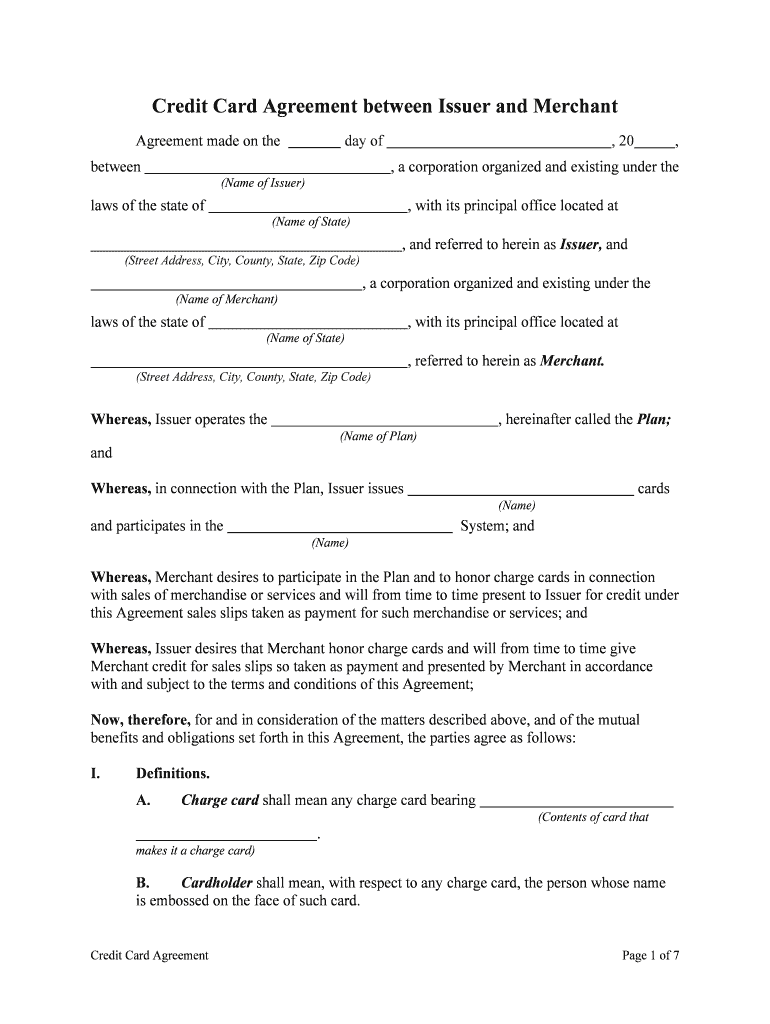
Credit Card AgreementPage 1 of 7 Credit Card Agreement between Issuer and Merchant Agreement made on the day of , 20 , between , a corporation organized and existing under the (Name of Issuer) laws of the state of , with its principal office located at (Name of State) , and referred to herein as Issuer, and (Street Address, City, County, State, Zip Code) , a corporation organized and existing under the (Name of Merchant) laws of the state of , with its principal office located at (Name of State) , referred to herein as Merchant. (Street Address, City, County, State, Zip Code) Whereas, Issuer operates the , hereinafter called the Plan; (Name of Plan) andWhereas, in connection with the Plan, Issuer issues cards (Name) and participates in the System; and (Name) Whereas, Merchant desires to participate in the Plan and to honor charge cards in connection with sales of merchandise or services and will from time to time present to Issuer for credit under this Agreement sales slips taken as payment for such merchandise or services; andWhereas, Issuer desires that Merchant honor charge cards and will from time to time give Merchant credit for sales slips so taken as payment and presented by Merchant in accordance with and subject to the terms and conditions of this Agreement;Now, therefore, for and in consideration of the matters described above, and of the mutual benefits and obligations set forth in this Agreement, the parties agree as follows:I.Definitions.A.Charge card shall mean any charge card bearing (Contents of card that .makes it a charge card)B.Cardholder shall mean, with respect to any charge card, the person whose name is embossed on the face of such card. Credit Card AgreementPage 2 of 7C. Authorized user shall mean, with respect to any charge card, the person whose signature appears in the signature panel on the reverse side of such card, provided that such person has the same surname as the cardholder of such card.D. Issuer shall mean, with respect to any charge card, the party identified above that has issued such card.E. Charge card sale shall mean each sale by Merchant of merchandise or services through the use of a charge card.F.Sales slip shall mean a sales slip in a form provided by Issuer to be used by Merchant in making a charge card sale.II. Honor of Valid Charge Card. Subject to the provisions of Sections III through VI, Merchant agrees to make charge card sales to any cardholder or other authorized user of a charge card and agrees to honor any valid charge card properly tendered for use, regardless of the identity of Issuer.III. Void or Revoked Cards. Merchant shall not make any charge card sale where the charge card presented has been voided or revoked by Issuer of such card, according to the current list of such cards furnished to Merchant by Issuer.A.Unless otherwise specifically authorized in accordance with the procedure set forth in Section VI, Merchant shall not make any charge card sale to a customer present in Merchant's place of business in any one or more of the following circumstances:1.Where a charge card is not presented at time of sale;2.Where the charge card presented has expired, according to the expiration date shown on the face of the card;3. Where the signature on the sales slip does not correspond to the signature appearing in the signature panel on the reverse side of the charge card; and/or4. Where the total amount of any charge card sale is in excess of the floor limit established for such sales, as determined in accordance with Section XX.B.All sales made in one department or by any one salesperson in any one day, through the use of a charge card of the same cardholder, shall constitute a single sale to which the floor limit applies.C. If Merchant does not obtain authorization in any circumstances described in this section, acceptance of the sales slip by Issuer arising out of such a sale shall be subject to the provisions of Section XIV. Credit Card AgreementPage 3 of 7V. Telephone or Mail Order Charges. Unless otherwise specifically authorized in accordance with the procedure set forth in Section VI, Merchant shall not make any charge card sale on the basis of a telephone or mail order where the total amount of such sale is in excess of the floor limit established for such sales in accordance with Section XX. All such sales made in one department or by any one salesperson in any one day, through the use of a charge card of the same cardholder, shall constitute a single sale to which the floor limit applies. If Merchant does not obtain authorization under the circumstances described in this section, the acceptance of the sales slip, by Issuer, arising out such a sale, shall be subject to the provisions of Section XIV.VI.Authorization by Authorization Center. A. If Merchant desires to make a charge card sale described in Sections IV and V, Merchant shall telephone the appropriate authorization center designated by Issuer in accordance with Section XX and shall advise such authorization center of the specific respects in which waiver of the provisions of Sections IV and V is requested.B. If the authorization center authorizes such waiver, Merchant may consummate the sale, noting the authorization code number at the appropriate place on the sales slip. Such authorization shall be binding on Issuer only as to the specific respect for which waiver was requested and given by the authorization center, and shall not constitute any waiver of any of the other provisions of Sections IV and V.VII.Use of Sales Slips.A. A sales slip shall be used by Merchant in each charge card sale. Each such sales slip shall be imprinted by Merchant with Merchant's name and number and with the charge card presented by the purchaser, shall state the date of the sale and the total cash price of the sale (including any applicable state or federal taxes), shall contain a short description of the merchandise or services sold, and shall be signed by the cardholder or other authorized user presenting the charge card (except where the sale is made pursuant to a telephone or mail order).B.If a purchaser is unable to present a charge card at the time of sale, Merchant shall print on the sales slip the cardholder's name and account number. Merchant shall deliver the customer copy of the sales slip to the purchaser. Merchant agrees it will not, in connection with any charge card sale, accept any cash or other form of payments, make any special charge, or extract any special Agreement or security from the purchaser.VIII. Account with Issuer. Merchant shall establish and maintain with Issuer a commercial banking account to be known as , hereinafter called the (Name of Banking Account of Merchant) Merchant's account. Merchant may designate any existing account maintained by it with Issuer for this purpose. Merchant authorizes Issuer to charge from time to time against Merchant's account any amount payable by Merchant to Issuer under the terms of this Agreement and Merchant agrees to deposit and maintain at all times in Merchant's account a balance in an amount not less than that estimated by Issuer as desirable to cover all charges to such account that are likely to arise. Credit Card AgreementPage 4 of 7IX. Acceptance of Sales Slips by Issuer. A. Subject to Section XIV, Issuer agrees to accept from Merchant all sales slips complying with the terms and conditions of this Agreement arising from charge card sales by Merchant and to pay Merchant (by credit to Merchant's account) the total face amount of each sales slip accepted under and pursuant to this Agreement, less the discount percentage determined by Issuer from time to time in accordance with Section XX.B. The cardholder bank copy of each sales slip shall be delivered to Issuernot later than the close of business on the second banking business day following the date of the sale and giving rise to such slips. All figures are subject to audit and final checking by Issuer. Prompt adjustment shall be made for any inaccuracy discovered.C.Merchant warrants that each sales slip delivered by Merchant to Issuer under and pursuant to this Agreement will represent a bona fide sale of merchandise or services by Merchant to the cardholder or other authorized user of the charge card for the amount shown on such sales slip. If any breach of the preceding warranty shall occur with respect to any sales slip deposited under and pursuant to this Agreement, Issuer may refuse to accept such sales slip, or revoke its prior acceptance of such sales slip. In the event of such revocation, Merchant agrees to pay Issuer the total face amount of such sales slip.X. Sales Slip as Constituting Payment. Merchant agrees that the sales slip arising from each charge card sale shall constitute payment to Merchant for merchandise or services sold in such sale and further agrees that it will not have any claim against, or receive payment from, the cardholder or any other purchaser in such sale unless Issuer refuses to accept such slip or revokes its prior acceptance of such sales slip in accordance with this Agreement.XI. All disputes between Merchant and any purchaser relating to any charge card sale shall be settled between Merchant and such purchaser.XII.Refunds and Adjustments.A. Merchant shall establish and maintain a fair policy for the exchange or return of, or adjustments on, merchandise or services sold in charge card sales. Merchant shall make no cash refunds or payments to any person for returns or adjustments on charge card sales; instead, when a refund or payment is due for any return or adjustment, Merchant shall issue a credit slip on a form provided by Issuer. Each such credit slip shall be imprinted by Merchant with Merchant's name and number and with the charge card presented by the person to whom the refund or adjustment is to be made, shall state the date it is issued and the total amount of the refund or adjustment, shall contain a description of the merchandise or services in connection with which the refund or adjustment is to be made, and shall be signed by Merchant's authorized representatives and also by the person requesting the refund or adjustment.B.Merchant shall deliver the customer copy of such credit slip to such person. The cardholder bank copy of each credit slip shall be delivered to Issuer by Merchant not later than the close of business on the second banking business day following the date of its issuance. Credit Card AgreementPage 5 of 7C. Merchant agrees to pay Issuer the total face amount of each credit slip received from Merchant less the discount percentage determined by Issuer from time to time in accordance with Section XX. Issuer agrees to arrange for a credit to the charge card account of the cardholder named on the credit slip of the total face amount of such slip. Merchant warrants that each credit slip delivered by Merchant to Issuer will represent a bona fide refund or adjustment on a charge card sale by Merchant with respect to which a sales slip shall have been accepted by Issuer.XIII.Member’s Obligations. Merchant agrees that:A. Merchant will not discriminate as to price, service, or otherwise against any person using or desiring to use a charge card;B.Representatives of Issuer, during normal business hours, may inspect, audit, and make copies of Merchant's books, accounts, records, and files pertaining to charge card sales and refunds or adjustments on such sales, and Merchant agrees to preserve its records of any charge card sale and any refund or credit adjustment for at least from date of such sale, refund, or adjustment; and(Period of time) C. Merchant will fulfill completely all of its obligations to purchasers under the terms of any charge card sale.XIV.Refusal or Revocation by Issuer. Issuer may refuse to accept any sales slip, or revoke its prior acceptance of any sales slip, and in the event of such revocation Merchant agrees to pay Issuer the total face amount of such sales slip, in any one or more of the following circumstances:A.The charge card sale giving rise to such sales slip was not made in compliance with all the terms and conditions of this Agreement (including the provisions of Sections IV and V, unless such provisions were waived by the appropriate authorization center in accordance with Section VI) as well as all applicable laws and regulations of any governmental authority.B. The cardholder of the charge card used in such sale disputes liability to Issuer on any one or more of the following grounds:1. That the merchandise or services covered by such sales slip were returned, rejected, or defective in some respect, or Merchant has failed to perform any obligation on its part in connection with such merchandise or services, and Merchant has refused to issue a credit slip in the proper amount; or2.That the signature on the sales slip was not that of the cardholder or any authorized user, and Issuer in good faith believes that Merchant should have discovered this fact by examination of the signature appearing in the signature Credit Card AgreementPage 6 of 7panel on the reverse of the cardholder's charge card (unless the appropriate authorization center waived this defect in accordance with Section VI).XV. Initial Membership Fee. Merchant agrees to pay Issuer an initial merchantship fee which shall be in effect on the effective date of this Agreement for becoming a Merchant of the . (Name of Plan) XVI.Lease of Imprinters. Issuer agrees to lease to Merchant any number of imprinters Merchant may desire at an annual rental fee to be determined by Issuer from time to time in accordance with Section XX. All such imprinters shall remain the property of Issuer and shall be returned to Issuer on termination of this Agreement.XVII.Promotional Material, Forms, and the Like. Issuer will furnish to Merchant, without charge, promotional material and advertising displays indicating Merchant's participation in the , and Merchant agrees to display such materials and (Name of Plan) displays prominently in Merchant's place or places of business. Issuer will also furnish Merchant, without charge, with sales slips, credit slips, and any other forms that may be required by Issuer. All promotional materials, advertising displays, sales slips, credit slips, and other forms supplied to Merchant under and pursuant to this Agreement and used by Merchant shall remain the property of Issuer, and shall be returned to Issuer on termination of this Agreement.XVIII.Termination. This Agreement shall be and continue in full force and effect from the effective date stated above until terminated by either party by written notice to the other, such termination to become effective on the later of the day of such notice or the termination date specified in such notice. All obligations of Merchant with respect to sales slips accepted by Issuer prior to the effective date of termination shall survive such termination.XIX.Binding Effect. This Agreement shall be binding on and inure to the benefit of the parties to this Agreement and their respective personal representatives, successors, and assigns.XX.Operating Guide. Merchant acknowledges receipt of the current edition of the , issued by Issuer, hereinafter called the operating (Name of Operating Guide) guide, showing floor limits, imprinter rentals, authorization procedures, and other operating procedures in effect as of the effective date of this Agreement. Issuer reserves the right to change the provisions, in full or in part, of the operating guide from time to time, on written notice to Merchant, but no change shall be effective for any period prior to the time of giving such notice. Provisions set forth in the operating guide from time to time are incorporated into and made a part of this Agreement to the same effect as if set out in this Agreement in their entirety. In the event of any conflict between such provisions and any other provisions of this Agreement, the provisions of the operating guide shall govern.XXI. Discount Rate. The discount rate applicable to Merchant's deposits of sales slips under this Agreement is %. Issuer reserves the right to change such discount rate on written Credit Card AgreementPage 7 of 7notice to Merchant, but no change shall be effective for any period prior to the time of giving such notice.XXII.Indemnification. Merchant agrees to indemnify and hold Issuer harmless from any claim or liability relating to any sale made by Merchant under and pursuant to this Agreement.XXIII.Governing Law. This Agreement shall be governed by, construed, and enforced in accordance with the laws of . (Name of State) XXIV.No Waiver. The failure of either party to this Agreement to insist on the performance of any of the terms and conditions of this Agreement, or the waiver of any breach of any of the terms and conditions of this Agreement, shall not be construed as subsequently waiving any such terms and conditions, but the terms and conditions shall continue and remain in full force and effect as if no such forbearance or waiver had occurred.WITNESS our signatures as of the day and date first above stated. (Name of Issuer)(Name of Merchant) By: By: (Signature of Officer) (Signature of Officer) (Printed Name & Office in Corporation) (Printed Name & Office in Corporation)

Helpful suggestions for setting up your ‘Amended And Restated Private Label Credit Card Secgov’ online

Are you fed up with the inconvenience of handling paperwork? Look no further than airSlate SignNow, the leading electronic signature platform for individuals and companies. Bid farewell to the monotonous task of printing and scanning documents. With airSlate SignNow, you can effortlessly finalize and sign documents online. Utilize the robust features embedded in this user-friendly and cost-effective platform to transform your document management strategy. Whether you need to authorize forms or gather eSignatures, airSlate SignNow manages everything smoothly, with just a few clicks.

Follow these comprehensive steps:

  1. Access your account or initiate a free trial with our service.
  2. Select +Create to upload a file from your device, cloud storage, or our form repository.
  3. Open your ‘Amended And Restated Private Label Credit Card Secgov’ in the editor.
  4. Hit Me (Fill Out Now) to finalize the document on your end.
  5. Insert and designate fillable fields for others (if needed).
  6. Proceed with the Send Invite settings to request eSignatures from additional parties.
  7. Save, print your version, or transform it into a multi-use template.

Don’t fret if you need to work with your colleagues on your Amended And Restated Private Label Credit Card Secgov or send it for notarization—our platform offers everything you require to accomplish such tasks. Sign up with airSlate SignNow today and elevate your document management to a new level!

Here is a list of the most common customer questions. If you can’t find an answer to your question, please don’t hesitate to reach out to us.

Need help? Contact Support

The best way to complete and sign your amended and restated private label credit card secgov form


Save time on document management with airSlate SignNow and get your amended and restated private label credit card secgov form eSigned quickly from anywhere with our fully compliant eSignature tool.

How to Sign a PDF Online How to Sign a PDF Online

How to complete and sign paperwork online

Previously, dealing with paperwork took pretty much time and effort. But with airSlate SignNow, document management is fast and easy. Our robust and user-friendly eSignature solution enables you to effortlessly complete and electronically sign your amended and restated private label credit card secgov form online from any internet-connected device.

Follow the step-by-step guidelines to eSign your amended and restated private label credit card secgov form template online:

  • 1.Sign up for a free trial with airSlate SignNow or log in to your account with password credentials or SSO authorization option.
  • 2.Click Upload or Create and add a file for eSigning from your device, the cloud, or our form collection.
  • 3.Click on the document name to open it in the editor and utilize the left-side menu to complete all the blank fields accordingly.
  • 4.Drop the My Signature field where you need to approve your form. Provide your name, draw, or import an image of your handwritten signature.
  • 5.Click Save and Close to accomplish modifying your completed form.

After your amended and restated private label credit card secgov form template is ready, download it to your device, save it to the cloud, or invite other parties to eSign it. With airSlate SignNow, the eSigning process only takes a few clicks. Use our robust eSignature solution wherever you are to deal with your paperwork successfully!


How to Sign a PDF Using Google Chrome How to Sign a PDF Using Google Chrome

How to fill out and sign forms in Google Chrome

Completing and signing documents is simple with the airSlate SignNow extension for Google Chrome. Adding it to your browser is a fast and effective way to deal with your paperwork online. Sign your amended and restated private label credit card secgov form template with a legally-binding electronic signature in a few clicks without switching between tools and tabs.

Follow the step-by-step guidelines to eSign your amended and restated private label credit card secgov form template in Google Chrome:

  • 1.Navigate to the Chrome Web Store, search for the airSlate SignNow extension for Chrome, and add it to your browser.
  • 2.Right-click on the link to a form you need to sign and choose Open in airSlate SignNow.
  • 3.Log in to your account with your credentials or Google/Facebook sign-in option. If you don’t have one, you can start a free trial.
  • 4.Utilize the Edit & Sign menu on the left to complete your template, then drag and drop the My Signature option.
  • 5.Add a picture of your handwritten signature, draw it, or simply type in your full name to eSign.
  • 6.Make sure all data is correct and click Save and Close to finish editing your form.

Now, you can save your amended and restated private label credit card secgov form sample to your device or cloud storage, email the copy to other people, or invite them to electronically sign your document with an email request or a secure Signing Link. The airSlate SignNow extension for Google Chrome improves your document workflows with minimum time and effort. Try airSlate SignNow today!


How to Sign a PDF in Gmail How to Sign a PDF in Gmail How to Sign a PDF in Gmail

How to fill out and sign paperwork in Gmail

Every time you receive an email containing the amended and restated private label credit card secgov form for signing, there’s no need to print and scan a file or download and re-upload it to a different tool. There’s a much better solution if you use Gmail. Try the airSlate SignNow add-on to promptly eSign any documents right from your inbox.

Follow the step-by-step guide to eSign your amended and restated private label credit card secgov form in Gmail:

  • 1.Visit the Google Workplace Marketplace and locate a airSlate SignNow add-on for Gmail.
  • 2.Install the program with a corresponding button and grant the tool access to your Google account.
  • 3.Open an email containing an attached file that needs signing and use the S sign on the right panel to launch the add-on.
  • 4.Log in to your airSlate SignNow account. Opt for Send to Sign to forward the document to other people for approval or click Upload to open it in the editor.
  • 5.Drop the My Signature option where you need to eSign: type, draw, or upload your signature.

This eSigning process saves efforts and only takes a couple of clicks. Utilize the airSlate SignNow add-on for Gmail to update your amended and restated private label credit card secgov form with fillable fields, sign paperwork legally, and invite other parties to eSign them al without leaving your inbox. Improve your signature workflows now!


How to Sign a PDF on a Mobile Device How to Sign a PDF on a Mobile Device How to Sign a PDF on a Mobile Device

How to fill out and sign documents in a mobile browser

Need to quickly complete and sign your amended and restated private label credit card secgov form on a mobile phone while doing your work on the go? airSlate SignNow can help without the need to install additional software applications. Open our airSlate SignNow solution from any browser on your mobile device and add legally-binding electronic signatures on the go, 24/7.

Follow the step-by-step guide to eSign your amended and restated private label credit card secgov form in a browser:

  • 1.Open any browser on your device and go to the www.signnow.com
  • 2.Register for an account with a free trial or log in with your password credentials or SSO authentication.
  • 3.Click Upload or Create and pick a file that needs to be completed from a cloud, your device, or our form collection with ready-made templates.
  • 4.Open the form and fill out the blank fields with tools from Edit & Sign menu on the left.
  • 5.Add the My Signature field to the form, then enter your name, draw, or upload your signature.

In a few easy clicks, your amended and restated private label credit card secgov form is completed from wherever you are. When you're done with editing, you can save the document on your device, build a reusable template for it, email it to other individuals, or invite them eSign it. Make your paperwork on the go fast and effective with airSlate SignNow!


How to Sign a PDF on iPhone How to Sign a PDF on iPhone

How to fill out and sign paperwork on iOS

In today’s business community, tasks must be completed quickly even when you’re away from your computer. Using the airSlate SignNow application, you can organize your paperwork and approve your amended and restated private label credit card secgov form with a legally-binding eSignature right on your iPhone or iPad. Install it on your device to close deals and manage documents from just about anywhere 24/7.

Follow the step-by-step guide to eSign your amended and restated private label credit card secgov form on iOS devices:

  • 1.Go to the App Store, search for the airSlate SignNow app by airSlate, and install it on your device.
  • 2.Open the application, tap Create to upload a form, and choose Myself.
  • 3.Select Signature at the bottom toolbar and simply draw your signature with a finger or stylus to eSign the sample.
  • 4.Tap Done -> Save after signing the sample.
  • 5.Tap Save or utilize the Make Template option to re-use this document in the future.

This process is so easy your amended and restated private label credit card secgov form is completed and signed in a few taps. The airSlate SignNow app works in the cloud so all the forms on your mobile device are kept in your account and are available whenever you need them. Use airSlate SignNow for iOS to boost your document management and eSignature workflows!


How to Sign a PDF on Android How to Sign a PDF on Android

How to complete and sign forms on Android

With airSlate SignNow, it’s easy to sign your amended and restated private label credit card secgov form on the go. Install its mobile application for Android OS on your device and start improving eSignature workflows right on your smartphone or tablet.

Follow the step-by-step guide to eSign your amended and restated private label credit card secgov form on Android:

  • 1.Open Google Play, search for the airSlate SignNow app from airSlate, and install it on your device.
  • 2.Log in to your account or register it with a free trial, then import a file with a ➕ key on the bottom of you screen.
  • 3.Tap on the imported file and choose Open in Editor from the dropdown menu.
  • 4.Tap on Tools tab -> Signature, then draw or type your name to electronically sign the form. Fill out empty fields with other tools on the bottom if necessary.
  • 5.Use the ✔ key, then tap on the Save option to end up with editing.

With a user-friendly interface and total compliance with primary eSignature laws and regulations, the airSlate SignNow app is the perfect tool for signing your amended and restated private label credit card secgov form. It even operates offline and updates all document modifications when your internet connection is restored and the tool is synced. Complete and eSign documents, send them for eSigning, and make re-usable templates whenever you need and from anywhere with airSlate SignNow.

Sign up and try Amended and restated private label credit card secgov form
  • Close deals faster
  • Improve productivity
  • Delight customers
  • Increase revenue
  • Save time & money
  • Reduce payment cycles

