Establishing secure connection…Loading editor…Preparing document…

Arbitration Award

This template is fully customizable. Edit the text, fill out the fields, and send it for signature. Give it a try!
Arbitration Award

What an Arbitration Award Is and when it matters

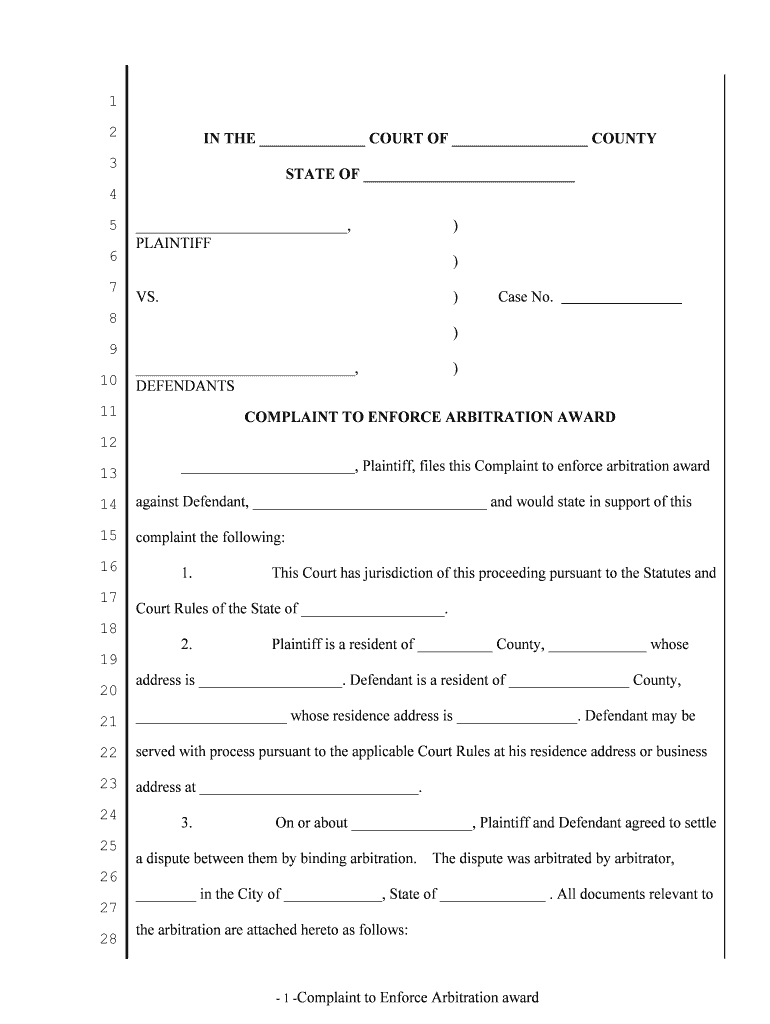
An Arbitration Award is a written decision issued by a neutral arbitrator or arbitration panel resolving the disputes submitted to arbitration. The award sets out findings of fact, conclusions of law, any remedies or damages awarded, and directions for payment, performance, or costs. It may be final or partial, and it becomes enforceable either by the parties’ agreement or by court confirmation under the Federal Arbitration Act (FAA). Parties often use an award to obtain a judicial judgment for collection or to document settlement terms after contested hearings.

Why a clear, enforceable Arbitration Award matters

A well‑drafted award creates a clear record of the arbitrator’s decision, reduces post-award disputes, and enables judicial confirmation or entry of judgment if a party fails to comply. It supports enforcement, collection, and clarity for compliance with contractual and statutory post-award obligations.

Why a clear, enforceable Arbitration Award matters

Who prepares and relies on Arbitration Awards

Typical users range from arbitrators and arbitration administrators to counsel and corporate compliance teams.

  • Arbitrators and panels — Draft, sign, and deliver the award as the primary decision-makers.
  • Arbitration administrators — Issue procedural notices, maintain the official file, and help serve the award.
  • Counsel and in-house lawyers — Review for enforceability, advise on confirmation, and prepare related court filings.

Each participant has distinct workflow tasks: the arbitrator issues the award, administrators distribute it, and counsel manages enforcement or challenge options.

Signatory roles and authorities

Presiding Arbitrator

The Presiding Arbitrator is the panel member authorized to sign the award and certify its issuance. Their signature confirms the decision, the award date, and that the procedural requirements of the arbitration rules were satisfied; this is the primary execution that parties and courts rely on for enforcement.

Arbitration Administrator

The Arbitration Administrator (or Secretary) does not typically sign the award as the decision-maker but may affix administration certifications, distribute copies, and file service records. The administrator records transmission details used to show proper service or receipt for confirmation proceedings.

Essential parts every professional Arbitration Award should include

A professional award groups decision elements clearly and consistently so courts and parties can interpret and enforce outcomes without ambiguity.

Award Summary

Concise opening statement identifying the dispute, parties, arbitration rule set, hearing dates, and the core disposition in plain terms so readers immediately understand the result.
Findings of Fact

Detailed factual findings tied to the evidentiary record and hearing testimony; these facts support conclusions of law and any calculations of damages or relief awarded.

Conclusions of Law

Legal analysis applying the governing contract law or statutory law to the facts, explaining the legal basis for each portion of the award.

Relief and Remedies

Clear, itemized remedies (monetary awards, injunctive terms, declaratory relief) with specific amounts, payment deadlines, and performance directions.

Costs and Fees

Allocation of arbitration fees, administrative costs, expert fees, and attorney fees if awarded; include exact figures or a clear method for calculation.

Signature and Date

The signed and dated execution block for the arbitrator(s) and any administrative certification, plus a statement of how and when copies were delivered to parties.

Security and compliance elements to include or verify

Encryption: TLS 1.2/1.3 in transit; AES-256 at rest
Audit Trail: Time‑stamped log of signing events
Chain of Custody: Document history and version control
Certifications: SOC 2 Type II; ISO 27001
Regulatory Compliance: ESIGN and UETA adherence
HIPAA Support: BAA available when required

Major risks from an incorrect or incomplete award

Vacatur Risk: Award may be vacated by court
Enforcement Delay: Delay while defects are cured
Monetary Miscalculation: Overpayment or undercollection errors
Signature Defect: Missing/invalid signature issues
Service Deficiencies: Improper notice undermines confirmation
Jurisdictional Challenges: Challenges to arbitrator authority

Common preparation pitfalls to avoid

  • Using vague relief language that leaves payment timing or calculations unspecified, causing enforcement ambiguity and further litigation.
  • Failing to attach or reference key exhibits and transcripts relied on for findings, which reduces the award’s persuasive and confirmable record.
  • Omitting the precise award date or execution signature block, which can create disputes over when obligations begin or whether the award is final.
  • Serving the award informally without documented proof of delivery or certified filing, weakening evidence for a court confirmation petition.

Step-by-step: Preparing and finalizing an Arbitration Award

Follow a consistent sequence to reduce defects and support later confirmation or collection.

  • 01
    Collect the record: Assemble exhibits, transcripts, and hearing notes
  • 02
    Draft findings: Write factual findings tied to evidence
  • 03
    State relief: Itemize monetary and non-monetary remedies
  • 04
    Execute and distribute: Sign, date, and serve certified copies

How award delivery and enforcement typically proceed

A predictable delivery and filing workflow helps parties and courts accept the award without avoidable disputes.

  • Sign and certify: Arbitrator signs and certifies the award
  • Serve parties: Deliver copies with proof of service
  • File for confirmation: Petition to confirm judgment, if needed
  • Enforce judgment: Use judgment remedies (writs, levy)

Configuring an online award workflow

Set up logical fields and authentication to preserve the award’s integrity when completing or distributing electronically.

Field Configuration
Signing Order Specify panel then parties; sequential signing
Authentication Method Email + optional SMS or government ID check
Bulk Distribution Enable for administrator to send certified copies
Storage Location Configure secure cloud folder with retention

Digital signing and technical expectations

Use a secure e-signature workflow that provides audit trails, tamper-evident PDFs, and access controls.

  • File formats: PDF/X and DOCX supported
  • Authentication: Email link, SMS, or advanced ID
  • Integrations: Connectors for case systems and storage

Ensure the platform supports ESIGN/UETA compliance, provides encrypted storage (AES-256), and produces an audit trail suitable for court presentation.

Timing considerations and common scheduling deadlines

Certain timing rules affect interest, payment dates, and the window for filing confirmation or challenges; verify local rules.

Award Date Entry:

Record the execution date precisely (MM/DD/YYYY) as it starts payment and interest timelines

Service Timing:

Serve parties immediately after signing; document delivery times for court evidence

Court Confirmation:

File a petition to confirm under 9 U.S.C. §9; local rules determine filing deadlines

Interest Accrual:

State or contract rate applies from award date unless award specifies otherwise

Challenge Window:

Grounds for vacatur are limited and subject to court schedules and statutes of limitations

Key milestones: from hearing to enforceable judgment

Track these stages to ensure the award is timely executed, served, and preserved for confirmation.

01

Hearing Complete

Evidence closed and parties notified of decision timeline

02

Draft Award

Arbitrator prepares findings, relief, and calculations

03

Sign and Date

Arbitrator signs the final award and sets the award date

04

Serve and File

Deliver certified copies and file confirmation motion if enforcement is needed

eSignature vendor comparison for executing and distributing Arbitration Awards

Compare core pricing and compliance features across mainstream eSignature vendors; signNow is listed first in the table as a compliance-focused option.

signNow DocuSign Adobe Sign PandaDoc HelloSign
Starting Price $8/user/mo $15/user/mo $14/user/mo $19/user/mo $15/user/mo
Free Trial Yes, 7-day trial No No Yes, limited Yes, limited
Bulk Send Yes Yes Yes Yes No
Audit Trail Yes Yes Yes Yes Yes
HIPAA Compliant Yes Yes Yes No No
Envelope Cap No cap 100 envelopes/user/year Varies by plan Varies by plan Varies by plan

Frequently asked questions about Arbitration Awards

Answers to common procedural, enforceability, and eSignature questions to help avoid common post-award problems.


Need help? Contact support

be ready to get more
Join over 28 million airSlate SignNow users