Caption and identification
The top matter identifies the court, parties, and case number; consistent captioning ensures proper docketing and prevents administrative misplacement of the filing.
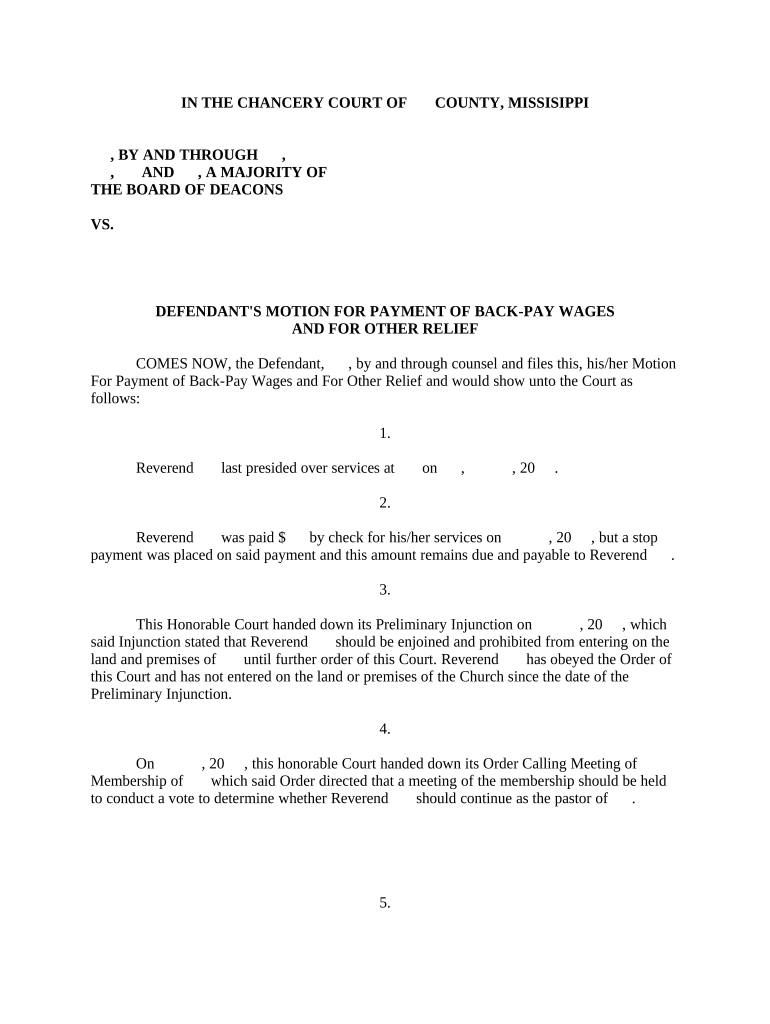
A properly prepared motion lets a defendant document prior payments, assert offsets, and propose a feasible method for discharge of back-pay obligations; it narrows disputed amounts and helps the court avoid double recovery while aligning enforcement with verified payroll records.

Typical parties involved include defense attorneys, corporate HR/payroll officers, and court clerks responsible for docketing wage-related motions.
A lawyer representing the defendant who drafts the motion, cites Mississippi law, compiles payroll evidence, and argues for offsets or installment relief. This role coordinates witness statements, payroll exports, and prepares proposed orders reflecting the court's calculation.
An HR or payroll professional who exports wage records, verifies prior payments and withholdings, reconciles payroll errors, and supplies attested summaries and supporting documents for the motion and any attached affidavit.
The top matter identifies the court, parties, and case number; consistent captioning ensures proper docketing and prevents administrative misplacement of the filing.
A concise paragraph explaining what relief the defendant seeks—application of specific offsets, credit for prior payments, or court approval of installment payments.
A factual account of wages, employment dates, deductions, and payments with cross-references to attached payroll and ledger exhibits for easy verification.
Line-item math showing gross amounts, statutory deductions, tax withholdings, and net amounts; include formulas and footnotes to support arithmetic.
Attach payroll reports, canceled checks, bank statements, payroll provider exports, and sworn affidavits that substantiate each credited payment.
Provide a draft order stating the court’s intended findings, net amount due, payment schedule, and mechanisms for enforcement or future modification.
| Field | Configuration |
|---|---|
| Filing method | Select court e-file portal or paper filing per local rules |
| Exhibit format | Use searchable PDF, label each exhibit clearly |
| Signer roles | Assign attorney signature and payroll attestor role |
| Authentication | Choose email or SMS verification for electronic signers |
Confirm the court accepts electronic filings and whether the clerk requires specific file formats or authentication levels.
Use a platform that produces a durable audit trail and preserves original PDFs; retain copies in your case file per retention rules and the court clerk’s requirements.
File as soon as offsets are documented; filing may be required before enforcement actions proceed.
Serve opposing counsel per local rule—often within a few days of filing.
Check local rules; responses commonly due 14–30 days after service.
Clerk sets hearing on motion; timing depends on court calendar and urgency.
Judge issues a written order resolving amounts and any payment schedule.
Compile legal argument, calculations, and exhibits before filing.
Clerk accepts filing and assigns a hearing date or briefing schedule.
Provide proof of service to the court and opposing counsel promptly.
Judge hears arguments, rules on offsets, and enters an order reflecting net payment obligations.
| signNow | DocuSign | Adobe Sign | PandaDoc | HelloSign | |
|---|---|---|---|---|---|
| Starting Price | $8/user/mo | $15/user/mo | $14/user/mo | $19/user/mo | $15/user/mo |
| Free Trial | 7-day trial | Varies | Varies | Varies | Varies |
| Bulk Send | Yes | Yes | Yes | Yes | No |
| Audit Trail | Yes | Yes | Yes | Yes | Yes |
| HIPAA Compliant | Yes | Yes | Yes | No | No |
The interface is simple and easy-to-use for our team; more importantly, it is just as easy for our customers.
We felt most comfortable with the platform given SOC 2 certification and ESIGN/UETA focus.