Establishing secure connection…Loading editor…Preparing document…

Breach of Contract

This template is fully customizable. Edit the text, fill out the fields, and send it for signature. Give it a try!
Breach of Contract

What a Breach of Contract Notice Is and When It Applies

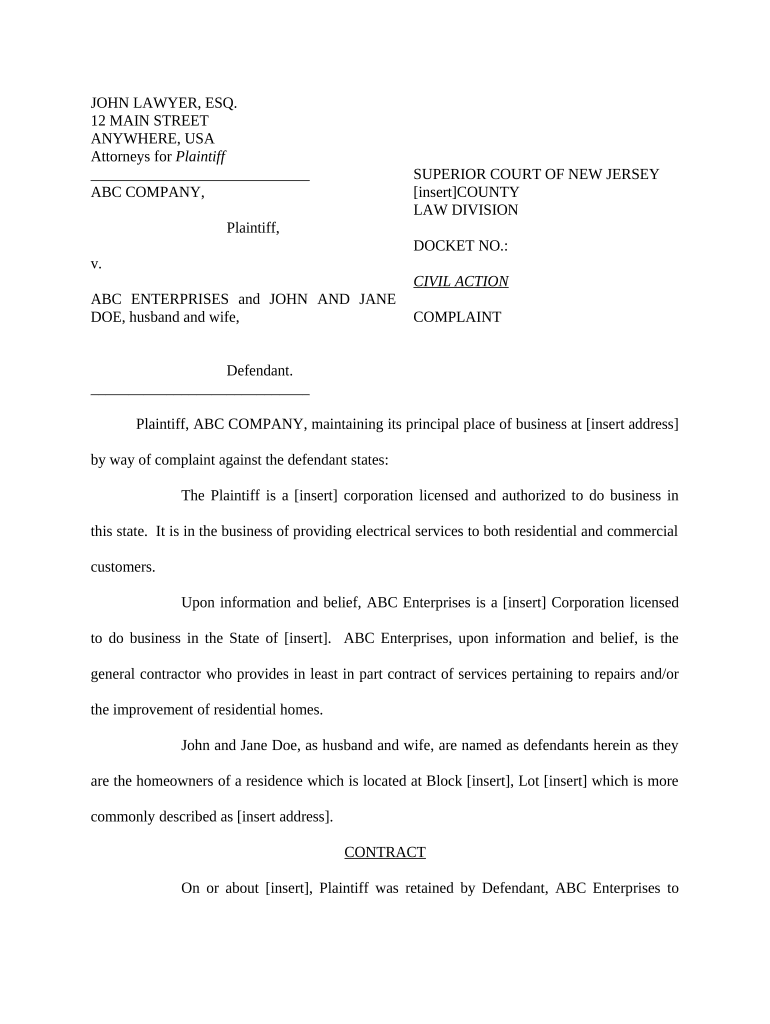
A Breach of Contract document formally identifies a party's failure to perform under a written or oral agreement and explains requested remedies or corrective steps. It typically states the contractual provision alleged to be breached, a concise description of the breach, the remedy sought (for example, cure, damages, or specific performance), and a deadline for compliance. The notice creates a clear record of the claim, preserves legal rights, and can be used to support settlement, mediation, or later litigation if the dispute is not resolved.

Why a Clear Breach Notice Matters

A professional Breach of Contract notice preserves legal rights, creates a dated record, and often triggers cure periods or contractual deadlines; accurate wording improves enforceability and reduces disputes over notice sufficiency.

Why a Clear Breach Notice Matters

Who Typically Prepares and Receives a Breach of Contract

Breach notices are commonly prepared by the nonbreaching party or their counsel to communicate default and seek resolution before escalation.

  • Business owners and contract managers who need to document a counterparty's failure to perform and preserve remedies.
  • In-house or outside attorneys who draft legally precise notices and advise on cure demands and statutory deadlines.
  • Vendors, suppliers, or service providers seeking payment, return of goods, or enforcement of performance obligations.

Authorized Signers and Typical Roles

Contracting Party

Corporate officers, authorized managers, or individuals identified in the contract may sign. Ensure the signer is expressly authorized under corporate resolution or power of attorney to bind the entity.

Legal Representative

Outside counsel or an in-house attorney may prepare and send the notice on behalf of a client; include a representation of authority and contact information for responses.

Core Elements to Include in a Breach of Contract

A complete Breach of Contract should be concise but include specific elements that make the claim actionable and clear to the recipient and any reviewing third party.

Contract Reference

Identify the contract by full title, execution date, and relevant section or clause to tie the notice directly to the governing agreement.
Parties Identified

List full legal names and roles (seller, buyer, contractor) so the notice is clearly attributable and avoids ambiguity about who is alleged to have breached.

Description of Breach

Provide a factual, date-stamped narrative of what occurred, citing specific missed obligations, defective performance, or payment failures.

Contractual Citations

Cite the exact contract provisions alleged to be violated and include supporting evidence references such as invoices, delivery receipts, or correspondence.

Requested Remedy

State the relief sought (cure within X days, payment of $Y, specific performance, or damages) and any contractual basis for those remedies.

Signature Block

Include the signer's printed name, title, organization, date, and contact information to enable verifiable communication and response.

Step-by-Step: Preparing and Sending a Breach Notice

Follow these sequential steps to prepare a clear, enforceable notice and preserve rights while minimizing procedural risks.

  • 01
    Gather Evidence: Collect the contract, invoices, deliveries, and correspondence showing the alleged breach.
  • 02
    Draft Notice: Cite contract provisions, state facts, and clearly state the remedy and deadline.
  • 03
    Deliver Notice: Send as required by contract (email, certified mail, or courier) and keep delivery records.
  • 04
    Preserve Records: Retain copies of the notice, proof of service, and subsequent communications for litigation or settlement.

Configuring an Online Breach Notice Workflow

Set up an e-document workflow to ensure accurate fields, authentication, and compliant delivery for notices and responses.

Field | Setting Required | Recommended
Signer Authentication | Email link | Use SMS code for added security
Proof of Delivery | Return receipt | Certified mail or platform audit trail
Document Versioning | Enable | Lock prior versions after signing
Retention Policy | Auto-archive | Keep signed PDF + audit log

Where to Send or File a Breach Notice

Choose delivery methods required by the contract and retain proof of service for any escalation to mediation or court.

  • Contract Counterparty: Send to the contractual notice address and to any designated agent or in-house counsel.
  • Insurer or Bonding Company: Notify if insurance or performance bonds may cover claims under the contract.
  • Mediation or ADR Provider: Deliver if contract requires ADR before filing suit or as part of dispute resolution.
  • Court Filing: File a complaint only after cures fail; include proof of notice when applicable.

Preparing for Electronic Delivery and eSigning

Use secure eSignature and delivery methods that meet ESIGN and UETA requirements and preserve an audit trail.

  • Authentication: Email link or SMS code are common; stronger MFA reduces risk of later challenges.
  • Audit Trail: Record IP, timestamp, and signer actions for admissibility.
  • Document Format: Use PDF/A for long-term preservation and tamper-evident signatures.

Typical Timelines and Statute Considerations

Timing matters: contracts often set cure windows, and statutory limits affect when claims must be filed to avoid forfeiture.

Contract Cure Periods:

Many contracts require notice plus X days to cure; follow the contract language exactly.

Pre-Litigation Steps:

Some agreements mandate negotiation or mediation before suit; track ADR deadlines carefully.

Statute of Limitations:

Limitations vary by state and contract type; check the governing state's rule before delay.

Preservation Deadlines:

Issue litigation hold notices promptly to avoid spoliation claims once litigation is reasonably anticipated.

Response Deadlines:

Set reasonable response times in the notice and document any extensions or communications.

Common Mistakes to Avoid When Drafting a Notice

  • Vague descriptions that fail to cite the specific contractual term and precise facts supporting the allegation.
  • Sending to the wrong address or contact when the contract prescribes a specific notice recipient or method.
  • Failing to set or follow a clear cure deadline, which can allow the recipient to claim insufficient notice.
  • Neglecting to preserve evidence and communications that corroborate the breach and any mitigation efforts.

Consequences of an Incorrect or Incomplete Notice

Lost Remedies: Misspecified notice can forfeit contractual remedies.
Statute Barred: Delay or error may allow the statute of limitations to expire.
Attorney Fees: Unclear claims can increase legal costs and fee exposure.
Counterclaims: Poorly drafted notices can invite counterclaims or reputational harm.
Enforceability Risk: Insufficient factual support weakens court or arbitration claims.
Evidence Loss: Failure to preserve documents can lead to sanctions.

eSignature Provider Comparison for Delivering Breach Notices

Compare common vendor pricing and feature signals relevant to secure delivery, audit trails, HIPAA support, and high-volume needs.

signNow DocuSign Adobe Sign PandaDoc HelloSign
Starting Price $8/user/mo $15/user/mo $14/user/mo $19/user/mo $15/user/mo
Free Trial 7-day trial Varies by vendor Varies by vendor Varies by vendor Varies by vendor
Bulk Send Yes Yes Yes Yes No
Audit Trail Yes Yes Yes Yes Yes
HIPAA Compliant Yes Yes Yes No No
Envelope Cap No cap 100 envelopes/user/year Varies Varies Varies

Example Scenarios Where a Breach Notice Is Used

These short examples show typical uses and outcomes when a Breach of Contract notice is prepared and delivered correctly.

Vendor Nonpayment

A supplier misses two payments under a supply agreement dated 03/01/2025.

  • The buyer cites Section 5.3 and demands payment within 10 days.
  • The supplier cured within seven days after receiving proof of damages and paid late fees, avoiding litigation and preserving the business relationship.

Construction Delay

A contractor fails to meet a material milestone on a multi‑phase project.

  • The owner issues notice under the contract's default clause, requiring cure in 14 days.
  • The parties engaged in mediation, agreed on a revised schedule, and the owner withheld limited funds pending performance verification.

Essential Data Points to Record

Contract Title: Full agreement name
Parties: Legal names and roles
Effective Date: MM/DD/YYYY
Breach Summary: Concise factual text
Remedy Sought: Payment or cure
Signatures: Signed and dated

Frequently Asked Questions About Breach Notices

Answers to common questions about form, delivery, enforceability, and next steps to help reduce procedural risk and preserve remedies.


Need help? Contact support

be ready to get more
Join over 28 million airSlate SignNow users