Establishing secure connection…Loading editor…Preparing document…

Louisiana Partnership Agreement

This template is fully customizable. Edit the text, fill out the fields, and send it for signature. Give it a try!
Louisiana Partnership Agreement

What the Louisiana Partnership Agreement Is

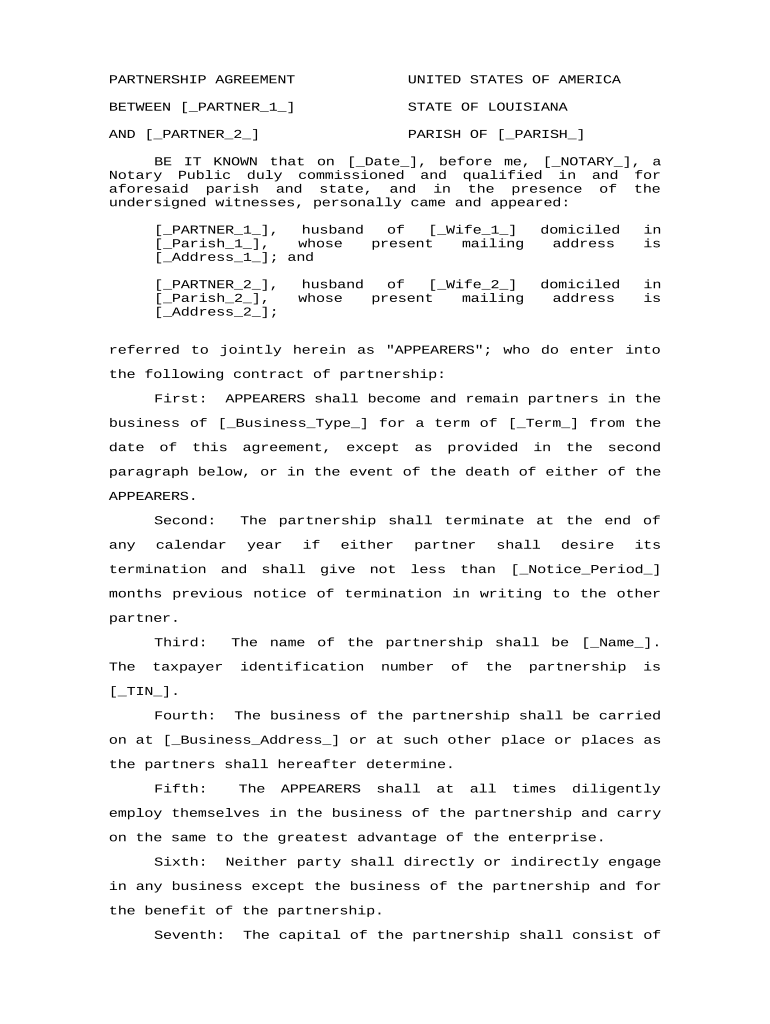
The Louisiana Partnership Agreement is a written contract between two or more persons forming a partnership under Louisiana law that sets rights, duties, profit and loss allocations, management authority, capital contributions, and procedures for adding or removing partners. Because Louisiana follows a civil law tradition, certain formalities such as notarized acknowledgments and clear transfer provisions are commonly used even when not strictly required. This agreement documents governance, dispute resolution, and dissolution mechanics to reduce ambiguity, provide evidence for tax reporting, and protect partners by defining fiduciary obligations, indemnities, and exit terms.

Why a Clear Agreement Matters for Partners

A clear Louisiana Partnership Agreement reduces partner disputes, clarifies governance and financial duties, and supports accurate tax reporting and third-party interactions. It establishes allocation rules, decision-making procedures, and exit mechanisms to limit liability and provide enforceable expectations among partners.

Why a Clear Agreement Matters for Partners

Who Typically Prepares and Signs This Agreement

Typical users include business founders, attorneys, and accountants involved in forming or managing partnerships in Louisiana.

  • New or existing business partners drafting governance and profit-allocation terms.
  • Attorneys preparing or reviewing partnership documents for compliance and risk allocation.
  • Accountants and tax advisors ensuring allocations align with IRS reporting and K-1 schedules.

Step-by-Step: Completing a Louisiana Partnership Agreement

Follow these steps to complete a Louisiana Partnership Agreement accurately and to ensure necessary signatures and supporting documentation are included.

  • 01
    Prepare Draft: Assemble capital, ownership, and management provisions for review.
  • 02
    Identify Partners: List full legal names, addresses, and tax IDs for each partner.
  • 03
    Define Contributions: Document cash, property, and service contributions with valuation method.
  • 04
    Sign & Notarize: All partners sign; notarize if desired or required by transaction.

Core Provisions to Include

Essential provisions of a Louisiana Partnership Agreement clarify management, capital contributions, allocations, transfer restrictions, dispute resolution, and termination to reduce ambiguity and litigation risk.

Management Rights

Define who manages daily operations, voting thresholds for major decisions, procedures for appointing or removing managers, and whether partners have equal management authority or delegated roles with specified limits.
Capital Accounts

Specify each partner's initial contribution, methods for valuing noncash contributions, capital account adjustments for allocations, and procedures for additional contributions or deficit restorations and related tax treatment.

Profit Allocation

Describe distribution percentages, priority returns, guaranteed payments, and timing; provide numeric examples and specify treatment for interim distributions and losses to avoid ambiguity.

Transfer Restrictions

Limit transfers by requiring partner consent, right of first refusal, buyout formulas, and valuation procedures. State whether transferees may become partners or remain passive investors.

Dispute Resolution

Include mediation and arbitration clauses, specify governing law (Louisiana), venue for disputes, and interim relief procedures to minimize litigation costs and provide predictable outcomes for partners.

Dissolution & Exit

Set dissolution triggers, winding-up steps, priority of distributions, payout timelines, and procedures for valuation and buyouts to ensure orderly partner exits and asset distribution.

Security and Compliance Essentials

Encryption: AES-256 at rest, TLS 1.2/1.3 in transit
Access Controls: Role-based permissions, SSO support
Audit Trail: Timestamps, IP, action history
HIPAA Compliance: BAA available for protected health information
21 CFR Part 11: Electronic record controls when required
Legal Frameworks: ESIGN and UETA recognition

Short Risks and Potential Penalties

Tax Penalties: IRS fines under IRC §6721
Backup Withholding: 24% rate if TIN missing
I-9 Errors: Civil fines possible
Contract Disputes: Litigation costs and delays
Invalid Transfers: Unclear terms can void transfers
Notary Rejection: Improper acknowledgment risks rejection

Common Preparation Pitfalls to Avoid

  • Unclear capital contribution valuations lead to disputes and misallocated tax liabilities; include valuation method and date to reduce future disagreements.
  • Ambiguous management authority creates operational paralysis; define decision thresholds, emergency powers, and who signs contracts on behalf of partnership.
  • Missing TINs or inconsistent names delay K-1 issuance and may trigger backup withholding; confirm TINs before filing.
  • Failing to specify buyout formulas forces costly valuations and litigation; include clear calculation steps and dispute resolution paths.

How Signing and Routing Usually Works

Typical routing for signing a partnership agreement, from document creation through final storage and distribution to partners and advisors.

  • Prepare Document: Draft, review, and finalize terms for all parties.
  • Assign Fields: Add signature, date, and initial fields; mark required items.
  • Send to Signers: Use sequential or parallel routing with authentication options.
  • Archive: Save executed copies and export audit trails.

Recommended Online Workflow Settings

Configure online workflows to match the partnership approval path, signer authentication, and retention policies before sending for signatures.

Workflow field name and config Configuration value or option for workflow
Signer authentication method options available Email, SMS, KBA, or RON where applicable
Signature Field Types and Rules Signature, initials, date, and conditional fields
Document routing order and notifications Sequential or parallel; email reminders and expiration
Retention and storage settings for executed documents Retention period, export format, and backup location

Platform Requirements and Integrations

Ensure the signing platform supports required integrations, document formats, and authentication methods for Louisiana filings.

  • Integrations: Salesforce, NetSuite, Google Workspace support
  • File Formats: PDF, DOCX, and editable templates
  • Authentication: Email, SMS, SSO, optional KBA

Key Deadlines and Filing Timing Considerations

Key filing and operational deadlines related to partnership formation, tax reporting, and recordkeeping for Louisiana partnerships.

Provide W-9 to payers upon request:

No statutory deadline; supply promptly to avoid backup withholding.

Issue Schedule K-1s to partners:

Provide K-1s after Form 1065 filing to report partner shares

File Form 1065 by due date:

Generally April 15; extension available to October 15 with Form 7004.

Retain tax records per IRS minimums:

Keep tax-related records at least three years; longer if substantial understatement or fraud.

RON and notarization considerations for Louisiana agreements:

Remote notarization may be available; verify state rules and notary-record retention requirements.

Milestone Timeline from Draft to Maintenance

Sequential milestones from negotiation through execution and post-signature maintenance for the partnership agreement lifecycle and compliance.

01

Negotiation

Agree on contributions, allocations, and governance terms.

02

Drafting

Prepare detailed provisions and exhibits for clarity and tax support.

03

Execution

Obtain signatures, dates, and notarizations if required or desired.

04

Post-Execution

Distribute copies, update records, and implement accounting entries.

How Louisiana Agreements Differ from Common U.S. Practice

Compare how a Louisiana Partnership Agreement differs from a common general partnership agreement in execution, filing, and notarization expectations.

Criteria Louisiana Common U.S.
Formation document and formalities requirements notarization common typically informal
State filing requirement differences and notice may require notary no filing required
Governing law selection practice customs louisiana civil code common law default
Witness or notarial use practices often used for evidence rarely used

eSignature Vendor Comparison for Executing Partnership Agreements

Pricing and feature comparison for common eSignature providers relevant to executing partnership agreements; signNow appears first for parity in testing.

signNow DocuSign Adobe Sign PandaDoc HelloSign
Starting Price $8/user/mo $15/user/mo $14/user/mo $19/user/mo $15/user/mo
Free Trial 7-day free trial Yes Yes Yes Yes
Bulk Send Yes Yes Yes Yes No
Audit Trail Yes Yes Yes Yes Yes
HIPAA Compliant Yes Yes Yes No No

Two Practical Examples of Agreement Use

Two practical examples show how partnership agreements govern operations, resolve disputes, and document financial allocations in real situations.

Real Estate Holding Partnership

A three-partner LLC treated as a partnership used an agreement to allocate rental income, set maintenance obligations, and define sale proceeds distribution among investors.

  • Included buy-sell formula and appraisal method.
  • By specifying valuation procedures and priority returns, partners avoided a disputed valuation at sale, simplified K-1 tax allocations, and expedited closing; the written agreement provided clear guidance to lenders, title companies, and tax preparers.

Medical Practice Partnership

Two physicians formed a professional partnership and used a detailed agreement to allocate profits, document capital contributions, and define transfer restrictions for incoming associates.

  • Added HIPAA and licensing clauses.
  • The agreement included practitioner licensing responsibilities, BAA commitments, and buyout terms; when a partner left, the buyout formula enabled fair compensation without prolonged litigation.

Practical Drafting and Maintenance Recommendations

Practical recommendations for drafting and maintaining a legally robust Louisiana Partnership Agreement to reduce disputes and improve enforceability.

Use clear definitions throughout the agreement
Define key terms such as 'capital contribution', 'majority vote', 'distributable cash', and 'effective date' to remove ambiguity. Consistent definitions prevent inconsistent interpretation and support reliable tax reporting and dispute resolution.
Align tax provisions with K-1 reporting
Explicitly state allocation methods and special allocations to match intended tax outcomes. Coordinate with your CPA to ensure partnership allocations do not create unintended tax liabilities or IRS adjustments under IRC rules.
Include mediation and arbitration clauses
Prefer multi-step dispute procedures: negotiation, mediation, and binding arbitration with specified seat and governing law. This reduces court exposure, controls costs, and speeds resolution while preserving confidentiality.
Review by counsel and accountant
Obtain targeted legal and tax reviews before execution. Counsel should confirm enforceability under Louisiana law and accountants must verify allocations, capital accounts, and reporting treatment to avoid later tax disputes or costly amendments.

Frequently Asked Questions About Louisiana Partnership Agreements

Answers to common questions about completing, signing, and storing a Louisiana Partnership Agreement, including electronic signature and notarization considerations.


Need help? Contact support

be ready to get more
Join over 28 million airSlate SignNow users