Establishing secure connection…Loading editor…Preparing document…

Business Letter of Complaint

This template is fully customizable. Edit the text, fill out the fields, and send it for signature. Give it a try!
Business Letter of Complaint

What a Business Letter of Complaint Is and When to Use It

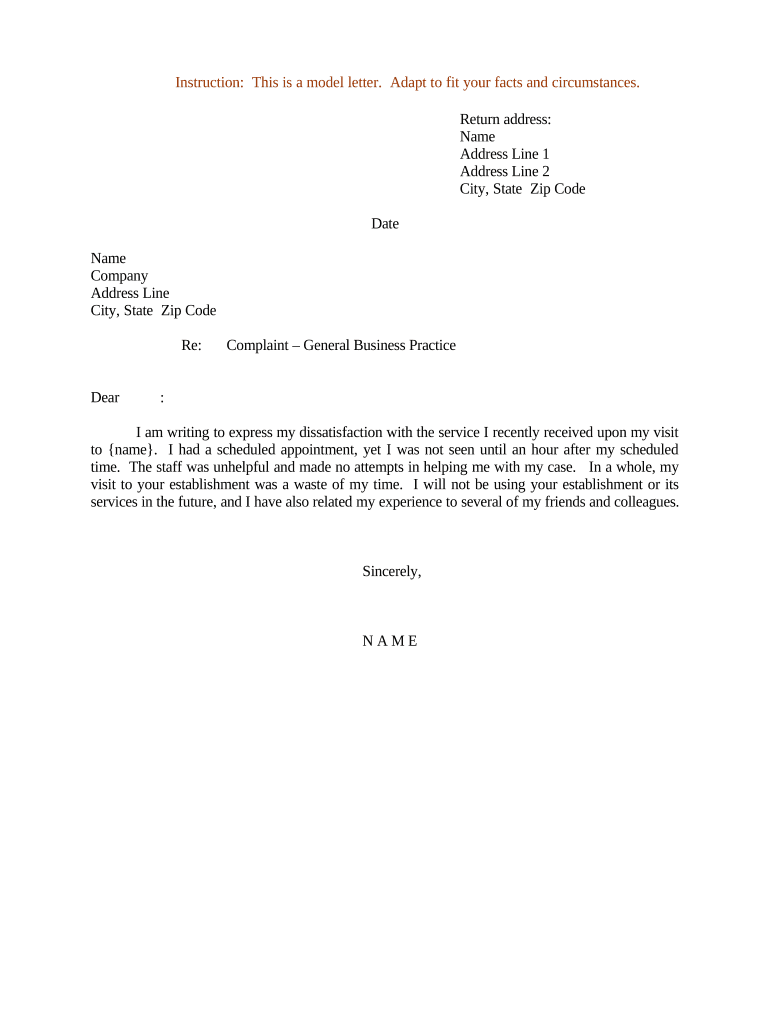
A Business Letter of Complaint is a formal written document used by an individual or organization to notify a company, vendor, regulator, or partner about a problem that requires remediation, refund, correction, or other action. It states the facts, references any prior communications, identifies desired remedies, and sets a reasonable response timeframe. The letter can support later escalation to regulators, dispute resolution, or legal claims when retained with supporting evidence and delivery records.

Why a Clear Complaint Letter Matters for Resolution

A concise, documented complaint increases the chance of prompt corrective action, preserves evidence for escalation, and creates a clear audit trail. A written statement establishes dates, specifics, and requested remedies that reduce ambiguity and speed internal review and regulatory response.

Why a Clear Complaint Letter Matters for Resolution

Who Typically Prepares a Business Letter of Complaint

Keep copies for records and follow the sender’s escalation path when responses are unsatisfactory; documentation supports later regulatory filings or legal actions.

  • Procurement teams seeking contract remedies or credits after service failures.
  • Small business owners disputing vendor billing, delivery, or workmanship issues.
  • Consumers or account holders requesting refunds or corrective action from a service provider.

Essential Parts of an Effective Business Letter of Complaint

A well-structured complaint letter is clear, factual, and documents what happened, who was involved, the impact, and the remedy sought. It should be professional, concise, and include supporting evidence and a reasonable deadline for response.

Header

Sender and recipient names, addresses, contact details, and the date of the letter for a clear official record.
Statement of Facts

Chronological, objective description of events, dates, order numbers, contract references and specific communications to avoid ambiguity.

Impact

Describe financial, operational, or reputational harm with quantifiable amounts or specific consequences where possible.

Requested Remedy

Specify the exact remedy sought (refund, repair, replacement, credit, policy change) and any calculation supporting an amount.

Deadline

Set a reasonable response timeframe, typically 14–30 days, to prompt action and allow later escalation if unmet.

Attachments

List invoices, photos, contracts, correspondence, and tracking records that substantiate the complaint and your requested remedy.

Step-by-Step: How to Prepare and Send the Letter

Follow these sequential steps to create a clear, actionable complaint and preserve evidence for follow-up or escalation.

  • 01
    Draft: Write a factual, chronological account with supporting references and attachments.
  • 02
    Quantify: State exact amounts, order numbers, and dates to clarify the remedy requested.
  • 03
    Sign: Sign the letter (wet or electronically) and date it to establish the official filing date.
  • 04
    Send and Record: Deliver via tracked method and retain delivery proof and copies for your records.

Configuring an Online Workflow for Complaint Letters

Set up a repeatable digital workflow that attaches evidence, collects signatures, and routes the letter to the correct recipient and internal approvers.

Field Configuration
Recipient Routing Set primary recipient and CC list; enable conditional routing for escalations.
Attachments Allow PDF, JPG, DOCX uploads and require mandatory proofs such as invoices.
Signer Authentication Choose email + SMS code or stronger authentication for high-value claims.
Retention Policy Configure auto-archiving and export to secure storage for compliance.

Where to Send or File Your Complaint Letter

Select the proper destination depending on the issue: vendor, corporate office, contract administrator, or regulator. Use tracked delivery and retain evidence.

  • Vendor Contact: Deliver to vendor customer service or legal department listed on contract or invoice.
  • Corporate Escalation: Send to escalation or compliance officer when frontline response fails.
  • Regulatory Agency: File with the appropriate regulator for regulated industries when required.
  • Alternative Dispute: Preserve a copy for arbitration or small claims if escalation is needed.

Digital Delivery and Signing: Technical Considerations

Ensure the chosen platform retains an immutable audit trail and exportable records for dispute resolution and regulatory review.

  • File Formats: PDF, DOCX, and scanned image support.
  • Integrations: CRM and cloud storage connections such as Salesforce and Google Workspace.
  • Authentication: Email, SMS, or stronger identity verification options.

Typical Timelines and Recommended Response Deadlines

Set an internal and external timeline for acknowledgment and resolution; clear deadlines help measure responsiveness and preserve escalation rights.

Immediate Acknowledgment:

Request written receipt within 3 business days to confirm the complaint was received.

Initial Response:

Ask for an initial substantive response within 14–30 calendar days depending on issue complexity.

Resolution Target:

Propose a resolution timeframe, commonly 30–60 days for complex disputes.

Escalation Window:

State that failure to respond may lead to regulatory filing or dispute resolution after your deadline.

Recordkeeping Period:

Keep correspondence and supporting documents until the issue is fully resolved plus applicable retention period.

Key Stages from Submission to Closure

A complaint typically moves through discrete stages; track each stage to manage escalation and evidence preservation.

01

Prepare and Document

Assemble facts, evidence, and desired remedy before sending the complaint.

02

Send and Acknowledge

Deliver via tracked or electronic method and confirm receipt.

03

Review and Investigate

Recipient reviews the file, investigates, and requests clarifying information if needed.

04

Resolve or Escalate

Implement remedy or escalate to regulator, ADR, or legal action if unresolved.

Common Preparation Mistakes to Avoid

  • Vague or emotional language that omits dates, identifying numbers, or precise remedies, which slows resolution and invites dispute.
  • Failing to attach or reference supporting documents, such as invoices, photos, or contract clauses, depriving reviewers of necessary evidence.
  • Delivering by informal channels without proof of receipt, which weakens escalation options and legal defensibility.
  • Using incomplete or inconsistent party names and signatures, which may invalidate authority claims or payment routing.

Risks of an Improperly Prepared or Sent Complaint

Defamation Risk: Unsubstantiated accusations can create legal exposure.
Contractual Waiver: Missing notice clauses can forfeit rights under contract.
Late Escalation: Delays can exceed internal or statutory response windows.
Evidence Loss: Poor recordkeeping can weaken later claims.
Incorrect Authority: Signed by unauthorized person may be unenforceable.
Privacy Breach: Including sensitive data improperly can trigger compliance issues.

Security and Compliance Checklist for Complaint Records

Encryption In Transit: TLS 1.2 / 1.3
Encryption At Rest: AES-256
Audit Trail: Timestamps and IP logs
HIPAA Support: BAA required
Regulatory Standards: ESIGN and UETA
Third-Party Certs: SOC 2 Type II, ISO 27001

Real-World Examples of Written Complaints and Outcomes

Below are brief examples describing how organizations used formal written complaints successfully to resolve issues and preserve compliance records.

Optica Ventures (COO)

The team created a standardized complaint template to document vendor defects and delivery gaps.

  • The template centralized evidence and routing.
  • This reduced dispute resolution time and improved customer transparency by preserving complete records for procurement and audit teams.

Martin Properties (Founder)

The company used a signed complaint letter to document contractor deficiencies on a property renovation.

  • The letter clarified expectations and timelines.
  • It enabled a rapid contractual remedy and served as a clear record for insurance and lien-waiver coordination.

Comparing eSignature Solutions for Complaint Letter Workflows

Cost and capability vary across eSignature vendors. The table below highlights starting price, free trial availability, bulk send, audit trail, HIPAA support, and any envelope caps with signNow listed first.

signNow DocuSign Adobe Sign PandaDoc HelloSign
Starting Price $8/user/mo $15/user/mo $14/user/mo $19/user/mo $15/user/mo
Free Trial 7-day free trial, no credit card required Yes Yes Yes Yes
Bulk Send Yes (Business Premium) Yes Yes Yes No
Audit Trail Yes Yes Yes Yes Yes
HIPAA Compliant Yes (BAA available) Yes Yes No No

Frequently Asked Questions About Business Letters of Complaint

Answers to common questions about drafting, signing, delivering, and preserving complaint letters for business use and escalation.


Need help? Contact support

be ready to get more
Join over 28 million airSlate SignNow users