Parties
Identify transferor and subsequent transferee using full legal names and entity types; include authorized signatory names and titles.
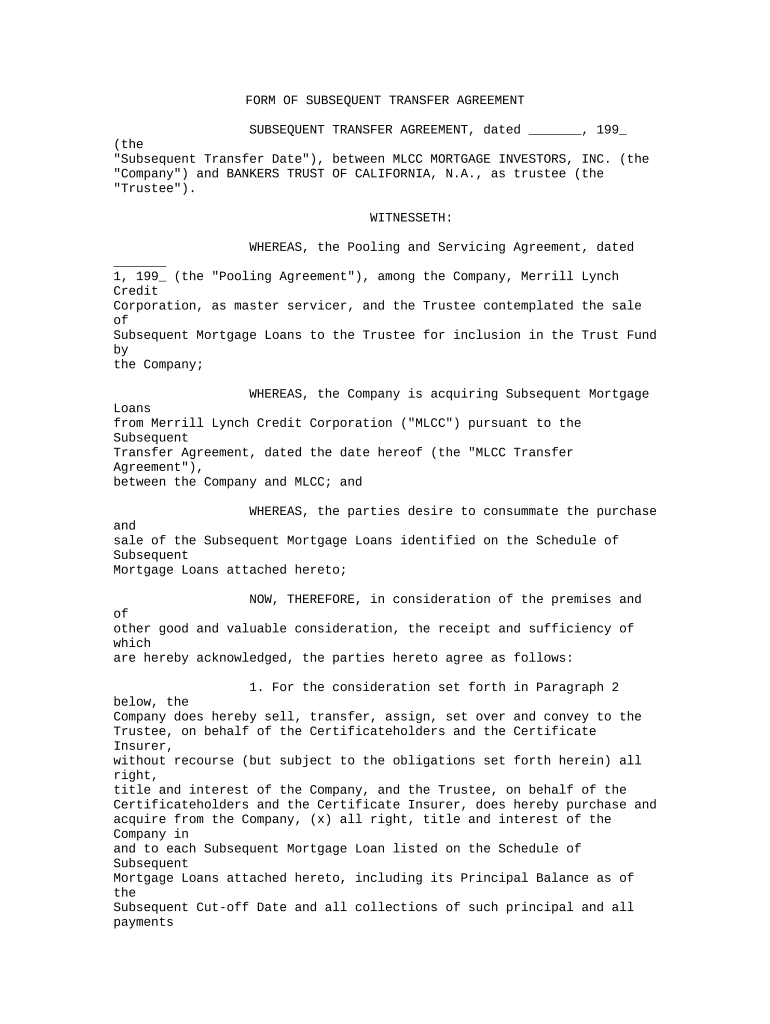
A precise agreement reduces title ambiguity, allocates liabilities, and records the intended effect of a later transfer to third parties and registries. It protects transferees and grantors by documenting authorization, consideration, and any conditions precedent or subsequent.

In practice, the drafter varies by industry and transaction complexity; counsel often reviews the agreement when recording, third-party consents, or tax consequences are possible.
A corporate counsel or outside attorney typically prepares the document to ensure transfer language aligns with existing agreement terms and corporate authority. They confirm approvals, board resolutions if required, and advise on tax or regulatory consequences before execution.
A title company officer or closing agent signs when the subsequent transfer affects recorded title; they verify chain-of-title, ensure recording requirements are met, and sometimes prepare notarial acknowledgments or escrow instructions.
Identify transferor and subsequent transferee using full legal names and entity types; include authorized signatory names and titles.
Summarize the original transfer and the reason for the subsequent transfer to provide context for chain-of-title and any third-party consents.
State the exact rights or interests being transferred, including effective date, scope, and any exclusions or retained rights.
Describe the amount, form of payment, or other consideration; indicate whether the transfer is gratuitous where applicable.
Include title, authority, and no-encumbrance warranties or disclaimers to allocate risk between parties.
Provide signature blocks, date fields, and notary or witness lines where state law or recording offices require authentication.
| Field | Configuration |
|---|---|
| Signer Authentication | Email + SMS code or stronger KBA for high-risk transfers |
| Routing Order | Sequential signing or parallel signing depending on approvals required |
| Required Fields | Mandatory name, date, notary block, and acknowledgement fields |
| Retention & Export | Enable PDF/A export and audit-trail retention for compliance |
Confirm format and authentication requirements with the receiving registry or recorder before e-filing to avoid rejection.
Determines when rights transfer and may trigger tax consequences
Record promptly to protect priority; local offices set acceptance policies
Provide notice per contract within any agreed timeframe
Report transfers when required under IRS rules and schedules
Retention period typically starts from the execution date
Assemble drafts, exhibits, and prior transfer documentation for review.
Obtain internal sign-offs and any board or trustee approvals required.
Signatures, notarization, and witness attestations are completed as required.
Record with the appropriate office and circulate executed copies to stakeholders.
| Criteria | Subsequent Transfer Agreement | Assignment Agreement |
|---|---|---|
| Primary Use | record chain-of-title | transfer contractual rights |
| Notarization | sometimes required | rarely required |
| Recording | often recorded (real property) | typically not recorded |
| Typical Parties | title holders and transferees | contracting parties only |
| signNow | DocuSign | Adobe Sign | PandaDoc | HelloSign | |
|---|---|---|---|---|---|
| Starting Price | $8/user/mo | $15/user/mo | $14/user/mo | $19/user/mo | $15/user/mo |
| Free Trial | 7-day free trial | Varies | Varies | Varies | Varies |
| Bulk Send | Yes (Premium) | Yes | Yes | Yes | Limited |
| Audit Trail | Yes | Yes | Yes | Yes | Yes |
| HIPAA Compliant | Yes | Yes | Yes | No | No |
A property manager assigns a leasehold interest following a corporate restructuring to a new entity
A lender reassigns participation interests in a loan pool to a secondary purchaser after closing