Establishing secure connection…Loading editor…Preparing document…

California Cancellation Contract

This template is fully customizable. Edit the text, fill out the fields, and send it for signature. Give it a try!
California Cancellation Contract

What the California Cancellation Contract Is and when it applies

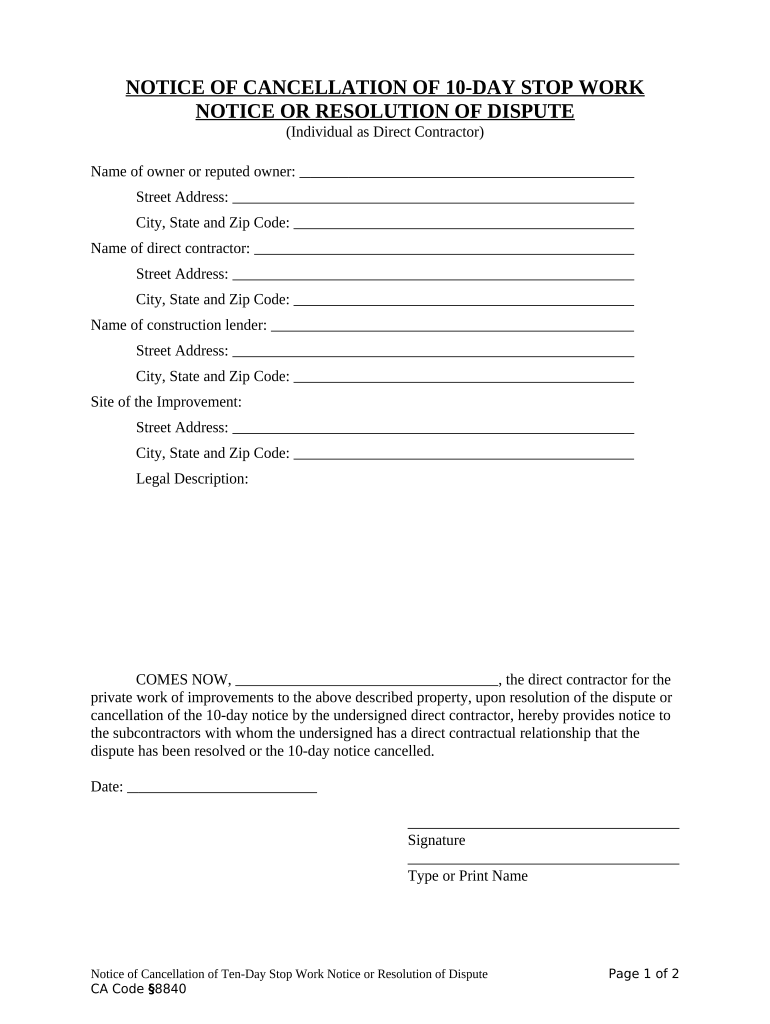
The California Cancellation Contract is a written notice or agreement used to terminate, rescind, or record the cancellation of an existing contract or authorization under California law. It identifies the parties, cites the original agreement, states the effective cancellation date, and describes any refunds, continuing obligations, or agreed remedies. This instrument creates a clear, reproducible record suitable for electronic storage and transmission where ESIGN and state law permit electronic records. Use it to reduce ambiguity about whether and when termination took effect and to document agreed follow-up actions between parties.

Why a clear cancellation document matters

A formal cancellation contract reduces disputes by creating evidence of timing, consent, and any agreed payments or returns. It helps preserve rights, document obligations post-termination, and supports regulatory or tax recordkeeping where applicable.

Why a clear cancellation document matters

Who commonly completes a California Cancellation Contract

Typical users who prepare and sign cancellation contracts.

  • Real estate brokers and property managers handling lease or contingency cancellations, documenting agreed refunds and release language.
  • Consumers terminating service or subscription agreements who need a dated written record for disputes or refunds.
  • Business contract administrators or in-house counsel closing vendor contracts and recording transition obligations.

Parties should confirm signatory authority and any statutory notice periods before sending a final cancellation.

Step-by-step: Create and execute a cancellation contract

Follow these steps to prepare, sign, and preserve a clear cancellation record that documents intent and timing.

  • 01
    Gather details: Identify the original contract, parties, dates, and relevant clause references.
  • 02
    Draft notice: State cancellation language, effective date, and any refund or return terms.
  • 03
    Obtain signatures: Have authorized signers sign and date; record method of delivery.
  • 04
    Retain record: Save the executed copy in secure, searchable storage for required retention period.

Frequently asked questions about cancellation and electronic execution

Common questions about validity, evidence, notarization, and next steps when using a California Cancellation Contract.


Need help? Contact support

Essential elements to include in a professional cancellation contract

A well-drafted cancellation contract is structured, unambiguous, and includes the following core components to minimize disputes.

Parties & Reference

Full legal names of all parties and a clear reference to the original agreement so both instruments are linked and enforceable.
Effective Date

A precisely stated effective date in MM/DD/YYYY format that governs timing of obligations and refunds.

Cancellation Statement

An explicit clause stating the contract is cancelled or rescinded and describing the legal basis or mutual agreement.

Consideration

Details of refunds, credits, or obligations owed on termination, including payment method and timeline if applicable.

Surviving Terms

Specify which provisions survive termination, such as confidentiality, indemnity, or dispute resolution clauses.

Execution Block

Signature lines, printed names, titles, and dates for authorized signers to prevent challenges to signatory authority.

Security and compliance considerations for electronic cancellation records

Encryption in transit: TLS 1.2/1.3
Encryption at rest: AES-256
Audit trail: Timestamps and IP logging
Certifications: SOC 2 Type II, ISO 27001
Healthcare compliance: HIPAA available with BAA
Legal frameworks: ESIGN and UETA compliant

Key risks and legal consequences of an incorrect cancellation

Unclear effective date: May permit ongoing liability
Wrong signatory: Contract may be voidable
Missing refund terms: Leads to breach claims
Improper delivery: Fails to establish notice
Noncompliance with statute: Could trigger penalties
Poor recordkeeping: Hinders dispute defense

Common mistakes to avoid when preparing a cancellation contract

  • Using vague language about refunds or obligations that leaves material terms open to interpretation and invites dispute.
  • Failing to reference the original contract precisely, which can make it hard to prove which agreement was intended to be cancelled.
  • Relying on an unsigned or initialed document where full execution is required, creating challenges to enforceability.
  • Neglecting to preserve delivery evidence and audit trails when using electronic signatures or notices.

Typical workflow for digital cancellation and recordkeeping

A straightforward electronic workflow reduces friction and creates an auditable trail for cancellations.

  • Prepare document: Populate template with contract reference and terms.
  • Place signature fields: Add required signature, date, and initial fields.
  • Authenticate signer: Use email, SMS code, or stronger methods as needed.
  • Archive proof: Store signed PDF and audit trail securely.

Recommended setup for an online cancellation workflow

Configure a repeatable template and authentication settings to speed processing and maintain evidence.

Field Configuration
Document template Use a standard template with required fields pre-placed.
Signature order Set sequential or parallel signing based on party roles.
Authentication Enable email and optional SMS code for signer verification.
Storage Save final PDF and audit trail in secure repository.

Technical and platform considerations for eSigning cancellation contracts

Choose tools that support required authentication, file formats, and integrations for your workflow.

  • Integrations: Supports Salesforce, NetSuite, Microsoft 365, Google Workspace
  • Supported formats: PDF, DOCX, HTML, Excel
  • Authentication options: Email, SMS, knowledge-based checks

Confirm the platform meets your compliance needs, such as HIPAA or 21 CFR Part 11, before storing sensitive records.

Timelines and processing expectations for cancellations

Timelines depend on the original contract terms and applicable consumer or industry rules; document processing times should be set and tracked.

Effective upon receipt:

If the contract specifies, cancellation becomes effective when the other party receives notice.

Refund processing typical:

Many organizations process refunds within 30 days of confirmed cancellation, but check contract terms.

Acknowledgment timeframe:

Send signed acknowledgment within 7–14 days to reduce disputes.

Dispute window:

Allow a clear window for claim resolution per contract dispute procedures.

Record preservation:

Retain executed documents immediately after completion for compliance and audit purposes.

Key milestones in a cancellation lifecycle

Track these milestones from preparation through final record retention to ensure compliance and evidence preservation.

01

Draft and review

Prepare the cancellation document and obtain internal approvals before sending.

02

Send notice

Deliver by the contract-prescribed method and capture delivery evidence.

03

Effective date

Confirm the date cancellation takes effect per the document or contract terms.

04

Archive records

Store executed copy and audit trail in secure retention storage.

Comparing eSignature providers for signing California Cancellation Contracts

Basic pricing and capability overview to inform selection; signNow appears first per platform-comparison convention used here.

signNow DocuSign Adobe Sign PandaDoc HelloSign
Starting Price $8/user/mo $15/user/mo $14/user/mo $19/user/mo $15/user/mo
Free Trial 7-day free trial Varies by plan Varies by plan Varies by plan Varies by plan
Bulk Send Yes Yes Yes Yes No
Audit Trail Yes Yes Yes Yes Yes
HIPAA Compliant Yes Yes Yes No No

Real-world examples of cancellation workflows in practice

Cases where electronic cancellation records reduced dispute risk and improved processing speed.

Martin Properties

Martin Properties executed lease cancellations online to avoid in-person meetings and preserve a clear audit trail.

  • The team used a standardized cancellation template for each tenant.
  • As a result, property managers closed out accounts faster and maintained consistent records that simplified deposit reconciliations and dispute resolutions.

Optica Ventures

Optica Ventures centralized vendor contract cancellations in a single digital repository for auditability.

  • They required signatory verification and retention for seven years.
  • Centralized records reduced follow-up emails and provided quick documentary proof during vendor reconciliations and internal reviews.

Practical tips to ensure a legally defensible cancellation

Small drafting and workflow choices improve enforceability, reduce disputes, and simplify recordkeeping.

Be precise and reference
Always reference the original contract by title and date, and identify the exact provisions being cancelled or preserved to avoid ambiguity and litigation over scope.
Confirm authority
Verify that each signer has authority to bind their organization—use title lines and, if needed, attach a corporate resolution or power of attorney.
Document delivery
Capture delivery evidence such as signed receipt, returned email with timestamp, or a platform audit trail to establish when the other party received notice.
Preserve audit trail
Store the executed document alongside a tamper-evident audit trail and secure backup to support later enforcement or regulatory review.

eSubmission and distribution options for executed cancellations

Choose distribution channels that create verifiable delivery evidence and meet recipient preferences.

  • Email delivery: Sends signed PDF with timestamped audit record
  • Secure link: Provides controlled access and optional expiration
  • Integration sync: Pushes completed document to CRM or document store

Keep copies in both sender and recipient systems and use encrypted storage to maintain confidentiality and long-term accessibility.

be ready to get more
Join over 28 million airSlate SignNow users