Establishing secure connection… Loading editor… Preparing document…
Navigation

Fill and Sign the California Estate Form

Fill and Sign the California Estate Form

How it works

Open the document and fill out all its fields.
Apply your legally-binding eSignature.
Save and invite other recipients to sign it.

Rate template

4.8
43 votes
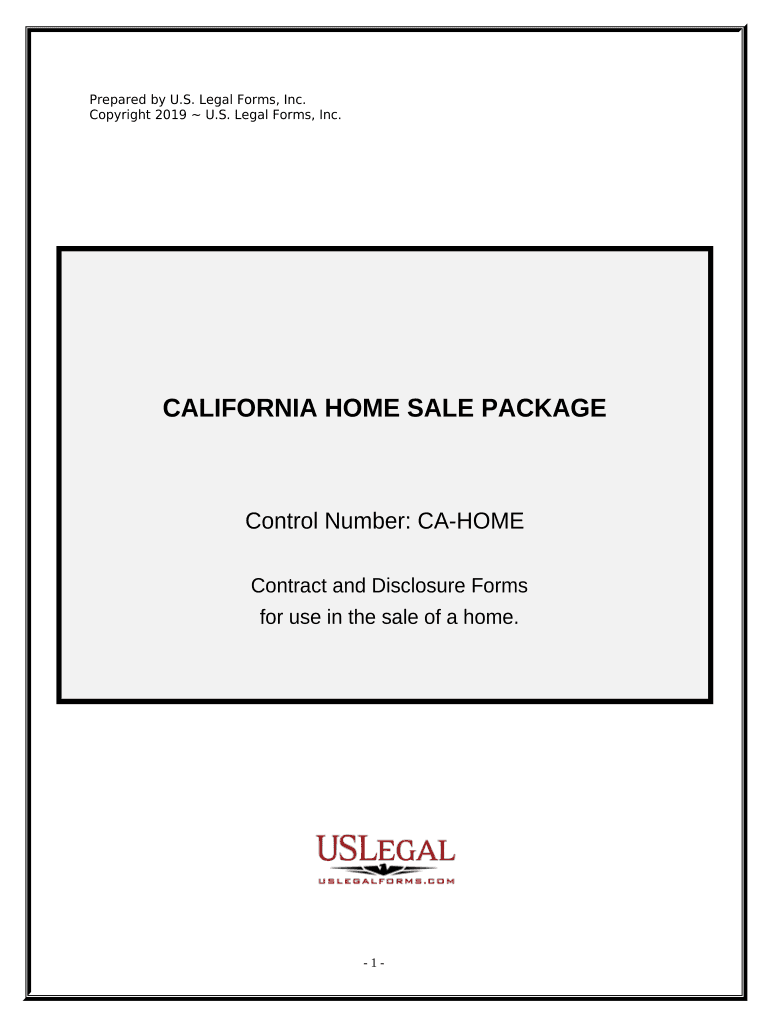
Prepared by U.S. Legal Forms, Inc. Copyright 2019 ~ U.S. Legal Forms, Inc. CALIFORNIA HOME SALE PACKAGE Control Number: CA-HOME Contract and Disclosure Forms for use in the sale of a home. - 1 - TABLE OF CONTENTS This USLF Home Sale Package includes essential, state-specifc forms for the sale of residential real estate. I. Form List II. Defnitions III. Form Descriptions IV. Additional Notes - Other Useful USLF Home-sale Products - Tips on Completing the Forms - Disclaimer - 2 - I. FORM LIST 1. Contract for the Sale and Purchase of Real Estate ( CA-00472 ) 2. Seller’s Property Disclosure ( CA-37014 ) 3. Natural Hazard Disclosure ( CA-37014-A ) 4. Lead-Based Paint Disclosure (Required if the house was built prior to 1978.) Includes links to pamphlets entitled, “Environmental Hazards: A Guide for Homeowners, Buyers, Landlords, and Tenants” and the E PA Lead Paint pamphlet: “Protect Your Family From Lead in Your Home” ( CA-LEAD1 ) 5. Smoke Detector Statement of Compliance ( CA-37014-B ) 6. Military Ordnance Disclosure (if applicable, see below) ( CA-37014-B ) 7. Industrial Use Disclosure (if applicable, see below) ( CA-37014-B ) 8. Link to: "Homeowner's Guide to Earthquake Safety" & Earthquake Hazards Disclosure (Required if house built pre-1960) ( CA-37014-B ) 9. Mello-Roos Disclosure and Notice of Supplemental Property Tax ( CA-37014-B ) 10. Additional Disclosures (Local Options) that may be required by City or County Ordinances (if applicable, see below) ( CA-37014-B ) II. DEFINITIONS The following real estate terms are defned for your convenience: 1. Contract: The Contract in this package is a detailed written agreement, signed by the parties thereto, to buy and sell real estate. 2. Real Estate: Land and any structures thereon. 2. Consideration: Something promised, given, or done that has the efect of making an agreement a legally enforceable contract. 3. Fixture: Property that becomes part of the real estate when attached thereto in a permanent manner, for example, a ceiling fan. 4. Earnest Money: Money paid by the buyer at the time of the initial signing of the contract, usually $1000.00 or 1% of the sale price. 5. Closing: The fnal meeting in which all purchase money is paid over by buyer to seller and ownership is exchanged. 6. Pro-rationing: Dividing yearly (or other) costs (such as property taxes) between buyer and seller in proportion to how much of the year each party owns the property. 7. Casualty Loss: Damage to or destruction of the property, for example by fre. The Contract contains an agreement on the consequences of a casualty loss after initial signing, but before fnal closing. - 3 - 8. Default: A failure by one party to live up to their contractual obligations. The Contract contains an agreement on the rights of the non-defaulting party in case of default. 9. Eminent Domain: An appropriation of the property by the government. The Contract contains a provision on the consequences of loss of the property due to Eminent Domain after initial signing, but before fnal closing. 10. “Time is of the Essence”: Language used in the Contract to indicate that deadlines stated therein are important, and will be strictly enforced. III. FORM DESCRIPTIONS 1. Contract of Sale The Contract for the Sale and Purchase of Real Estate (“the Contract”) is the central legal document through which Buyer and Seller (“the Parties”) agree upon the terms and conditions of the property sale. Because real estate sales are relatively complex and important transactions, state law requires a written, signed contract for such transactions to be enforceable. This legal requirement is rooted in the practical reality that with so many details involved in the typical home sale, the Parties could easily become confused and fall into disagreement over their various rights and responsibilities related to the sale. The Contract provides an organized framework within which the Parties can proceed with the sale process from beginning to end without unnecessary disputes, omissions or misunderstandings. The Contract identifes the buyer(s) and seller(s), and specifes the property to be sold. Items to be taken away and/or left behind by the seller are also specifed. The all-important sale price for the property to be sold is stated, along with details of whatever fnancing the buyer needs to secure funds for the purchase. The amount of earnest money put down by the buyer is also stated, and all the costs associated with the sale of property are identifed and allocated to be paid by either seller or buyer, as agreed. Disclosure and inspection procedures are discussed in detail. If your state has special property condition disclosure rules, they are stated here. If the buyer or the buyer’s inspector locates defects in the house, time limits and steps are set out for repair of these defects by the seller, or cancellation of the contract. In addition to the Disclosure provisions, the Contract contains detailed clauses regarding conveyance of title, pro-rationing of expenses, casualty loss, and default, among others. The Contract states that it represents the entire agreement of the parties, meaning that no “side agreements” made verbally or otherwise, will be enforceable. Agreeing to everything in writing, and - 4 - having the writing be the ONLY agreement, helps avoid disagreements after closing. 2. Seller’s Disclosure The Seller’s Disclosure is the document used by the Seller to reveal all problems and defects in the house (if any) and age of appliances. The Seller can thereby hopefully avoid the Buyer later claiming that the Seller concealed known defects from the Buyer. This form is typically completed by the Seller prior to listing the house for sale, and given to all potential purchasers. 3. A Natural Hazard Disclosure Statement is required in California. This form is included in this package. Many companies provide the inspection service necessary to complete the Natural Hazard Disclosure. 4. Lead-Based Paint Disclosure The “Seller’s Disclosure of Lead-Based Paint and Lead-Based Paint Hazards” form is required by Federal law for a residential dwelling constructed prior to 1978. A Buyer of a home built prior to 1978 is notifed that such property may present exposure to lead from lead-based paint that may place young children at risk of lead poisoning. If your home was constructed in 1978 or later, this disclosure is not required. Requirements: Before the sale contract becomes enforceable, sellers must fully comply with lead-paint disclosure law. Compliance is accomplished by: (1) Fully completing and delivering to the buyers, as an attachment to the contract, the LEAD-BASED PAINT DISCLOSURE form (the buyers also initial and sign this form), and (2) Giving the buyers the EPA pamphlet entitled "Protect Your Family From Lead In Your Home." (This requirement may be fulflled instead by providing the pamphlet entitled: “Environmental Hazards: A Guide for Homeowners, Buyers, Landlords, and Tenants.” See below). Pamphlet: “Environmental Hazards: A Guide for Homeowners, Buyers, Landlords, and Tenants” (Environmental Hazards Pamphlet) The seller or the seller’s agent(s) may give the buyer of real property the Environmental Hazards Pamphlet . If the buyer receives the pamphlet, neither the seller nor any agent in the transaction is required to furnish more information concerning such hazards, unless the seller or the agent(s) has/have actual knowledge of the existen ce of an environmental hazard on or afecting the property. The seller of a dwelling built prior to 1978 is required by federal law to give the Buyer the EPA pamphlet entitled: “Protect Your Family From Lead in Your Home” (Federal Lead Publication) explaining potential lead-paint problems in homes and how to combat them. However, the Federal Lead Publication is - 5 - not required if the seller provides the buyer the Environmental Hazards Pamphlet. The 2005 edition of the Environmental Hazards Pamphlet incorporates the Federal Lead Publication and meets all State and Federal guidelines and lead disclosure requirements pursuant to the Residential Lead- Based Paint Hazard Reduction Act of 1992. 3. Smoke Detector Statement of Compliance California law requires that every single-family dwelling and factory-built housing unit sold on or after January 1, 1986, have an operating smoke detector, approved and listed by the State Fire Marshal and installed in compliance with the State Fire Marshal’s regulations. This Statement of Compliance, required by law, is Seller’s confrmation to Buyer that smoke detector(s) in the dwelling are operating and installed in compliance with law. 4. Military Ordnance Disclosure (if applicable) If Seller has actual knowledge that an area within one mile of the Property is identifed by federal or state authorities as an area once used for military training purposes whi ch may contain potentially explosive munitions, then Seller must complete and deliver the Military Ordnance Disclosure to Buyer. 5. Industrial Use Disclosure (if applicable) If Seller has actual knowledge that Property is in, adjacent to, or afected by a zone or district allowing manufacturing, commercial or airport use and/or afected by a nuisance created by such use, then Seller must complete and deliver the Industrial Use Disclosure to Buyer. 6. "Homeowner's Guide to Earthquake Safety" & Earthquake Hazards Disclosure (Required if house built prior to 1960) If the residential dwelling was built prior to 1960, Seller must deliver to Buyer a copy of the "Homeowner's Guide to Earthquake Safety" published pursuant to Section 10149 Bus. & Prof. of the Business and Professions Code and complete the Earthquake Hazards Disclosure contained therein. The Earthquake Hazards Disclosure is on page 29 of the “Guide.” See below. 9. Notice of Supplemental Property Tax and Mello-Roos Disclosure Notice The Mello-Roos Community Facilities Act of 1982 authorizes the formation of community facilities districts, the issuance of bonds, and the levying of special taxes to fnance designated public facilities and services. The seller of a property consisting of 1 to 4 dwelling units subject to the lien of a Mello- Roos community facilities district or subject to a fxed lien assessment collected in installments to secure bonds issued pursuant to the Improvement Bond Act of 1915 (Division 10, commencing with Section 8500, of the Streets and Highway Code) must make a good faith efort to obtain from the district a disclosure notice concerning the special tax and must give the notice to a prospective buyer. If a district notice is not obtained, a notice obtained from a - 6 - non-governmental source may be used, provided that it clearly and accurately describes the related tax liabilities. Legislation efective January 1, 2006, requires a seller or his or her agent to deliver to the prospective purchaser a disclosure notice regarding supplemental property tax in the language and format provided. 10. City or County Disclosure Requirements Consult your City and County ofcials to determine if there are City or County Ordinances requiring additional disclosures. Examples of such disclosures include: a. Local Option Transfer Disclosure Statement for disclosing specifc information about the neighborhood or community. The Civil Code requires that such local disclosure statements be made in the same format as the form we have provided below. b. The seller or the seller’s agent(s) shall determine whether the property is within the jurisdiction of the San Francisco Bay Conservancy and Development Commission, as defned in Section 66620 of the Government Code. If the property is within the Commission’s jurisdiction, include the notice we have provided with the Transfer Disclosure Statement. c. Some local ordinances may require energy retroftting as a condition of the sale of an existing home. The seller and/or the seller’s agent(s) are to disclose to a prospective buyer the requirements of the various ordinances, as well as who is responsible for compliance. - 7 - IV. ADDITIONAL NOTES OTHER USEFUL USLF HOME-SALE PRODUCTS USLF publishes a concise, authoritative Guide to the process of selling and buying residential real estate, explaining the essential concepts and strategies for sellers and buyers from start to fnish of the home-sale process. A quick look at the Table of Contents (click the link below) will demonstrate why purchasing our Guide can put thousands of dollars in your pocket that might have otherwise slipped through your fngers, whether you are a buyer or seller. Don’t miss out on the beneft of our experience. Purchasing our Real Estate Guide really is like putting money in your pocket. Click below for the piece of mind and fnancial security that come with understanding the difcult process of selling/purchasing a home. Click this link to view our Real Estate Buyer/Seller Guide . USLF publishes a wide variety of supplemental real estate forms to handle any obstacles in the sale process. Contract Addendums, Options, Closing Forms, and much more can be found on the convenient Real Estate Forms area of our web site - Click here to view . If you have any questions about our forms, please call our help line toll free at 1-877-389-0141. TIPS ON COMPLETING THESE FORMS The form(s) in this packet may contain “form felds” created using Microsoft Word or Adobe Acrobat (“.pdf” format). “Form felds” facilitate completion of the forms using your computer. They do not limit your ability to print the form “in blank” and complete with a typewriter or by hand. It is also helpful to be able to see the location of the form felds. Go to the View menu, click on Toolbars, and then select Forms. This will open the Forms toolbar. Look for the button on the Forms toolbar that resembles a shaded letter “a”. Click this button and the form felds will be visible. By clicking on the appropriate form feld, you will be able to enter the needed information. In some instances, the form feld and the line will disappear after information is entered. In other cases, it will not. The form was created to function in this manner. - 8 - DISCLAIMER These materials were developed by U.S. Legal Forms, Inc. based upon statutes and forms for the subject state. All information and Forms are subject to this Disclaimer: All forms in this package are provided without any warranty, express or implied, as to their legal efect and completeness. Please use at your own risk. If you have a serious legal problem, we suggest that you consult an attorney in your state. U.S. Legal Forms, Inc. does not provide legal advice. The products ofered by U.S. Legal Forms (USLF) are not a substitute for the advice of an attorney. THESE MATERIALS ARE PROVIDED “AS IS” WITHOUT ANY EXPRESS OR IMPLIED WARRANTY OF ANY KIND INCLUDING WARRANTIES OF MERCHANTABILITY, NONINFRINGEMENT OF INTELLECTUAL PROPERTY, OR FITNESS FOR ANY PARTICULAR PURPOSE. IN NO EVENT SHALL U.S. LEGAL FORMS, INC. OR ITS AGENTS OR OFFICERS BE LIABLE FOR ANY DAMAGES WHATSOEVER (INCLUDING WITHOUT LIMITATION DAMAGES FOR LOSS OR PROFITS, BUSINESS INTERRUPTION, LOSS OF INFORMATION) ARISING OUT OF THE USE OF OR INABILITY TO USE THE MATERIALS, EVEN IF U.S. LEGAL FORMS, INC. HAS BEEN ADVISED OF THE POSSIBILITY OF SUCH DAMAGES. - 9 -

Useful suggestions for finishing your ‘California Estate’ online

Are you fed up with the inconvenience of managing paperwork? Look no further than airSlate SignNow, the leading eSignature solution for individuals and organizations. Bid farewell to the lengthy process of printing and scanning documents. With airSlate SignNow, you can easily complete and sign documents online. Make use of the comprehensive tools packed into this user-friendly and budget-friendly platform and transform your approach to document administration. Whether you need to approve forms or collect electronic signatures, airSlate SignNow manages it all seamlessly, requiring just a few clicks.

Adhere to this detailed guide:

  1. Access your account or initiate a free trial of our service.
  2. Click +Create to upload a file from your device, cloud storage, or our form collection.
  3. Open your ‘California Estate’ in the editor.
  4. Click Me (Fill Out Now) to set up the document on your end.
  5. Add and designate fillable fields for others (if necessary).
  6. Proceed with the Send Invite settings to ask for eSignatures from others.
  7. Download, print your version, or convert it into a multi-usable template.

No need to worry if you need to collaborate with others on your California Estate or send it for notarization—our service has everything you need to carry out those tasks. Sign up with airSlate SignNow today and elevate your document management to new levels!

Here is a list of the most common customer questions. If you can’t find an answer to your question, please don’t hesitate to reach out to us.

Need help? Contact Support

The best way to complete and sign your california estate form

Save time on document management with airSlate SignNow and get your california estate form eSigned quickly from anywhere with our fully compliant eSignature tool.

How to Sign a PDF Online How to Sign a PDF Online

How to complete and sign forms online

In the past, dealing with paperwork took pretty much time and effort. But with airSlate SignNow, document management is easy and fast. Our powerful and easy-to-use eSignature solution lets you easily fill out and electronically sign your california estate form online from any internet-connected device.

Follow the step-by-step guidelines to eSign your california estate form template online:

  • 1.Sign up for a free trial with airSlate SignNow or log in to your account with password credentials or SSO authorization option.
  • 2.Click Upload or Create and add a form for eSigning from your device, the cloud, or our form collection.
  • 3.Click on the file name to open it in the editor and use the left-side toolbar to complete all the empty areas properly.
  • 4.Drop the My Signature field where you need to approve your sample. Provide your name, draw, or import a photo of your regular signature.
  • 5.Click Save and Close to accomplish modifying your completed form.

As soon as your california estate form template is ready, download it to your device, export it to the cloud, or invite other parties to eSign it. With airSlate SignNow, the eSigning process only requires a few clicks. Use our robust eSignature tool wherever you are to deal with your paperwork efficiently!

How to Sign a PDF Using Google Chrome How to Sign a PDF Using Google Chrome

How to complete and sign documents in Google Chrome

Completing and signing paperwork is simple with the airSlate SignNow extension for Google Chrome. Installing it to your browser is a quick and beneficial way to manage your forms online. Sign your california estate form sample with a legally-binding electronic signature in just a few clicks without switching between tools and tabs.

Follow the step-by-step guide to eSign your california estate form template in Google Chrome:

  • 1.Go to the Chrome Web Store, find the airSlate SignNow extension for Chrome, and add it to your browser.
  • 2.Right-click on the link to a document you need to sign and select Open in airSlate SignNow.
  • 3.Log in to your account using your password or Google/Facebook sign-in option. If you don’t have one, sign up for a free trial.
  • 4.Use the Edit & Sign menu on the left to complete your template, then drag and drop the My Signature field.
  • 5.Add a photo of your handwritten signature, draw it, or simply type in your full name to eSign.
  • 6.Verify all information is correct and click Save and Close to finish editing your paperwork.

Now, you can save your california estate form sample to your device or cloud storage, send the copy to other people, or invite them to electronically sign your document via an email request or a secure Signing Link. The airSlate SignNow extension for Google Chrome improves your document processes with minimum effort and time. Try airSlate SignNow today!

How to Sign a PDF in Gmail How to Sign a PDF in Gmail How to Sign a PDF in Gmail

How to fill out and sign forms in Gmail

Every time you get an email with the california estate form for signing, there’s no need to print and scan a document or save and re-upload it to another tool. There’s a much better solution if you use Gmail. Try the airSlate SignNow add-on to rapidly eSign any documents right from your inbox.

Follow the step-by-step guidelines to eSign your california estate form in Gmail:

  • 1.Navigate to the Google Workplace Marketplace and locate a airSlate SignNow add-on for Gmail.
  • 2.Install the program with a corresponding button and grant the tool access to your Google account.
  • 3.Open an email containing an attachment that needs signing and utilize the S key on the right sidebar to launch the add-on.
  • 4.Log in to your airSlate SignNow account. Select Send to Sign to forward the document to other parties for approval or click Upload to open it in the editor.
  • 5.Place the My Signature option where you need to eSign: type, draw, or upload your signature.

This eSigning process saves efforts and only takes a couple of clicks. Utilize the airSlate SignNow add-on for Gmail to adjust your california estate form with fillable fields, sign paperwork legally, and invite other individuals to eSign them al without leaving your inbox. Enhance your signature workflows now!

How to Sign a PDF on a Mobile Device How to Sign a PDF on a Mobile Device How to Sign a PDF on a Mobile Device

How to fill out and sign forms in a mobile browser

Need to rapidly submit and sign your california estate form on a smartphone while working on the go? airSlate SignNow can help without needing to install additional software apps. Open our airSlate SignNow solution from any browser on your mobile device and create legally-binding eSignatures on the go, 24/7.

Follow the step-by-step guide to eSign your california estate form in a browser:

  • 1.Open any browser on your device and follow the link www.signnow.com
  • 2.Sign up for an account with a free trial or log in with your password credentials or SSO option.
  • 3.Click Upload or Create and pick a file that needs to be completed from a cloud, your device, or our form library with ready-to go templates.
  • 4.Open the form and complete the empty fields with tools from Edit & Sign menu on the left.
  • 5.Place the My Signature area to the sample, then type in your name, draw, or upload your signature.

In a few simple clicks, your california estate form is completed from wherever you are. Once you're done with editing, you can save the document on your device, generate a reusable template for it, email it to other individuals, or ask them to electronically sign it. Make your documents on the go speedy and productive with airSlate SignNow!

How to Sign a PDF on iPhone How to Sign a PDF on iPhone

How to fill out and sign forms on iOS

In today’s business community, tasks must be accomplished rapidly even when you’re away from your computer. With the airSlate SignNow app, you can organize your paperwork and approve your california estate form with a legally-binding eSignature right on your iPhone or iPad. Set it up on your device to close deals and manage documents from just about anywhere 24/7.

Follow the step-by-step guide to eSign your california estate form on iOS devices:

  • 1.Go to the App Store, find the airSlate SignNow app by airSlate, and set it up on your device.
  • 2.Launch the application, tap Create to upload a template, and choose Myself.
  • 3.Opt for Signature at the bottom toolbar and simply draw your signature with a finger or stylus to eSign the form.
  • 4.Tap Done -> Save after signing the sample.
  • 5.Tap Save or utilize the Make Template option to re-use this document later on.

This method is so straightforward your california estate form is completed and signed in a few taps. The airSlate SignNow application works in the cloud so all the forms on your mobile device are kept in your account and are available any time you need them. Use airSlate SignNow for iOS to enhance your document management and eSignature workflows!

How to Sign a PDF on Android How to Sign a PDF on Android

How to fill out and sign forms on Android

With airSlate SignNow, it’s easy to sign your california estate form on the go. Install its mobile application for Android OS on your device and start enhancing eSignature workflows right on your smartphone or tablet.

Follow the step-by-step guide to eSign your california estate form on Android:

  • 1.Navigate to Google Play, find the airSlate SignNow app from airSlate, and install it on your device.
  • 2.Log in to your account or create it with a free trial, then add a file with a ➕ button on the bottom of you screen.
  • 3.Tap on the imported document and choose Open in Editor from the dropdown menu.
  • 4.Tap on Tools tab -> Signature, then draw or type your name to electronically sign the form. Fill out empty fields with other tools on the bottom if required.
  • 5.Utilize the ✔ button, then tap on the Save option to end up with editing.

With a user-friendly interface and total compliance with primary eSignature requirements, the airSlate SignNow app is the best tool for signing your california estate form. It even works without internet and updates all document changes once your internet connection is restored and the tool is synced. Fill out and eSign documents, send them for approval, and create multi-usable templates whenever you need and from anyplace with airSlate SignNow.

Sign up and try California estate form
  • Close deals faster
  • Improve productivity
  • Delight customers
  • Increase revenue
  • Save time & money
  • Reduce payment cycles