Establishing secure connection… Loading editor… Preparing document…
Navigation

Fill and Sign the Cboe Us Equities Exchanges Market Data Forms
Fill and Sign the Cboe Us Equities Exchanges Market Data Forms

How it works

Open the document and fill out all its fields.
Apply your legally-binding eSignature.
Save and invite other recipients to sign it.

Rate template

4.7
52 votes
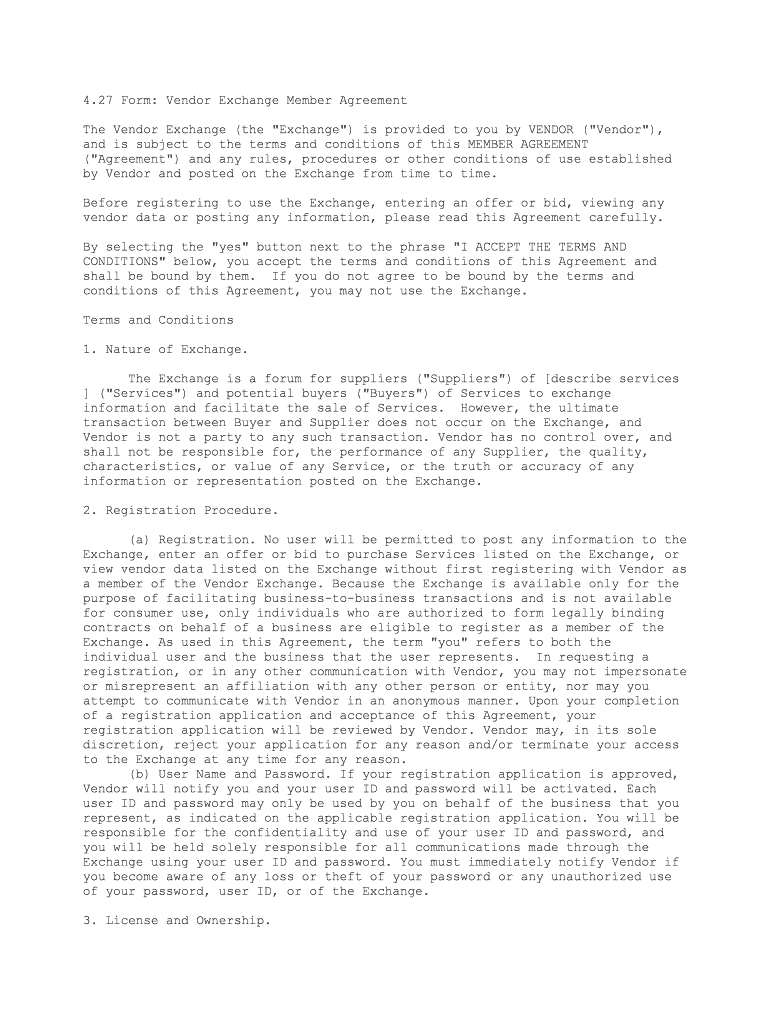
4.27 Form: Vendor Exchange Member Agreement The Vendor Exchange (the "Exchange") is provided to you by VENDOR ("Vendor"), and is subject to the terms and conditions of this MEMBER AGREEMENT ("Agreement") and any rules, procedures or other conditions of use established by Vendor and posted on the Exchange from time to time. Before registering to use the Exchange, entering an offer or bid, viewing any vendor data or posting any information, please read this Agreement carefully. By selecting the "yes" button next to the phrase "I ACCEPT THE TERMS AND CONDITIONS" below, you accept the terms and conditions of this Agreement and shall be bound by them. If you do not agree to be bound by the terms and conditions of this Agreement, you may not use the Exchange. Terms and Conditions 1. Nature of Exchange. The Exchange is a forum for suppliers ("Suppliers") of [describe services ] ("Services") and potential buyers ("Buyers") of Services to exchange information and facilitate the sale of Services. However, the ultimate transaction between Buyer and Supplier does not occur on the Exchange, and Vendor is not a party to any such transaction. Vendor has no control over, and shall not be responsible for, the performance of any Supplier, the quality, characteristics, or value of any Service, or the truth or accuracy of any information or representation posted on the Exchange. 2. Registration Procedure. (a) Registration. No user will be permitted to post any information to the Exchange, enter an offer or bid to purchase Services listed on the Exchange, or view vendor data listed on the Exchange without first registering with Vendor as a member of the Vendor Exchange. Because the Exchange is available only for the purpose of facilitating business-to-business transactions and is not available for consumer use, only individuals who are authorized to form legally binding contracts on behalf of a business are eligible to register as a member of the Exchange. As used in this Agreement, the term "you" refers to both the individual user and the business that the user represents. In requesting a registration, or in any other communication with Vendor, you may not impersonate or misrepresent an affiliation with any other person or entity, nor may you attempt to communicate with Vendor in an anonymous manner. Upon your completion of a registration application and acceptance of this Agreement, your registration application will be reviewed by Vendor. Vendor may, in its sole discretion, reject your application for any reason and/or terminate your access to the Exchange at any time for any reason. (b) User Name and Password. If your registration application is approved, Vendor will notify you and your user ID and password will be activated. Each user ID and password may only be used by you on behalf of the business that you represent, as indicated on the applicable registration application. You will be responsible for the confidentiality and use of your user ID and password, and you will be held solely responsible for all communications made through the Exchange using your user ID and password. You must immediately notify Vendor if you become aware of any loss or theft of your password or any unauthorized use of your password, user ID, or of the Exchange. 3. License and Ownership. (a) Grant of License. Subject to the terms and conditions of this Agreement and any other rules or procedures established by Vendor from time to time, Vendor hereby grants to you the limited, revocable, nonexclusive, nontransferable right (without the right to sublicense) to access and use the Exchange solely for your internal business purpose of facilitating the sale or purchase of Services. Except as expressly set forth herein, you may not modify, copy, distribute, transmit, reproduce, publish, license, transfer, sell, mirror, frame, or otherwise use any software, techniques, information, ideas, content, or other materials obtained through or constituting the Exchange. You may not reverse engineer, decompile, or disassemble any portion of the Exchange. You may not alter or modify any portion of the Exchange. You may not reproduce, deactivate, or bypass the security devices supplied with the Exchange. You represent and warrant to Vendor that you will not use the Exchange for any purpose that is unlawful or prohibited by this Agreement. You are responsible for providing, at your expense, all communications lines, hardware, software, services and other materials and technology necessary for you to access the Exchange. Vendor shall have no responsibility for any failure of such items or any failure or limitation of the Internet or other computer hardware or software. (b) Intellectual Property Rights. Title in and ownership of all text, images, sounds, graphics, software, documentation, techniques, algorithms, ideas, specifications, information, data-bases, and other proprietary materials related to the Exchange, including all patent, copyright, trademark, trade secret and other proprietary rights, shall remain at all times vested in Vendor and its licensors. Except for the limited license granted to you in Section 3(a) hereof, no license, express or implied, is granted to you under this Agreement. 4. Selling and Buying Services. (a) Transactions. Services may be sold or bought through the Exchange, by posting information to the Exchange pertaining to a Service you intend to sell (a "Listing"). You must specify in the Listing an accurate description of the Service, the material terms of purchase and the duration of the Listing. [List any other required information] Buyers wishing to buy Services through the Exchange may submit an offer to purchase any Service described in a Listing, thereby creating an "Offer." Each Offer must specify an offer price and a date and time of expiration for the Offer. A Supplier may accept or reject any Offer. An Offer is accepted by transmitting a notice of acceptance ("Acceptance Notice"), provided that the Acceptance Notice is sent prior to the expiration date and time specified in the Offer. Once a Supplier transmits an Acceptance Notice, Vendor will provide the Supplier with the contact information for the Buyer that entered the accepted Offer, and provide that Buyer with the contact information for the Supplier. It is expected that the Supplier and the Buyer that entered the accepted Offer will undertake commercially reasonable efforts to enter into a contract covering such Services (the "Contract Date") within thirty (30) days after the date of the Acceptance Notice, or as soon as reasonably practicable thereafter. (b) Commission Fees. As a Supplier of a Service sold through the Exchange, you agree to pay Vendor a "commission ("Commission Fee") for each Service that is the subject of a Listing posted by you if a contract or other agreement is entered into to sell the Service to a Buyer on the Exchange or to a Buyer that learned of the Service through use of the Exchange. The Commission Fee shall be ___ percent (_%) of the purchase price set forth in the Offer. You must pay all amounts due hereunder directly to Vendor within five (5) days of the Contract Date. Any amount that is not paid with fifteen (15) days of the due date will bear interest at the rate of one and one-half percent (1.5%) per month or the maximum rate allowed by law, which ever is less. Vendor shall be entitled to all costs of collection and costs incurred in enforcing this Agreement, including reasonable attorneys' fees.(c) Taxes. Vendor is not responsible for reporting or remitting any taxes which may be assessed, due or owing in any jurisdiction due to a transaction arising from use of the Exchange. (d) Notification and Audit. In the event that you sell, or contract to sell, any Services to a third party that entered an Offer that is the subject of an Acceptance Notice, you shall provide Vendor with notice of the sale via email no later than five (5) days after the Contract Date. Such notice shall include a description of the Services, the identity of the Buyer, and the price to be paid for such Services. You agree to maintain books and records, for a period of one (1) year following the date that such notice is given, of all data necessary to calculate Commission Fees. Vendor shall have the right to audit such books and records upon reasonable notice to you to verify the calculation of any Commission Fee due hereunder. You shall reimburse Vendor on a prompt basis for the cost of such audit in the event such audit reveals that the amount paid to Vendor is at least five percent (5%) less than the amount actually due. 5. Posting Information. You are solely responsible for maintaining and updating any information entered by you so that such information is current, complete, truthful and accurate at all times. You represent and warrant that you will not upload, post or transmit to or distribute or otherwise publish on or through the Exchange any material or information that: (i) infringes or misappropriates any patent, copyright, trademark, trade secret or other proprietary right, (ii) violates any law, statute, ordinance, or regulation when posted on the Exchange or provided to Vendor, (iii) is threatening, defamatory, libelous, harassing or profane, (iv) contains a virus, Trojan horse, worm, time bomb or other component that may adversely affect any hardware or software, or that intercepts or expropriates any data or information, or (v) includes bulk emails, advertisements or solicitations. 6. Representations and Warranties. (a) Suppliers. As a Supplier, you represent and warrant that: (i) any Service described in a Listing posted by you shall not be fraudulent or counterfeit and shall be accurately represented by the Listing, (ii) you have the right to list any Services described in a Listing posted by you and to sell such Services through the Exchange, (iii) you shall not post information for any Service which would be illegal to sell, or offer to sell, under applicable law, (iv) payment of the applicable fees to Vendor shall not cause Vendor to violate any applicable laws; and (v) the signatory of this Agreement has the requisite authority to bind Supplier to the terms and obligations of this Agreement. (b) Buyers. By entering a bid or offer for any Service, you represent and warrant that (i) you have the legal authority and ability to purchase the Service for which you have entered a bid, (ii) you meet the requirements set forth in the Listing associated with such Service, (iii) you agree to purchase the Service at the price specified in the bid, provided that the Service materially complies with the Listing; and (iv) the signatory of this Agreement has the requisite authority to bind Buyer to the terms and obligations of this Agreement. 7. Relationship of the Parties. (a) Vendor as Intermediary. No joint venture, partnership, employment, or agency relationship exists between you and Vendor as a result of this Agreement or your use of the Exchange. You acknowledge and agree that Vendor is only an intermediary that only relays information about certain Services to interested parties. You agree that you will assume all responsibility in connection with choosing to sell or purchase any Service, whether or not you posted or obtained information about such a Service through the Exchange. Vendor assumes no responsibility or liability for any claims that may result directly or indirectly from the Buyer/Supplier relationship, including, but not limited to, tort, breach of contract or breach of warranty claims. YOU HEREBY RELEASE VENDOR AND ITS EMPLOYEES, AGENTS, SHAREHOLDERS, OFFICERS, DIRECTORS AND AFFILIATES FROM ANY AND ALL CLAIMS OR ACTIONS RELATED TO OR ARISING OUT OF A DISPUTE BETWEEN YOU AND ANY OTHER USER OF THE EXCHANGE. (b) No Recommendations or Endorsement. Vendor does not recommend or endorse the accuracy or reliability of any Listing, Offers or other information, content, or advertisements contained on, distributed through, linked, downloaded, or otherwise accessed from the Exchange, nor the quality, characteristics, or value of any of the Services or other products, information, or materials displayed, purchased, obtained or otherwise available through the Exchange. (c) Links. Vendor may provide links, in its sole discretion, to other sites on the World Wide Web for the convenience of its users in locating related information and services. These sites have not been reviewed by Vendor and are maintained by third parties over which Vendor exercises no control. Accordingly, Vendor expressly disclaims any responsibility for the content, the accuracy of the information, and/or quality of products or services provided by or advertised on these third-party sites. Vendor is not responsible for the availability of such sites and does not endorse such sites. 8. Privacy/Confidentiality. (a) Privacy. Vendor is committed to protecting the privacy of the users of the Exchange, and accordingly, Vendor uses commercially reasonable efforts to protect all data collected on the Exchange from unauthorized access. However, Vendor cannot guarantee the security of any information you disclose online, and you do so at your own risk. Vendor is not responsible for the security of any information transmitted via the Internet or any error or delay in transmitting any information over the Internet, and you assume sole and complete risk for using the Exchange. By using the Exchange and providing the data, you consent to the collection and use of the data in accordance with this Agreement. (b) Monitoring. You agree that Vendor has the right, but not the obligation, to monitor, edit, disclose, refuse to post, or remove at any time, for any reason in its sole discretion, any material, content or information from the Exchange. Notwithstanding the foregoing, Vendor does not, and cannot, review all material, content and information posted to the Exchange, and Vendor is not responsible for any such material, content or information posted by users of the Exchange. By posting any information or content to the Exchange, you automatically grant Vendor a royalty-free, perpetual, irrevocable, non-exclusive right and license to use, reproduce, modify, digitize, adapt, publish, translate, create derivative works from, distribute, redistribute, transmit, perform and display such information and content (in whole or in part) worldwide and to incorporate it in other works in any form, media or technology now known or later developed for the full term of any rights that may exist in such information or content. Vendor reserves the right to remove any information or content posted by you from the Exchange at any time for any reason, in Vendor's sole discretion. 9. Disclaimers and Limitations of Liability.(a) No Warranties. VENDOR MAKES NO REPRESENTATIONS OR WARRANTIES ABOUT THE EXCHANGE, OR THE SUITABILITY, LEGALITY, OR ACCURACY OF THE INFORMATION, PRODUCTS, AND SERVICES DESCRIBED OR CONTAINED ON THE EXCHANGE. THE EXCHANGE AND ALL SUCH INFORMATION, PRODUCTS, AND SERVICES ARE PROVIDED "AS IS" WITHOUT WARRANTY OF ANY KIND, INCLUDING ALL IMPLIED WARRANTIES OF MERCHANTABILITY, FITNESS FOR A PARTICULAR PURPOSE, TITLE, AND NON-INFRINGEMENT, AND ALL SUCH WARRANTIES ARE HEREBY EXPRESSLY DISCLAIMED. (b) Limitation of Liability. IN NO EVENT SHALL VENDOR BE LIABLE FOR ANY INDIRECT, PUNITIVE, INCIDENTAL, SPECIAL, OR CONSEQUENTIAL DAMAGES ARISING OUT OF OR IN ANY WAY CONNECTED WITH THE USE OF THE EXCHANGE OR WITH THE DELAY OR INABILITY TO USE THE EXCHANGE, OR ANY INFORMATION, PRODUCTS, AND SERVICES AVAILABLE ON OR THROUGH THE EXCHANGE, INCLUDING WITHOUT LIMITATION, LOSS OF REVENUE OR ANTICIPATED PROFITS OR LOST BUSINESS OR LOST SALES, WHETHER BASED IN CONTRACT, TORT (INCLUDING NEGLIGENCE), STRICT LIABILITY, OR OTHERWISE, EVEN IF VENDOR HAS BEEN ADVISED OF THE POSSIBILITY OF DAMAGES. BECAUSE SOME STATES/JURISDICTIONS DO NOT ALLOW THE EXCLUSION OR LIMITATION OF LIABILITY FOR CONSEQUENTIAL OR INCIDENTAL DAMAGES, THE ABOVE LIMITATION MAY NOT APPLY. THE TOTAL LIABILITY OF VENDOR RELATED TO OR ARISING FROM USE OF THE EXCHANGE, WHETHER BASED IN CONTRACT, TORT (INCLUDING NEGLIGENCE), STRICT LIABILITY, OR OTHERWISE, SHALL NOT EXCEED, IN THE AGGREGATE, [ONE THOUSAND DOLLARS ($1,000)], EVEN IF VENDOR HAS BEEN ADVISED OF THE POSSIBILITY OF SUCH DAMAGE. THESE LIMITATIONS SHALL APPLY NOTWITHSTANDING ANY FAILURE OF ESSENTIAL PURPOSE OF ANY LIMITED REMEDY. 10. Indemnity. You hereby agree to defend and indemnify Vendor and its affiliates, and all of their officers, directors, shareholders, legal representatives, employees, successors, assigns, and agents and hold them harmless from and against any and all claims, proceedings, damages, injuries, liabilities, losses, costs, and expenses (including reasonable attorneys' fees and litigation expenses), relating to or arising from (i) your use of the Exchange, (ii) your breach of this Agreement, (iii) your dispute with another user of the Exchange, or (iv) any Service posted on, or sold through, the Exchange. You shall not settle or otherwise dispose of any matter that is subject to indemnification by you without the prior written consent of Vendor. Vendor reserves the right to assume the exclusive defense and control of any matter subject to indemnification by you. 11. Feedback. Vendor welcomes your feedback and suggestions about how to improve the Exchange. Any ideas, suggestions, information, know-how, material, or any other content (collectively, "Content") received through the Exchange will be deemed to include a royalty-free, perpetual, irrevocable, nonexclusive right and license for Vendor to adopt, publish, translate, reproduce, distribute, redistribute, transmit, perform, digitize, copy, use, create derivative works, display (in whole or part) worldwide, or act on such Content without additional approval or consideration, in any form, media or technology now known or later developed for the full term of any rights that may exist in such Content, and you hereby waive any claim to the contrary. 12. Modifications. Vendor may, in its sole discretion, amend this Agreement, at any time, by posting an amended Agreement on the Exchange. Such amended Agreement will become effective upon the posting of such Agreement on the Exchange. Continued use of the Exchange after such effective date constitutes acceptance of the amended Agreement. 13. Termination. Vendor may discontinue, modify or change any presently available service or content on the Exchange in whole or in part, at any time for any reason, without prior notice. Either you or Vendor may limit or terminate your use of the Exchange with or without cause at any time and effective immediately. Vendor shall not be liable to you or any third party for termination of your, or any third party's, use of the Exchange. You acknowledge and agree that any termination or limit on your use of the Exchange may be effected without prior notice, and you acknowledge and agree that Vendor may immediately remove, delete or discard any information or content that you have posted. 14. General. (a) Governing Law, Jurisdiction and Venue. This Agreement shall be interpreted and construed under the laws of the State of [State] without regard to its conflicts of law principles. Any judicial action or proceeding related to this Agreement must be brought in the courts of the State of [State] or the United States District Court for [State]. You consent to the jurisdiction of such courts, agree to accept service of process by mail, and hereby waive all jurisdictional and venue defenses otherwise available to you. (b) Events Beyond Vendor's Control. Vendor will not be liable for any loss resulting from a cause over which it does not have direct control, including, but not limited to, failure of electronic or mechanical equipment or communication lines, telephone or other interconnect problems, computer viruses, unauthorized access, theft, operator errors, acts of God, severe weather, earthquakes, or natural disasters, strikes or other labor problems, wars, or governmental restrictions. (c) Compliance with Laws. All Suppliers and Buyers shall comply with all applicable laws, including, but not limited to, any and all laws governing exports and any applicable international laws, in using the Exchange, and shall comply with all such laws in completing the sale of any and all Services. (d) Miscellaneous. If any provision of this Agreement is held by a court of competent jurisdiction to be invalid or unenforceable, then such provision shall be enforced to the maximum extent permissible so as to effect the intent of this Agreement, and the remainder of the Agreement shall remain in full force and effect. The section headings in this Agreement are for the convenience of the parties only, and shall have no substantive meaning and shall not be used to construe or interpret any provision of this Agreement. Failure to insist on strict performance of any of the terms and conditions of this Agreement will not operate as a waiver of any subsequent default or failure of performance. No waiver by Vendor of any right under this Agreement will be deemed to be either a waiver of any other such right or provision or a waiver of that same right or provision at any other time. This Agreement constitutes the entire agreement between you and Vendor with respect to the subject matter hereof and it supersedes all prior or contemporaneous communications and proposals, whether electronic, oral, or written, between you and Vendor with respect to the subject matter hereof. All provisions of this Agreement related to confidentiality, warranties, indemnification and limitations of liability shall survive the termination of this Agreement. I ACCEPT THE TERMS AND CONDITIONS.

Useful suggestions for finalizing your ‘Cboe Us Equities Exchanges Market Data Forms’ online

Are you fed up with the burden of handling paperwork? Look no further than airSlate SignNow, the premier electronic signature platform for individuals and businesses. Bid farewell to the monotonous task of printing and scanning documents. With airSlate SignNow, you can effortlessly complete and sign documents online. Leverage the powerful features incorporated into this user-friendly and cost-effective platform and transform your approach to document management. Whether you need to sign forms or gather eSignatures, airSlate SignNow manages it all seamlessly, requiring only a few clicks.

Adhere to this detailed guide:

  1. Log into your account or register for a complimentary trial with our service.
  2. Click +Create to upload a document from your device, cloud storage, or our template collection.
  3. Access your ‘Cboe Us Equities Exchanges Market Data Forms’ in the editor.
  4. Click Me (Fill Out Now) to prepare the document on your end.
  5. Add and designate fillable fields for others (if necessary).
  6. Proceed with the Send Invite options to request eSignatures from others.
  7. Download, print your version, or convert it into a reusable template.

Don’t fret if you need to collaborate with your colleagues on your Cboe Us Equities Exchanges Market Data Forms or send it for notarization—our solution has everything you require to accomplish these tasks. Create an account with airSlate SignNow today and elevate your document management to a new standard!

Here is a list of the most common customer questions. If you can’t find an answer to your question, please don’t hesitate to reach out to us.

Need help? Contact Support

The best way to complete and sign your cboe us equities exchanges market data forms

Save time on document management with airSlate SignNow and get your cboe us equities exchanges market data forms eSigned quickly from anywhere with our fully compliant eSignature tool.

How to Sign a PDF Online How to Sign a PDF Online

How to fill out and sign paperwork online

In the past, working with paperwork required lots of time and effort. But with airSlate SignNow, document management is fast and easy. Our powerful and easy-to-use eSignature solution enables you to effortlessly fill out and electronically sign your cboe us equities exchanges market data forms online from any internet-connected device.

Follow the step-by-step guidelines to eSign your cboe us equities exchanges market data forms template online:

  • 1.Sign up for a free trial with airSlate SignNow or log in to your account with password credentials or SSO authorization option.
  • 2.Click Upload or Create and import a form for eSigning from your device, the cloud, or our form catalogue.
  • 3.Click on the file name to open it in the editor and utilize the left-side toolbar to complete all the empty fields properly.
  • 4.Put the My Signature field where you need to approve your sample. Type your name, draw, or import a picture of your regular signature.
  • 5.Click Save and Close to finish modifying your completed form.

After your cboe us equities exchanges market data forms template is ready, download it to your device, save it to the cloud, or invite other individuals to eSign it. With airSlate SignNow, the eSigning process only requires a couple of clicks. Use our robust eSignature tool wherever you are to manage your paperwork efficiently!


How to Sign a PDF Using Google Chrome How to Sign a PDF Using Google Chrome

How to fill out and sign documents in Google Chrome

Completing and signing paperwork is simple with the airSlate SignNow extension for Google Chrome. Installing it to your browser is a quick and productive way to deal with your paperwork online. Sign your cboe us equities exchanges market data forms template with a legally-binding eSignature in a few clicks without switching between programs and tabs.

Follow the step-by-step guidelines to eSign your cboe us equities exchanges market data forms form in Google Chrome:

  • 1.Navigate to the Chrome Web Store, search for the airSlate SignNow extension for Chrome, and add it to your browser.
  • 2.Right-click on the link to a form you need to approve and choose Open in airSlate SignNow.
  • 3.Log in to your account with your password or Google/Facebook sign-in buttons. If you don’t have one, sign up for a free trial.
  • 4.Use the Edit & Sign menu on the left to complete your template, then drag and drop the My Signature field.
  • 5.Add a picture of your handwritten signature, draw it, or simply enter your full name to eSign.
  • 6.Make sure all information is correct and click Save and Close to finish editing your form.

Now, you can save your cboe us equities exchanges market data forms template to your device or cloud storage, email the copy to other people, or invite them to electronically sign your document with an email request or a secure Signing Link. The airSlate SignNow extension for Google Chrome enhances your document workflows with minimum time and effort. Start using airSlate SignNow today!


How to Sign a PDF in Gmail How to Sign a PDF in Gmail How to Sign a PDF in Gmail

How to fill out and sign forms in Gmail

Every time you get an email with the cboe us equities exchanges market data forms for signing, there’s no need to print and scan a file or download and re-upload it to a different program. There’s a better solution if you use Gmail. Try the airSlate SignNow add-on to quickly eSign any documents right from your inbox.

Follow the step-by-step guidelines to eSign your cboe us equities exchanges market data forms in Gmail:

  • 1.Visit the Google Workplace Marketplace and look for a airSlate SignNow add-on for Gmail.
  • 2.Set up the tool with a corresponding button and grant the tool access to your Google account.
  • 3.Open an email with an attached file that needs approval and utilize the S symbol on the right panel to launch the add-on.
  • 4.Log in to your airSlate SignNow account. Select Send to Sign to forward the file to other parties for approval or click Upload to open it in the editor.
  • 5.Drop the My Signature option where you need to eSign: type, draw, or import your signature.

This eSigning process saves efforts and only requires a few clicks. Utilize the airSlate SignNow add-on for Gmail to adjust your cboe us equities exchanges market data forms with fillable fields, sign documents legally, and invite other individuals to eSign them al without leaving your inbox. Enhance your signature workflows now!


How to Sign a PDF on a Mobile Device How to Sign a PDF on a Mobile Device How to Sign a PDF on a Mobile Device

How to complete and sign documents in a mobile browser

Need to rapidly submit and sign your cboe us equities exchanges market data forms on a mobile phone while working on the go? airSlate SignNow can help without the need to install extra software programs. Open our airSlate SignNow solution from any browser on your mobile device and create legally-binding eSignatures on the go, 24/7.

Follow the step-by-step guidelines to eSign your cboe us equities exchanges market data forms in a browser:

  • 1.Open any browser on your device and go to the www.signnow.com
  • 2.Sign up for an account with a free trial or log in with your password credentials or SSO authentication.
  • 3.Click Upload or Create and import a file that needs to be completed from a cloud, your device, or our form collection with ready-to go templates.
  • 4.Open the form and fill out the blank fields with tools from Edit & Sign menu on the left.
  • 5.Put the My Signature area to the form, then type in your name, draw, or add your signature.

In a few easy clicks, your cboe us equities exchanges market data forms is completed from wherever you are. As soon as you're finished editing, you can save the file on your device, generate a reusable template for it, email it to other individuals, or ask them to eSign it. Make your documents on the go fast and effective with airSlate SignNow!


How to Sign a PDF on iPhone How to Sign a PDF on iPhone

How to fill out and sign paperwork on iOS

In today’s business world, tasks must be done rapidly even when you’re away from your computer. With the airSlate SignNow app, you can organize your paperwork and approve your cboe us equities exchanges market data forms with a legally-binding eSignature right on your iPhone or iPad. Set it up on your device to close deals and manage forms from just about anywhere 24/7.

Follow the step-by-step guidelines to eSign your cboe us equities exchanges market data forms on iOS devices:

  • 1.Open the App Store, find the airSlate SignNow app by airSlate, and install it on your device.
  • 2.Launch the application, tap Create to upload a template, and select Myself.
  • 3.Opt for Signature at the bottom toolbar and simply draw your signature with a finger or stylus to eSign the form.
  • 4.Tap Done -> Save after signing the sample.
  • 5.Tap Save or utilize the Make Template option to re-use this document later on.

This method is so simple your cboe us equities exchanges market data forms is completed and signed in just a few taps. The airSlate SignNow application works in the cloud so all the forms on your mobile device remain in your account and are available whenever you need them. Use airSlate SignNow for iOS to boost your document management and eSignature workflows!


How to Sign a PDF on Android How to Sign a PDF on Android

How to complete and sign documents on Android

With airSlate SignNow, it’s simple to sign your cboe us equities exchanges market data forms on the go. Set up its mobile app for Android OS on your device and start improving eSignature workflows right on your smartphone or tablet.

Follow the step-by-step guide to eSign your cboe us equities exchanges market data forms on Android:

  • 1.Navigate to Google Play, find the airSlate SignNow application from airSlate, and install it on your device.
  • 2.Log in to your account or register it with a free trial, then import a file with a ➕ option on the bottom of you screen.
  • 3.Tap on the imported document and select Open in Editor from the dropdown menu.
  • 4.Tap on Tools tab -> Signature, then draw or type your name to eSign the form. Complete blank fields with other tools on the bottom if necessary.
  • 5.Use the ✔ key, then tap on the Save option to end up with editing.

With an intuitive interface and full compliance with primary eSignature laws and regulations, the airSlate SignNow app is the perfect tool for signing your cboe us equities exchanges market data forms. It even operates offline and updates all record modifications once your internet connection is restored and the tool is synced. Fill out and eSign documents, send them for eSigning, and generate multi-usable templates anytime and from anywhere with airSlate SignNow.

Sign up and try Cboe us equities exchanges market data forms
  • Close deals faster
  • Improve productivity
  • Delight customers
  • Increase revenue
  • Save time & money
  • Reduce payment cycles

