Establishing secure connection…Loading editor…Preparing document…

Change of Address Letter

This template is fully customizable. Edit the text, fill out the fields, and send it for signature. Give it a try!
Change of Address Letter

What a Change of Address Letter Is and When to Use It

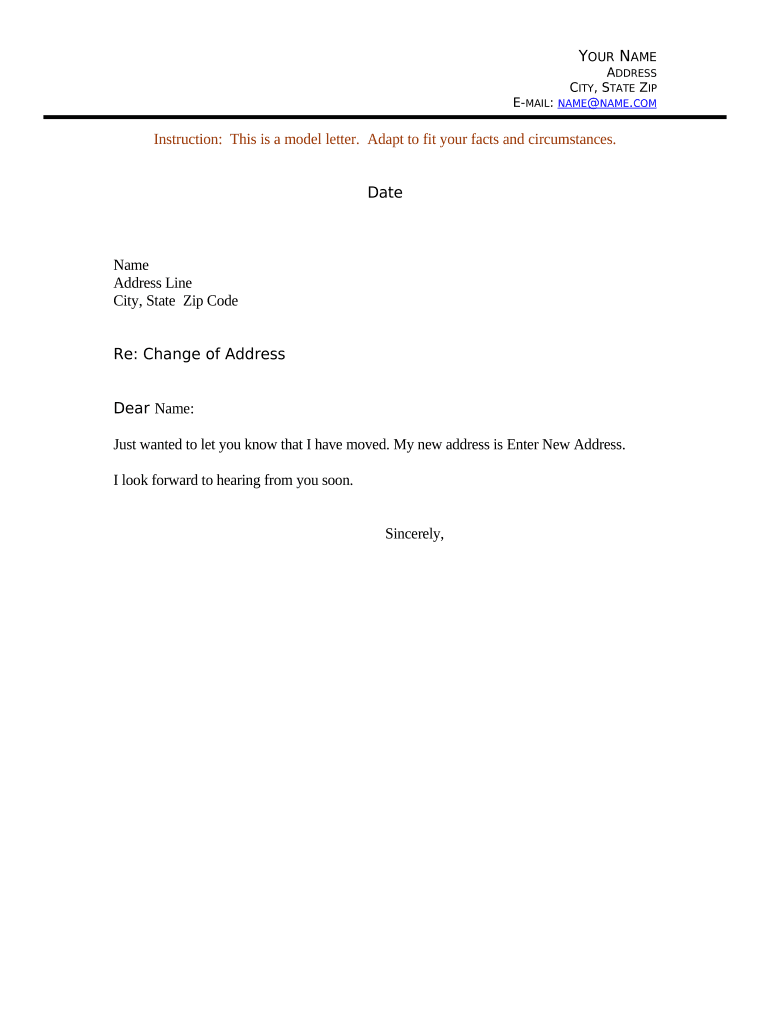
A Change of Address Letter is a written notice that one party sends to another to formally update a mailing address for correspondence, billing, records, or legal service. Common senders include individuals, businesses, landlords, and government agencies. The letter documents the old address, the new address, the effective date for mail forwarding, and a point of contact. It creates a clear record of the change and helps reduce missed notices, returned mail, and administrative delays when updating accounts, subscriptions, bank records, and government filings.

Why a Clear Change of Address Letter Matters

A concise, dated Change of Address Letter reduces missed communications, supports legal notice requirements, and provides an auditable record for financial and government accounts. It helps recipients update systems promptly and mitigates risks from returned mail and billing errors.

Why a Clear Change of Address Letter Matters

Who Typically Prepares and Receives These Letters

Individuals and organizations use Change of Address Letters to update official records across private and public sectors.

  • Individuals — updating banks, subscriptions, and government benefits tenancies or estate mail forwarding.
  • Businesses — notifying vendors, clients, licensing authorities, and payroll departments of corporate relocations.
  • Landlords & property managers — informing tenants, utilities, and municipal offices about mailing and billing address changes.

Choose the recipients and delivery method based on contractual obligations and any statutory notice requirements.

Step-by-step: Prepare and Send a Change of Address Letter

Follow these steps to create a clear, legally useful change notice.

  • 01
    1. Identify recipients: List banks, agencies, and vendors to notify.
  • 02
    2. Draft letter: Include old/new addresses, effective date, contact details.
  • 03
    3. Choose delivery: Select certified mail, email, or secure eDelivery.
  • 04
    4. Keep records: Save copies and any delivery receipts.

Online Completion: Typical Digital Workflow Settings

When completing and sending a Change of Address Letter online, configure these common settings for reliable delivery and auditability.

Field Configuration
Document Format PDF or DOCX preferred for compatibility
Signer Authentication Email + optional SMS code or KBA
Delivery Method Email link, certified mail, or secure download
Audit Trail Capture IP, timestamp, and action log

Digital Process: How eSubmission of the Letter Typically Works

An electronic change notice follows these basic stages when you use a compliant eSignature workflow.

  • Upload document: Sender uploads a PDF or Word letter.
  • Place fields: Add signature, date, and contact fields.
  • Send to recipients: Recipients receive secure signing links.
  • Record and store: System archives signed copy and audit trail.

Platform Considerations for eSigning and Delivery

Choose a platform that supports required file types, authentication, and audit logs for legal defensibility.

  • File formats: PDF, DOCX, or HTML accepted
  • Integrations: Connects with Salesforce, Microsoft 365, NetSuite
  • Compliance: Supports ESIGN, UETA, and audit trails

Verify the vendor supports your required authentication level and retention policies before eSubmitting official change notices.

Core Elements to Include for a Professional Change of Address Letter

A well-structured letter limits disputes and speeds system updates. These elements form a reliable record.

Header

Date, subject line, and recipient name for routing and filing purposes.
Old Address

Complete previous address to match existing records and ensure correct account identification.

New Address

Full new address entry, including unit number and ZIP, for accurate mail delivery.

Effective Date

Clear MM/DD/YYYY date when the new address takes effect for forwarding and billing.

Contact Details

Phone and email so recipients can verify or request additional documentation if needed.

Signature

Signed by the authorized person; include printed name and title if signing for an organization.

Supporting Documents and Export Options

Attach or export supporting evidence when necessary; choose formats that preserve signatures and metadata.

Proof of Address

Attach a utility bill or lease with matching name and new address as PDF file.

Identification

Include a government ID copy when required for identity verification.

Delivery Receipts

Retain certified mail receipts or eDelivery confirmations for proof of notice.

Export formats

Save signed copies as PDF/A or standard PDF for long-term retention.

Required Information Checklist

Sender Name: Full legal name
Old Address: Street, city, state, ZIP
New Address: Complete street address
Effective Date: MM/DD/YYYY format
Contact Info: Phone and email
Signature: Signed and dated

Common Mistakes to Avoid

  • Using an incomplete address that causes misdelivery or returned mail.
  • Failing to list all necessary recipients, e.g., banks and government agencies.
  • Not including an effective date, causing billing or service timing disputes.
  • Omitting a signature or authorized signatory details for organizational notices.

Consequences of an Incorrect or Missing Change of Address

Missed Notices: Late bills or legal notices may result
Tax Risks: Delayed tax notices can trigger IRC §6721 penalties
Service Disruption: Utility or subscription interruptions possible
Identity Risk: Returned mail increases fraud exposure
Administrative Costs: Reprocessing and follow-up expenses
Contract Issues: Failure to receive contractual notices

Timing Considerations and Expected Processing Steps

Different recipients have different internal update timelines; account for lead time when setting an effective date.

Mail Forwarding Start:

USPS forwarding typically begins within 7–10 business days

Banking Updates:

Allow 1–2 billing cycles for address propagation

Government Agencies:

Processing can take 2–6 weeks depending on agency

Creditors & Lenders:

Update before next statement to prevent returned statements

Utilities:

May require final meter reading and account transfer timing

Key Milestones After Sending Your Change Notice

Track these milestones to confirm successful address propagation across systems.

01

Send Notice

Dispatch change letter and retain proof of delivery

02

Confirm Receipt

Recipient acknowledges and updates records

03

Monitor Mail Forwarding

Check USPS forwarding and returned mail

04

Verify Accounts

Log in to key accounts to confirm new address

eSignature Pricing and Feature Comparison for Delivering a Change of Address Letter

Compare basic pricing and core features that affect high-volume or compliance-sensitive delivery of address-change notices; signNow is listed first for reference.

signNow DocuSign Adobe Sign PandaDoc HelloSign
Starting Price $8/user/mo $15/user/mo $14/user/mo $19/user/mo $15/user/mo
Free Trial 7-day free trial Varies by plan Varies by plan Varies by plan Varies by plan
Bulk Send Yes (Business Premium) Yes Yes Yes No
Audit Trail Yes Yes Yes Yes Yes
Envelope Cap No cap 100 envelopes/user/year Varies by plan Varies by plan Varies by plan

FAQs: Troubleshooting Common Change of Address Letter Issues

Answers to frequent questions about preparing, delivering, and validating a Change of Address Letter.


Need help? Contact support

be ready to get more
Join over 28 million airSlate SignNow users