Establishing secure connection… Loading editor… Preparing document…
Navigation

Fill and Sign the Charitable Lead Form
Fill and Sign the Charitable Lead Form

How it works

Open the document and fill out all its fields.
Apply your legally-binding eSignature.
Save and invite other recipients to sign it.

Rate template

4.7
45 votes
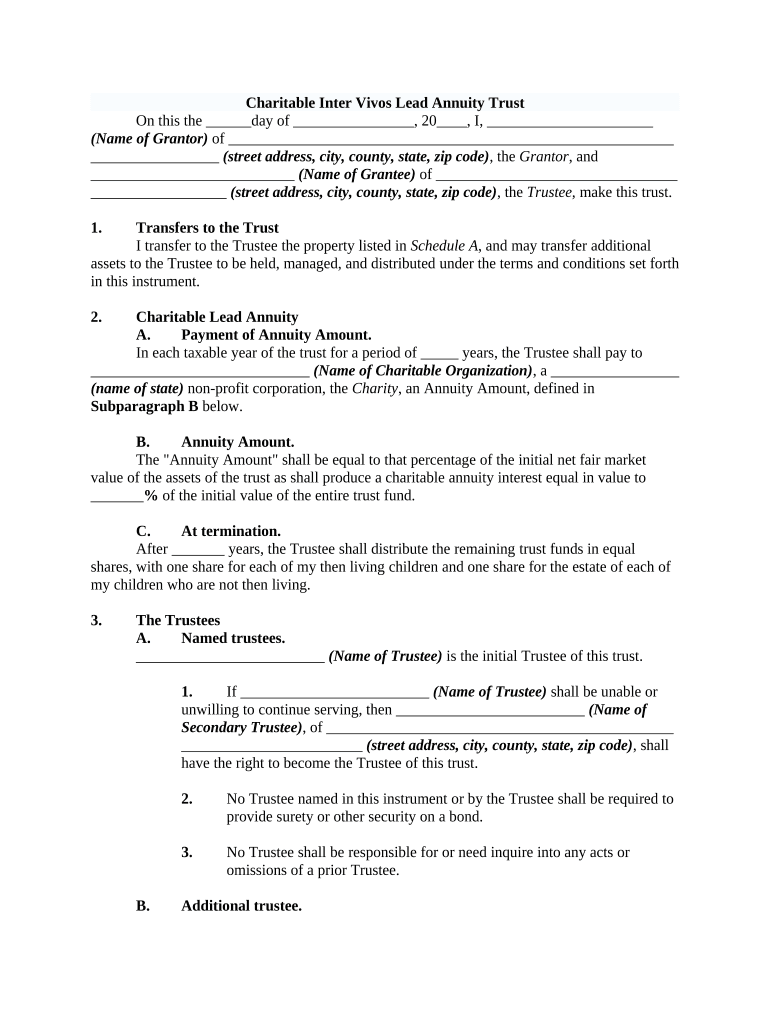
Charitable Inter Vivos Lead Annuity Trust On this the ______day of ________________, 20____, I, ______________________ (Name of Grantor) of ___________________________________________________________ _________________ (street address, city, county, state, zip code) , the Grantor , and ___________________________ (Name of Grantee) of ________________________________ __________________ (street address, city, county, state, zip code) , the Trustee, make this trust. 1. Transfers to the Trust I transfer to the Trustee the property listed in Schedule A , and may transfer additional assets to the Trustee to be held, managed, and distributed under the terms and conditions set forth in this instrument. 2. Charitable Lead Annuity A. Payment of Annuity Amount. In each taxable year of the trust for a period of _____ years, the Trustee shall pay to _____________________________ (Name of Charitable Organization) , a _________________ (name of state) non-profit corporation, the Charity , an Annuity Amount, defined in Subparagraph B below. B. Annuity Amount. The "Annuity Amount" shall be equal to that percentage of the initial net fair market value of the assets of the trust as shall produce a charitable annuity interest equal in value to __ _____ % of the initial value of the entire trust fund. C. At termination. After _______ years, the Trustee shall distribute the remaining trust funds in equal shares, with one share for each of my then living children and one share for the estate of each of my children who are not then living. 3. The Trustees A. Named trustees. _________________________ (Name of Trustee) is the initial Trustee of this trust . 1. If _________________________ (Name of Trustee) shall be unable or unwilling to continue serving, then _________________________ (Name of Secondary Trustee) , of ______________________________________________ ________________________ (street address, city, county, state, zip code) , shall have the right to become the Trustee of this trust . 2. No Trustee named in this instrument or by the Trustee shall be required to provide surety or other security on a bond. 3. No Trustee shall be responsible for or need inquire into any acts or omissions of a prior Trustee. B. Additional trustee. The Trustee may appoint any person as Co-Trustee or additional Trustee to serve at the pleasure of the appointing Trustee. C. Delegation. Any Trustee may delegate any powers and authorities to another Trustee for any period that the delegating Trustee deems appropriate. A person dealing in good faith with any Trustee may rely without inquiry upon that Trustee's representation that a particular power or authority has been delegated and not rescinded. D. Resignation. Any Trustee may resign by giving written notice specifying the effective date of the resignation to the designated successor Trustee. 1. If no successor Trustee is designated, a resigning Trustee shall give this written notice to the Grantor and the Charity. 2. A successor Trustee to fill any vacancy shall be named by the Grantor, if then living or otherwise by the Charity. E. Compensation. Each person who serves as a Trustee shall be entitled to receive reasonable compensation for services rendered. In the case of a corporate Trustee, reasonable compensation is based upon its published fee schedule in effect at the time its services are rendered, or as otherwise agreed, and its compensation may vary from time to time based on that schedule. F. Management powers. I grant the Trustee the powers described below, to be exercised in a fiduciary capacity. 1. The Trustee may hold and retain as part of the trust any assets received from any source, and invest and reinvest them (or leave them temporarily uninvested) in any type of property and every kind of investment in the same manner as a prudent investor would invest his or her own assets. 2. The Trustee may sell or exchange any real or personal property contained in the trust , for cash or credit, at public or private sale, and with such warranties or indemnifications as the Trustee may deem advisable. 3. The Trustee may borrow money for the benefit of the trust and may secure these debts with assets of the trust . 4. The Trustee may grant security interests and execute all instruments creating such interests on such terms as the Trustee may deem advisable. 5. The Trustee may compromise and adjust claims against or on behalf of the trust on such terms as the Trustee may deem advisable. 6. The Trustee may take title to any securities in the name of any custodian or nominee without disclosing this relationship. 7. The Trustee may determine whether receipts are to be allocated to income or principal and whether disbursements are to be charged against income or principal to the extent not clearly established by state law. All determinations made by the Trustee in good faith shall not require equitable adjustments. 8. The Trustee may make all tax elections and allocations the Trustee may consider appropriate; however, this authority is exercisable only in a fiduciary capacity and may not be used to enlarge or shift any beneficial interest except as an incidental consequence of the discharge of fiduciary duties. All tax elections and allocations made by the Trustee in good faith shall not require equitable adjustments. 9. The Trustee shall distribute any of the trust assets to a minor by distributing them to any appropriate person (who may be a Trustee) chosen by the Trustee as custodian under any appropriate Uniform Transfers (or Gifts) to Minors Act, to be held for the maximum period of time allowed by law. The Trustee may also sell any asset that cannot legally be held under this custodianship and invest the sales proceeds in assets that can be held under this custodianship. 10. The Trustee may employ such lawyers, accountants, and other advisers as the Trustee may deem useful and appropriate for the administration of the trust . The Trustee may employ a professional investment adviser and delegate to this adviser any discretionary investment authorities to manage the investments of the trust (including any investments in mutual funds, investment trusts , or managed accounts), and may rely on the adviser's investment recommendations without liability to any beneficiary. 11. The Trustee may divide and distribute the assets of the trust in kind or in cash, or partly in each, without regard to the income tax basis of any asset and without the consent of any beneficiary. The decision of the Trustee in dividing any portion of the trust between or among two or more beneficiaries shall be binding on all persons. 4. Mandatory Lead Trust Provisions A. Overriding tax purpose. This trust is established as, and shall operate as, a charitable lead trust the charitable interest in which is a guaranteed annuity under 26 U.S.C.A. § 170(f)(2)(B) of the Internal Revenue Code of 1986, as amended (the "Code") and all provisions of this instrument shall be construed in a manner consistent with this purpose. The Trustee shall not exercise any discretion under this instrument in a manner inconsistent with this purpose. B. Payment of the Annuity Amount. The Annuity Amount shall be paid in equal quarterly installments on the last day of each quarter. The Annuity Amount shall be paid from trust income and, to the extent income is insufficient, from principal. Any trust income for a taxable year in excess of the Annuity Amount shall be added to principal. C. Misvaluation. If the initial net fair market value of the assets of the trust is incorrectly determined, then within a reasonable period after the value is finally determined for federal tax purposes, the Trustee shall pay to the Charity (in the case of an undervaluation) or the Charity shall pay to the Trustee (in the case of an overvaluation) an amount equal to the difference between the Annuity Amount properly payable and the Annuity Amount actually paid. D. Short taxable years. The Trustee shall prorate the Annuity Amount on a daily basis for a short taxable year, in accordance with applicable regulations of the U.S. Treasury Department. E. Private foundation rules. The trust income for each taxable year shall be distributed at such time and in such manner as not to subject the trust to tax under 26 U.S.C.A. § 4942 . The Trustee shall not: (1) engage in any act of self-dealing, as defined in 26 U.S.C.A. § 4941 ; (2) make any taxable expenditures, as defined in 26 U.S.C.A. § 4945(d) ; (3) make any investments that jeopardize the charitable purpose of any Charitable Lead Trust , within the meaning of 26 U.S.C.A. § 4944 ; or (4) retain any excess business holdings, within the meaning of 26 U.S.C.A. § 4943 . F. Order of payments. The Annuity Amount shall be paid first from ordinary taxable income of the trust (including short-term capital gains) which is not unrelated business income. If such ordinary taxable income is insufficient to satisfy the Annuity Amount, it shall be paid from long-term capital gains, unrelated business income, tax-exempt income, and trust principal, in that order. G. Taxable year. The trust's taxable year shall be the calendar year. H. Investment of trust assets. Nothing in this instrument shall be construed to restrict the Trustee from investing the trust assets in a manner that could result in the annual realization of a reasonable amount of income or gain from the sale or disposition of trust assets. I. Irrevocability. This trust is irrevocable. However, the Trustee may, acting alone, amend the trust as may be necessary to ensure that the charitable interest qualifies and continues to qualify as a guaranteed annuity interest described in § 170(f)(2)(B) of the Code. J. Qualification of charities . If any charity designated to receive any distribution from this trust is not a publicly supported organization described in 26 U.S.C.A. §§ 170(b)(1)(A), (c) , 2055(a) , and 2522(a) , at the time when any principal or income of the trust is to be distributed to it, then the Trustee shall distribute such principal and income to one or more organizations, selected at the Trustee's sole discretion, which are then publicly supported organizations described in Sections 170(b)(1)(A), (c), 2055(a), and 2522(a) of the Code. 5. Trust Administration A. Disabled beneficiaries. The Trustee may distribute income or principal, or both, for the benefit of a minor or disabled beneficiary to the beneficiary's parent, guardian, or personal representative, or to the person with whom the beneficiary resides, without looking to the proper application of those payments. B. Accountings. The Trustee shall not be required to file annual accounts with any court or court official in any jurisdiction. C. Change of situs. The Trustee may change the situs of this trust (and to the extent necessary or appropriate, move the trust assets) to a state or country other than the one in which the trust is then administered, if the Trustees believe it to be in the best interests of the trust or the beneficiaries. The Trustee may elect that the law of such other jurisdiction shall govern the trust to the extent necessary or appropriate under the circumstances. D. Not a separate taxpayer. I intend that this trust be a grantor trust for federal income tax purposes. 1. Upon demand by my _____________ ( son/daughter) , _____________________ ( name of first child) , the Trustee shall (a) transfer any trust assets in exchange for assets of equivalent value; or (b) lend to me any of the trust income and principal, in exchange for my unsecured promissory note of equal value to the amount lent, bearing adequate interest. 2. If _______________________ ( name of first child ) , is unable to exercise these powers, they shall be exercisable by my ____________ (son/daughter) , _________________________ (name of second child) . 3. These powers are exercisable by _________________________ (name of first child) or ________________________ (name of second child) solely in a nonfiduciary capacity. 4. Either by ________________________ (name of first child) or _____________________________ (name of second child) may waive either or both of these powers by a writing delivered to a Trustee, and such waiver shall bind the party who waives this power, the Trustee, and all other persons. 5. The powers under this paragraph shall not be exercisable to the extent that the exercise of these powers would reasonably be expected to preclude the deductibility of the charitable interest as a right to an annually distributed fixed percentage of the fair market value of the trust property (to be determined yearly), as described in § 170(f)(2)(B) of the Code. This limitation shall apply even if it causes the trust to be a separate taxpayer for federal income tax purposes. 6. Definitions and Miscellaneous A. Children. "Children" includes those now or later born, and in addition to the natural born, any child now or later legally adopted. B. Disabled. An individual is "disabled" or "under a disability" if the Trustee (or, if the person whose disability is in question is a Trustee, the next successor Trustee) receives written certification from two physicians, both of whom have personally examined the individual and at least one of whom is board certified in the specialty most closely associated with the alleged disability. The certification must state that the individual is incapable of managing _________ (his/her) own finances, regardless of cause and regardless of whether there is an adjudication of incompetence, mental illness, or need for a committee, conservator, guardian, or other personal representative. No person is liable to anyone for actions taken in reliance on these certifications or for dealing with a Trustee other than the one removed for disability based on these certifications. C. Trustee . The "Trustee" shall include each Trustee, Co-Trustee, and any successor Trustee. D. Tax-related terms. All tax-related terms shall have the same meaning that they have in the Internal Revenue Code of 1986, as amended. E. Copies. There is only one signed original of this trust instrument. Anyone may rely on a copy of this trust instrument certified by a notary public or similar official to be a true copy of the signed original (and of any amendments) as if that copy were the signed original. Anyone may rely upon any statement of fact certified by the person who appears from the original document or a certified copy to be a Trustee. F. Number. Whenever the context requires, the singular number includes the plural and the plural the singular. G. Applicable law. This trust shall be governed by and construed according to the laws of the state of ___________________. WITNESS our signatures as of the day and date first above stated. ____________________________________ (Grantee) By:_______________________________________ _________________________ (Name and Office in Bank) (Grantor) Acknowledgments (form of acknowledgment may vary by state) Attach Schedule A

Useful Suggestions for Preparing Your ‘Charitable Lead’ Online

Are you fed up with the inconvenience of managing paperwork? Look no further than airSlate SignNow, the premier eSignature solution for individuals and businesses. Bid farewell to the lengthy process of printing and scanning documents. With airSlate SignNow, you can seamlessly finalize and sign paperwork online. Take advantage of the powerful tools integrated into this user-friendly and budget-friendly platform and transform your method of document management. Whether you need to endorse forms or collect eSignatures, airSlate SignNow manages everything effortlessly, needing just a few clicks.

Follow this comprehensive guide:

  1. Sign in to your account or register for a free trial with our service.
  2. Click +Create to upload a file from your device, cloud storage, or our template repository.
  3. Open your ‘Charitable Lead’ in the editor.
  4. Click Me (Fill Out Now) to fill in the form on your part.
  5. Add and assign fillable fields for other participants (if necessary).
  6. Proceed with the Send Invite settings to request eSignatures from others.
  7. Download, print your copy, or convert it into a reusable template.

No need to worry if you want to collaborate with your team on your Charitable Lead or send it for notarization—our platform provides you with all the tools you need to accomplish such tasks. Sign up with airSlate SignNow today and enhance your document management to a new standard!

Here is a list of the most common customer questions. If you can’t find an answer to your question, please don’t hesitate to reach out to us.

Need help? Contact Support

The best way to complete and sign your charitable lead form

Save time on document management with airSlate SignNow and get your charitable lead form eSigned quickly from anywhere with our fully compliant eSignature tool.

How to Sign a PDF Online How to Sign a PDF Online

How to fill out and sign documents online

In the past, dealing with paperwork took pretty much time and effort. But with airSlate SignNow, document management is quick and simple. Our robust and easy-to-use eSignature solution lets you effortlessly fill out and eSign your charitable lead form online from any internet-connected device.

Follow the step-by-step guidelines to eSign your charitable lead form template online:

  • 1.Register for a free trial with airSlate SignNow or log in to your account with password credentials or SSO authentication.
  • 2.Click Upload or Create and import a file for eSigning from your device, the cloud, or our form catalogue.
  • 3.Click on the file name to open it in the editor and use the left-side menu to fill out all the blank areas appropriately.
  • 4.Place the My Signature field where you need to approve your sample. Type your name, draw, or upload an image of your handwritten signature.
  • 5.Click Save and Close to finish editing your completed document.

As soon as your charitable lead form template is ready, download it to your device, export it to the cloud, or invite other people to electronically sign it. With airSlate SignNow, the eSigning process only requires a couple of clicks. Use our robust eSignature tool wherever you are to deal with your paperwork productively!


How to Sign a PDF Using Google Chrome How to Sign a PDF Using Google Chrome

How to complete and sign documents in Google Chrome

Completing and signing documents is easy with the airSlate SignNow extension for Google Chrome. Installing it to your browser is a quick and effective way to manage your forms online. Sign your charitable lead form template with a legally-binding electronic signature in a few clicks without switching between programs and tabs.

Follow the step-by-step guide to eSign your charitable lead form template in Google Chrome:

  • 1.Go to the Chrome Web Store, find the airSlate SignNow extension for Chrome, and install it to your browser.
  • 2.Right-click on the link to a form you need to approve and select Open in airSlate SignNow.
  • 3.Log in to your account with your credentials or Google/Facebook sign-in option. If you don’t have one, sign up for a free trial.
  • 4.Use the Edit & Sign menu on the left to complete your sample, then drag and drop the My Signature option.
  • 5.Add a photo of your handwritten signature, draw it, or simply type in your full name to eSign.
  • 6.Verify all information is correct and click Save and Close to finish modifying your paperwork.

Now, you can save your charitable lead form template to your device or cloud storage, send the copy to other people, or invite them to eSign your document with an email request or a protected Signing Link. The airSlate SignNow extension for Google Chrome enhances your document workflows with minimum time and effort. Try airSlate SignNow today!


How to Sign a PDF in Gmail How to Sign a PDF in Gmail How to Sign a PDF in Gmail

How to complete and sign paperwork in Gmail

When you receive an email with the charitable lead form for signing, there’s no need to print and scan a document or save and re-upload it to another tool. There’s a better solution if you use Gmail. Try the airSlate SignNow add-on to promptly eSign any paperwork right from your inbox.

Follow the step-by-step guide to eSign your charitable lead form in Gmail:

  • 1.Visit the Google Workplace Marketplace and find a airSlate SignNow add-on for Gmail.
  • 2.Set up the tool with a related button and grant the tool access to your Google account.
  • 3.Open an email with an attachment that needs signing and use the S key on the right sidebar to launch the add-on.
  • 4.Log in to your airSlate SignNow account. Choose Send to Sign to forward the document to other people for approval or click Upload to open it in the editor.
  • 5.Put the My Signature field where you need to eSign: type, draw, or import your signature.

This eSigning process saves efforts and only takes a couple of clicks. Utilize the airSlate SignNow add-on for Gmail to update your charitable lead form with fillable fields, sign paperwork legally, and invite other people to eSign them al without leaving your inbox. Improve your signature workflows now!


How to Sign a PDF on a Mobile Device How to Sign a PDF on a Mobile Device How to Sign a PDF on a Mobile Device

How to fill out and sign forms in a mobile browser

Need to quickly submit and sign your charitable lead form on a smartphone while doing your work on the go? airSlate SignNow can help without the need to set up extra software applications. Open our airSlate SignNow tool from any browser on your mobile device and create legally-binding eSignatures on the go, 24/7.

Follow the step-by-step guide to eSign your charitable lead form in a browser:

  • 1.Open any browser on your device and go to the www.signnow.com
  • 2.Register for an account with a free trial or log in with your password credentials or SSO option.
  • 3.Click Upload or Create and add a file that needs to be completed from a cloud, your device, or our form catalogue with ready-to go templates.
  • 4.Open the form and complete the empty fields with tools from Edit & Sign menu on the left.
  • 5.Add the My Signature field to the form, then type in your name, draw, or add your signature.

In a few easy clicks, your charitable lead form is completed from wherever you are. Once you're finished editing, you can save the file on your device, create a reusable template for it, email it to other individuals, or ask them to electronically sign it. Make your documents on the go fast and efficient with airSlate SignNow!


How to Sign a PDF on iPhone How to Sign a PDF on iPhone

How to complete and sign documents on iOS

In today’s business world, tasks must be accomplished rapidly even when you’re away from your computer. With the airSlate SignNow mobile app, you can organize your paperwork and approve your charitable lead form with a legally-binding eSignature right on your iPhone or iPad. Install it on your device to close deals and manage forms from anyplace 24/7.

Follow the step-by-step guide to eSign your charitable lead form on iOS devices:

  • 1.Open the App Store, find the airSlate SignNow app by airSlate, and set it up on your device.
  • 2.Open the application, tap Create to import a form, and select Myself.
  • 3.Choose Signature at the bottom toolbar and simply draw your signature with a finger or stylus to eSign the form.
  • 4.Tap Done -> Save right after signing the sample.
  • 5.Tap Save or use the Make Template option to re-use this document later on.

This process is so simple your charitable lead form is completed and signed in just a couple of taps. The airSlate SignNow application works in the cloud so all the forms on your mobile device remain in your account and are available whenever you need them. Use airSlate SignNow for iOS to enhance your document management and eSignature workflows!


How to Sign a PDF on Android How to Sign a PDF on Android

How to fill out and sign forms on Android

With airSlate SignNow, it’s easy to sign your charitable lead form on the go. Set up its mobile application for Android OS on your device and start enhancing eSignature workflows right on your smartphone or tablet.

Follow the step-by-step guidelines to eSign your charitable lead form on Android:

  • 1.Go to Google Play, find the airSlate SignNow app from airSlate, and install it on your device.
  • 2.Log in to your account or create it with a free trial, then import a file with a ➕ option on the bottom of you screen.
  • 3.Tap on the uploaded file and select Open in Editor from the dropdown menu.
  • 4.Tap on Tools tab -> Signature, then draw or type your name to eSign the sample. Fill out empty fields with other tools on the bottom if necessary.
  • 5.Use the ✔ key, then tap on the Save option to finish editing.

With a user-friendly interface and total compliance with main eSignature laws and regulations, the airSlate SignNow app is the best tool for signing your charitable lead form. It even operates without internet and updates all document adjustments when your internet connection is restored and the tool is synced. Complete and eSign documents, send them for approval, and create multi-usable templates anytime and from anyplace with airSlate SignNow.

Sign up and try Charitable lead form
  • Close deals faster
  • Improve productivity
  • Delight customers
  • Increase revenue
  • Save time & money
  • Reduce payment cycles


