Establishing secure connection…Loading editor…Preparing document…

Letter Confirming Appointment

This template is fully customizable. Edit the text, fill out the fields, and send it for signature. Give it a try!
Letter Confirming Appointment

What a Letter Confirming Appointment Is

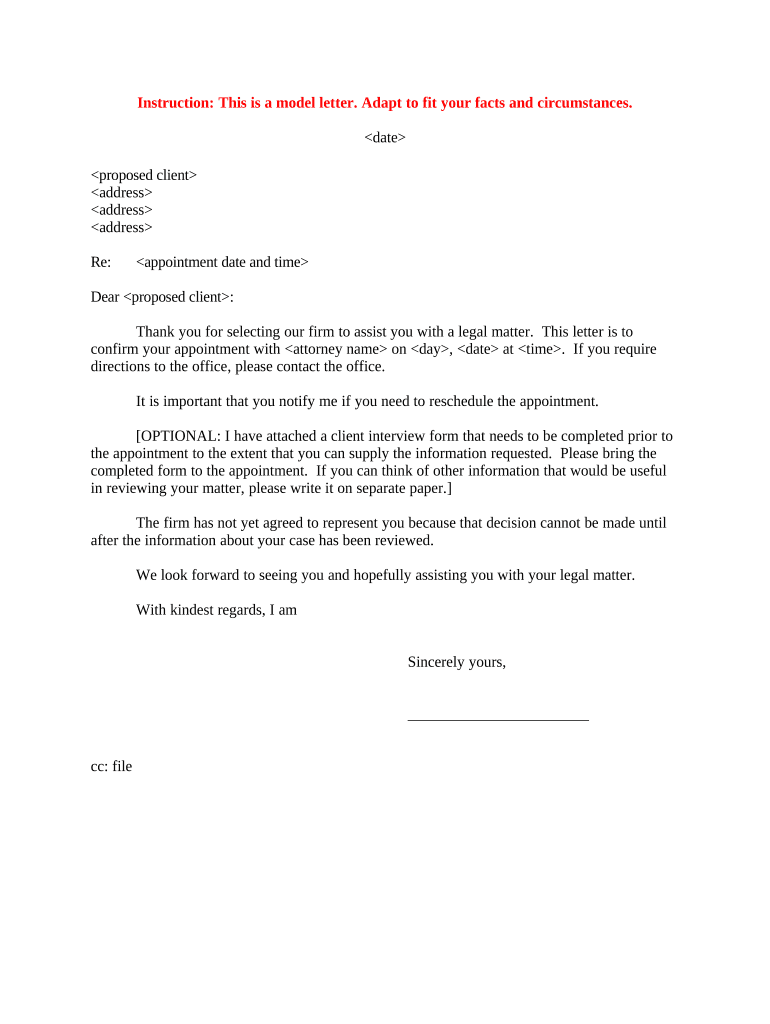
A Letter Confirming Appointment is a formal written notice that documents the appointment of an individual to a position, role, or responsibility within an organization or for a specific task. It records the effective date, the appointee's title, duties, reporting relationships, duration or term, compensation or honorarium if applicable, and any conditions of the appointment. The letter serves as a clear, signed record for personnel files and for the appointee, and it can be used to establish authority, access, and eligibility for benefits or credentials.

Why You Should Use a Letter Confirming Appointment

Use a Letter Confirming Appointment to create an authoritative, dated record of an appointment that clarifies duties, start date, reporting lines, and conditions. It reduces ambiguity between parties, supports HR and payroll processing, and provides a signed document for compliance and recordkeeping.

Why You Should Use a Letter Confirming Appointment

Who Typically Prepares or Receives This Letter

Typical users include organizations, hiring managers, HR teams, legal departments, and external appointing authorities who need a formal written record of appointment terms.

  • Small and medium businesses formalizing hires, contractors, and volunteer roles.
  • Universities and nonprofits appointing committee members, visiting scholars, or advisors.
  • Government agencies documenting appointments to boards, task forces, or advisory panels.

Representative Roles That Handle These Letters

Avery Chen, HR Director

Responsible for issuing appointment letters, confirming start dates, coordinating onboarding tasks, and ensuring the letter aligns with organizational policies. Uses the letter to update personnel files, trigger payroll setup, benefits enrollment, and access provisioning.

Jordan Lee, General Counsel

Reviews appointment language for legal risk, confirms authority and term provisions, and advises on required disclosures or consent language. Ensures compliance with state statutes and internal delegation protocols before the letter is finalized and signed.

Key Parts Every Professional Appointment Letter Should Include

Essential parts of a Letter Confirming Appointment clarify scope, timing, compensation, reporting, conditions, and acceptance to create an enforceable record.

Effective Date

State the start date in MM/DD/YYYY format, and note whether the appointment is temporary, ongoing, or for a fixed term. This date triggers payroll, benefits, and reporting obligations.
Title and Duties

Describe the appointee's official title, primary responsibilities, key deliverables, and any performance expectations. Be specific to reduce disputes over role scope and supervisory responsibilities and timelines.

Compensation

Specify salary, stipend, honorarium, reimbursements, or other compensation terms, including payment schedule, conditions for changes or termination of payments, tax treatment, and any benefits entitlements.

Reporting

Identify the supervisor or reporting line, expected check‑ins or reviews, and any matrix reporting arrangements. Clarify who approves time, leave, and deliverables to avoid operational confusion.

Conditions

List prerequisites such as background checks, security clearances, licensing, conflict‑of‑interest disclosures, or probationary reviews that must be satisfied before or during the appointment and ongoing reporting obligations.

Acceptance

Include a signed acceptance line with name, title, signature, and date. State whether countersignature by an authorized officer is required and how acceptance is delivered.

Required Information and Common Data Fields

Appointee Name: Full legal name as on ID.
Effective Date: Enter as MM/DD/YYYY date.
Position Title: Official role title used for payroll.
Reporting Line: Immediate supervisor or department.
Compensation Terms: Salary, stipend, or reimbursement.
Authorized Signatures: Appointee and authorized officer signatures.

Step-by-Step: Prepare and Record the Letter

Follow these steps to prepare, confirm, and record a Letter Confirming Appointment so the document is complete and enforceable.

  • 01
    Draft: Write appointment terms clearly and include required fields.
  • 02
    Review: Have legal or HR review for compliance and clarity.
  • 03
    Sign: Collect signatures from appointee and authorized officer.
  • 04
    File: Store signed letter in personnel records and distribute copies.

How to Configure an Online Signing Workflow

Configure an online workflow to collect, sign, and store the Letter Confirming Appointment with secure routing and optional authentication.

Field Configuration
Authentication Email link with optional SMS code
Signer Order Sequential: appointee then authorized officer
Fields to Add Name, date, title, compensation, acceptance checkbox
Storage Save signed PDF to HR folder, retain audit trail

Where to Send or File the Signed Letter

Routing options for delivery and filing of a Letter Confirming Appointment include email, secure portal, HR system, and physical clerk filing.

  • Email: Send signed PDF to appointee and HR inboxes.
  • HRIS: Upload to human resources information system personnel file.
  • Secure Portal: Provide access via client or employee portal with audit trail.
  • Physical Filing: Keep original in personnel file; distribute certified copies as needed.

Technical Requirements for eSubmission and Storage

For eSubmission, confirm platform supports secure eSign, audit trails, and exportable signed PDFs compatible with records systems.

  • File Types: PDF, DOCX accepted for upload.
  • Integrations: Works with HRIS and cloud storage.
  • Authentication: Email link, SMS code, or SSO.

Typical Timelines and Processing Expectations

Common timelines tied to a Letter Confirming Appointment include response deadlines, start dates, and HR processing milestones.

Appointee Response Deadline:

Typically 7–14 days from receipt unless otherwise specified.

Start Date and Onboarding:

Start date triggers payroll and benefits; onboarding completes within 1–2 weeks.

HR Processing Time:

Allow 3–5 business days for HR to process paperwork.

Benefits Enrollment Window:

Enroll within the carrier's stated open enrollment or plan start dates.

Record Retention Start:

Retention begins on effective date; follow legal retention schedules.

Key Milestones from Authorization to Archival

Milestones for processing and recording an appointment letter help stakeholders track authorization, acceptance, onboarding, and archival steps.

01

Authorization Issued

Hiring authority approves appointment and prepares the draft letter.

02

Appointee Acceptance

Appointee signs and returns letter within deadline to confirm acceptance.

03

HR Onboarding

HR completes setup, payroll, benefits, and access provisioning.

04

Record Archival

Signed letter filed in personnel records and retained per policy.

Common Mistakes to Avoid When Preparing This Letter

  • Using vague language about duties or compensation that creates ambiguity and increases the risk of disputes, misclassification, or incorrect payroll setup.
  • Omitting required dates, signatures, or acceptance language so the appointment lacks an effective date or a clear record of consent.
  • Failing to verify identity or legal name matching can trigger backup withholding, access denials, or require reissuing corrected documents.
  • Not aligning the letter's terms with an employment agreement or charter leads to conflicting obligations and potential unenforceability.

Penalties and Risks of an Incorrect Letter

Payroll Errors: Incorrect withholding, tax reporting.
Employment Disputes: Ambiguity may cause claims.
Regulatory Noncompliance: Benefit enrollment failures.
Recordkeeping Penalties: Fines for inadequate retention.
Contractual Liability: Breach damages possible.
Reissuance Costs: Administrative and legal fees.

Real-World Examples of Appointment Letters

These examples show typical uses of a Letter Confirming Appointment across organizations, illustrating practical drafting choices and operational impacts.

Nonprofit Board Appointment

A nonprofit issued a Letter Confirming Appointment for a new board member specifying term, conflict policy, and committee assignments.

  • Signed electronically and countersigned by chair.
  • The clear written terms prevented disputes about committee authority, enabled timely background checks, and allowed finance staff to grant system access promptly, reducing onboarding time and ensuring accurate grant reporting.

University Visiting Scholar

A university issued a visiting scholar appointment with a defined start and end date, stipend, and supervisory relationship.

  • Appointee accepted via signed email attachment.
  • The letter provided documentation for departmental approvals, visa support where needed, and access to library and campus systems while clarifying publication and IP expectations.

eSignature Vendor Comparison for Appointment Letters

Compare starting prices and key capabilities for eSignature vendors commonly used to execute appointment letters and similar HR documents.

signNow DocuSign Adobe Sign PandaDoc HelloSign
Starting Price $8/user/mo $15/user/mo $14/user/mo $19/user/mo $15/user/mo
Free Trial 7-day free trial Varies Varies Varies Varies
Bulk Send Yes Yes Yes Yes No
Audit Trail Yes Yes Yes Yes Yes
HIPAA Compliant Yes Yes Yes No No

FAQs: Common Questions and Practical Answers

Answers to common questions about using, signing, and storing a Letter Confirming Appointment, including eSignature legality and practical steps to avoid errors.


Need help? Contact support

be ready to get more
Join over 28 million airSlate SignNow users