Estate Identifier
Court case number and decedent name to match probate docket and avoid filing ambiguities across county records and tax filings.
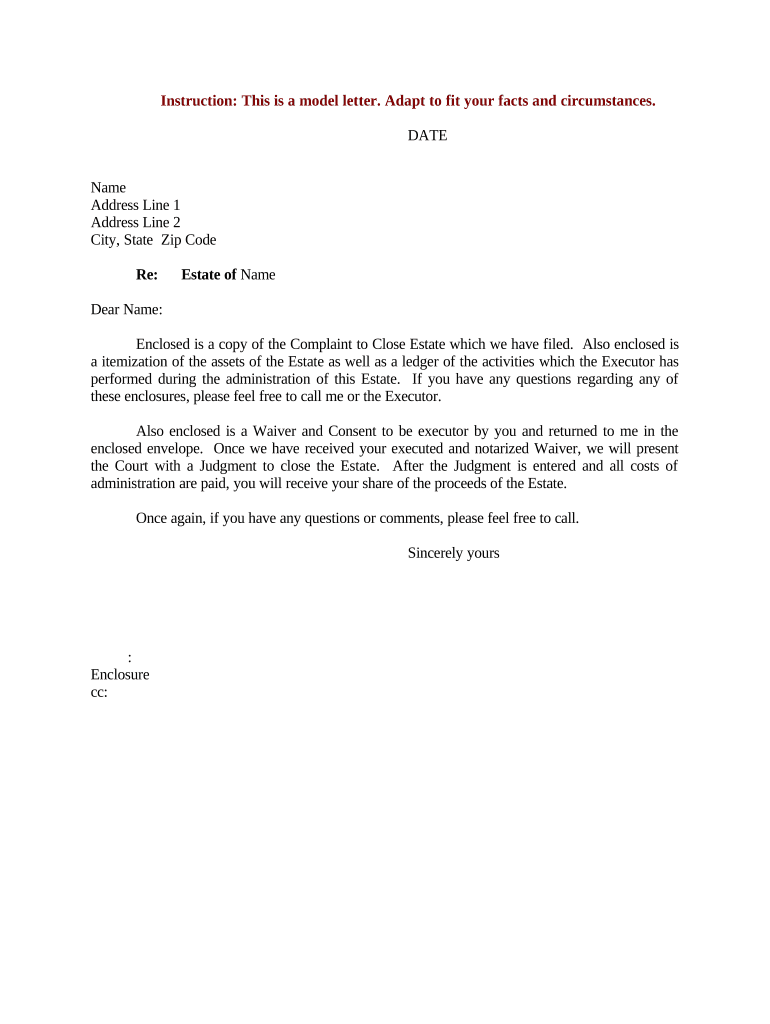
Filing a complete Close Estate Form documents the executor’s final accounting, supports lawful distribution of assets, reduces exposure to creditor or beneficiary disputes, and allows the court to formally discharge the fiduciary. Proper completion protects the estate, shortens administrative time, and creates a clear record for tax and beneficiary reconciliation.

Typical users include fiduciaries, probate attorneys, court staff, and institutional payees involved in final estate administration.
Parties who receive the form rely on it to close accounts, reconcile taxes, and finalize transfers; accuracy is essential.
Court case number and decedent name to match probate docket and avoid filing ambiguities across county records and tax filings.
Executor name, contact, address, and relationship to decedent so the court and payors know who acts on behalf of the estate.
Concise list of assets with values and locations so recipients can verify title transfers and tax bases for final returns.
Documented creditor claims and payments made from estate funds to clarify outstanding liabilities before distribution.
Itemized allocation of property and cash to beneficiaries with amounts or percentages to support transfers and releases.
Summary of receipts, disbursements, fees, taxes, and net remainder to substantiate fiduciary actions and allow court discharge.
| Upload & Prepare | Upload PDF or DOCX, add signature and date fields |
|---|---|
| Signing Order | Set executor first, then witnesses or beneficiaries |
| Authentication | Choose email or SMS code for signer verification |
| Attachments | Attach death certificate and asset schedules |
| Submit Route | Send to court clerk or designated county office |
Online completion requires a platform that supports PDF and DOCX, audit trails, signer authentication, and secure storage.
Choose an e-signature service that preserves audit logs, provides tamper-evident signed files, and can generate a certificate of completion for court submission or institutional recordkeeping.
State statutes set initial filing windows; check local court requirements
Statutory notice periods vary by state; creditors must file timely claims
File when administration concludes or per court schedule
Form 706 due nine months after date of death (extensions available)
Fiduciary returns follow federal tax deadlines and extension rules
We process and execute estate-related documents online for property transfers
The team uses an intuitive interface to complete closing paperwork remotely
The named fiduciary appointed by the will or court acts on behalf of the estate; their signature binds the estate and must match the court appointment records.
An attorney of record may sign where authorized by the fiduciary or as the fiduciary’s agent; the power must be evidenced in the court file or by a written authorization.
Ensure all fillable fields and attachments are complete before signing.
Signer must present government-issued ID to the notary or satisfy digital identity proofing.
Sign before the notary if in-person acknowledgment is required.
Notary completes the acknowledgement block and seals the document.
For remote notarization, record the session and follow state-proofing steps.
Collect witness signatures where state law requires them for the document type.
Submit notarized and witnessed originals per court filing rules.
Keep certified copies and retention evidence for audits and beneficiary requests.
| signNow | DocuSign | Adobe Sign | PandaDoc | HelloSign | |
|---|---|---|---|---|---|
| Starting Price | $8/user/mo | $15/user/mo | $14/user/mo | $19/user/mo | $15/user/mo |
| Free Trial | 7-day free trial | No data | No data | No data | No data |
| Bulk Send | Yes | Yes | Yes | Yes | No |
| Audit Trail | Yes | Yes | Yes | Yes | Yes |
| HIPAA Compliant | Yes | Yes | Yes | No | No |