Establishing secure connection…Loading editor…Preparing document…

Collateral Assignment

This template is fully customizable. Edit the text, fill out the fields, and send it for signature. Give it a try!
Collateral Assignment

What a Collateral Assignment Is and when it’s used

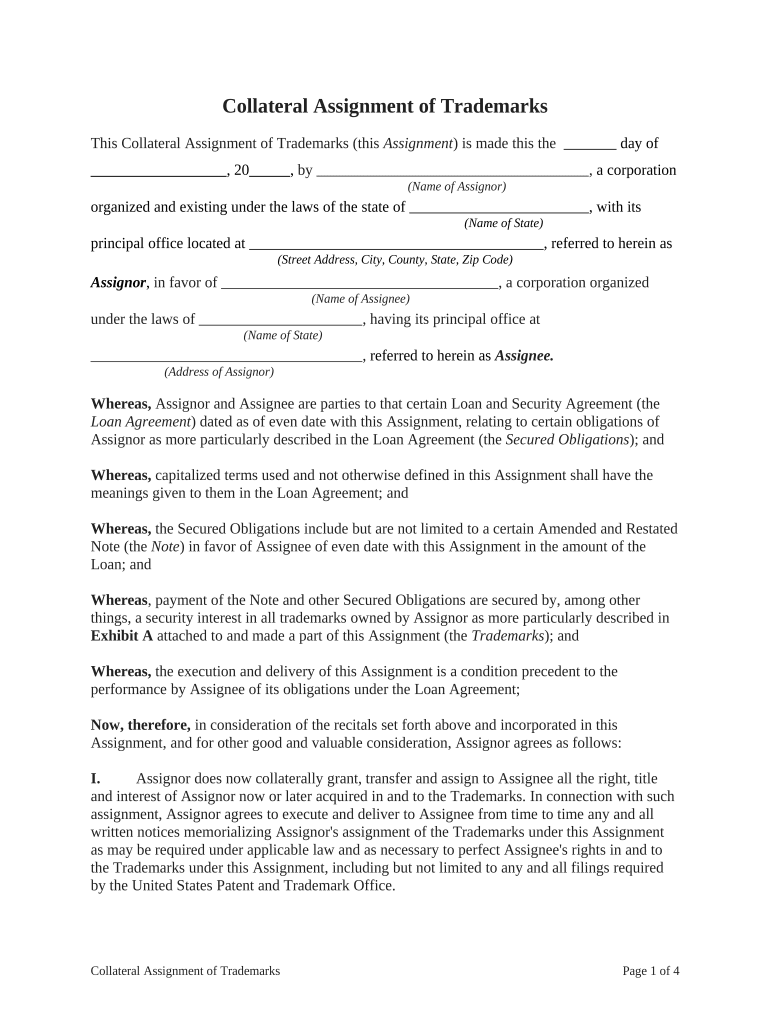
A Collateral Assignment is a legal instrument by which a borrower or owner transfers specific rights in property, contract proceeds, or policy benefits to a secured party to secure an obligation. Common in lending and financing, it identifies the obligor, describes the collateral, and sets the secured obligations, priorities, and remedies if the debtor defaults. Collateral Assignments can cover tangible assets, accounts receivable, intellectual property, insurance proceeds, or contractual rights; recording, notarization, or related filings may be required to perfect the secured interest depending on the collateral type and jurisdiction.

Why a Collateral Assignment matters for secured transactions

A clear Collateral Assignment creates an enforceable security interest, clarifies remedies, and helps establish priority against other creditors. It makes obligations and collateral boundaries explicit and reduces litigation risk when defaults occur.

Why a Collateral Assignment matters for secured transactions

Who typically prepares or signs a Collateral Assignment

The document is used by lenders, borrowers, servicers, and counsel when securing loans, assigning policy proceeds, or pledging contract rights.

  • Lenders and credit departments seeking to perfect a security interest and document priority over assets.
  • Commercial borrowers or guarantors who pledge rights or proceeds to secure obligations.
  • Attorneys and closing agents preparing assignments and coordinating notarization or recording.

Signers must confirm authority to grant the interest and follow applicable notarization or recording rules to ensure enforceability.

Essential parts of a professional Collateral Assignment

A complete Collateral Assignment clearly identifies parties, defines the collateral and obligations, states consideration, sets governing law, and includes signature and notarization provisions to support recordability.

Parties

Full legal names and entity types for assignor and assignee; include state of formation for entities and registration numbers when available.
Collateral Description

Precise, itemized description of assets or rights (policy numbers, contract IDs, account numbers) sufficient to identify the collateral for third parties.

Secured Obligations

Exact description of debts or performance obligations secured by the assignment, including principal, interest, fees, and contingencies.

Perfection & Recording

Instructions on whether to record, file UCC-1 financing statements, or record in land records to perfect priority where applicable.

Remedies

Permitted actions on default, including acceleration, foreclosure, claim to proceeds, and rights to enforce assigned contracts.

Signatures & Notary

Signature blocks, notarization language, witness lines if required, and dates to support recordability and enforceability.

Required information to include on the form

Grantor Name: Exact legal name
Assignee Name: Exact legal name
Collateral Details: Clear identifier(s)
Effective Date: MM/DD/YYYY
Consideration: Amount or description
Signatures: Signers and notary

Step-by-step: completing a Collateral Assignment

Follow these core steps to prepare, execute, and perfect a Collateral Assignment so it achieves the intended security effect.

  • 01
    Prepare Document: Draft with precise collateral and obligation language.
  • 02
    Confirm Authority: Verify signatory authority and entity resolutions if needed.
  • 03
    Execute and Notarize: Sign, date, and notarize per state rules.
  • 04
    Perfect Security: File UCC-1 or record where required to establish priority.

Configure an online signing workflow for the Collateral Assignment

Set up fields, authentication, and routing to match your legal and operational requirements before sending for signature.

Field Configuration
Signature Type Choose e-signature or wet signature
Authentication Email + SMS code or stronger KBA
Conditional Fields Show fields only if applicable
Retention Setting Enable audit trail and store copy

Where to send or file the executed assignment

After execution, follow the right distribution and filing steps so the assignment is effective against third parties.

  • Original to Assignee: Keep an original signed copy for the secured party's file.
  • Deliver to Grantor: Provide a fully executed copy to the assignor for records.
  • Record as Required: File UCC-1 or county recorder if collateral is fixtures/real property.
  • Notify Third Parties: Inform insurers, account debtors, or obligors of the assignment.

Digital signing and format compatibility

Use eSignature platforms that support standard PDF/Word uploads and maintain secure audit trails for legal evidence.

  • File Formats: PDF and DOCX supported
  • Integrations: CRM and storage integrations available
  • Authentication: SMS, email, or enterprise SSO

Ensure the provider supports retention, tamper-evident signed PDFs, and optional notarization or RON capabilities to match your jurisdictional requirements.

Key dates and timing to watch for

Track signature, notarization, recording, and tax-reporting timelines to maintain priority and avoid penalties.

Effective Date:

Establishes when security interest attaches; use MM/DD/YYYY.

Signature Date:

Date each signature to show when execution occurred.

Notarization Deadline:

Notarize promptly if state law or third parties require it.

Recording Window:

File UCC or recorder documents quickly to preserve priority.

Tax Reporting:

Update records for any reportable assignments per IRS rules.

Common preparation mistakes to avoid

  • Using vague collateral descriptions that fail to identify assets clearly, which can prevent perfection and reduce enforceability.
  • Signing without verifying corporate authority or necessary resolutions, creating grounds for later invalidation or challenge.
  • Failing to notarize or record when required by state law, which can change lien priority and third-party rights.
  • Neglecting to notify third parties (insurers, account debtors), leaving proceeds subject to competing claims.

Risks and legal consequences of an incorrect assignment

Recording Rejection: Filed incorrectly
Priority Loss: Lower lien position
Tax Exposure: Withholding or reporting issues
Invalid Assignment: Voidable by court
Contract Dispute: Litigation risk
Regulatory Penalties: Industry-specific fines

Representative Collateral Assignment scenarios

Two short examples show typical uses: securing a loan with contract proceeds and assigning insurance proceeds as collateral for repayment.

Commercial Loan Assignment

A lender takes an assignment of a contractor's receivables to secure a construction loan

  • The lender files a UCC-1 to perfect priority and monitors collections
  • On default the lender may collect receivables directly or pursue contractual remedies per the assignment.

Insurance Proceeds Assignment

A borrower assigns life insurance death benefits to the creditor as loan collateral

  • The assignee records beneficiary designation and obtains a copy of the policy
  • At claim, proceeds are used to reduce the outstanding obligation in accordance with the assignment terms.

Practical tips for accurate and efficient completion

Adopt consistent drafting and execution practices to reduce errors, speed processing, and improve enforceability.

Use precise identifiers
Include policy numbers, contract IDs, serial numbers, and account numbers to avoid ambiguity and simplify third-party verification during perfection and enforcement.
Verify signatory authority
Obtain corporate resolutions or officer certificates for entity signers to prevent challenges to the assignment's validity and speed downstream acceptance.
Coordinate recording
Confirm county or state recording requirements in advance to ensure timely perfection and avoid priority loss against competing claims.
Preserve audit trails
For electronic workflows, retain signed PDFs with certificates, timestamps, and a complete audit log to support admissibility and authenticity.

eSignature vendor comparison for executing Collateral Assignments

Vendor pricing and key capabilities vary; signNow is listed first. Compare starting price, trials, bulk send support, audit trail availability, HIPAA support, and envelope caps.

signNow DocuSign Adobe Sign PandaDoc HelloSign
Starting Price $8/user/mo $15/user/mo $14/user/mo $19/user/mo $15/user/mo
Free Trial 7-day free trial Varies Varies Varies Varies
Bulk Send Yes (Business Premium) Yes Yes Yes No
Audit Trail Yes Yes Yes Yes Yes
HIPAA Compliant Yes Yes Yes No No
Envelope Cap No cap 100 envelopes/user/year Varies by plan Varies by plan Varies by plan

Frequently asked questions about Collateral Assignments

Answers to common questions on enforceability, notarization, electronic signing, revocation, and filing help avoid common pitfalls.


Need help? Contact support

be ready to get more
Join over 28 million airSlate SignNow users